

 chhoumann
[BUG] Can't capture selected text with templater option "Trigger Templater on new file creation" enabled
Describe the bug
QuickAdd can't capture selected text with the templater option Trigger Templater on new file creation enabled if the target file does not exist and needs to be created.
To Reproduce Steps to reproduce the behavior:
- Enable templater option
Trigger Templater on new file creation: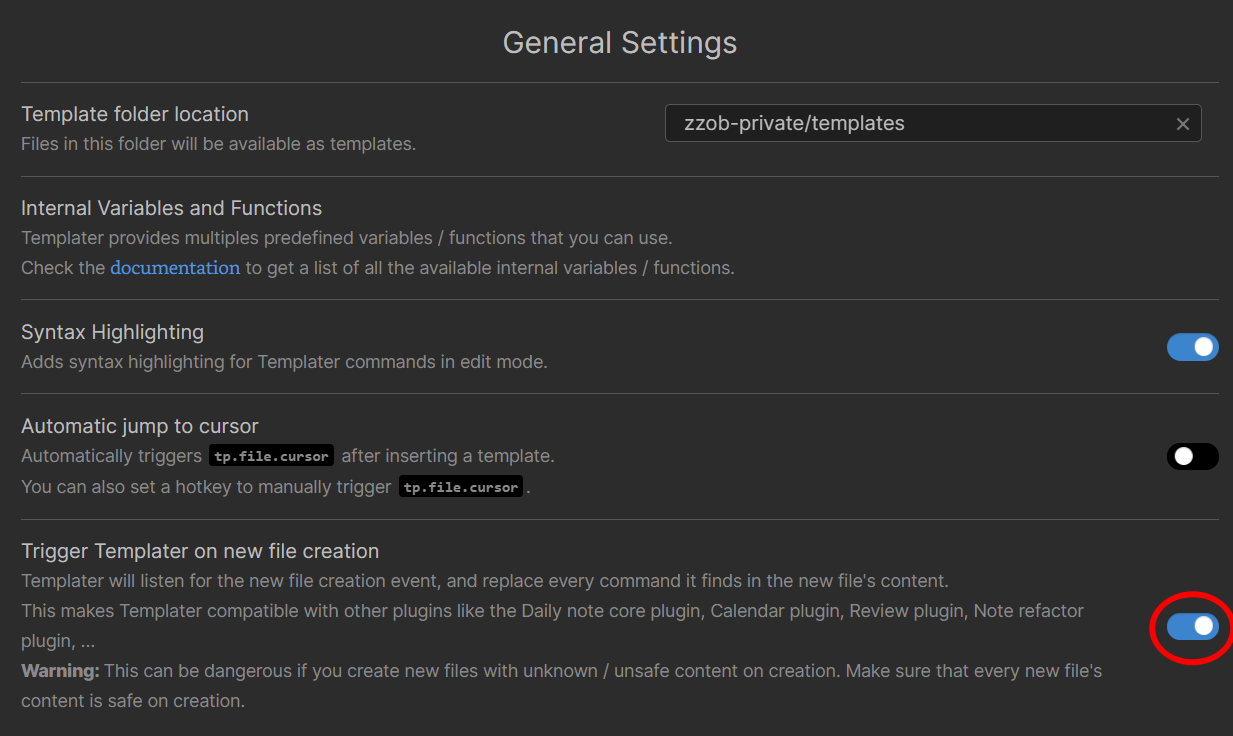
- Create template file
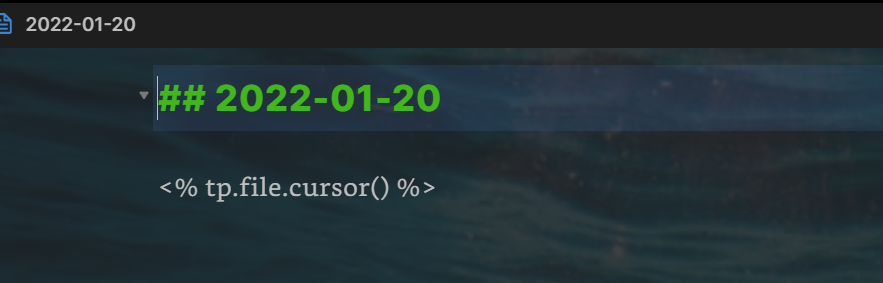
t_daily.mdin the folderzzob-private/templatesas the picture above shows with the following contents:
## <% tp.date.now("YYYY-MM-DD") %>

<% tp.file.cursor() %>
- Create QuickAdd template choice
Capture to daily note: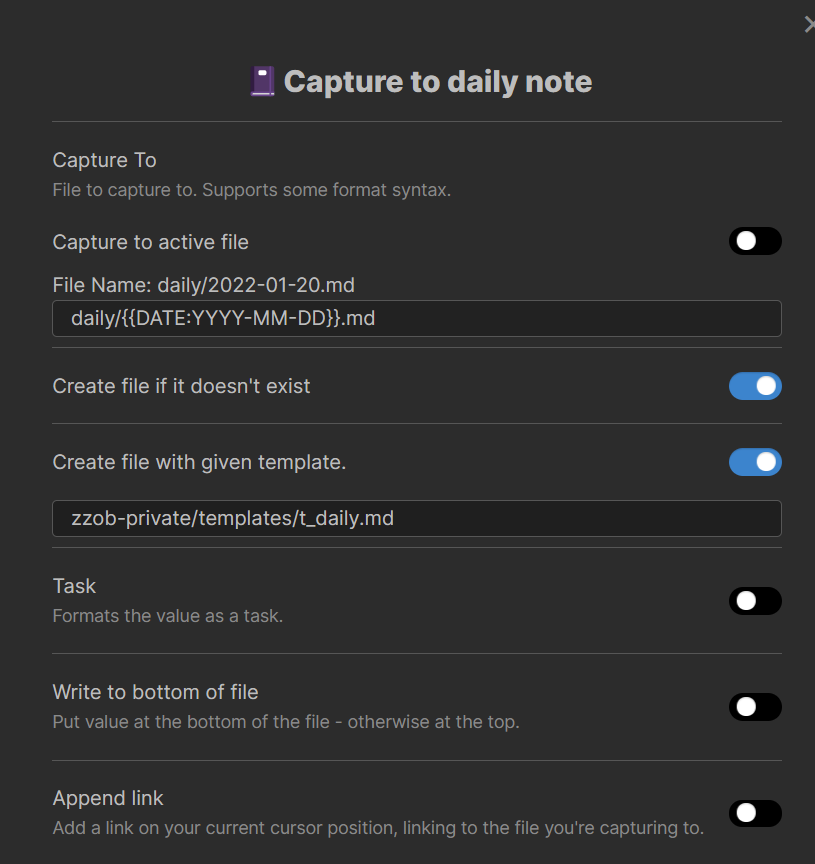
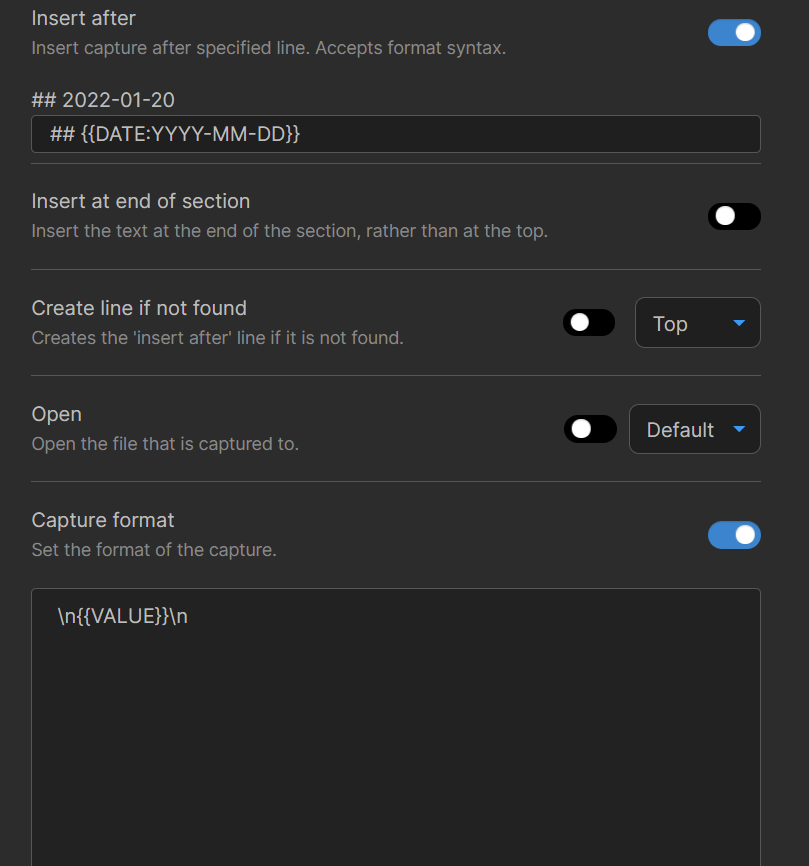
- Make sure the daily note of the current day does not exist;
- Select any text and run
QuickAdd: Run QuickAdd, choose theCapture to daily notechoice, press Enter. - QuickAdd raises an error:
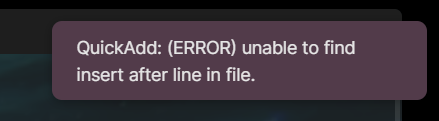 But indeed the line is in the file:
Expected behavior QuickAdd captures the selected text to the daily note without errors.
Desktop (please complete the following information):
- OS: Windows 11;
- Obsidian: 0.13.19;
- Quickadd: 0.4.17;
- Templater: 1.9.11.
Additional context There are two workarounds:
- Disable the templater option
Trigger Templater on new file creation, then everything is OK. - Use the QuickAdd format syntax rather than the templater eta syntax in the template file, then everything is OK:
## {{DATE:YYYY-MM-DD}}

<% tp.file.cursor() %>

Another possibile workaround:
- Create a capture for generating file with the template
- Create another capture to insert content After Insert

Came here to report the same issue.
A shortcoming with the {{DATE:...}} workaround is that, unlike the Templater syntax, it cannot be parameterized with a date – so any daily notes created retroactively or ahead of time will have the wrong date.
The workaround I've settled on is to create a macro that opens the daily note, waits 315 milliseconds for Templater to do its thing, and then does the capture. 315 ms seemed to be about the minimum for Templater to reliably complete, but of course there's still a race condition. It's not ideal, because the delay is a slight annoyance and I don't necessarily want to actually open the file. (I tried adding a Navigate back step to the macro to get around this latter problem, but then if I already had the daily note open this will send me back to whatever I was looking at before.)
I expect getting these two plugins to play nicely with each other won't be simple, but my workaround might suggest a temporary mitigation: alter the capture logic so that it doesn't search for the "insert after" line until after completing the user input step. It's conceivable that someone could complete their input within 315 milliseconds – e.g., if they're trying to capture something they already had on the clipboard – but at least this would reduce the problem to a corner case and not an issue that users with certain captures will reliably run into once a day.
