
NPP_ExportPlugin
 NPP_ExportPlugin copied to clipboard
 chcg
chcg
Import latest version from http://npp-plugins.cvs.sourceforge.net/viewvc/npp-plugins/NppPlugins/NppExport/

Hi, I use Notepad++ with a dark theme, e.g. Obsidian. However, I would like to export the formatted text a light theme, e.g. the default Notepad++ theme, because I often...

As discussed in https://community.notepad-plus-plus.org/topic/19448/copying-highlighted-text-lines-from-1-notepad-file-to-another/: if I have additional styling (such as Mark Using 3rd Style), that extra styling isn't included in the Copy HTML or RTF to clipboard. 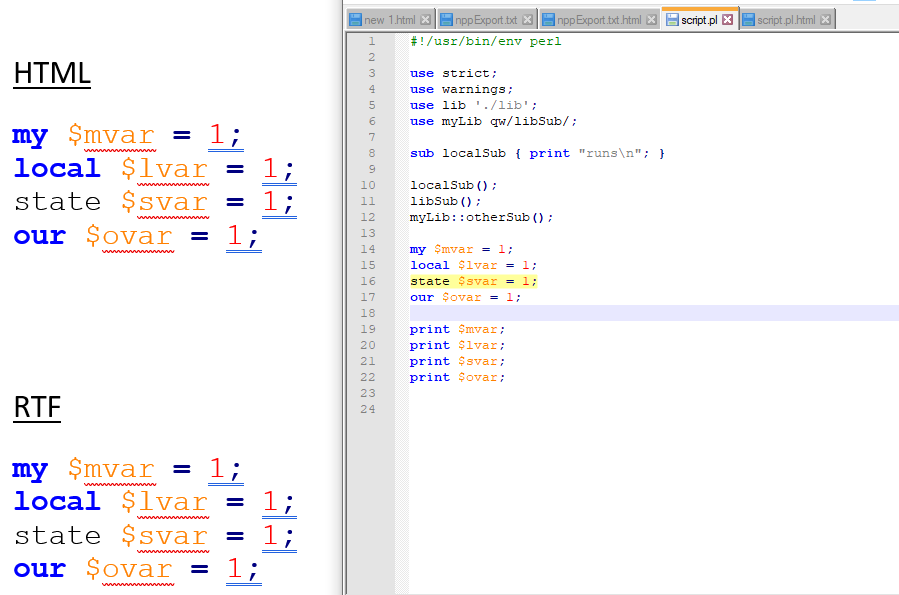 Not...

Proposal: Instead of `` could be ``. Also `` could contain filename...

Hi, I edit HTML-Code in Notepad++ and would like to export it as 49421: HTML Format to Clipboard Currently NppExport HTML to clipboard seems to HTML-Encode the HTML-Code, but I...

Hi Guys, I really look forward to using this plugin, but right now it's too much work exporting to RTF, copying and pasting the RTF from Microsoft Word 2010 just...

Hi When I copy from a tool like AquaDataStudio, and paste in a tapatalk [CODE] section it is colorised has spaces and line breaks. When I copy using nppexport in...

Exporting a text from an ANSI encoded file, that contains German umlauts convertes them into random symbols. It also combines the next character into it. This issue does not appear...

Hi, good job with this plugin! From initial testing of v0.2.9.21, it seems like the colours are coming through OK, however, the colours of comments still seem patchy. In 64-bit...

if you copy the html type data and paste directly to onenote, all the context will be in one line. maybe onenote doesn't recognise \r\n. so I use instead of...
