

 chartjs
Chart Datapoint hovers with body zoom
Expected behavior
Datapoints in Charts can be hovered and show tooltip with the data of the point When using css property "zoom" on body-tag then the mouse over should work without problem
Current behavior
Currently the mouseover is shifted when zooming in or out with the body-zoom-property.
Reproducible sample
https://www.chartjs.org/samples/2.6.0/charts/bar/vertical.html
Optional extra steps/info to reproduce
Works with every sample: https://www.chartjs.org/samples/2.6.0/charts/bar/vertical.html
Just add to the body tag "zoom:80%" for example with code inspector in browser
Possible solution
No response
Context
User can't use hover function to get the data of the datapoint. This is a problem when user wants zoomed in or out but still wants to use chart function
chart.js version
3.9.2
Browser name and version
Safari 16.1
Link to your project
No response

Chart.js versions lower then 4.x are NOT supported anymore, new issues will be disregarded.
Also your reproducable samples are not reproducable samples, they are just links to verry outdated samples of chart.js so please update them to a V4 reproducable sample

I tried it with a copy of my project and the chart.js version 4.0.1 - it still happens.
Here is a codepen sample: https://codepen.io/simonsolutions/pen/ZERJZLb
@simonsolutions I've plaied a bit with your codepen. Using FF, tooltip is showing correctly
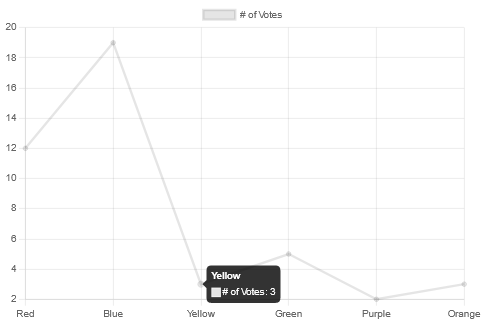
Instead it's not working with Chrome.
~~LeeLenaleee I see also another weird behavior. In FF, using~~ ~~the new "color" plugin is not invoked (see border color gray).~~ ~~Instead, using ~~ ~~the color plugin is working.~~
EDIT: cleaning cache of FF, the chart.js is correctly 4.0.1

I think the problem is related to DPR.
I have done a simple tests, displaying the chart.currentDevicePixelRatio in FF and Chrome. In FF is correctly provided (0.80) instead in Chrome the value is still 1 (even if there is zoom: 80%).
Okay so it seems to be a problem Of the browsers framework to get the wrong zoom? Or is it part of the chart.js library? And can it be addressed or fixes in chart.js itself or does it need a workaround?
In my opinion, CHART.JS is correctly using devicePixelRatio. I have the feeling that zoom CSS property is not changing that value for all browsers and maybe that's working as design. I didn't find any workaround, till now.
I tried from the div/canvas of the chart itself a style "zoom: 1 !important", what is sadly also not working. Is there any solution for the zoom problem?