
vhs
 vhs copied to clipboard
 charmbracelet
feat: Set Shell
no idea if this is the best way to do this, just wanted to play with it a bit :D
also check treesitter patch @ https://github.com/charmbracelet/tree-sitter-vhs/pull/1
closes #47 closes #44

Nice implementation @caarlos0! I was originally thinking we would have to start ttyd with the correct shell but I think this is a better approach.

Nice implementation @caarlos0! I was originally thinking we would have to start
ttydwith the correct shell but I think this is a better approach.
I thought about it too... but I think then we will have to handle dependencies too... or just not handle the shell dependency... I'm not sure which is better, happy to hear what you think, and can change either way
I thought about it too... but I think then we will have to handle dependencies too... or just not handle the shell dependency... I'm not sure which is better, happy to hear what you think, and can change either way
Let's leave it like this for now. We can always change the implementation later because the API / language will stay the same.
For adding Powershell 5 and Powershell 7 support you have to write powershell and pwsh respectively.
EDIT: For opening Command Prompt you need to write cmd.

Thanks for this! With this I'll be able to create demo gifs for my dotfiles repo <3

For adding Powershell 5 and Powershell 7 support you have to write
powershellandpwshrespectively.EDIT: For opening Command Prompt you need to write
cmd.
I don't have a windows machine, so I don't know how any of that works...
One thing we could do is, instead of defaulting to %s --login, default to %s only, so you can set your shell to whatever you need... and we have some sensible defaults for bash, zsh and fish which are arguably the most commonly used ones...
Another advantage of that strategy is that, if you want to record using your dotfiles, as @dlvhdr mentioned, you can set the shell to myshell --login and vhs will not do anything with it.
wdyt?
For adding Powershell 5 and Powershell 7 support you have to write
powershellandpwshrespectively. EDIT: For opening Command Prompt you need to writecmd.I don't have a windows machine, so I don't know how any of that works...
One thing we could do is, instead of defaulting to
%s --login, default to%sonly, so you can set your shell to whatever you need... and we have some sensible defaults for bash, zsh and fish which are arguably the most commonly used ones...Another advantage of that strategy is that, if you want to record using your dotfiles, as @dlvhdr mentioned, you can set the shell to
myshell --loginand vhs will not do anything with it.wdyt?
I can help with the Windows functionality.
Dropping the --login would certainly help for PowerShell, Windows PowerShell, and the command prompt. More generally, being able to specify args for the shell would be neat.
FWIW wrt testing, PowerShell (pwsh) is cross-platform and should be testable locally without a Windows machine.
I write docs for PowerShell, happy to take a poke, answer questions, and help out with whatever.

PowerShell peeps: no idea why there's an e before the prompt there... any thoughts?
https://github.com/charmbracelet/vhs/pull/55/files#diff-7f381024069eb8006ba22e915f85ed759140911598950ac387df3225c25b302b
@caarlos0 I didn't notice anything in the PowerShell code you wrote that would do that, wondering if it's strange behavior elsewhere. Pulling down your branch locally to try it in WSL (and Windows, if we get WSL happy), will let you know what I discover.
Hey! I was dealing with a similar issue this afternoon, the extra e is what you see when you start typing before letting the setup commands finish executing. I see a lot more characters when I don't set Sleep after Set Shell
If I set a sleep of 1 sec, I see this
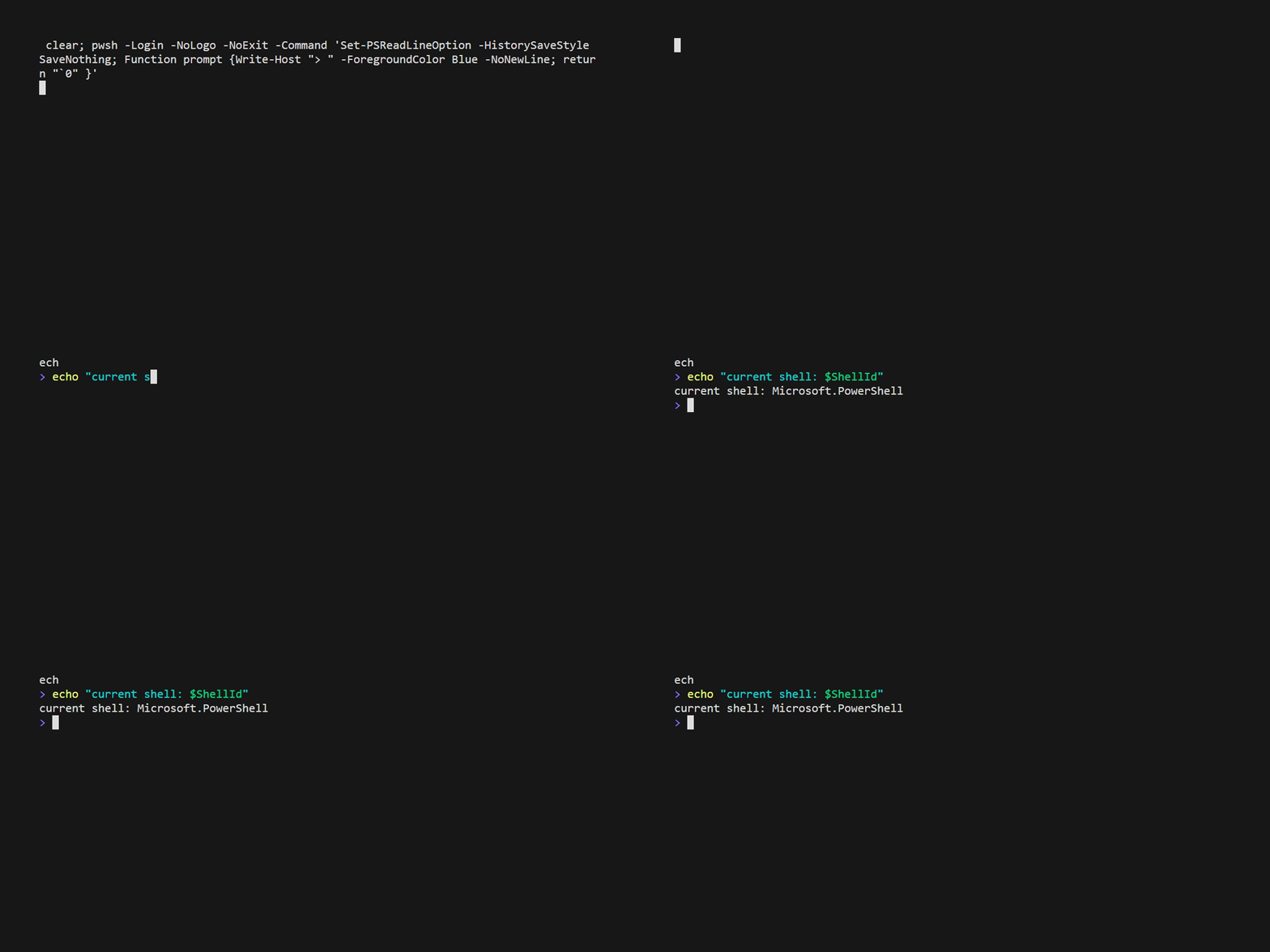
and it goes away if I set Sleep for 2sec,
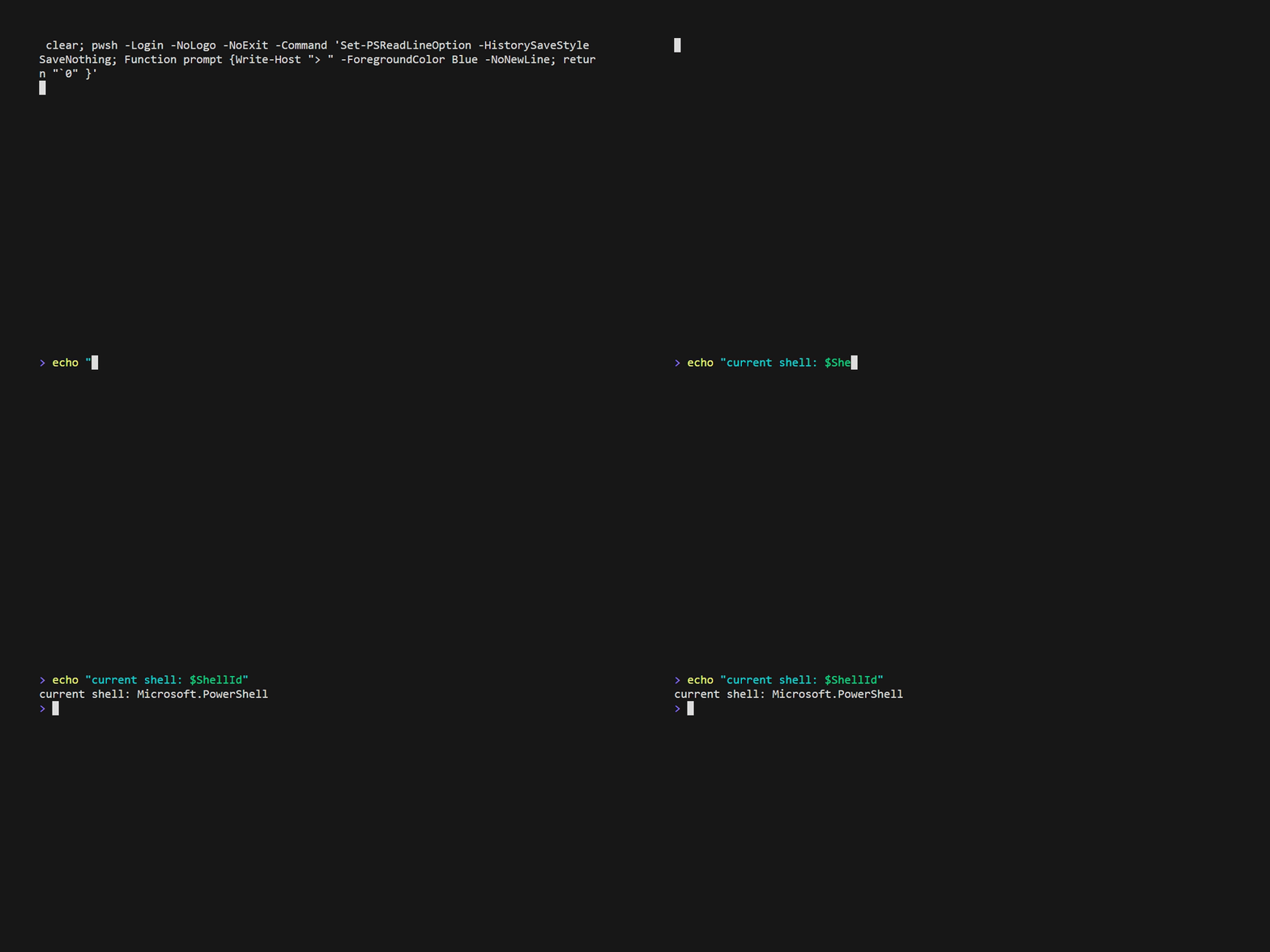
Setup:
- "pwsh" running in Windows WSL2
(I cannot seem to figure out a way to make VHS start pwsh shell outside WSL)

Glad you got things working, @griimick - I've hit snag after snag 😓
@caarlos0 simplified the logic a little bit, let me know if it looks good to you.
@maaslalani I made the shell interface because I'm not sure how other shells would behave and if just running the 2 command will be enough... but I think we can always refactor later if needed, so, lgtm!
I also liked the tape files to verify that it is indeed working as expected... its kinda easy to break it 🤔
@caarlos0 simplified the logic a little bit, let me know if it looks good to you.
oh, and it also breaks using a custom shell, e.g. if someone wants to set it to elvish, or some custom bash... not sure how relevant that it, but anyway...
@caarlos0 simplified the logic a little bit, let me know if it looks good to you.
oh, and it also breaks using a custom shell, e.g. if someone wants to set it to
elvish, or some custom bash... not sure how relevant that it, but anyway...
👍 I can fix this one