
chakra-ui
 chakra-ui copied to clipboard
 chakra-ui
Toasts trolling me in tests
🐛 Bug report
Toasts cause headaches during testing.
-
There is no easy way to clear all toasts without any exit animation. They always linger around, messing with dom element selection. You have to wait 401ms for all toasts to be gone. Is there a way to disable the animation in tests?
-
Toast renders two alerts, one visible one in the toast manager, another hidden one meant for accessibility rendered into a
role=statuselement. This makes selection difficult because it's hard to select by role of 'alert', or by the text contents, because there is always two elements found. -
Toast Manager renders persistent dom elements into every test and adds to cognitive overload while reviewing snapshots or screen.debug output.
<div id="chakra-toast-portal"><ul id="chakra-toast-manager-top" style="position: fixed; z-index: 5500; pointer-events: none; display: flex; flex-direction: column; margin: 0px auto; top: 0px; right: 0px; left: 0px;"></ul><ul id="chakra-toast-manager-top-left" style="position: fixed; z-index: 5500; pointer-events: none; display: flex; flex-direction: column; top: 0px; left: 0px;"></ul><ul id="chakra-toast-manager-top-right" style="position: fixed; z-index: 5500; pointer-events: none; display: flex; flex-direction: column; top: 0px; right: 0px;"></ul><ul id="chakra-toast-manager-bottom-left" style="position: fixed; z-index: 5500; pointer-events: none; display: flex; flex-direction: column; bottom: 0px; left: 0px;"></ul><ul id="chakra-toast-manager-bottom" style="position: fixed; z-index: 5500; pointer-events: none; display: flex; flex-direction: column; margin: 0px auto; bottom: 0px; right: 0px; left: 0px;"></ul><ul id="chakra-toast-manager-bottom-right" style="position: fixed; z-index: 5500; pointer-events: none; display: flex; flex-direction: column; bottom: 0px; right: 0px;"></ul></div>
💥 Steps to reproduce
Install Chakra and react-testing-library.
- Show a toast.
- Now try to select alert via RTL
💻 Link to reproduction
This shows the double alert causing selection issues. https://codesandbox.io/s/chakra-toast-renders-two-alerts-mlhyr
🧭 Possible Solution
- Add an option to remove all toasts outside of a component (for example in an afterEach) and disable animations while doing so. I know there is
removeAll, is this callable outside of the useToast hook? - Somehow hide one of the alerts from the accessibility tree? Maybe we can hide the visible alert, since the "hidden" one is really the one meant to be seen by screenreaders.
- Do not render the Toast Manager divs unless a toast is present.
🌍 System information
| Software | Version(s) |
|---|---|
| Chakra UI | 1.0.3 |
| Browser | Chrome |
| Operating System | Mac |


Hi! This issue hasn't seen any activity recently. We close inactive issues after 35 days to manage the volume of issues we receive. If we missed this issue or you want to keep it open, please reply here. That will reset the timer and allow more time for this issue to be addressed before it is closed.
![stale[bot] avatar](https://avatars.githubusercontent.com/in/1724?v=4 "Published by a pub.dev verified publisher")
Please keep this open. It’s still an issue.
It would be great to have some testing guidance in the documentation if nothing else.

Anytime I render any component using the jest + react testing library, the toast manager is also included in that render. Is there any workaround for this problem?
For example, when I render a ChakraButton, I receive -
<body>
      <div
        id="chakra-toast-portal"
      >
        <ul
          id="chakra-toast-manager-top"
          style="position: fixed; z-index: 5500; pointer-events: none; display: flex; flex-direction: column; margin: 0px auto; top: 0px; right: 0px; left: 0px;"
        />
        <ul
          id="chakra-toast-manager-top-left"
          style="position: fixed; z-index: 5500; pointer-events: none; display: flex; flex-direction: column; top: 0px; left: 0px;"
        />
        <ul
          id="chakra-toast-manager-top-right"
          style="position: fixed; z-index: 5500; pointer-events: none; display: flex; flex-direction: column; top: 0px; right: 0px;"
        />
        <ul
          id="chakra-toast-manager-bottom-left"
          style="position: fixed; z-index: 5500; pointer-events: none; display: flex; flex-direction: column; bottom: 0px; left: 0px;"
        />
        <ul
          id="chakra-toast-manager-bottom"
          style="position: fixed; z-index: 5500; pointer-events: none; display: flex; flex-direction: column; margin: 0px auto; bottom: 0px; right: 0px; left: 0px;"
        />
        <ul
          id="chakra-toast-manager-bottom-right"
          style="position: fixed; z-index: 5500; pointer-events: none; display: flex; flex-direction: column; bottom: 0px; right: 0px;"
        />
      </div>
      <div>
        <button
          class="chakra-button css-113xcha"
          type="button"
        />
      </div>
    </body>

I am having this same issue. Have been trying to render literally anything to test using getByText, getByID - everything fails because screen.debug() only shows me toasts and margins instead of the HTML code for the whole page and its actual components.

I am having this same issue. Have been trying to render literally anything to test using getByText, getByID - everything fails because screen.debug() only shows me toasts and margins instead of the HTML code for the whole page and its actual components.
You can increase the output size of screen.debug() by passing DEBUG_PRINT_LIMIT, eg, (DEBUG_PRINT_LIMIT=100000 jest --watch).

Anytime I render any component using the jest + react testing library, the toast manager is also included in that render. Is there any workaround for this problem?
This is the problem I'm having as well. I'm not rendering a <Toast> anywhere in my app so I'm confused about what's adding these elements. They are visible in the snapshot from react-testing-library, in baseElement, just like what you posted in your snippet.
All I can think of is I'm rendering a <ChakraProvider>, but even that is only in one component, yet I'm seeing this artifact across all of my snapshot tests.
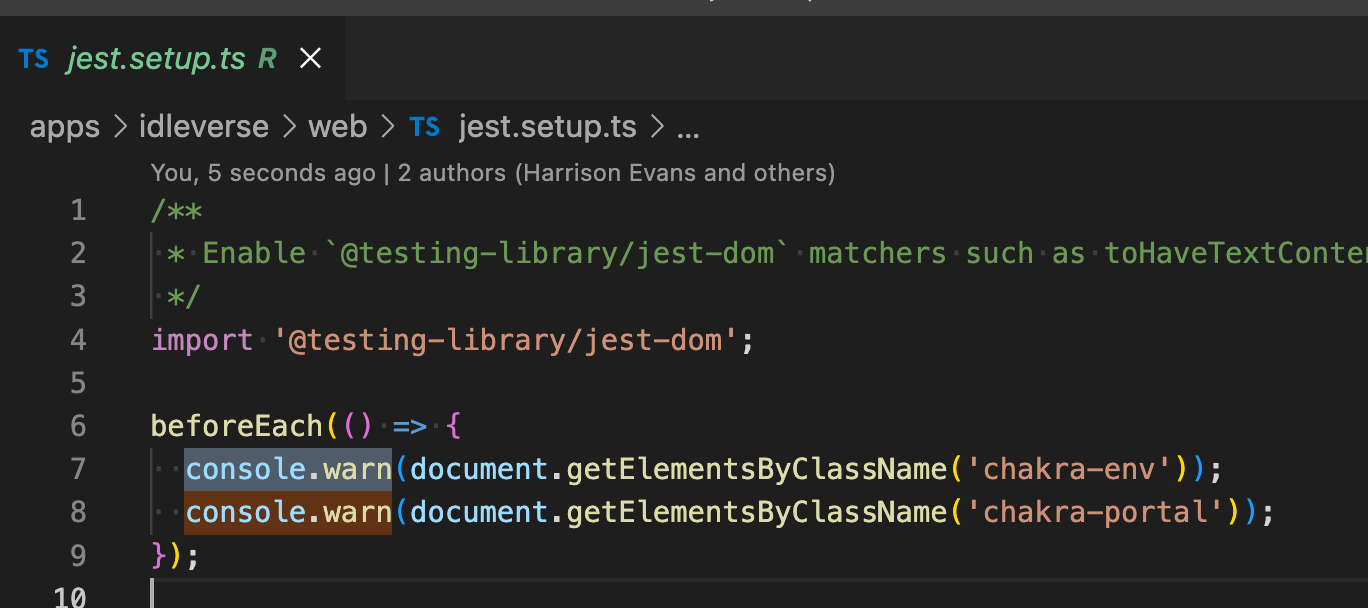
edit: I was able to workaround this by adding to my Jest setup file:
beforeEach(() => {
  document.getElementById("chakra-toast-portal")?.remove();
});

We discussed this today in our team meeting and we think it's something we need to rethink. The Toast system just isn't built to handle this issue well. It's something we'll get to eventually, but not for now unfortunately.

Hi! This issue hasn't seen any activity recently. We close inactive issues after 35 days to manage the volume of issues we receive. If we missed this issue or you want to keep it open, please reply here. That will reset the timer and allow more time for this issue to be addressed before it is closed.

I've had this problem too you should remove height:100vh from all tags this fixed it for me

@tamaskani I don't understand how adding some css would fix any of the three issues listed in the original post? Which issue are you saying the height: 100vh would fix?
Hi! This issue has been automatically marked as stale because lack of recent activity. It will be closed if no further activity occurs within 5 days. Thank you for your contributions.
I got pretty far using @kodell's suggestion, but tests involving toasts were randomly failing in some rare cases.
Closing all toasts programmatically, as seen in the Chakra tests, seems to work more reliably in the end: https://github.com/chakra-ui/chakra-ui/blob/3f0b369e34e7336df2d51d9978d6334cc073e541/packages/toast/test/use-toast.test.tsx#L9-L16

Hi! This issue has been automatically marked as stale because lack of recent activity. It will be closed if no further activity occurs within 5 days. Thank you for your contributions.


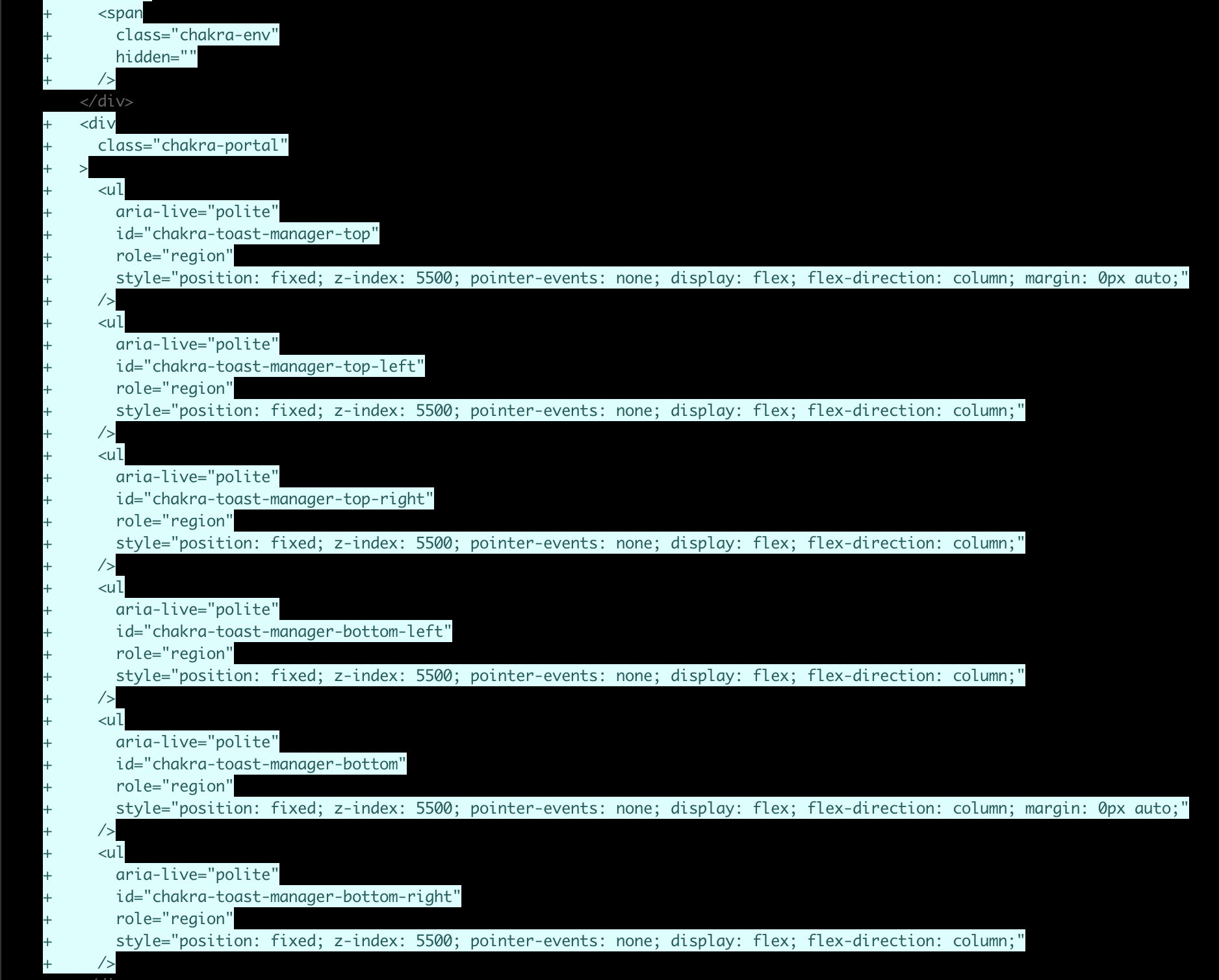
This is still annoying as hell, and after updating to chakra 2.x, the above workarounds no longer work.

After 2.x, the globally added HTML changes significantly:
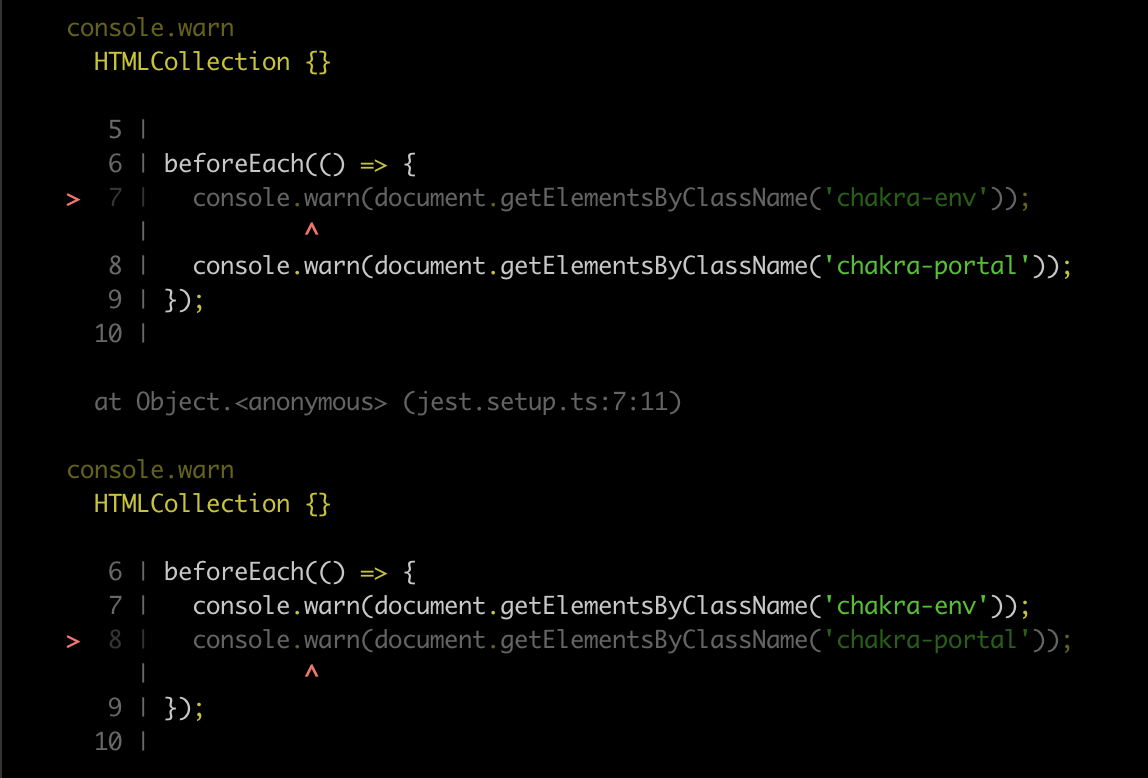
And my attempts to interrogate the DOM in a setup preset (as before), just return empty collections...


Subscribing to here, current beforeEach that Chakra UI uses internally does work for me on Chakra UI 1.6
beforeEach(async () => { await waitFor( () => { expect( screen.queryAllByText("successToastHeading").length ).toBe(0); }, { timeout: 50000 } );
Though they run extremely slow, I assume that's because I have a duration of 4000 on them, though would like to see a solution that can close them all up immediately before each test.

I'm using Chakra UI for the first time and integrated it with my vite + react + ts scaffold. The only chakra import I've done so far is the ChakraProvider in my main.tsx file.
Without importing any other chakra component, my existing application's styles become wonky and upon inspecting the HTML I see a ton of "portal" & "toast" elements injected in my HTML.
Why is this happening?

@1NF053C that's unrelated to this issue. ChakraProvider uses a global css reset that can be disabled by setting resetCSS={false} (but doing so will mess with how your Chakra components look).
Portal and toast elements are used for exactly what their name suggests: rendering portals and toasts
Subscribing to here, current beforeEach that Chakra UI uses internally does work for me on Chakra UI 1.6
beforeEach(async () => { await waitFor( () => { expect( screen.queryAllByText("successToastHeading").length ).toBe(0); }, { timeout: 50000 } );Though they run extremely slow, I assume that's because I have a duration of 4000 on them, though would like to see a solution that can close them all up immediately before each test.
@bojackhorseman0309 Try this:
import {
  waitForElementToBeRemoved,
} from '@testing-library/react';
import { act } from 'react-dom/test-utils';

jest.useFakeTimers();

it('test', async () => {
  await act(async () => {
    jest.runAllTimers();
  });

  await waitForElementToBeRemoved(() =>
    screen.queryAllByText('successToastHeading')
  );

  expect(screen.queryAllByText('successToastHeading').length).toBe(0);
});

Any idea why toasts (I find it happens the same with modals) take so long to render in Jest with JSDOM? Is it because of fade-in animations or something?