
cerebro
 cerebro copied to clipboard
 cerebroapp
🔵 Cerebro is an open-source launcher to improve your productivity and efficiency
Cerebro

Usage
You can download the latest version on releases page.
After installation use default shortcut ctrl+space to show an app window. You can customize this shortcut clicking on icon in menu bar → preferences.

Plugins
Core plugins
- Search in the web with google suggestions;
- Search & launch application, i.e.
spotify; - Navigate in file system with file previews (i.e.
~/Dropbox/passport.pdf); - Calculator;
- Smart converter.
15$,150 рублей в евро,100 eur in gbp;
Install and manage custom plugins
Use built-in plugins command to search and manage custom plugins.
Discover plugins and more at Cerebro's Awesome List.
You can install them manually using npm
open it in the terminal configuration file path, go to the plugins folder
cd ./plugins
Install the plugin
npm install --save name-of-plugin
Create plugin
Check out plugins documentation.
Install
First, clone the repo via git:
$ git clone https://github.com/cerebroapp/cerebro.git cerebro
Open the project
$ cd cerebro
And then install dependencies:
yarn
Run
$ yarn run dev
Note: requires a node version >=16.x
Resolve common issues
-
AssertionError: Current node version is not supported for developmenton npm postinstall. Afteryarnpostinstall script checks node version. If you see this error you have to check node and npm version inpackage.jsondevEnginessection and install proper ones. -
Uncaught Error: Module version mismatch. Exepcted 50, got ...This error means that node modules with native extensions build with wrong node version (your local node version != node version, included to electron). To fix this issue runcd ./app && yarn run rebuild
Change Theme
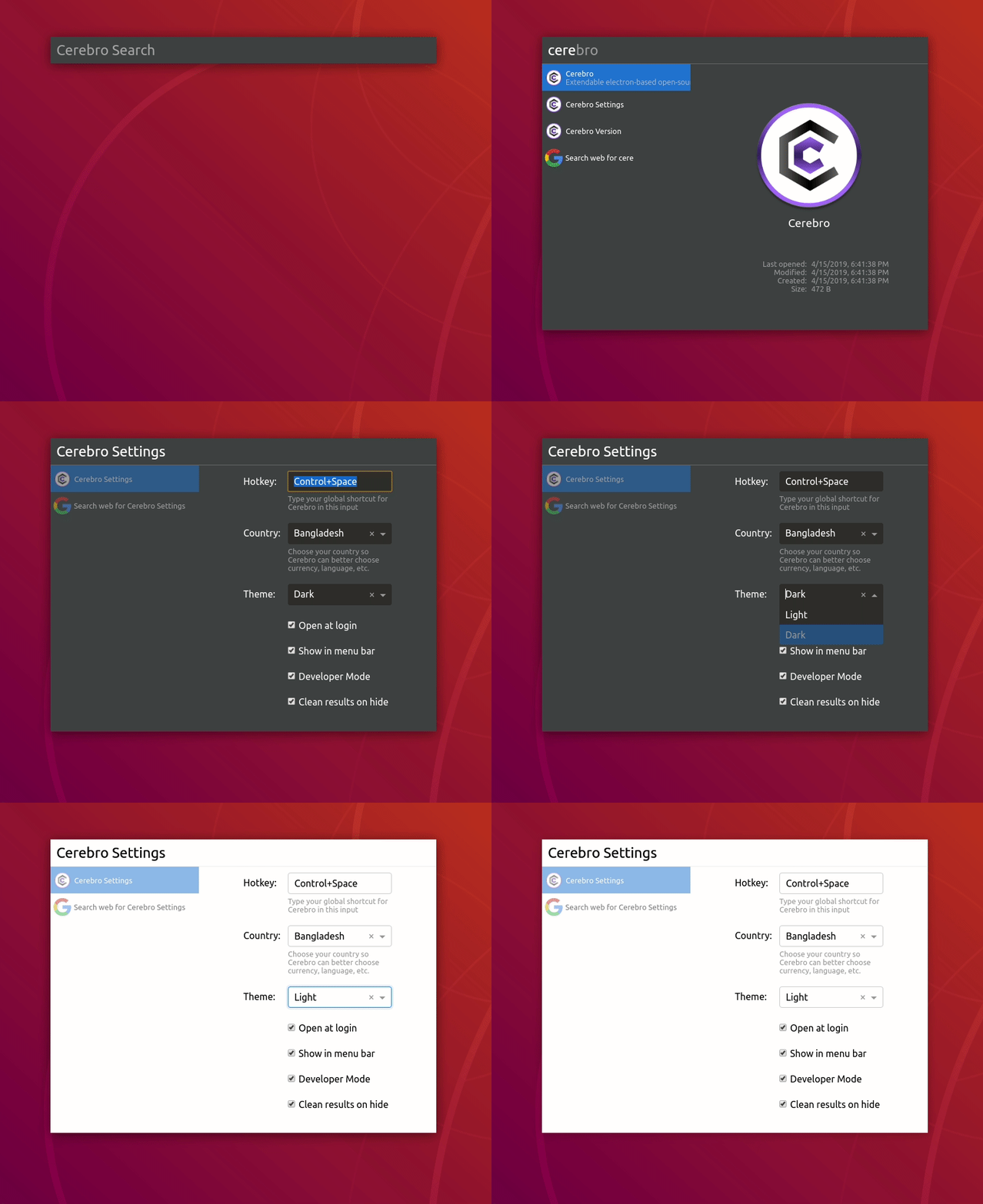
Use shortcut ctrl+space to open app window and type Cerebro Settings. There you will be able to change the Theme (Currently Light and Dark Themes are supported out of the box)
Config file path
Windows: %APPDATA%/Cerebro/config.json
Linux: $XDG_CONFIG_HOME/Cerebro/config.json or ~/.config/Cerebro/config.json
macOS: ~/Library/Application Support/Cerebro/config.json
Package
Use this command to build .app file:
$ yarn build
For developers
Publish a release
CerebroApp is using GH actions to build the app and publish it to a release. To publish a new release follow the steps below:
- Update the version on both
package.jsonandapp/package.jsonfiles. - Create a release with from GH and publish it. 🚧 The release tag SHOULD NOT contain the
vprefix (❌v0.1.2→ ✅0.1.2). - Complete the name with a name and a description of the release.
- The GH action is triggered and the release is updated when executables are built.
Add dependencies
CerebroApp was created from an old version of electron-react-boilerplate and uses a two package.json file structure. If you are interested in developing a new feature, you should read about this structure in the electron-react-boilerplate documentation.
Support
Backers
Support us with a monthly donation and help us continue our activities. [Become a backer]


Sponsors
Become a sponsor and get your logo on our README on Github with a link to your site. [Become a sponsor]


License
MIT © Cerebro App
Metadata
Owner
 cerebroapp
Metadata
🔵 Cerebro is an open-source launcher to improve your productivity and efficiency