
Cemu
 Cemu copied to clipboard
 cemu-project
Cemu Compatibility List website does not apply rating filters to current session
Go to website http://compat.cemu.info/ then click on some Filter to apply. It does not apply the filter to the list immediately, you have to open a new browsing instance (tab, windows, reload, etc.) like http://compat.cemu.info/?rating=5
Tested with Firefox, Chrome and Edge, so does not look browser-specific issue.

It only works on the https:// version of the website, for whatever reason. We should probably just force upgrade http:// requests whenever possible.

This happens because the main website versions https://cemu.info/ and http://cemu.info/ both point out to same Compat website without https. Also this usually shouldn't happen since some browser can point out that you are leaving a secure connection.
http://cemu.info/ -----> http://compat.cemu.info/ https://cemu.info/ ----> https://compat.cemu.info/
I don't think it's a good idea to force https for everything, specially if there is no account involved, this can cause the page not being accessible under certain circumstances. What I would do is to reload the page like when you click on "Cemu Homepage" from here.
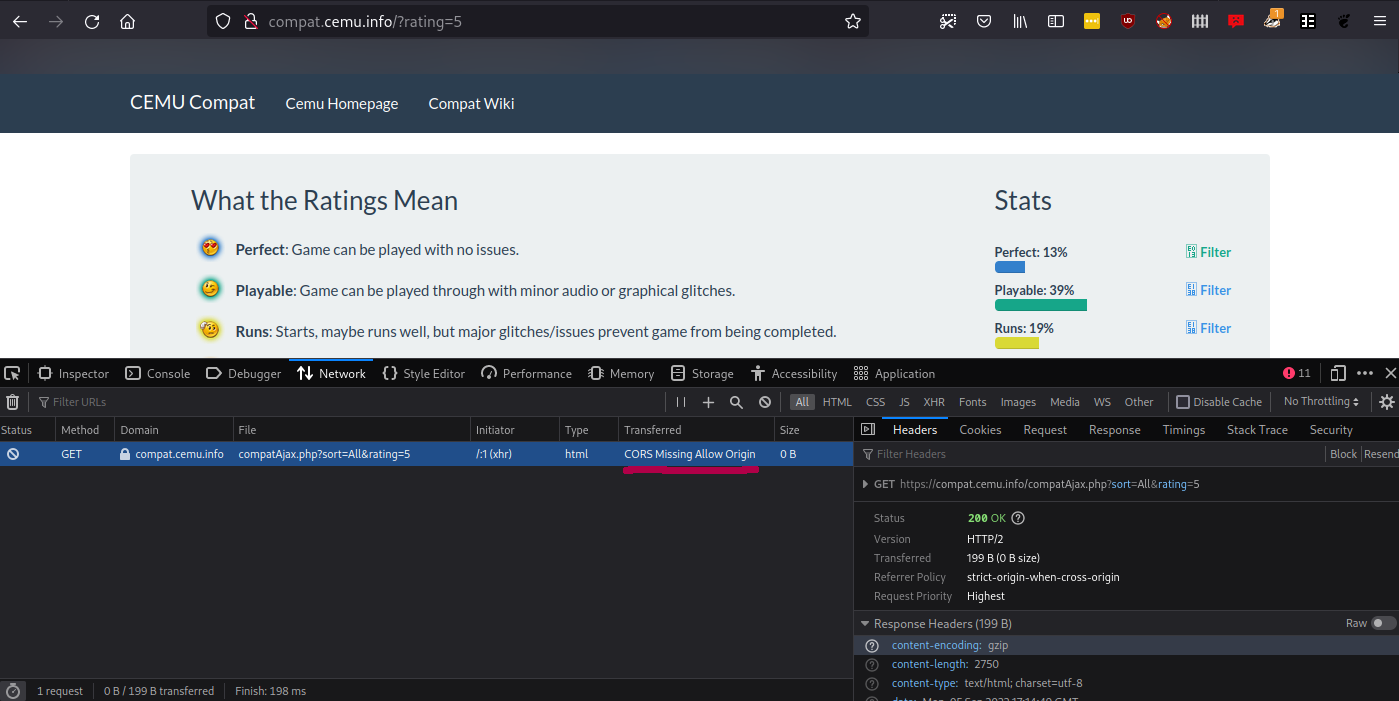 See https://developer.mozilla.org/en-US/docs/Web/HTTP/CORS/Errors/CORSMissingAllowOrigin
This only happens on the plain text HTTP website. Probably missing an entry for the "http://" version in the server config.
