cbeust
Testng result listening Job
Problem Statement
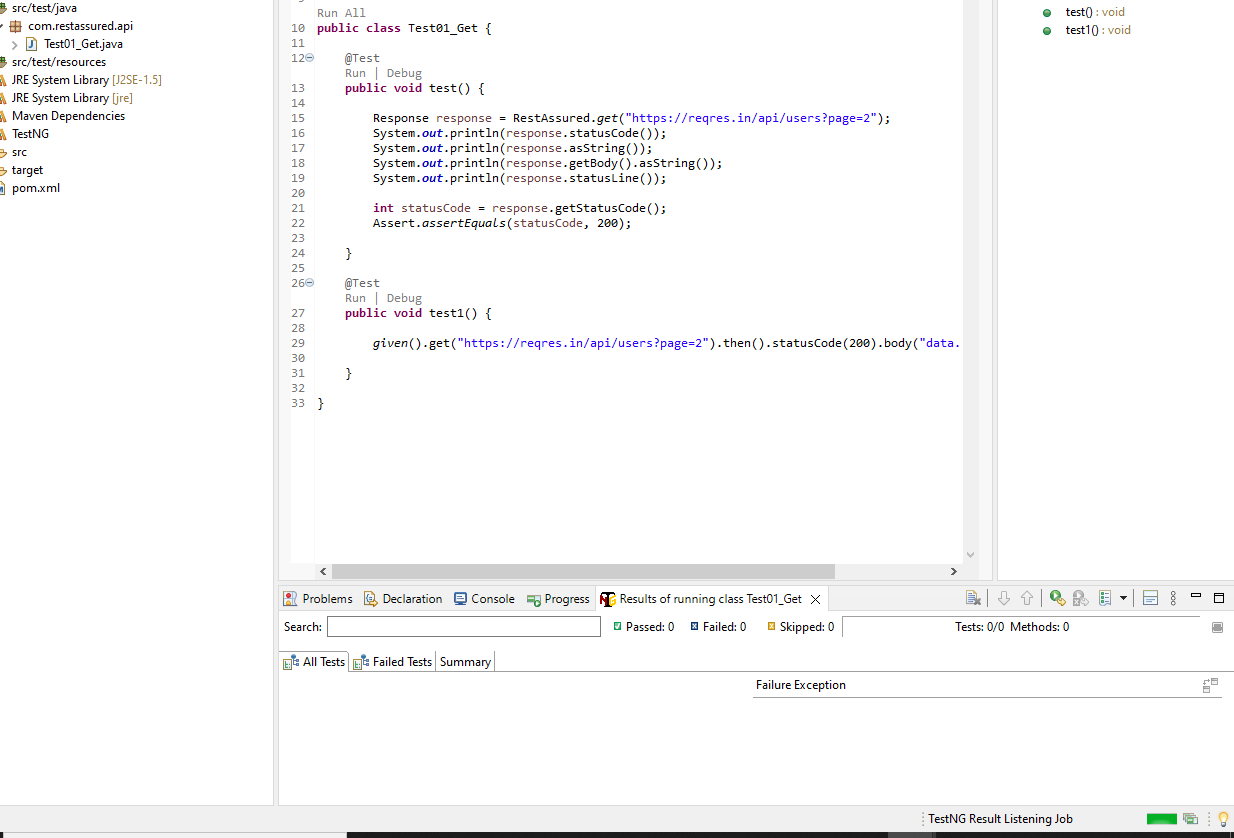
testng hangs with mentioning "Testng result listening job" and never resolves. I had cleaned workspace, removed all related files, Eclipse and installed but still the sam error. even simple program gets hanged.
Like if you see the screenshot attached, I created new work space with new simple project with just 2 lines and still facing the issue.
The Dependency Management tool for your project
- Maven
- [ ] Eclipse Buildpath: /Library/Java/JavaVirtualMachines/jdk1.8.0_131.jdk/Contents/Home/jre/lib
Operating System: MAC 10.9.5

Screenshot attached

looks like it's trying to setup socket connection between runtime TestNG process and IDE, could you check if there's any antivirus or firewall could impact this? also confirm that there's a localhost 127.0.0.1 entry in your /etc/hosts

Yes there is localhost 127.0.0.1 entry..
On Wed, Aug 23, 2017 at 5:16 PM, Nick Tan [email protected] wrote:
looks like it's trying to setup socket connection between runtime TestNG process and IDE, could you check if there's any antivirus or firewall could impact this? also confirm that there's a localhost 127.0.0.1 entry in your /etc/hosts
— You are receiving this because you authored the thread. Reply to this email directly, view it on GitHub https://github.com/cbeust/testng-eclipse/issues/352#issuecomment-324497229, or mute the thread https://github.com/notifications/unsubscribe-auth/AK88IdOH8dJTrd2JlOuhToN9aNnjoUsBks5sbMDAgaJpZM4PAs2n .
With Debug mode, I see the below console output
[RemoteTestNG] revisions:
git.commit.id=28d46f3
git.branch=28d46f3138190e289b3865041c86853f39fcf052
git.build.version=1.2.1
[RemoteTestNG] detected TestNG version 6.11.0
[RemoteTestNG] Invoked with -serport 57492 -protocol json -d /Users/srbomma/eclipseoxygen-workspace/sample/test-output /var/folders/z0/c8j33f5d6xj_22vd0rtv2z7xw1j24c/T/testng-eclipse-1334428033/testng-customsuite.xml
[BaseMessageSender] Waiting for Eclipse client on localhost:57492
On Wed, Aug 23, 2017 at 9:41 PM, Seshagiri Bommadevara [email protected] wrote:
Yes there is localhost 127.0.0.1 entry..
On Wed, Aug 23, 2017 at 5:16 PM, Nick Tan [email protected] wrote:
looks like it's trying to setup socket connection between runtime TestNG process and IDE, could you check if there's any antivirus or firewall could impact this? also confirm that there's a localhost 127.0.0.1 entry in your /etc/hosts
— You are receiving this because you authored the thread. Reply to this email directly, view it on GitHub https://github.com/cbeust/testng-eclipse/issues/352#issuecomment-324497229, or mute the thread https://github.com/notifications/unsubscribe-auth/AK88IdOH8dJTrd2JlOuhToN9aNnjoUsBks5sbMDAgaJpZM4PAs2n .
pls check around your network settings. (e.g. antivirus, firewall, web proxy, etc.)
Verified.They are off.
On Thu, Aug 24, 2017 at 8:27 AM, Nick Tan [email protected] wrote:
pls check around your network settings. (e.g. antivirus, firewall, web proxy, etc.)
— You are receiving this because you authored the thread. Reply to this email directly, view it on GitHub https://github.com/cbeust/testng-eclipse/issues/352#issuecomment-324669977, or mute the thread https://github.com/notifications/unsubscribe-auth/AK88IeXXzAG7BQyBeNi1midxgOr-EkDCks5sbZZbgaJpZM4PAs2n .
From what I see & understand. when eclipse is opened & it started testng on port 57354, Then the test is triggered and waiting on different port 61599.
Any thoughts?
2014873740 15421 15416 0 9:58PM ?? 0:05.93 /Library/Java/JavaVirtualMachines/jdk1.8.0_131.jdk/Contents/Home/bin/java -ea -Dfile.encoding=UTF-8 -classpath /Users/srbomma/.p2/pool/plugins/org.testng.eclipse_6.11.0.201703011520/lib/testng-remote.jar:/Users/srbomma/eclipseoxygen-workspace/sample/target/test-classes:/Users/srbomma/eclipseoxygen-workspace/sample/target/classes:/Users/srbomma/.p2/pool/plugins/org.testng.eclipse_6.11.0.201703011520/lib/testng.jar:/Users/srbomma/.p2/pool/plugins/org.testng.eclipse_6.11.0.201703011520/lib/jcommander.jar:/Users/srbomma/.p2/pool/plugins/org.testng.eclipse_6.11.0.201703011520/lib/bsh-2.0b4.jar:/Users/srbomma/.p2/pool/plugins/org.testng.eclipse_6.11.0.201703011520/lib/snakeyaml.jar:/Users/srbomma/.m2/repository/junit/junit/3.8.1/junit-3.8.1.jar org.testng.remote.RemoteTestNG -serport 57354 -protocol json -d /Users/srbomma/eclipseoxygen-workspace/sample/test-output /var/folders/z0/c8j33f5d6xj_22vd0rtv2z7xw1j24c/T/testng-eclipse-685449704/testng-customsuite.xml
2014873740 17476 15416 0 10:12AM ?? 0:00.29 /Library/Java/JavaVirtualMachines/jdk1.8.0_131.jdk/Contents/Home/bin/java -ea -Dtestng.eclipse.verbose=true -Dtestng.eclipse.debug=true -Djava.net.preferIPv4Stack=true -Dfile.encoding=UTF-8 -classpath /Users/srbomma/.p2/pool/plugins/org.testng.eclipse_6.11.0.201703011520/lib/testng-remote.jar:/Users/srbomma/eclipseoxygen-workspace/sample/target/test-classes:/Users/srbomma/eclipseoxygen-workspace/sample/target/classes:/Users/srbomma/.p2/pool/plugins/org.testng.eclipse_6.11.0.201703011520/lib/testng.jar:/Users/srbomma/.p2/pool/plugins/org.testng.eclipse_6.11.0.201703011520/lib/jcommander.jar:/Users/srbomma/.p2/pool/plugins/org.testng.eclipse_6.11.0.201703011520/lib/bsh-2.0b4.jar:/Users/srbomma/.p2/pool/plugins/org.testng.eclipse_6.11.0.201703011520/lib/snakeyaml.jar:/Users/srbomma/.m2/repository/junit/junit/3.8.1/junit-3.8.1.jar org.testng.remote.RemoteTestNG -serport 61599 -protocol json -d /Users/srbomma/eclipseoxygen-workspace/sample/test-output /var/folders/z0/c8j33f5d6xj_22vd0rtv2z7xw1j24c/T/testng-eclipse--1528119182/testng-customsuite.xml
On Thu, Aug 24, 2017 at 10:01 AM, Seshagiri Bommadevara <[email protected]
wrote:
Verified.They are off.
On Thu, Aug 24, 2017 at 8:27 AM, Nick Tan [email protected] wrote:
pls check around your network settings. (e.g. antivirus, firewall, web proxy, etc.)
— You are receiving this because you authored the thread. Reply to this email directly, view it on GitHub https://github.com/cbeust/testng-eclipse/issues/352#issuecomment-324669977, or mute the thread https://github.com/notifications/unsubscribe-auth/AK88IeXXzAG7BQyBeNi1midxgOr-EkDCks5sbZZbgaJpZM4PAs2n .
the log you attached indicates you ran two testng processes..., so there is two port number.
closing it since no response, @reply2sesh , feel free to reopen it you still have the issue
@missedone : The issue is intermittent. it works fine and all of the sudden I see issue again. I was unable to get the root cause.
[RemoteTestNG] revisions: git.commit.id=e264a9f git.branch=e264a9f5abce10396d0cc41f122682dc6ff9919a git.build.version=1.3.0 [RemoteTestNG] loaded class org.testng.internal.Version at file:/Users/srbomma/.m2/repository/org/testng/testng/6.11/testng-6.11.jar [RemoteTestNG] detected TestNG version 6.11.0 [RemoteTestNG] Invoked with -serport 52239 -protocol json -d /Users/srbomma/eclipseoxygen-workspace/qe/test-output /var/folders/z0/c8j33f5d6xj_22vd0rtv2z7xw1j24c/T/testng-eclipse-1256538135/testng-customsuite.xml [BaseMessageSender] Waiting for Eclipse client on localhost:52239 [BaseMessageSender] connect failed: java.net.SocketTimeoutException: connect timed out [BaseMessageSender] connect failed: java.net.SocketTimeoutException: connect timed out [BaseMessageSender] connect failed: java.net.SocketTimeoutException: connect timed out [BaseMessageSender] connect failed: java.net.SocketTimeoutException: connect timed out
@reply2sesh Hi, I also met this issue recently. Have you find a way to solve it?

Nope, I was unable, I had reinstall everything and fortunately it worked..
On Sun, Feb 4, 2018 at 10:57 PM, LittleFreshMeet [email protected] wrote:
@reply2sesh https://github.com/reply2sesh Hi, I also met this issue recently. Have you find a way to solve it?
— You are receiving this because you were mentioned. Reply to this email directly, view it on GitHub https://github.com/cbeust/testng-eclipse/issues/352#issuecomment-362997130, or mute the thread https://github.com/notifications/unsubscribe-auth/AK88IdUvu3Id5nyPx3rNluDH1INggaPPks5tRqZBgaJpZM4PAs2n .
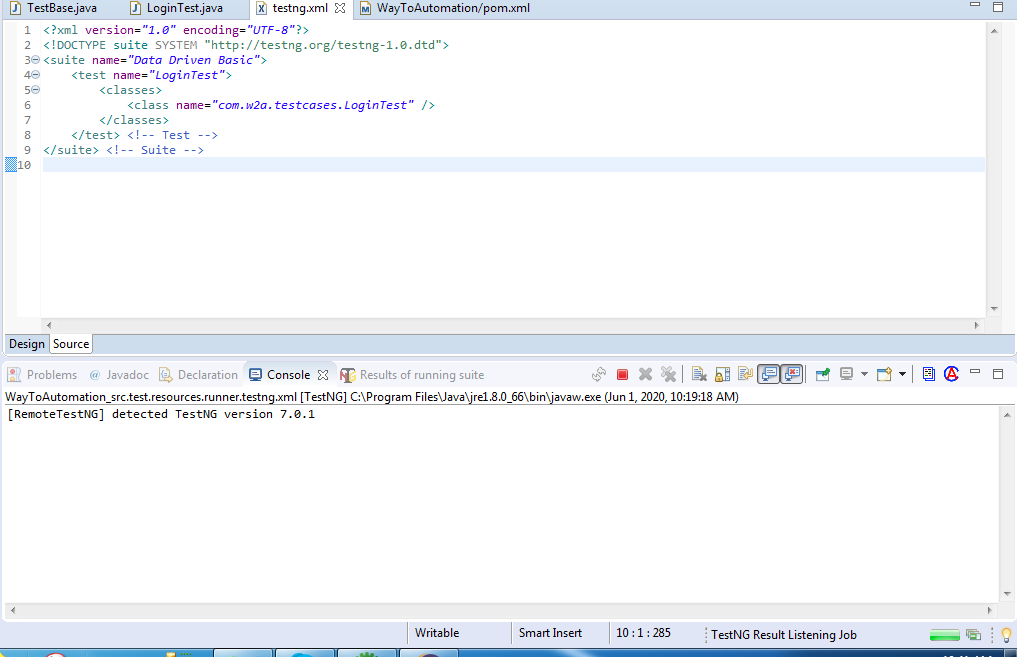

@sriaman3 , could try with adding jvm arg: -Djava.net.preferIPv4Stack=true
@missedone it is working fine, Thank you for your help. Could you please brief why we did that?
I'm facing the same problem, (OS is windows). I even tried reinstalling everything but it still didn't work.
can anyone please help me