

 catsout
fps capped at 60
I feel like the cap should be removed, I don't know if there's technical reasons why it's in place, but I used to have it uncapped to 165 fps back on windows. Some scenes with effects looked so much nicer

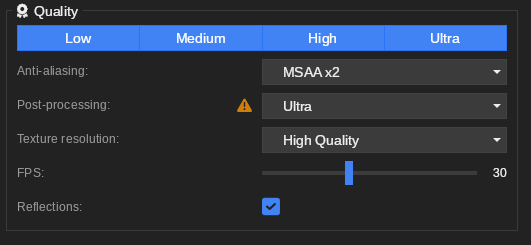
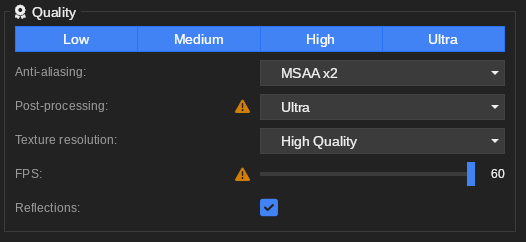

i can make mine 165. doesnt change performance much, can you enable that?
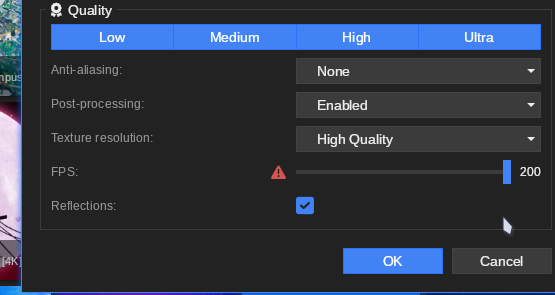
obviously it wouldnt make a difference if i had a video wallpaper. I usually use scenes with moving effects and stuff like water and particles and its nice seeing them buttery smooth
If you go into plugin/contents/ui/page/SettingPage.qml, there's a sliderFps variable that has a max value of 60. From my findings, I found that raising this to my display refresh rate (In my case, it's 175Hz) fixes the issue. Having it go up to the currently used display refresh rate is ideal to prevent micro-stuttering and framepacing problems on non-VRR capable displays (As there's no guarantee that the current display evenly divides by 60Hz or supports VRR).
However, I'm unsure if there's any sort of limitations with the QtFramework that prevent grabbing the current display's refresh rate. Would probably be a smart thing to do considering with KDE Plasma, each display can have it's own wallpaper and may have differing refresh rates, but I'm not versed enough in KDE Plasma plugin development to determine this.

If you go into
plugin/contents/ui/page/SettingPage.qml, there's asliderFpsvariable that has a max value of 60. From my findings, I found that raising this to my display refresh rate (In my case, it's 175Hz) fixes the issue. Having it go up to the currently used display refresh rate is ideal to prevent micro-stuttering and framepacing problems on non-VRR capable displays (As there's no guarantee that the current display evenly divides by 60Hz or supports VRR).However, I'm unsure if there's any sort of limitations with the QtFramework that prevent grabbing the current display's refresh rate. Would probably be a smart thing to do considering with KDE Plasma, each display can have it's own wallpaper and may have differing refresh rates, but I'm not versed enough in KDE Plasma plugin development to determine this.
Thank you for the fix! Wallpapers look so good now. Hopefully they fix this soon!
any more news on this? theres really no reason I should have to go to my config and change it every time theres an update