

 catalyst
Not getting dropdown option for 'Storage File System' in the Plugin Settings Page - moodle on DO
moodle 4.0.1 on Digital Ocean
Not getting dropdown option for 'Storage File System' in the Plugin Settings Page
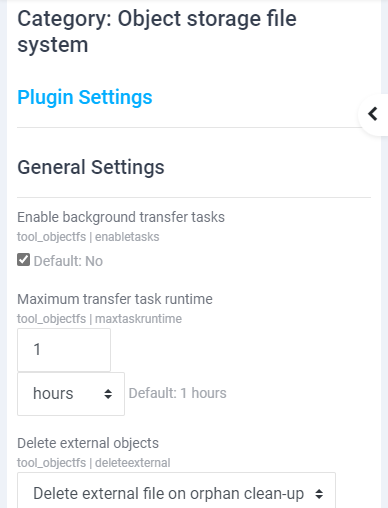
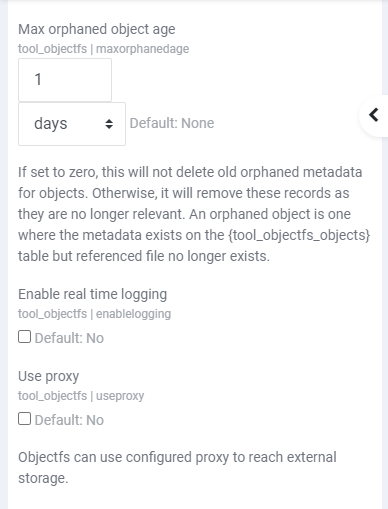
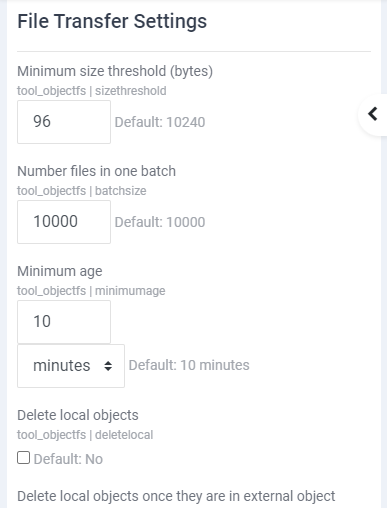
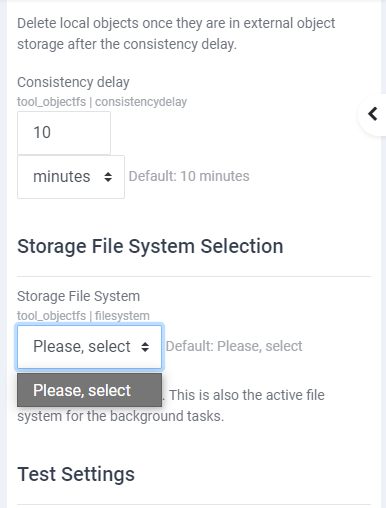
I have already added the following line in the moodle config.php (in both instance - I have 2 moodle instance on DO with one MariaDB instance to which the moodle instances connects) $CFG->alternative_file_system_class = '\tool_objectfs\digitalocean_file_system';
Queried the database (mariadb) but there couldn't find any entry for filesystem (following is the query and it's result): MariaDB [moodle]> select * from mdl_config_plugins where plugin like 'tool_objectfs'; +------+---------------+------------------+------------+ | id | plugin | name | value | +------+---------------+------------------+------------+ | 3681 | tool_objectfs | batchsize | 10000 | | 3684 | tool_objectfs | consistencydelay | 600 | | 3676 | tool_objectfs | deleteexternal | 1 | | 3683 | tool_objectfs | deletelocal | 0 | | 3678 | tool_objectfs | enablelogging | 0 | | 3674 | tool_objectfs | enabletasks | 1 | | 3685 | tool_objectfs | filesystem | | | 3673 | tool_objectfs | lastcron | 1655814541 | | 3677 | tool_objectfs | maxorphanedage | 86400 | | 3675 | tool_objectfs | maxtaskruntime | 3600 | | 3682 | tool_objectfs | minimumage | 600 | | 3686 | tool_objectfs | preferexternal | 1 | | 3680 | tool_objectfs | sizethreshold | 96 | | 3679 | tool_objectfs | useproxy | 0 | | 3671 | tool_objectfs | version | 2021122302 | +------+---------------+------------------+------------+ 15 rows in set (0.000 sec)
I am not getting the proper dropdown option for DigitalOcean nor I am getting any further settings for DO. Any idea what could be the issue?

Hello @rajib4, please be informed that you have to follow the steps mentioned below:
- Install the following plugin: https://moodle.org/plugins/local_aws
- Add the following line to your config.php file in your Moodle installation directory: $CFG->alternative_file_system_class = '\tool_objectfs\digitalocean_file_system';
Good Luck.
