

 catalyst
TOTP Isn't Asking For Code Upon Login After First Time - Unless I'm In Incognito Mode
I got MFA set up using the TOTP option with Microsoft Authenticator and got everything verified/passing according to the debug mode. But when I log out then log back in it just logs me back in as usual without asking for another code, then when I look at the debug mode again it is back to 'Pending'. A caveat is that it does work as expected - asks for a code upon every login - in incognito mode. I've tried this in Chrome and Firefox both, in private browsing mode and regular mode.
Is this a bug or is this a feature? Does it save your device creds for a period of time and not require the code?
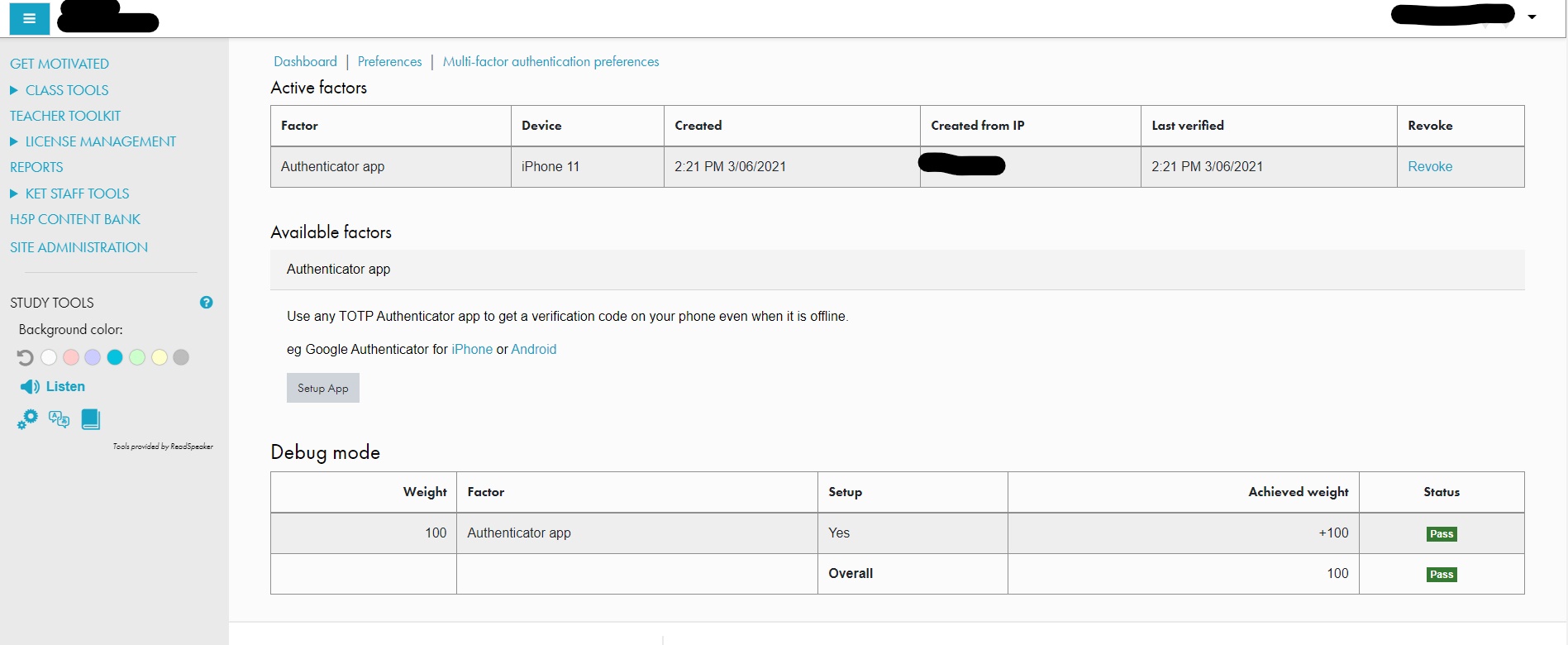
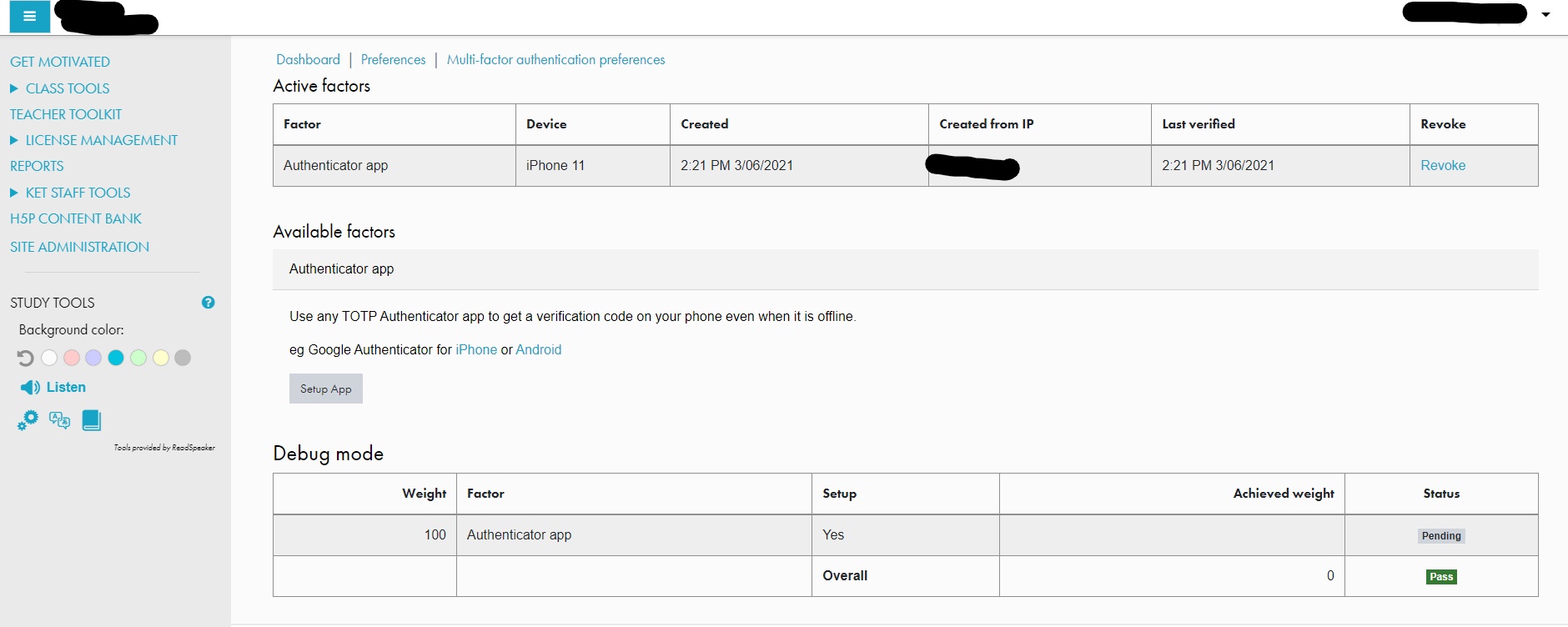

This is a bug, but we've not seen that. I can't reproduce this so far, can you provide any other details or reproduction steps?
Does it save your device creds for a period of time and not require the code?
This would be a feature, but it is not implemented yet and when it will be you would explicitly set it up as another pseudo factor:
https://github.com/catalyst/moodle-tool_mfa/issues/48

The only other thing I can think to mention at this point in time is the difference in Moodle versions. On the site I've provided screenshots of that it doesn't ask for the TOTP code upon subsequent logins after setup, Moodle version 3.9.3+ (Build: 20201121) is in play. On another site where it does act as expected and ask for the TOTP code, Moodle version 3.9.2+ (Build: 20200924) is in play. I can't really provide any reproduction steps other than what I've mentioned - testing just consists of setting up the TOTP factor, verifying it, logging out then logging back in and on all subsequent attempt it just logs me right in with my username and password. I have tried revoking the TOTP factor and setting it up again, but it yields the same result.
Also, I guess I'll mention I know on the plugin page on Moodle.org the plugin is only verified as working up to Moodle version 3.8, but I've seen elsewhere in comments that it's working with 3.9.
This seems to be another instance of https://github.com/catalyst/moodle-tool_mfa/issues/290 and as far as I know this is just a renderer bug.

I'm one of SamMoher's coworkers and we are now running this on 3.11.4 with the same behavior. I also enabled the MFA requirement for our development team and immediately the rest of the team (who weren't previously logged in or had the TOTP app setup) were locked out as desired. Less than 10 minutes later though, other team members later to test confirmed they could log in and the same who were locked out before could now log in just fine. No change in settings in my testing. And trying myself with a fully setup account in an incognito window, I was not prompted for a code. Any ideas?
