

 castwide
How to specify YARD markup (Markdown)
We have a documented code base with YARD and Markdown markup. Is there a way how to specify YARD markup? If not, will you accept a PR for it?
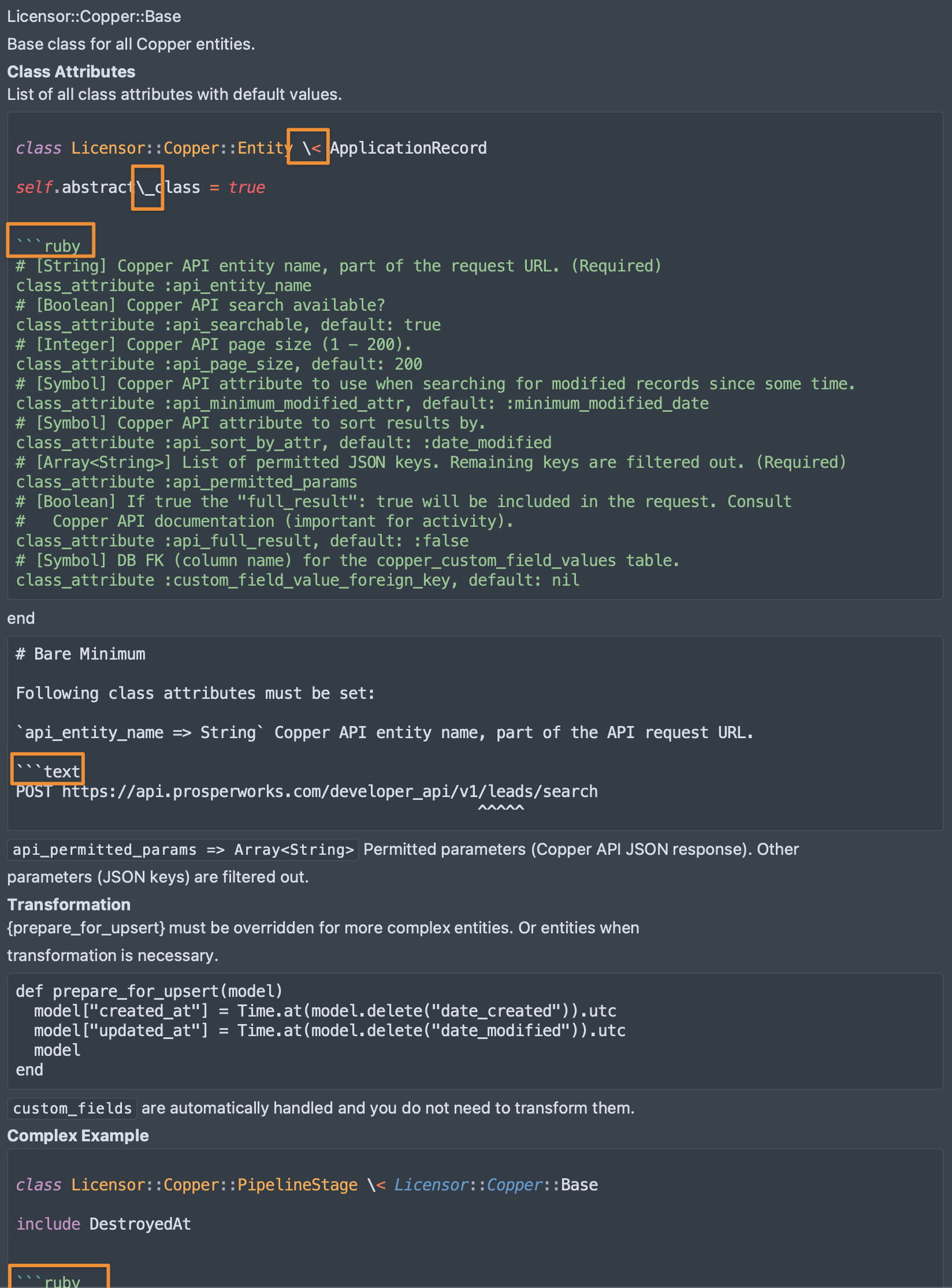
See the following screenshot (hover docs). Escaped characters, confused with ```ruby, etc.
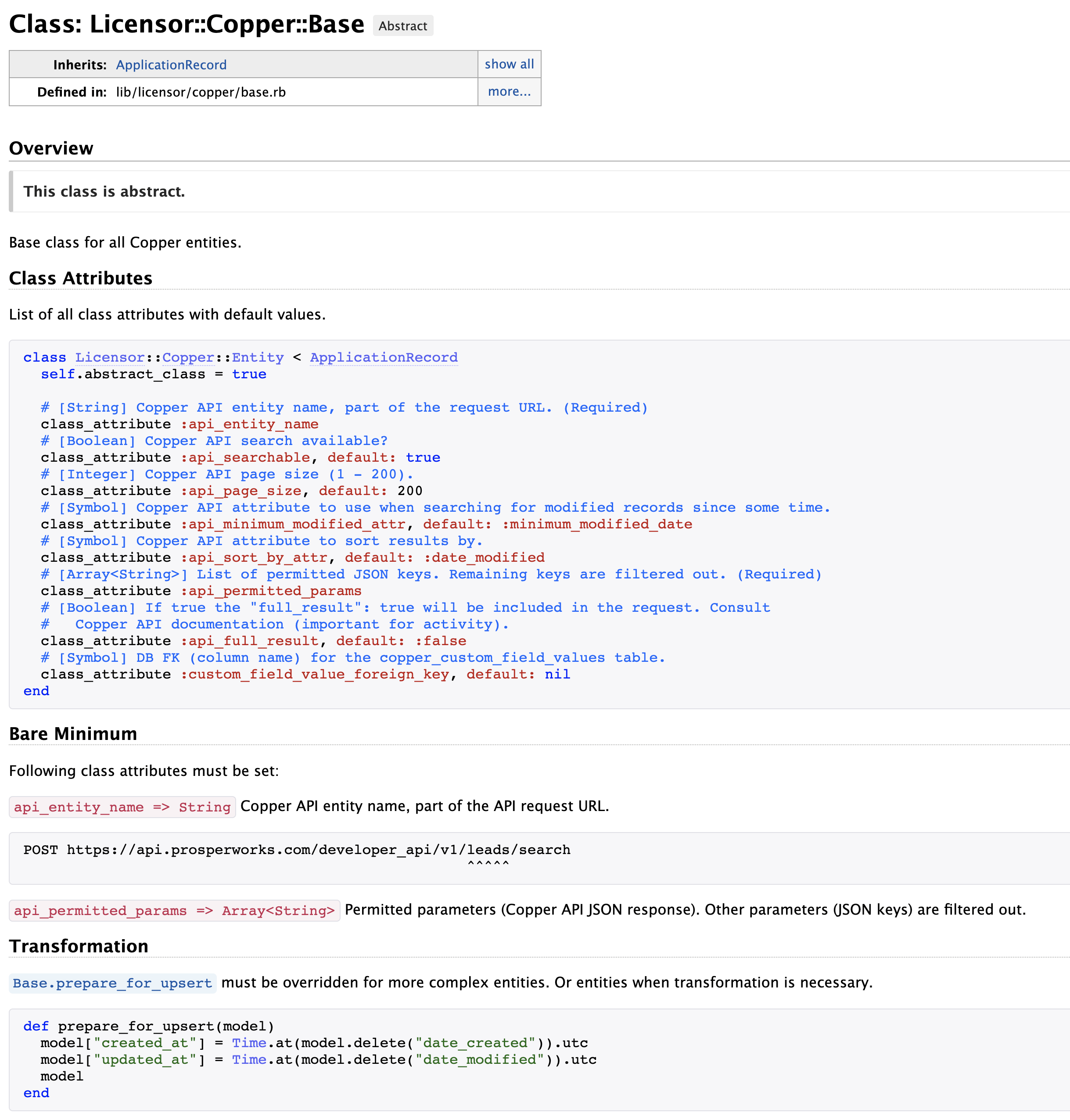
YARD docs screenshot = how YARD renders it (with --markup markdown), no issues
Sublime Text & LSP & solargraph screenshot = ST hover, issues like escaped <, etc.
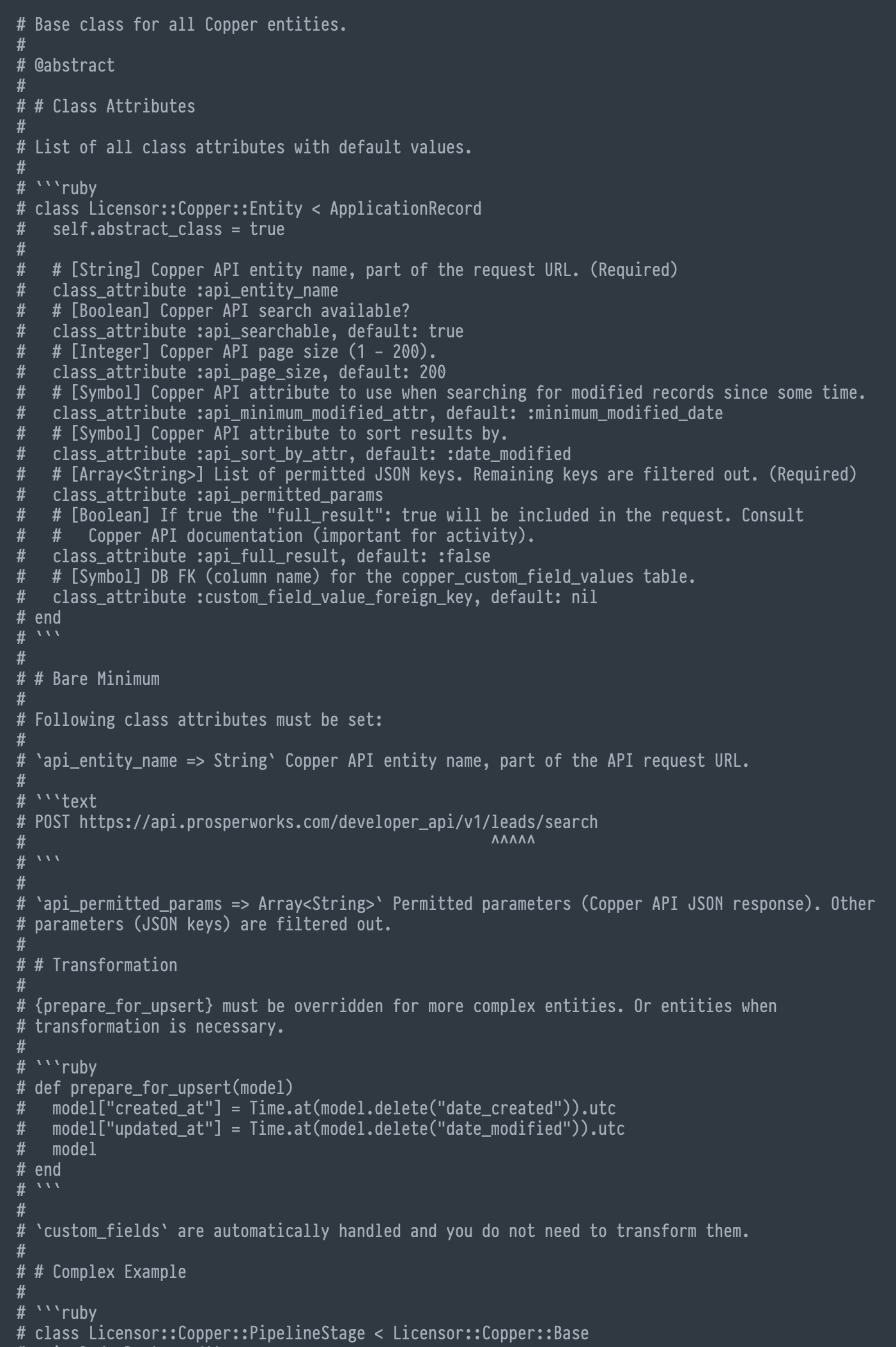
Code screenshot = source code for the previous two screenshots, no issues

Can you clarify what results you expect? I'm not sure what happened in that Sublime screenshot, but the Code screenshot looks correct to me.
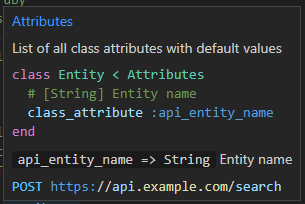
I put together a simple reproduction. The code in the editor:

The rendered documentation in a hover:

What I do expect? Correctly rendered MD in the same way as YARD is rendering it (like the first screenshot - YARD docs screenshot). No escaped <, no ```ruby in the middle of code, etc.
Hmm, so, it should work. I'll try to find what triggers this behavior and will provide minimal reproducible example.
Ah, so your Code screenshot is the hover? At first I assumed it was the editor window. My mistake. No idea why it's not rendering. If you can provide a reproducible example, I'll look into it.
Yep, Sublime Text & LSP & solargraph is hover screenshot, Code is not hover screenshot, it's just source code screenshot. Will work on MRE tmw.
(note to self, we're using --markup markdown YARD arg to be able to generate docs properly)
Just to be clear, your Code screenshot is what I'd expect from the editor window. Clients are responsible for rendering files in text editors. It's not a function of Solargraph or of language servers in general.
The Sublime hover screenshot is a different story. I'd expect the Markdown in the documentation to be formatted. I'm not sure if the issue is with Solargraph or Sublime/LSP, but I'll do what I can to help you troubleshoot it.
Sry for the confusion, I should have been more clear.
All screenshots represents the same thing. The Code one, which is perfect, no issues, is the source code used for other two screenshots - one is generated HTML via Yard (no issues) & the other one is ST hover (issues). The problematic one here is the ST hover only.
Again, my apologize if I wrote it in a confusing way.
I'm closing this issue under the assumption that it was specific to Sublime. If there's something that still needs to be resolved in Solargraph, please feel free to reply or open a new issue.