carbon-design-system
Carbon modal component's content is hidden/truncated on zooming to 400%
Detailed description
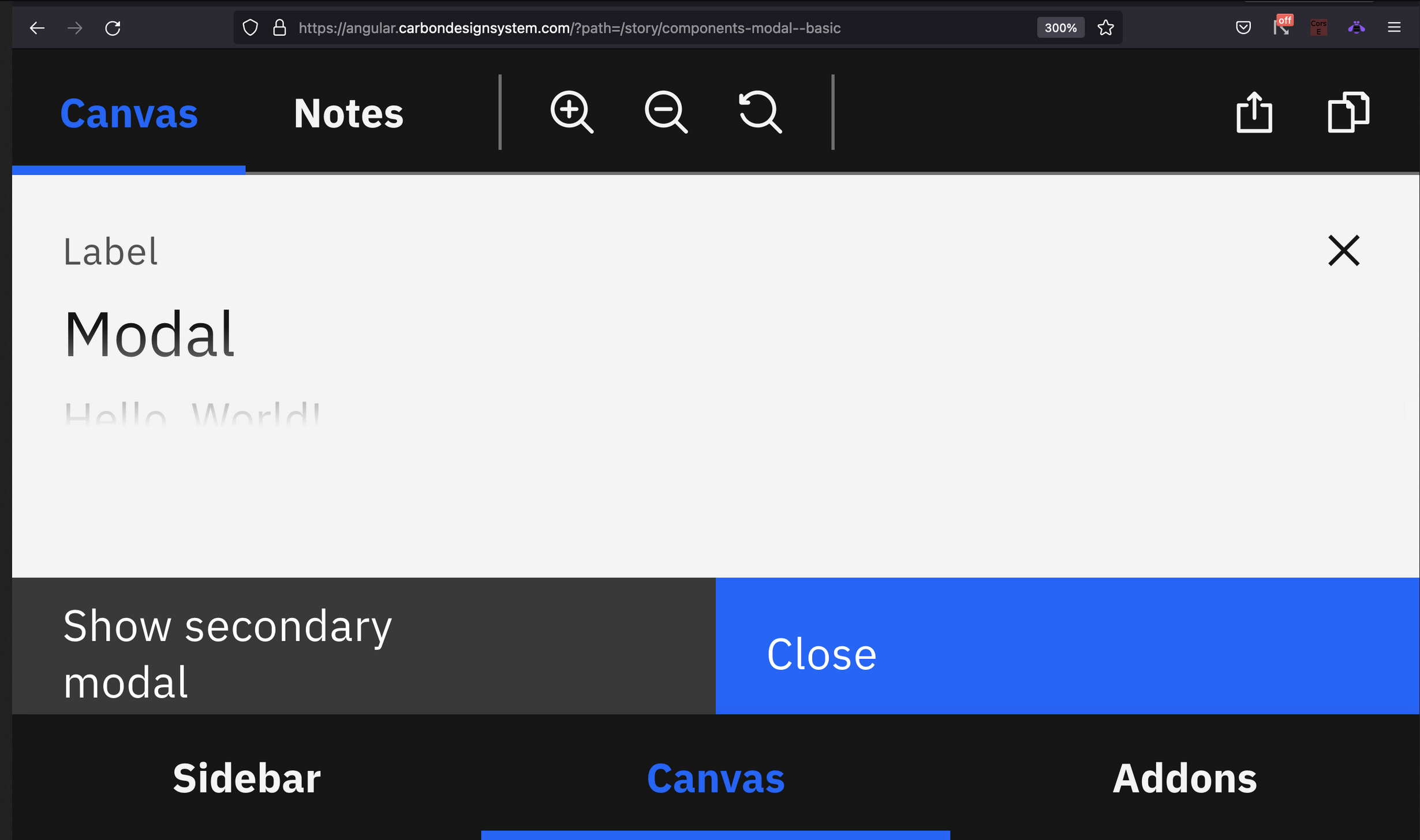
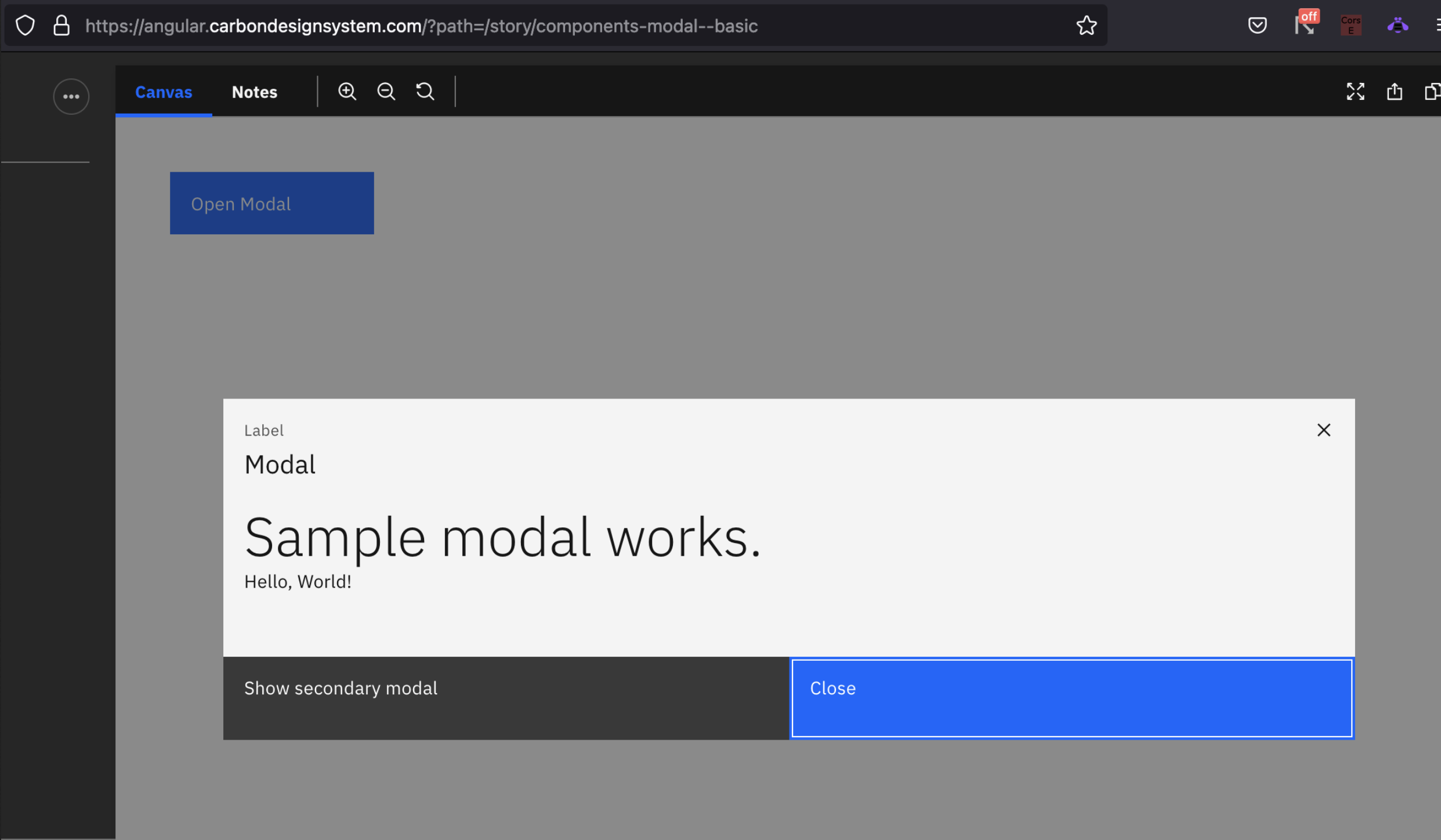
Describe in detail the issue you're having. As per the IBM accessibility core considerations, content can be zoomed up to 400 % without horizontal scroll bars appearing. When the basic modal component is zoomed, it is working fine until 250%. After it crosses 250%, the content inside the modal (except buttons and header label) has become hidden/unreadable as shown below.
Is this a feature request (new component, new icon), a bug, or a general issue? Bug
Is this issue related to a specific component? IBM Modal component
What did you expect to happen? What happened instead? What would you like to see changed? On zooming to 400%, content inside the modal should be readable
What browser are you working in? Chrome, Firefox
What version of the Carbon Design System are you using? 10.35.0
What offering/product do you work on? Any pressing ship or release dates we should be aware of? May sprint (2022-05)
Steps to reproduce the issue
Issue can be reproduced directly from https://angular.carbondesignsystem.com/?path=/story/components-modal--basic
- Go to https://angular.carbondesignsystem.com/?path=/story/components-modal--basic from any browser
- Click on Open Modal button
- Zoom to 400 %
Note : In the website, make sure Canvas is in focus instead of sidebar (Attached image in the description)
Additional information
- Screenshots or code
Without zoom :
With zoom to 300% or above: