

 capacitor-community
Capacitor music controls
Plugin Request
Name: Music controls
Package: @capacitor-community/music-controls
Platform(s)
Android iOS
Existing Solutions
https://github.com/selcip/capacitor-music-controls-plugin https://github.com/ingageco/capacitor-music-controls-plugin
Description
Same features that supported by cordova plugin alternative https://github.com/ghenry22/cordova-plugin-music-controls2
This is not working with capacitor There is no alternative working on Capacitor v3
01/03/2022 Update: The media session api for web https://web.dev/media-session/ can handle controls for web and iOS but it is not working on Android. I think that because of WebView.
Also I have found this plugin but is not working yet: https://github.com/Videodock/capacitor-media-session
I think that may be it would be enough with a plugin working on android with https://developer.android.com/guide/topics/media-apps/working-with-a-media-session#init-session and on iOS with https://web.dev/media-session/

Any progress or forecast for these? When I tried the 2 existing solutions neither of them seemed to work. Did anybody get them working? :-)

I am happy to turn over the Capacitor v2 plugin I've adapted from Cordova to the community, as long as i can maintain my own v2 plugin for my own uses.

It would be great to see a music controls plugin that works with Capacitor 3 and is supported by the community.
In the meantime, there is a fork of the v2 plugin available here that seems to work (though it isn't properly released). https://github.com/wako-app/capacitor-music-controls-plugin

I'm not sure if this is related, but we've created the https://github.com/Videodock/capacitor-media-session plugin to be able to control the media session for AndroidTV apps.
The implementation looks a lot like the music controls plugin but most importantly allows users to interact with the Media and updates the status in the Google Home app for example.
This works for both Video and Music applications (that's why I think the name music-controls is too specific for its purpose).
https://developer.android.com/training/tv/playback/media-session
https://developer.android.com/training/tv/playback/now-playing

It would be great to see a music controls plugin that works with Capacitor 3 and is supported by the community.
In the meantime, there is a fork of the v2 plugin available here that seems to work (though it isn't properly released). https://github.com/wako-app/capacitor-music-controls-plugin
Have you tested it?
It would be great to see a music controls plugin that works with Capacitor 3 and is supported by the community. In the meantime, there is a fork of the v2 plugin available here that seems to work (though it isn't properly released). https://github.com/wako-app/capacitor-music-controls-plugin
Have you tested it?
@juanico18 I haven't tested it exhaustively. But I have tried it (Android only) and it seems to work. Note that the interface is very slightly different from the original Capacitor plugin (and it seems that the typescript definitions file has not been updated so it is a bit misleading). The changes are simply though ... e.g. passing { isPlaying: true } instead of just true to updateIsPlaying.
** Edit With a simple test I made it work by showing a notification; Parameters to MusicControls.Create() that should be optional are not optional + WAKE_LOCK permissions has to be set. Will do some further testing of the entire functionality tomorrow.
** Original @jh-gh I tried the plugin on Android, and it seems that it does create the media controls notification, but the app crashes right after and gives these errors:
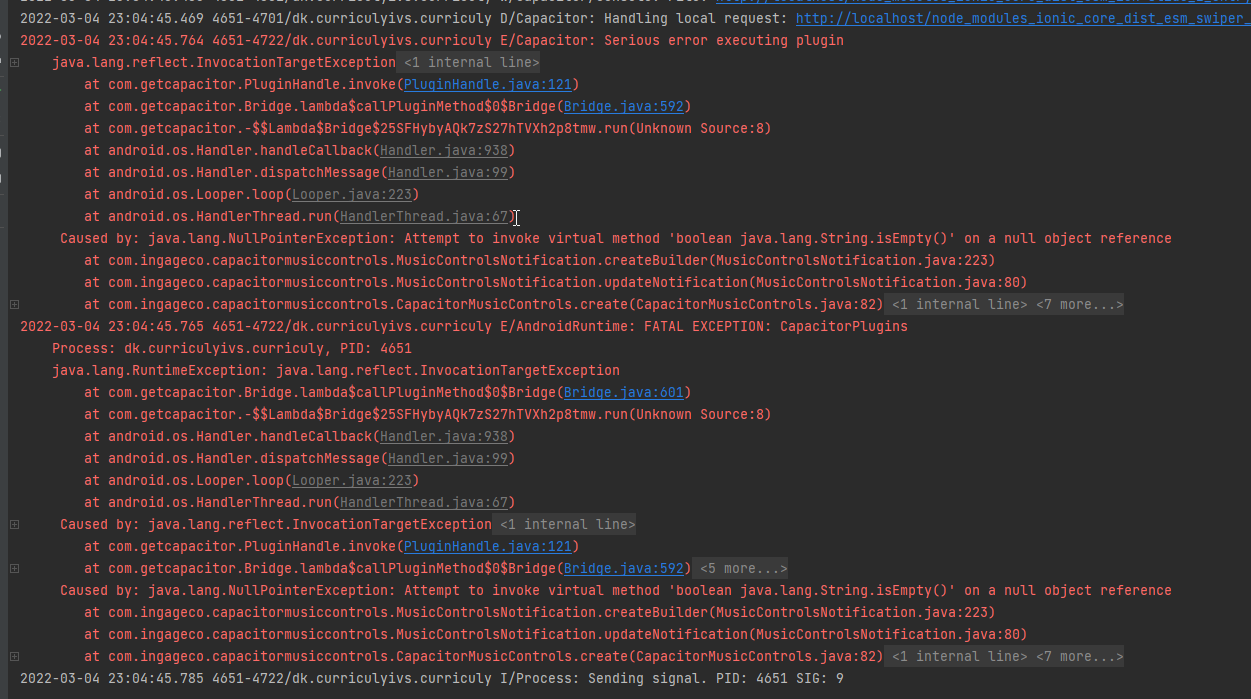
@emilsaj Yes, I have observed the same thing with both the original Capacitor 2 version of this plugin, and the Capacitor 3 version at https://github.com/wako-app/capacitor-music-controls-plugin
Certain properties (like "ticker") need to be set or else the app crashes when checking them. Setting them to empty string can get around this.
And yes, the documentation for the Capacitor 3 plugin has not been updated at all. So it is misleading. The readme talks about adding code to your MainActivity ... but this is a relic of Capacitor 2 ... and not required in Capacitor 3.
Also, as you note, it does require (but not document) the WAKE_LOCK permission. However, the good news is that the capacitor 3 version of this plugin seems to solve an issue that plagued the capacitor 2 version ... namely that if you kill the app ... it now automatically clears any related notification (which it does not do in the capacitor 2 version).
@jh-gh Jep, i noticed the same thing when killing the app :-)
Were you able to get the 'dismissable' option working? It seemed i could not make the notification dismissable when creating, nor when trying to update it.
@Juanico18 I guess this plugin could be a temporary solution for Android until something else that is up to date and somewhat maintained is working.
@emilsaj Good point about "dismissable". It's not working for me either (but did work in the Capacitor 2 version of the plugin). I have no idea why. I did some basic debugging and it does seem to be recognizing the option and setting up the "delete intent" ... but for some reason, you can't swipe the notification away. Note that if you set hasClose=true then you get the X option which can be used to close the notification ... but this is a bit different ... I would like to have dismissable=true and hasClose=false (and this worked with the Capacitor 2 version of the plugin).
I just updated from cordova to Capacitor v3 and I'm in need of a v3 capacitor music controls plugin — I'm not qualified to contribute to the codebase unfortunately.

Also looking for a solution for a Capacitor v3 for iOS.
For now I was able to get working my Capacitor v3 app with cordova-plugin-music-controls2 on Android, and was able to build iOS, but it works very limited with following manual changes:
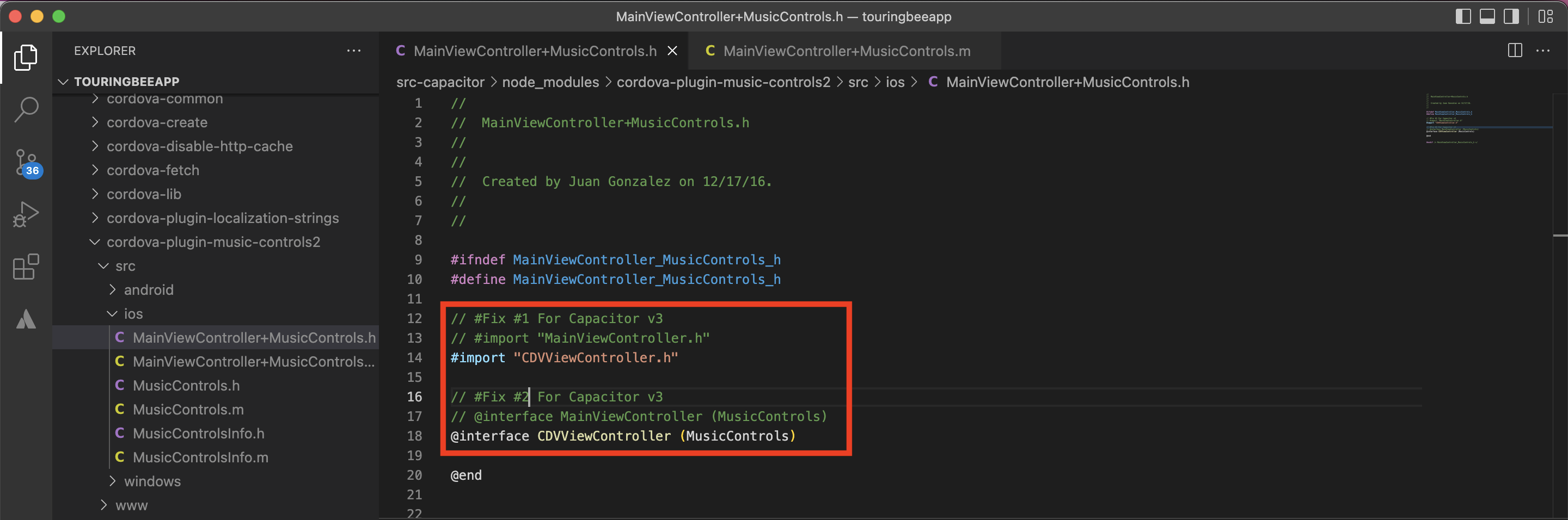


Use this plugin: "capacitor-music-controls-plugin": "github:wako-app/capacitor-music-controls-plugin", I'm using it on iOS and Android, it works well.
@pvandrunen did you do anything to get it working for iOS? It seems like you are the only one Who had it working for capacitor 2/3 on iOS.
For Android some tweaks were needed for it not to crash too.
@pvandrunen thanks for suggestion!
Unfortunately on iOS github:wako-app/capacitor-music-controls-plugin works the same limited way for me, like cordova-plugin-music-controls2. I mean it works in general, but:
- no track / album / cover image
- no Next / Prev buttons
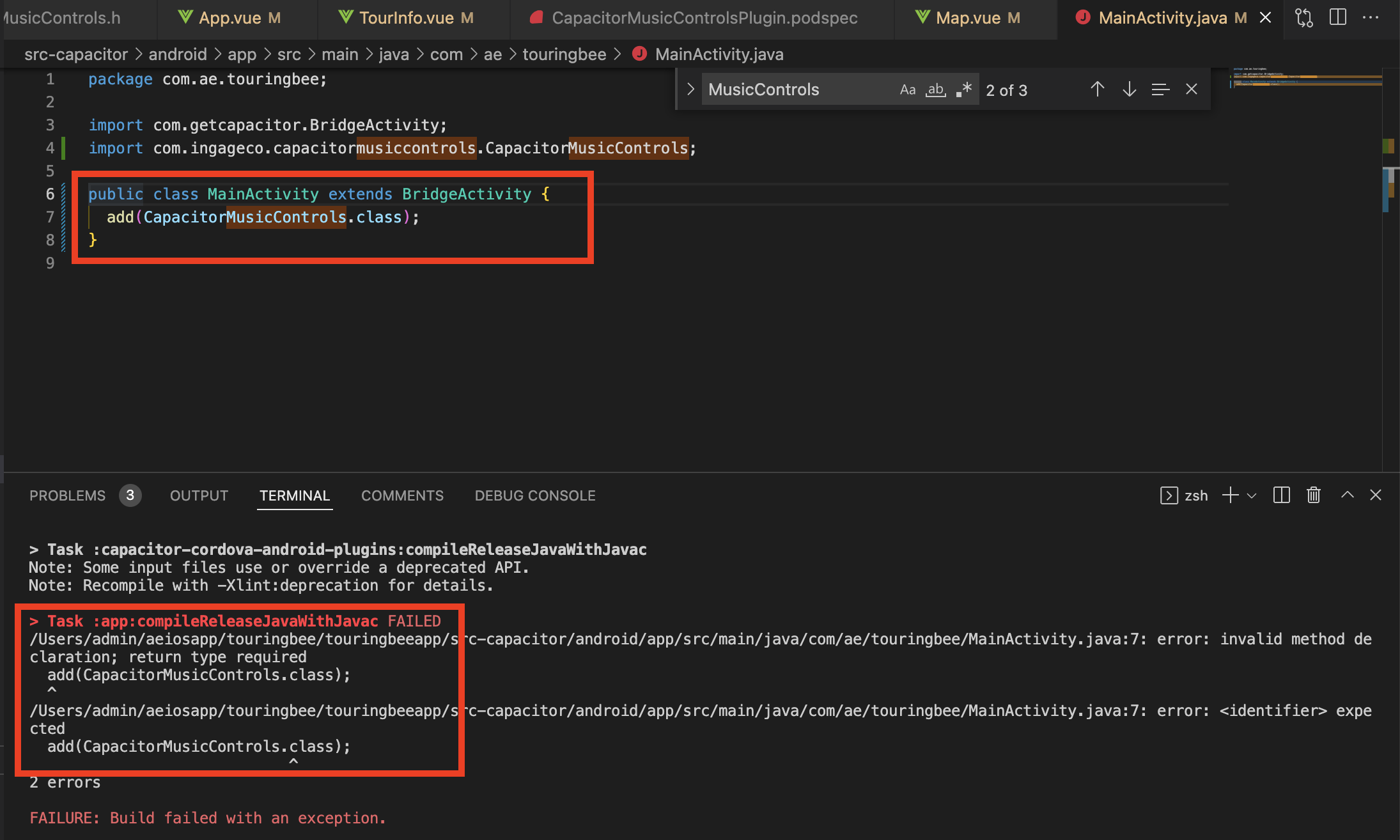
On Android I even not able to build project, it doesn't like add(CapacitorMusicControls.class).
Did you have this problem?
Hi @AEiosApp ,
Your Android issue above looks like a straight compile error in your MainActivity.java file. You should be able to simply remove that add... line (and the import of CapacitorMusicControls) and then it should compile assuming that you are using Capacitor 3. To be clear ... this is also assuming that you are using the fork at github:wako-app/capacitor-music-controls-plugin).
As for iOS, I have never actually been able to get any of these music controls plugins (Cordova or Capacitor) to work at all for iOS. I'm not saying that they don't work ... but I have never been able to get them to (on iOS).
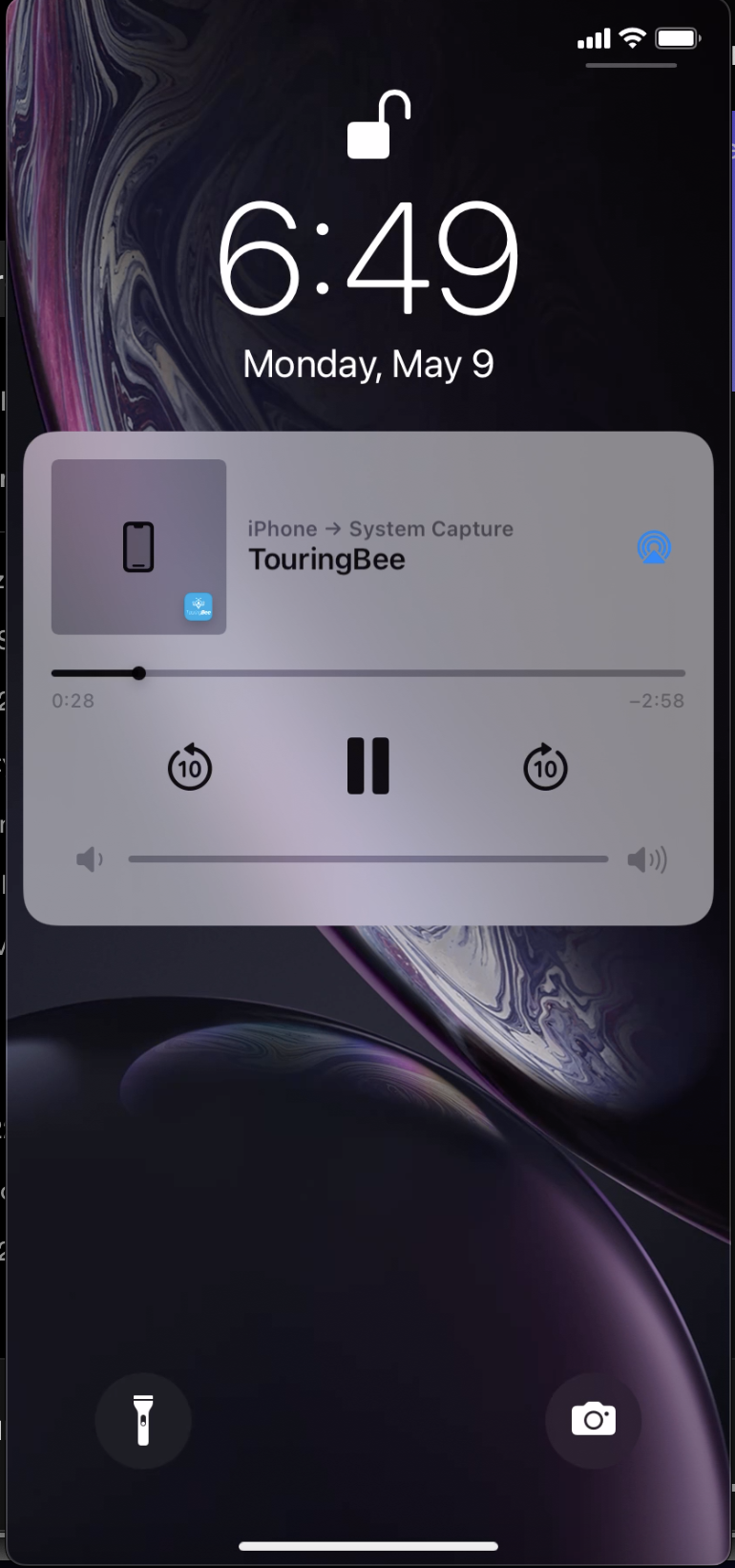
Are you sure that the screenshot you show of the iOS lock screen is actually coming from the plugin? Maybe it is. But I get a similar control on the lock screen on iOS without using the plugin at all. In my case, this is shown automatically by iOS if I lock the screen while playing audio with an HTML audio tag.
@jh-gh thanks for a feedback!
iOS controls worked on my app when I was on cordova, by the way you are right - on cordova I used native audio plugin, while on capacitor I'm using HTML audio tag.
Android I was able to build when I removed lines from MainActivity, but when I ran the app it crashed with an error related to CapacitorMusicControls.
@AEiosApp Not sure what your crash is ... but make sure you add the WAKE_LOCK permission ... and see this earlier comment: https://github.com/capacitor-community/proposals/issues/158#issuecomment-1060024789
i use this and it works well (on android, idk ios):
https://github.com/gokadzev/capacitor-music-controls-plugin-new

The Media Session API is a great solution to display media controls on iOS! It works like a charm and syncs with the HTML5 Audio Player. I don't need any plugin to create an excellent audio player experience on iOS using Capacitor. 🚀
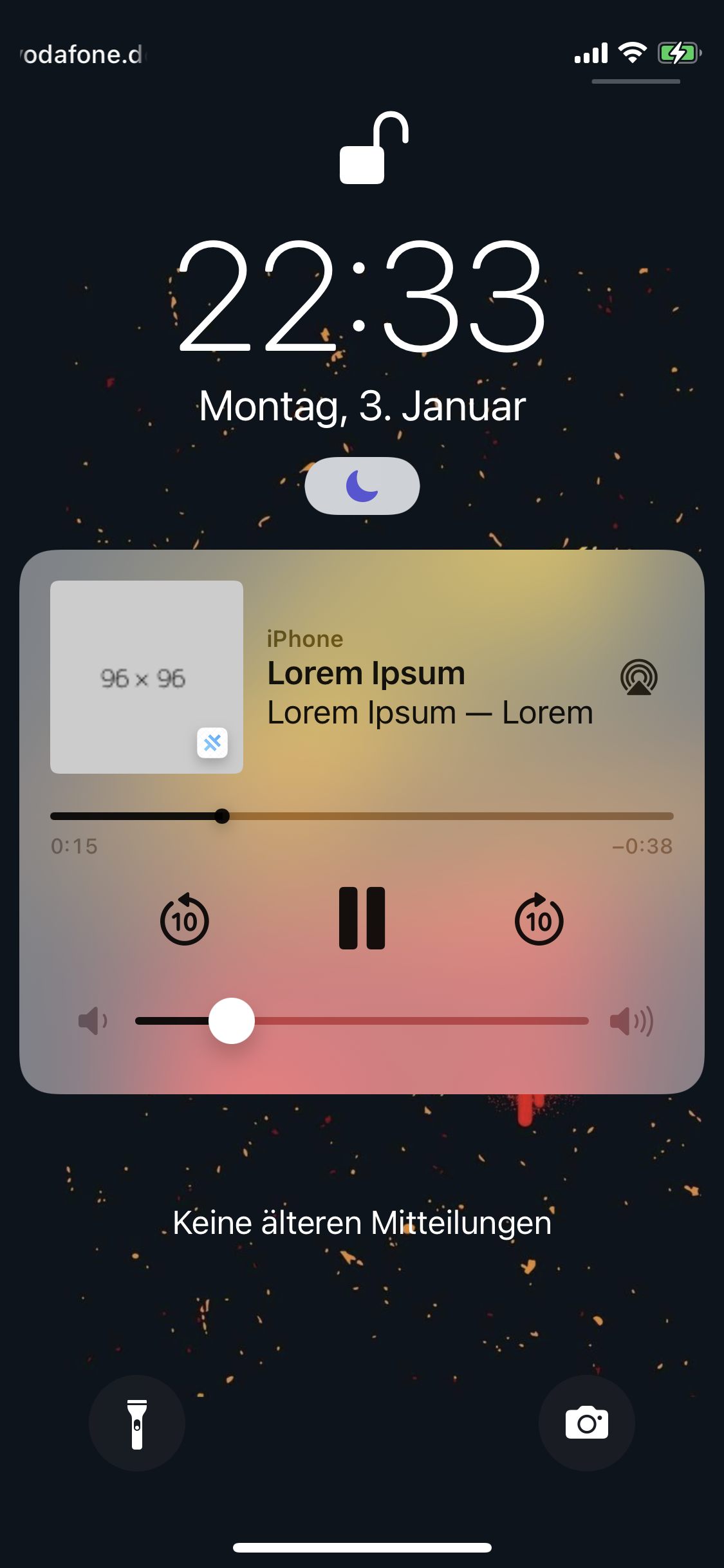 On Android (🤢), the Media Session API does not work with capacitor. In my eyes it is an essential feature to provide audio controls on android using capacitor. I think the best and easiest solution would be, to make capacitor compatible with the Media Session API. The Media Session API already works on androids browser, here is a screenshot:

Is there any way, to make Media Session work with Capacitor on Android? @jcesarmobile

@mariusbolik are you using Howler.js for the audio? I have issues with the media controls not showing op on iOS with this.
The Media Session API is a great solution to display media controls on iOS! It works like a charm and syncs with the HTML5 Audio Player. I don't need any plugin to create an excellent audio player experience on iOS using Capacitor. 🚀
Is there any way, to make Media Session work with Capacitor on Android? @jcesarmobile
Yeah, is a pity that for iOS the Media Session API works well but not for Android. I think that it is because of the WebView used on Android
I had the same problem (media notification and controls not working on Android) and decided to create a new plugin to solve this problem for me because none of the existing solutions were really what I needed. You can find and try it out here: https://github.com/jofr/capacitor-media-session
This plugin should work on Web, Android (tested it on an Android 8 and an Android 12 device where it works for me) and iOS (but I can't test that). The API is modeled after the already existing Media Session Web API (so should be familiar to anybody who already knows that).
Some thoughts on the existing solutions mentioned in this issue and why I decided on creating a new one. I think there are basically two existing solutions that I found and that are also mentioned in this issue:
-
https://github.com/homerours/cordova-music-controls-plugin (and several forks like https://github.com/ingageco/capacitor-music-controls-plugin, https://github.com/wako-app/capacitor-music-controls-plugin and https://github.com/gokadzev/capacitor-music-controls-plugin-new all somehow derived from this original Cordova plugin): The main problem with all of them for me was that none of them work on the Web platform (some of them even only work on Android or the support for iOS is incomplete or unclear). They also basically all share the same API (because they all are derived from that original Cordova plugin). So adding support for the Web platform would mean to either implement this API of an 7 year old Cordova plugin using the Media Session Web API or to detect the platform in my app programmatically and (depending on the platform) use the plugin or the Media Session Web API directly, which would not be in the principle of "write once, run anywhere" (compare Capacitor docs).
-
https://github.com/Videodock/capacitor-media-session: This was also mentioned. This also introduces a new API and as far as I can see this also only solves a smaller subset of the problem (no support for Web or iOS platform and even on Android no media notification; just support for media control using platform or hardware keys).
So I thought it would be best to have a plugin with an API modeled after the already existing Web API. That way
- it is easy to use if you are already familiar with the Media Session Web API
- on iOS and Web the plugin implementation is just a very thin wrapper around the already existing web solution
- native implementation is only needed for Android (keeping the scope small)
Maybe this will be useful to some and I would also be happy if you have any thoughts or feedback about this. :slightly_smiling_face:

Just to update on what I ended up doing, since this is essential to my app: I have switched to using this plugin https://github.com/phiamo/capacitor-plugin-playlist, which has working media controls for iOS and Android - not sure that web works for this one though.
I suppose it is fair to assume that if you want the media controls to work for your app, you most likely also want audio to be able to play in the background. This plugin was the only solution I found for this, since I want to be able to have a continues playlist of different audio tracks including audio ads etc. to work and play automatically while the app is running in the background. I tried a lot of different solutions unsuccessfully to make this work, before trying this plugin, and did not find any other options where audio would not be suspended without user interactions.
I suppose it is fair to assume that if you want the media controls to work for your app, you most likely also want audio to be able to play in the background.
That is a very good point. I experienced this problem too. On Android the playback always stopped for me after the app was 10 minutes in the background (which is no problem when using the app directly in the browser where background playback seems to just work). To solve this my plugin starts a foreground service. This solved the problem for me and background playback now works (at least on the device I'm testing it with). From what I read I think it might sometimes also be necessary to acquire a partial wake lock on Android, but I'll have to test this some more. If it turns out that this is necessary I'll also add this to the plugin.
We have implemented the controls with this plugin: https://github.com/jofr/capacitor-media-session @jofr solution. Thanks
Hi, I am currently working on a radio application. I am using jofr/capacitor-media-session, and everything is working fine, except when I am connected to a bluetooth device and want to control the audio through the bluetooth device, the play/pause is not working. I am using Ionic 7 and Capacitor 5, does anyone have an idea how this issue can be solved/handled? @jofr @juanico18 @ingageco

@jofr https://github.com/jofr/capacitor-media-session is not supporting capacitor 6. @ingageco Should we use https://github.com/ingageco/capacitor-music-controls-plugin ?