

 canonical
Add example of grouped rows
Done
- Add example of grouping table rows using existing classes.
Fixes: #4100.
QA
- Open /docs/examples/patterns/tables/table-grouped-rows (you might need to do this locally as the demo doesn't seem to be working).
- Check that the AMD and Intel columns span multiple rows (the borders get inset for the subsequent rows).
- Resize to medium and small screens and check that the vendor is displayed on all cards.
Check if PR is ready for release
If this PR contains Vanilla SCSS code changes, it should contain the following changes to make sure it's ready for the release:
- [x] PR should have one of the following labels to automatically categorise it in release notes:
Feature 🎁,Breaking Change 💣,Bug 🐛,Documentation 📝,Maintenance 🔨.
- [ ] Vanilla version in
package.jsonshould be updated relative to the most recent release, following semver convention:- if CSS class names are not changed it can be bugfix relesase (x.x.X)
- if CSS class names are changed/added/removed it should be minor version (x.X.0)
- see the wiki for more details
- [ ] Any changes to component class names (new patterns, variants, removed or added features) should be listed on the what's new page.
- [ ] Documentation side navigation should be updated with the relevant labels.
Screenshots

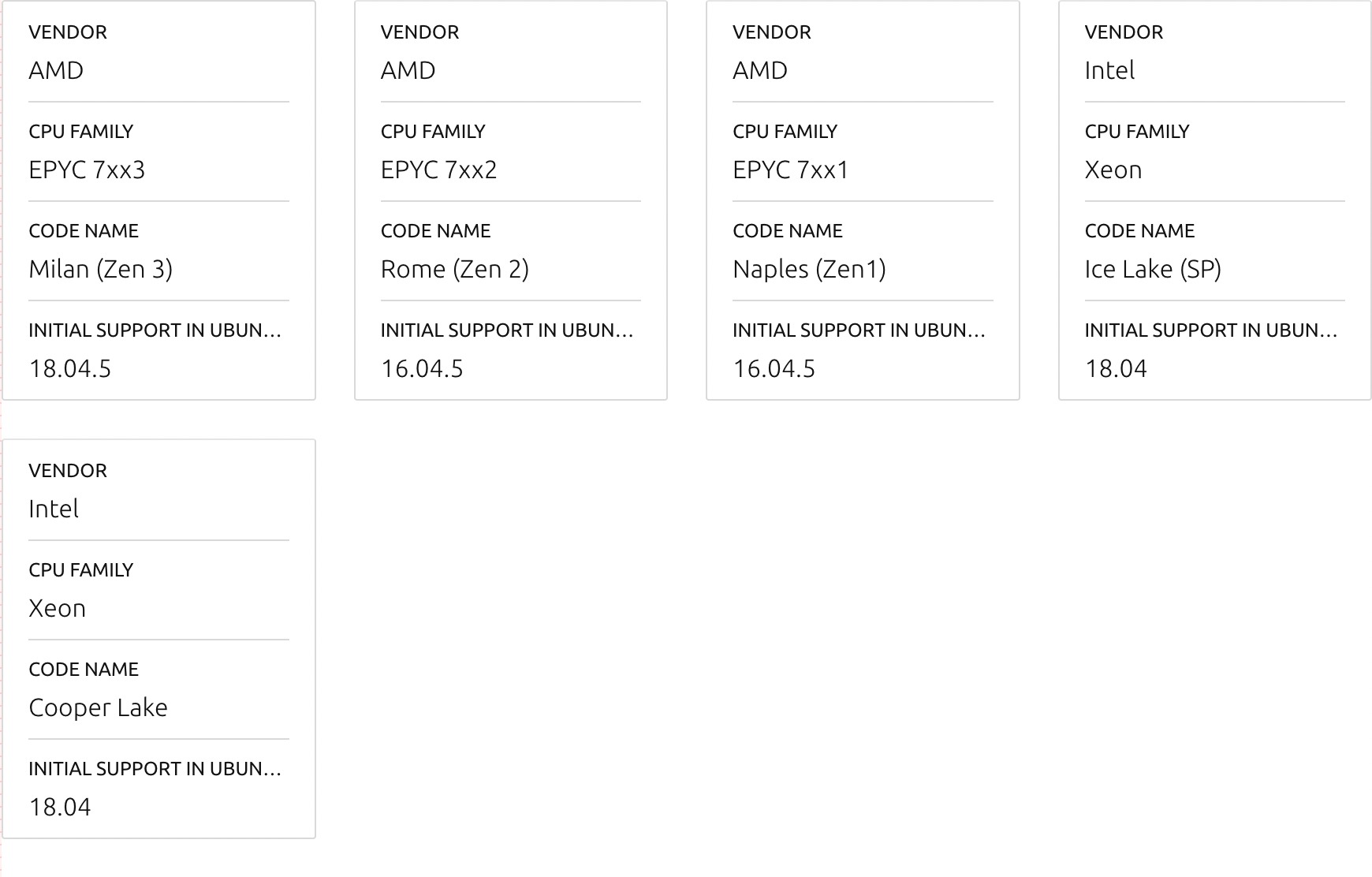


I've added an example of grouped rows here: https://vanilla-framework-4588.demos.haus/docs/examples/patterns/tables/table-grouped-rows
In my attempt I've used u-hide--large so that the cards have headings when the mobile cards appear, however when applying u-hide--large to a td or th it gets applied at both medium and large sizes as it uses min-width: $breakpoint-small: https://github.com/canonical/vanilla-framework/blob/main/scss/_utilities_hide.scss#L60
All the other --large cases in that file use min-width: $breakpoint-large so is that possibly a bug?
All the other
--largecases in that file usemin-width: $breakpoint-largeso is that possibly a bug?
Definitely a bug! It should consistently be applied to anything above the large breakpoint.

All the other
--largecases in that file usemin-width: $breakpoint-largeso is that possibly a bug?Definitely a bug! It should consistently be applied to anything above the large breakpoint.
Ah great, thanks. I've got a PR to fix this: https://github.com/canonical/vanilla-framework/pull/4590.
#4590 is merged, so this is unblocked I guess
Thanks! This is ready for review now.
Seems like cells in some rows are shifted by one column or something?

I guess it's because when first cell has row-span you should not included it in rows where it spans to.
This may cause an issue with mobile view though, as there will be no cell to show in mobile card view… Not sure if there is an easy way around this.
This may cause an issue with mobile view though, as there will be no cell to show in mobile card view… Not sure if there is an easy way around this.
@huwshimi I don't know if you will be able to figure out how to make it work with mobile table but without additional columns on desktop. I'm not sure if u-hide will help with that. Feel free to explore whatever you can and leave the rest for us.
@bartaz You're totally right, I missed that. It works if you apply display: none but u-hide on table cells sets display: table-cell and then sets opacity: 0 (presumably this was done this way as normally you wouldn't want it to change the order of the cells, only hide its contents).
I can't see a way to do this without adding a new class, either as a generic way to remove table cells or a specific grouped rows class.
Thanks for the exploration @huwshimi. I'm gonna close this PR for now as it requires a bit more exploration and thought of how we want to implement this.