

 canonical
Side navigation with drawer explicitly sets background color to white
Describe the bug
When using the side navigation pattern with the slide out drawer the full-screen version has a white background, which looks weird when the page background is a different colour.
Expected behavior
Either the side nav background is transparent or there is a way to set the colour.
Screenshots
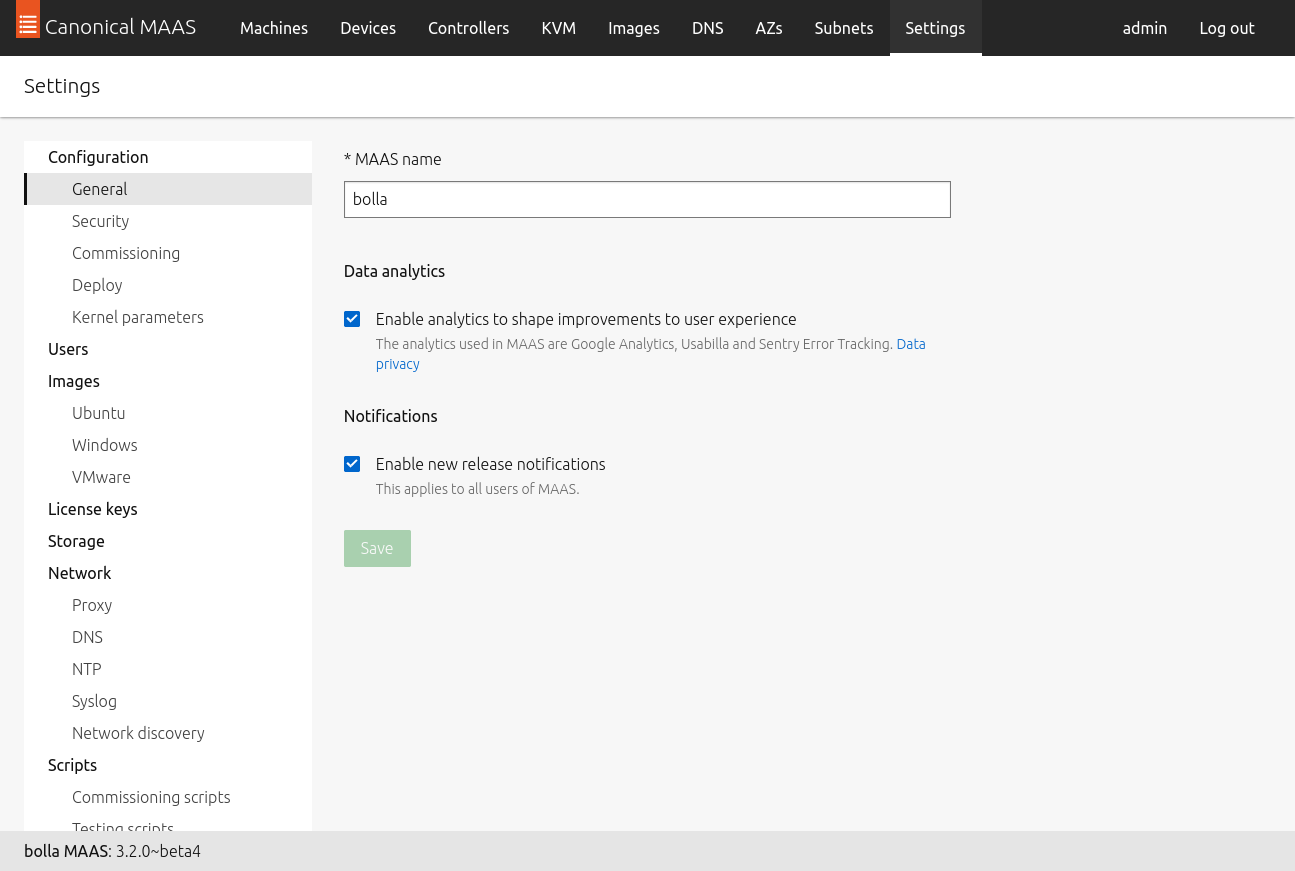

@Caleb-Ellis the background can be changed by overriding it on the p-side-navigation__drawer element. We even show it in one of the examples: https://vanillaframework.io/docs/examples/patterns/side-navigation/default
But it is true, that it doesn't need to set background to white on large screens (it's only needed on small screens when it gets expanded collapsed), so it should be fixed on the Vanilla side.

I wasn't quite sure what the right approach for this is. At the moment $color-sidenav-background-default is used for both the in-page and drawer versions of the menu.
If we don't set the background colour for the in-page menu then you won't be able to theme it when used in-page.
We could say that you have to use $color-sidenav-background-default to match the background colour for the in-page version but then they would also get that colour when viewing the drawer.
We could introduce drawer and in-page specific background variables but that would have knock on effects so we'd probably have to have a full set of variables for in-page/drawer.
I guess one other way would be to have a modifier class to remove the background when viewing the in-page version, but that doesn't seem the most elegant...
Any ideas?

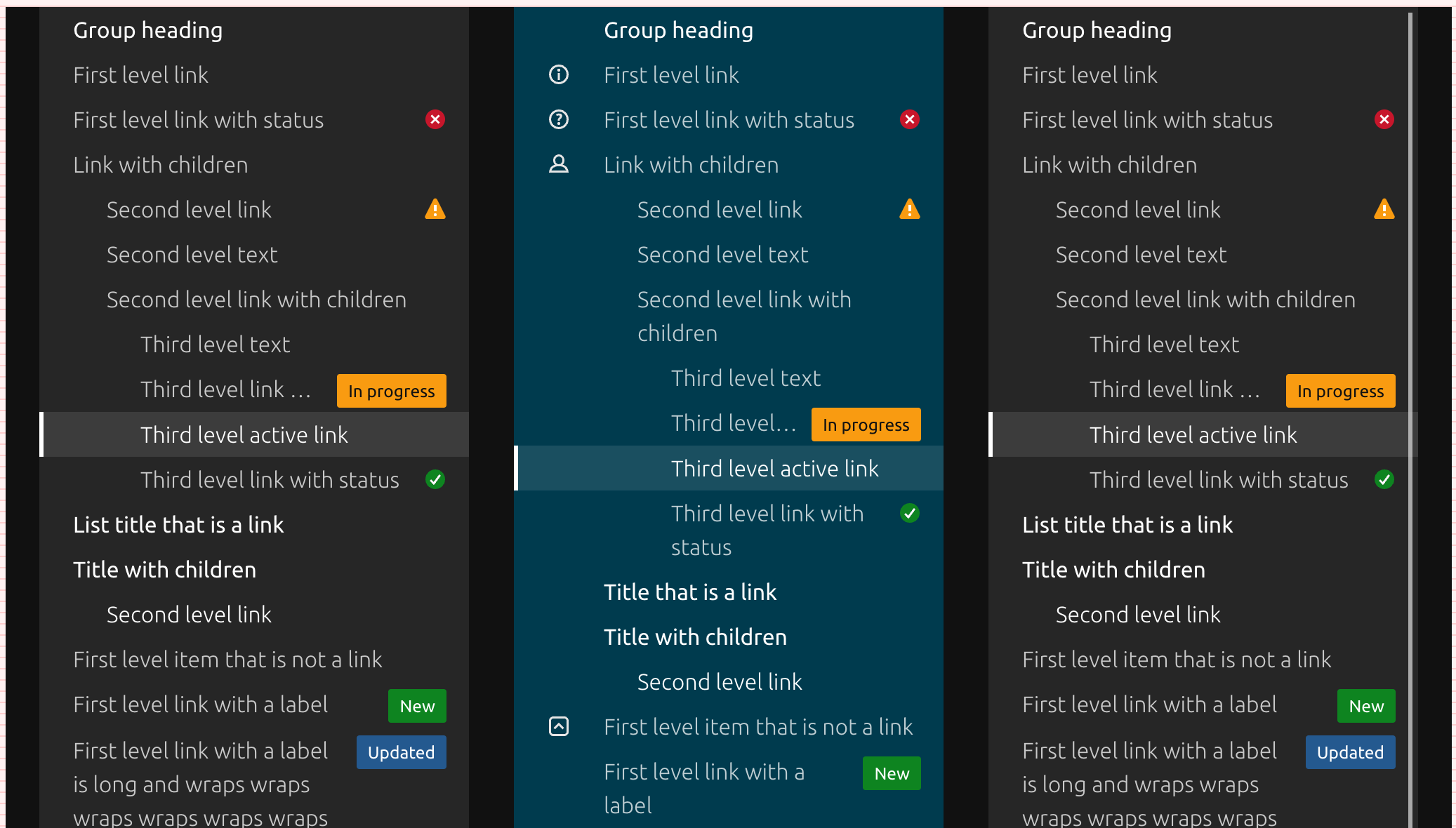
@bartaz taking another look at whether we can just remove the background, I ran into issues with the dark examples: https://vanillaframework.io/docs/examples/patterns/side-navigation/dark.
I'm not sure if the background colour of the page and the middle blue example are real world cases, but with no changes the left and right examples have a lighter background than the page:
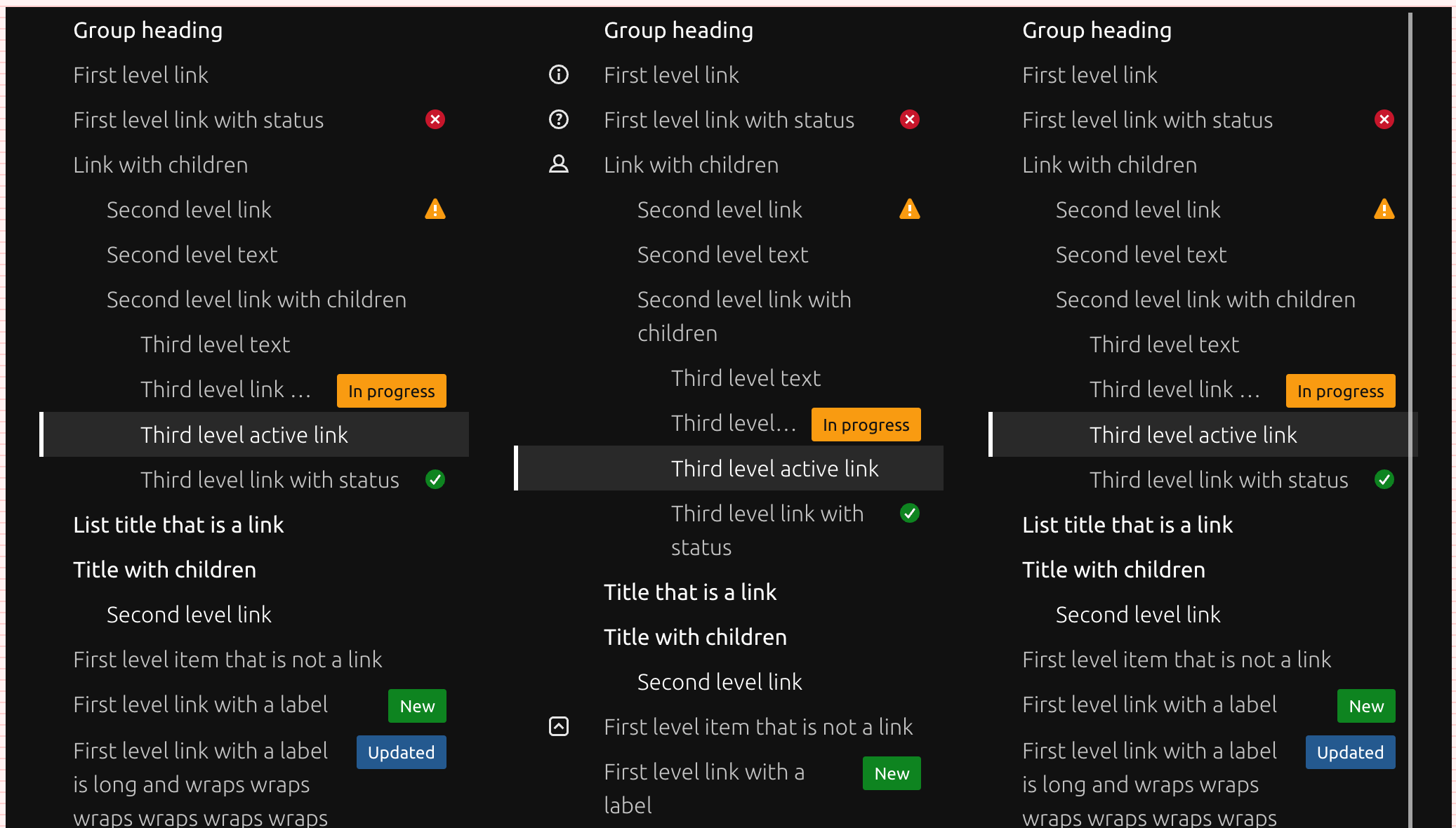
But if I set it to remove the background the left and right examples lose their lighter background and the middle example loses its blue background:
@huwshimi Yes, seems its trickier than expected.
But, in the examples we actually show how to override the color (you need to set inline CSS on the drawer element p-side-navigation__drawer and the header p-side-navigation__drawer-header inside it.
Would that be enough for you to get the gray backtround in MAAS?
@huwshimi Yes, seems its trickier than expected.
But, in the examples we actually show how to override the color (you need to set inline CSS on the drawer element
p-side-navigation__drawerand the headerp-side-navigation__drawer-headerinside it. Would that be enough for you to get the gray backtround in MAAS?
It looks like the background colour has been overridden for large screens:
.p-side-navigation .p-side-navigation__drawer {
  @media screen and (min-width: $breakpoint-large) {
    background-color: transparent;
  }
}
Maybe it's acceptable to just leave it as it is then?
@huwshimi Yes, seems fine for now. We may revisit it later if it causes similar issues in other places.
Closing this for now. Background can be overridden locally in projects if needed.