

 canonical
How to handle ISO errors on the installer?
In the focal cycle we changed the desktop ISO to do a check of the image by default. The result is currently briefly displayed on the plymouth screen and recorded in a file on disk (which is collected by apport). It means unless the user stares to the screen at the right time there is no obvious communication that the system is likely to hits errors. We should at least communicate that to the users better, probably refuse to start the installer?

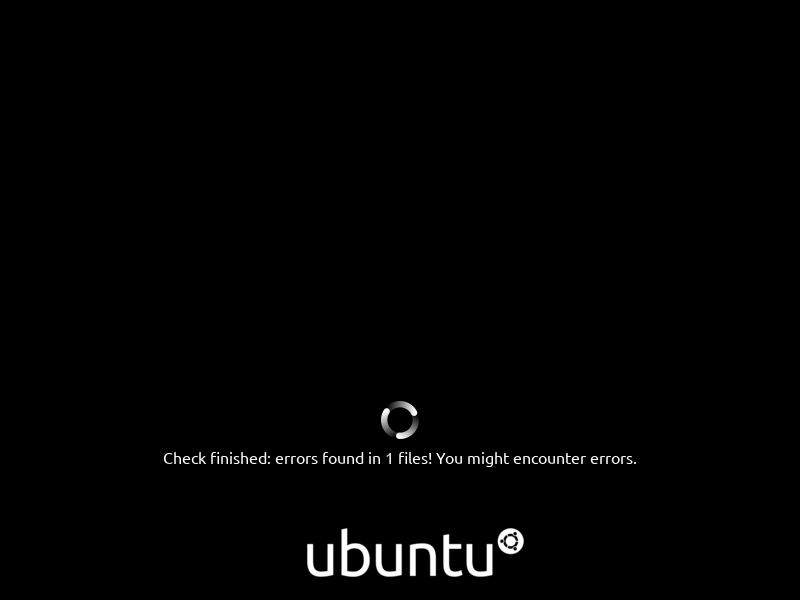

@seb128 What are the users options at this point? error log, help link, fix issue etc? Would be good to understand the flow. Thanks
@long-chung so yes, that was the error as displayed in 20.10. The session would start anyway after showing that if you didn't happened to be watching your screen at the right time you wouldn't see it. It also didn't explain much of the option.
Due to that Dimitri from foundations changed i in Hirsute to not display anything on the start screen anymore and do the check in the background as a service.
Where we stand is basically that we have a file generated on disk that tells you if if you ISO is invalid and no UI. We attach it in apports report which helps us to close those report as invalid, it dosn't help much the users though.
A corrupted ISO means there is an high chance that there will be an obscur error during the installation process that will make it error out at some point (since the error is random the way it makes the installation fail is also, it depends of what part of the image is corrupted, it could be some configuration failed, some file copy error, ...)
I think the only real option for the user is to download / write the image again, maybe on a another USB stick (the error could come from a corrupted download or from an error in the writing of the image or from a buggy device). I don't think we currently have online resources explaining what is an image corruption or what's the impact we could point users at though.
@seb128 Thanks for the explanation. I think 2 possible options would be to:
- Have some form of popup post installation, on first launch with a message and a recommendation for the error.
- Or are we able to do a check on the media before installation as a user option before they commit to the installation to save time and frustration?
Sorry, I was not probably not clear that what I was describing is about the installation media (often USB stick) and not the target machine (we don't do integrity check on the installed system, real disk errors are less frequent than error on cheap medias). I think we basically need to prevent the user to go through the installation. We have the information available on disk so it's a matter to read the status and error out in some user friendly way when there are error. Either in the installer when it starts with a page explaining it's going to bail out and why, or something as a dialog in the session.
One other thing to consider is how we handle the check. The 20.10 way was to delay the ISO session start until the check was finished (staying on the plymouth ubuntu screen with the spinner and the corresponding labels), now it's active in the background, which means it could still be ongoing at the point the installer is started. Do we wait for the result spinning in some way in those cases?