
cal.com
 cal.com copied to clipboard
 calcom
"Edit booking" doesn't allow a new time which overlaps old time
Issue Summary
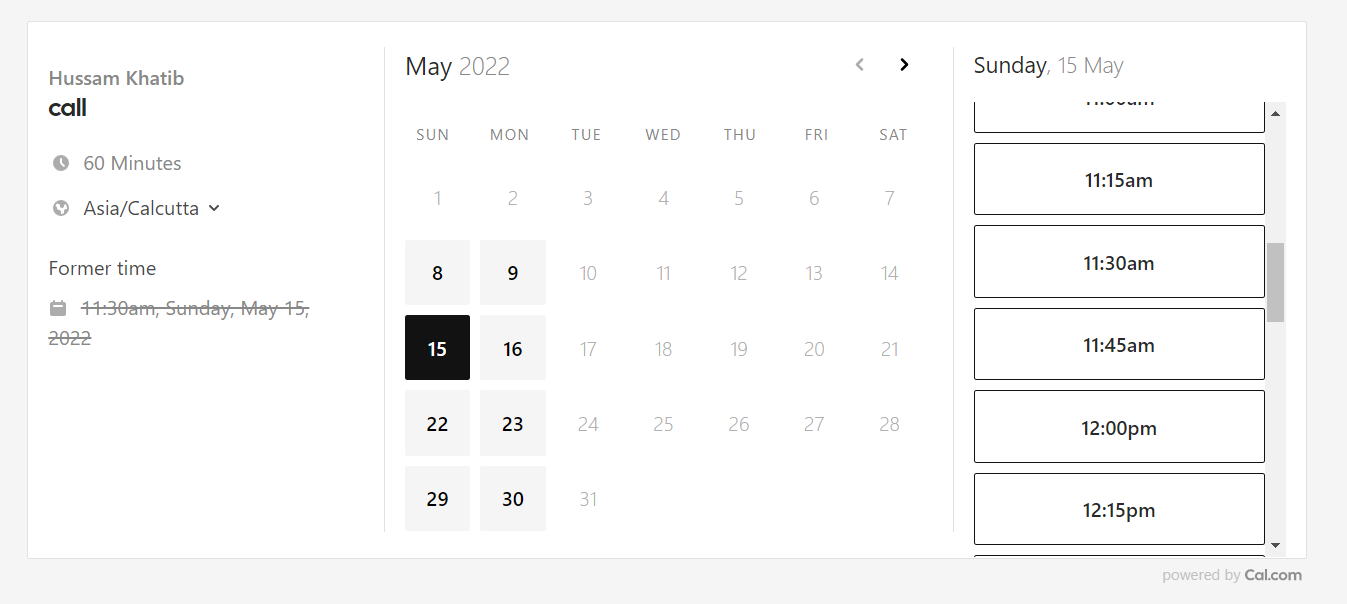
Someone booked a 60 minute slot via my cal.com event link, but then pointed out they wanted to move it 15 minutes later; however the "edit booking" feature doesn't allow this.
Steps to Reproduce
- Confirm a 60 minute booking using an event type which has
Time-slot intervalsset to 15 minutes. (In my case, the booking was at 11:30am.) - Go to https://app.cal.com/bookings/upcoming
- Click on "Reschedule"
- Click on "Edit booking"
- Select the same day as the original booking time
- Observe that the times available for rebooking don't overlap with the original time, so I can't shift the original 60 minute booking at 11:30am earlier or later by 15 or 30 or 45 minutes:
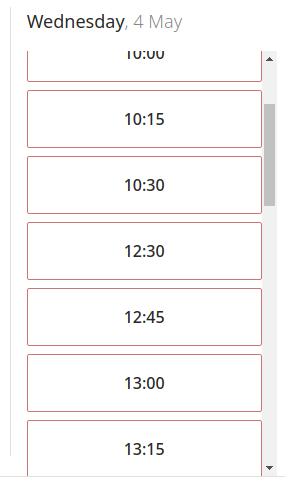
Expected behaviour
When rescheduling, the availability algorithm should consider the existing booking as (provisionally) cancelled just for the purposes of editing its time, in order to avoid the old time incorrectly overlapping with potential new times.
Technical details
Google Chrome Version 101.0.4951.41 (Official Build) (64-bit)
This is clearly a server-side issue, but happy to provide more client details if someone needs them.


That's strange, I can't think of a reason why it would work for you and not me. This highlights why we need a solution to #1171 - it would eliminate the guesswork when slots are unexpectedly unavailable.
I just hit this exact issue as well.
Some one booked 2-3pm
We agreed via email to reschedule to 1:30pm, but I wasn't able to do that:
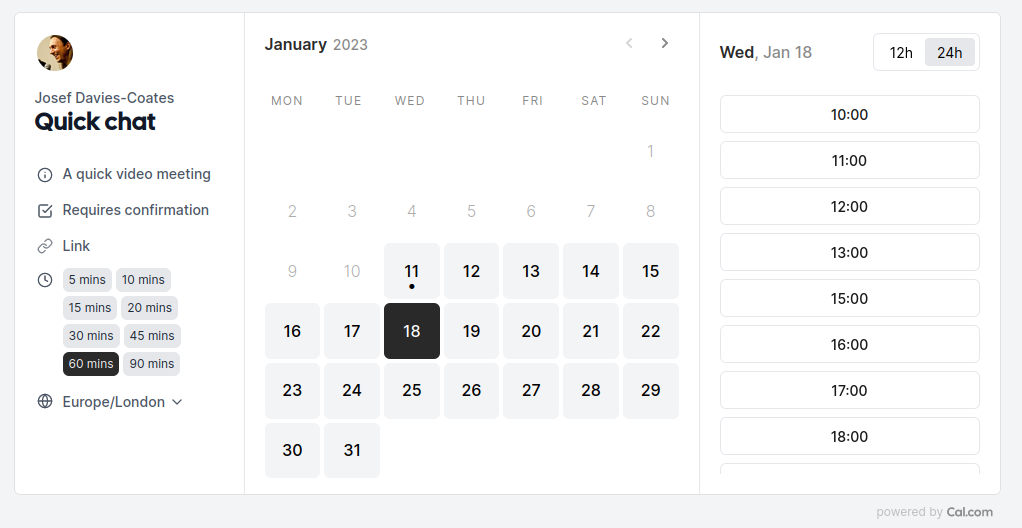
This is using a CalDAV calendar on Nextcloud.

Although actually I don't think this has anything to do with editing or rescheduling bookings, but perhaps it's something to do with with event types that allow the booker to select the time? Because I just had a look at completely empty day and it's exactly the same, bookers can only select 60 min meetings that begin on the hour:
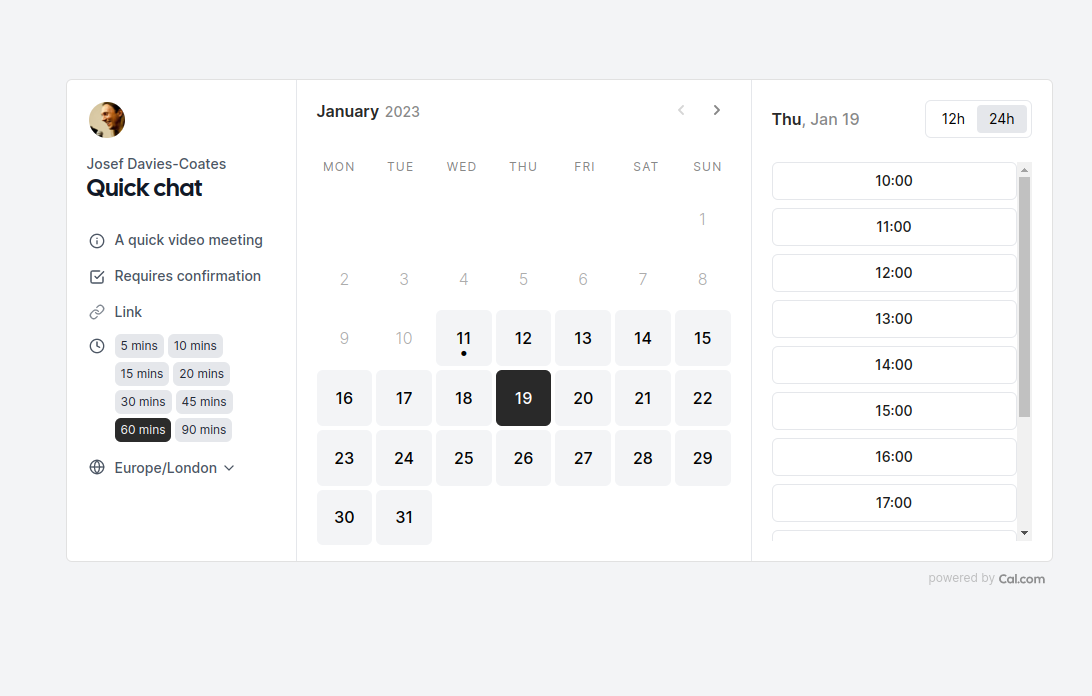
See for yourself here: https://cal.com/jdaviescoates/quick-chat?duration=60&date=2023-01-19
I guess you can't display every minute of the day, but there definitely needs to be a UI improvement here somewhere. Perhaps a button that says something like "show additional 1/4 and 1/2 hour slots where available" or something (ideally better/ shorter than that)? :shrug:
perhaps it's something to do with with event types that allow the booker to select the time?
Ah, but doesn't sound like OP was using that feature. So I think it's just a general UI bug/ challenge.
Here's looking forward to you finding a nice solution to the challenge! :raised_hands:
Just hit this again. It's frustrating that 60 min bookings can seemingly only begin on the hour. I just wanted to reschedule a 10:30-11:00 meeting to 10:30-11:30 but of course was unable to do so because of this issue :(

@PeerRich I would like to work on this. Please assign this to me. Thanks

@asadath1395 Just assigned you. I see the original PR was closed to inactivity. Please let me know if you are not able to take this 🙏
