

 c3lang
GUI Windows C3C Example?
Hello! Is there somewhere gui code demo for windows? Any example or functional app? Do you have a lib you can use or document template to create a Windows Form?

There are no native GUI examples, but you can have a look here at the standard lib invoking Win32 functions: https://github.com/c3lang/c3c/blob/master/lib/std/threads/os/thread_win32.c3
So win32 functions can be called directly in this way.
If you want something that works out of the box that isn't native boxes, you can use Raylib. Here is one example using Raylib: https://github.com/c3lang/c3c/blob/master/resources/testfragments/raylibtest.c3
You can grab Raylib from the c3c/vendor, or use c3c.exe vendor-fetch raylib. It will give you a raylib.c3l file you just need to place somewhere so that the compiler can find it. For example, if it's in the current dir and you're not using projects yet, you add --libdir . --lib raylib to the compilation, e.g. c3c.exe compile-run --libdir . --lib raylib raylibtext.c3

Hello, Thanks for the help. As shown, I was able to run the example test with raylib and compile the Tetris program.
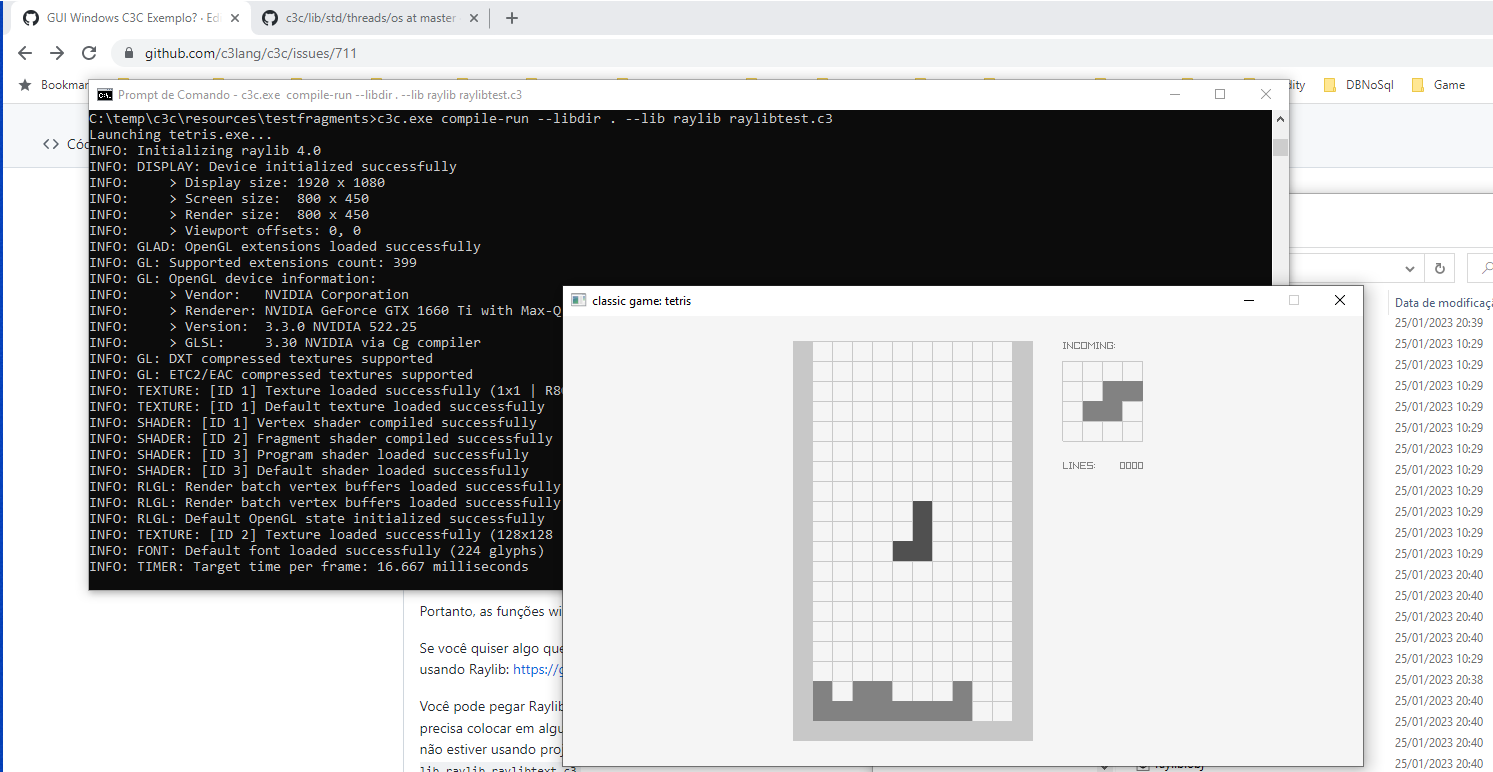
Hi! I downloaded the raylib lib for Windows. Then I followed the steps you mentioned.
Now I want to see if I can use the Standard Windows functions to create Winforms. And another thing I noticed. I didn't find the option to generate Winexe. It generates .exe. If you know, windows has the console and the winexe. And I didn't find this option in the C3C compiler. In case you noticed or I'm wrong, it opens a console and then the Tetris winform.
like: -target:winexe
thanks
Hi! I discovered this visual build tool, where it generates a Winexe and the executable runs natively without a console window in the background on windows 10 and 11.
editbin.exe /subsystem:windows yourapp.exe
I'm just thinking about how to properly support this in depth. For example, main could offer you to use:
main(void* hInstance, String[] args, int showcmd), matching hInstance, the command line arguments, and showCmd respectively.
Ok, so what you want to do now is to add @winmain after your main, so for example:
fn void main(String[] args) @winmain { ... code ... }
This will make it pick the WINDOWS subsystem.
Hi! Thank you for your development. I will still test your choice. Thanks.
@lerno I run into the exact same issue, I tested the @winmain with the raylib and it worked perfectly! I think you can close this.
