
javacv
 javacv copied to clipboard
 bytedeco
zoompan filter output video has strange color
I'm trying to generate a video with ffmpeg pan effect but got a strange color in output video.
The input image is like this, a blue shoe:

The filters is zoompan='1.5':x='if(lte(on,-1),(iw-iw/zoom)/2,x+10)':y='if(lte(on,1),(ih-ih/zoom)/2,y)'
The strange problem is: in the output video, the pan effect works well but the shoe is in different color. The shoe in the output video are in 3 different colors but as you see the shoe in input image is in blue.
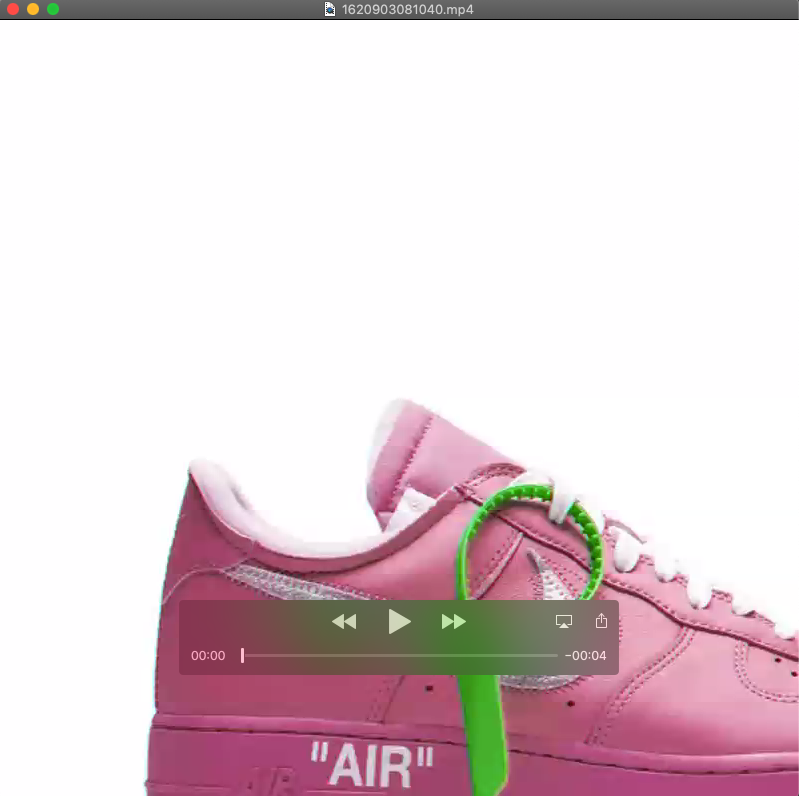
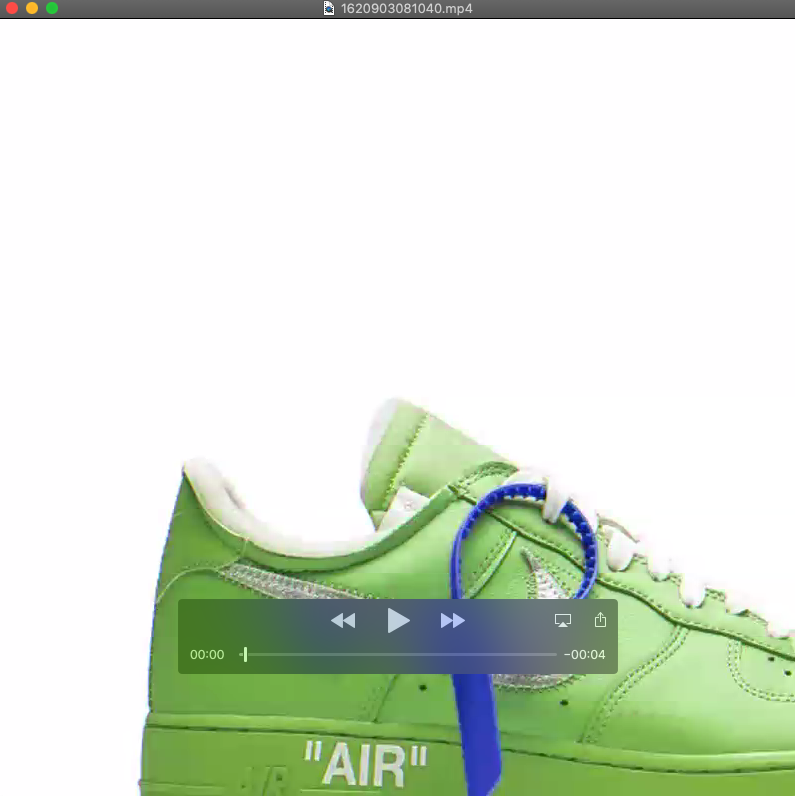
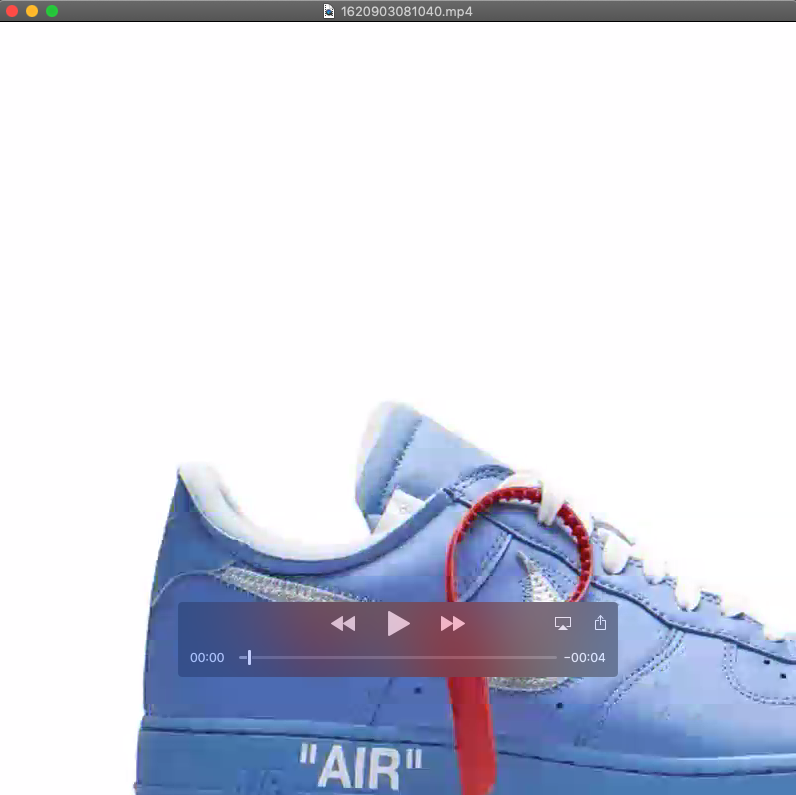
When I change the filter to zoompan='1.5':x='if(lte(on,-1),(iw-iw/zoom)/2,x+3)':y='if(lte(on,1),(ih-ih/zoom)/2,y)', the only difference is x+3, the output video looks good.
Can anyone help on this issue? personally I believe the different between x+10 and x+3 is the speed the image moves from right to left, it should not affect the image color.
Thanks a lot in advance.
The demo code to reproduce this issue:
`public static void generateMp4(String outPath, int width, int height, int frameRate, File img) throws FrameRecorder.Exception { FFmpegFrameRecorder recorder = new FFmpegFrameRecorder(outPath, width, height); // set encoding recorder.setVideoCodec(avcodec.AV_CODEC_ID_H264); recorder.setFrameRate(frameRate); // Set the video data format recorder.setPixelFormat(avutil.AV_PIX_FMT_YUV420P); recorder.setFormat("mp4"); try { recorder.start(); // Record video int count = 0; Java2DFrameConverter converter = new Java2DFrameConverter(); BufferedImage bufferedImage = ImageIO.read(img); Frame frame = converter.getFrame(bufferedImage); String scale = width + "X" + height;
        FFmpegFrameFilter filter = new FFmpegFrameFilter(String.format("zoompan='1.5':x='if(lte(on,-1),(iw-iw/zoom)/2,x+10)':y='if(lte(on,1),(ih-ih/zoom)/2,y)':s=%s", scale), width, height);
        filter.setPixelFormat(AV_PIX_FMT_GBRP);
        filter.setImageWidth(width);
        filter.setImageHeight(height);
        filter.start();
        filter.push(frame);

        Frame filteredFrame = null;
        while ((filteredFrame = filter.pullImage()) != null) {
            recorder.record(filteredFrame, AV_PIX_FMT_GBRP);
            count++;
        }
        System.out.println("total frames " + count);
    } catch (
            IOException e) {
        e.printStackTrace();
    } finally {
        // release resources
        recorder.stop();
        recorder.release();
    }
}
`

Make sure you're calling getPixelFormat() and using its values where appropriate.

@saudet Thanks for the quick response. I just updated my post with full code and detailed issue. Can you help take a look?
in short, seems the x+? arguments in this filter affect the output video color but I really don't understand why.
zoompan='1.5':x='if(lte(on,-1),(iw-iw/zoom)/2,x+3)':y='if(lte(on,1),(ih-ih/zoom)/2,y)'
The pixel formats don't look right to me. Make sure that you're giving the correct pixel formats to the push() and record() methods.
@saudet Could you help guide me how to know the correct pixel format I should use? Here I'm reading a jpeg image and push it to a ffmpeg filter.
and, I understand the pixel format in my code AV_PIX_FMT_GBRP indeed looks a little strange, but it works perfects well when filter is
zoompan='1.5':x='if(lte(on,-1),(iw-iw/zoom)/2,x+3)':y='if(lte(on,1),(ih-ih/zoom)/2,y)'
but went wrong when I change x+3 to x+10. Do you know why could be the cause?
Let's check what you get from ImageIO.read(img). Could you provide the output of bufferedImage.toString()?
@saudet the output
BufferedImage@3bd79444: type = 5 ColorModel: #pixelBits = 24 numComponents = 3 color space = java.awt.color.ICC_ColorSpace@5671078e transparency = 1 has alpha = false isAlphaPre = false ByteInterleavedRaster: width = 800 height = 800 #numDataElements 3 dataOff[0] = 2
That's in normal BGR pixel format: https://docs.oracle.com/javase/7/docs/api/java/awt/image/BufferedImage.html#TYPE_3BYTE_BGR Try to use the same pixel format for FFmpeg as well...
Great, it works well when I use AV_PIX_FMT_BGR24 for push and use filter.getPixelFormat() for record method. Thanks a lot.
BTW, do you know which videocodec support which pixel format? is there any document I can refer to?
I'm using videoCodec AV_CODEC_ID_H264 when i initialize an recorder and using pixel format AV_PIX_FMT_BGR24 when pushing in a frame. I understand the pixel format AV_PIX_FMT_BGR24 is because of the image format i'm trying to load, but actually I don't understand
which videocodec is the best choice, actually I choose AV_CODEC_ID_H264 just because of it's frequently used in code examples. Can you help help me understand this?
FFmpegFrameRecorder recorder = new FFmpegFrameRecorder(outPath, width, height); // set encoding recorder.setVideoCodec(avcodec.AV_CODEC_ID_H264);
For detailed information specific to FFmpeg, I would recommend asking upstream about that: https://ffmpeg.org/contact.html
In any case, we only need to specify the pixel format of the input. The filters and encoders convert the frames internally to whatever they need.