

 bytedance
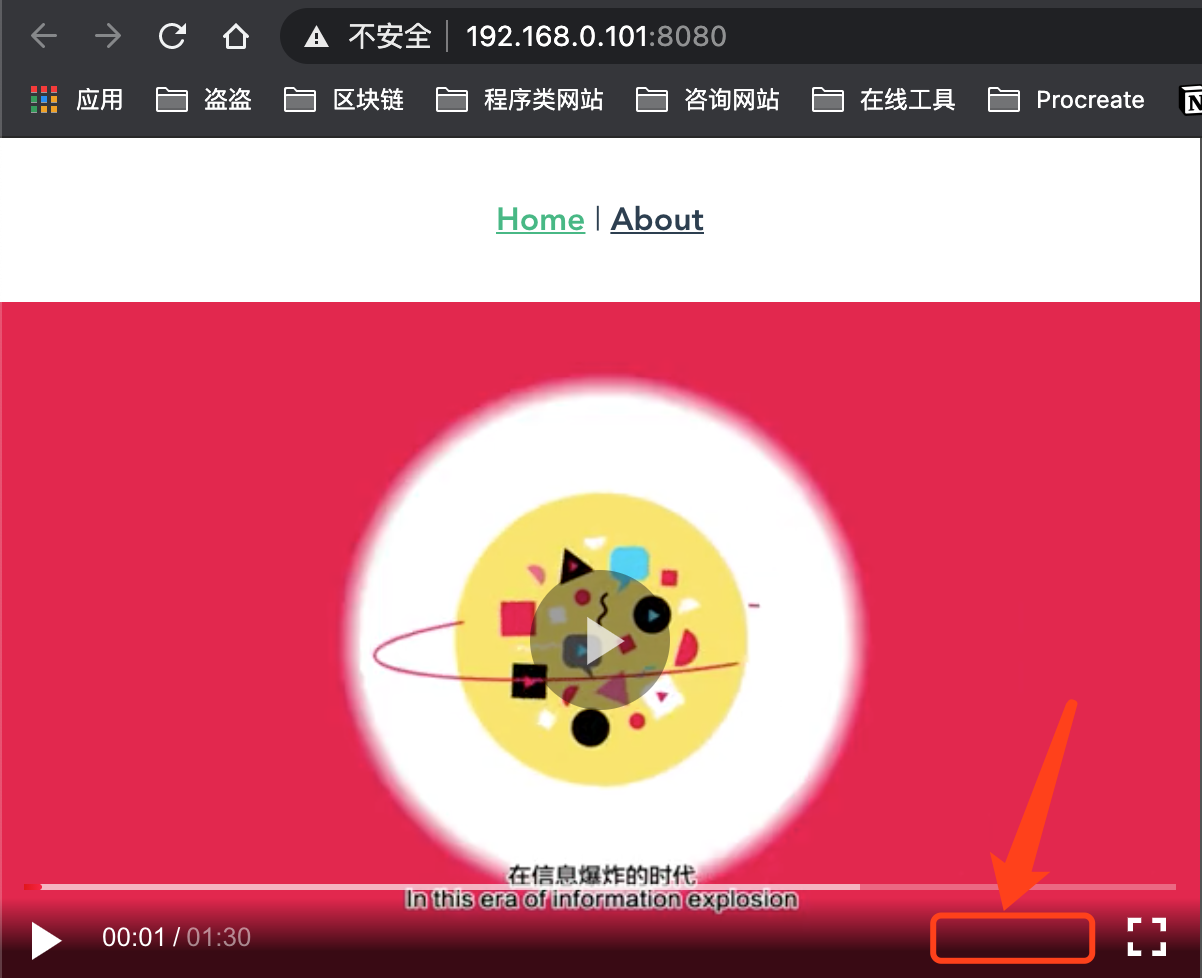
请问如何显示分辨率选择的菜单?
您使用的西瓜播放器版本是多少? What version of xglayer are you using? -- xgplayer 版本为 2.19.1
您使用的操作系统和浏览器分别是? What OS and browser are you using? -- 操作系统版本 macOS Big Sur 11.4 Beta版(20F5046g) -- 浏览器的版本 Google Chrome 90.0.4430.85(正式版本) (x86_64)
如何复现问题? What did you do? -- 按照官网提供的教程进行设置。代码如下: `
this.player = new HlsPlayer({
  id: "mse",
  url:
    "https://sf1-cdn-tos.huoshanstatic.com/obj/media-fe/xgplayer_doc_video/hls/xgplayer-demo.m3u8",
  videoInit: true,
  definitionActive: "click",
});

this.player.emit("resourceReady", [
  {
    name: "低清",
    url: "https://sf1-cdn-tos.huoshanstatic.com/obj/media-fe/xgplayer_doc_video/hls/xgplayer-demo.m3u8"
  },
  {
    name: "高清",
    url: "https://sf1-cdn-tos.huoshanstatic.com/obj/media-fe/xgplayer_doc_video/hls/xgplayer-demo.m3u8"
  }
]);
`
您期望的播放器正常行为是? What did you expect to happen? -- 控制区域出现分辨率选择。
实际播放器的表现是? What actually happened? -- 并没有出现期望中的分辨率控制菜单。效果如下图所示:

import Player from 'xgplayer/dist/simple_player'
import volume from 'xgplayer/dist/controls/volume'
import definition from 'xgplayer/dist/controls/definition'
import HlsJsPlayer from 'xgplayer-hls.js'
import playbackRate from 'xgplayer/dist/controls/playbackRate'

let player = new HlsJsPlayer({
  id: 'xgplayer',
  url: 'xxxx.m3u8',
  poster: 'xxxx.png',
  controlPlugins: [volume, playbackRate, definition],
})
可能需要引入 definition 模块和配置到 controlPlugins 中

This issue is stale because it has been open 90 days with no activity. Remove stale label or comment or this will be closed in 30 days.
![github-actions[bot] avatar](https://avatars.githubusercontent.com/in/15368?v=4 "Published by a pub.dev verified publisher")
This issue has been automatically closed after a period of inactivity. If it is still present in the latest release, please create a new issue with up-to-date information. Thank you!