

 bwya77
Major update
I organized the script into functions. Makes it easier to debug and create a progress bar.
Line 719 was failing for me. you can see the changes I made instead of .count did DistinguishedName.count
Fixes #47 was because of empty variables causes the html module to fail and script to stop running. I moved all the if statements checks to its own function. making sure the empty vars are caught and prevents the script from failing.
Fixes #46 last logon time fixed
line 272 was failing for me as well. a qoute before the name param.
I added a write to log to make it easier to debug in the future. can simply add a to log function anywhere we want to check functionality.
instead of checking count for empty tables I added a null check. we can use an "-or" statement if you want to keep the count check.
Fixes #14 added a progress bar.
Fixes #49 added computer last login
added a small wait timer between functions
added a function to create a report folder and place the report into that folder
I commented 3 vars near get-users "counts" because they were not being used.
I also gave unique names to the same name variables for psobjects. I was worried if the previous var had a value and the next did not. then the output of report may be wrong.
please test my branch https://github.com/Michaelawilliams28/PSHTML-AD-Report and let me know what you think.

When i test this script i mis some informatie in the report. UPN information is missiong and User last logon is empty. If i run the old version of the script, than the information is there.

When i test this script i mis some informatie in the report. UPN information is missiong and User last logon is empty. If i run the old version of the script, than the information is there.
Is it all users? or just some. Are they Local Accounts? or Domain Accounts. Which Version of Windows Server are you using? Which Version of PowerShell are you using?
The Test environment was Server 2019. Single Domain not Forest and a few default local accounts and dozen or so domain accounts.
I would have to duplicate it. Then, I can probably create trigger to run the old syntax.
I tested it again and seems to be working for me and my friend.
I have given the wrong information too you. I don's see upn settings and more than 30 not logged on.
This are screenshot from bwya77 version script


And this form your version with missing information.


Server std 2016 with powershell 5.1 Al missing are domain users
Any updates on this? I'm using this version, but still the same issues already mentioned above. Additional issue, cannot sort on column LastLogon in a correct way.

okay, updated the user have not logged in 30days. Let me know how its goes.
- sorry about the delay. I got busy and had to delete my sandbox env.
I think the "user have not logged in 30days" and "suffix issue" issue is solved now thank you!
I have some additional comments:
Dashboard tab:
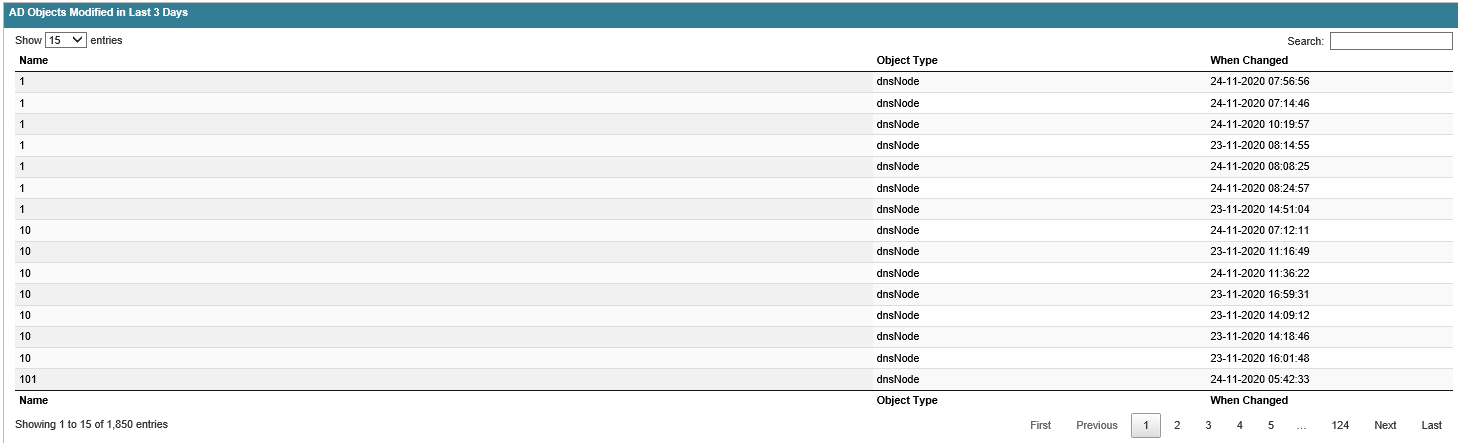
(The following table is sorted on "Name", is it possible to sort it on "When Changed" by default? Because I have a lot of numeric (hidden) records apparently, the output is not very nice.
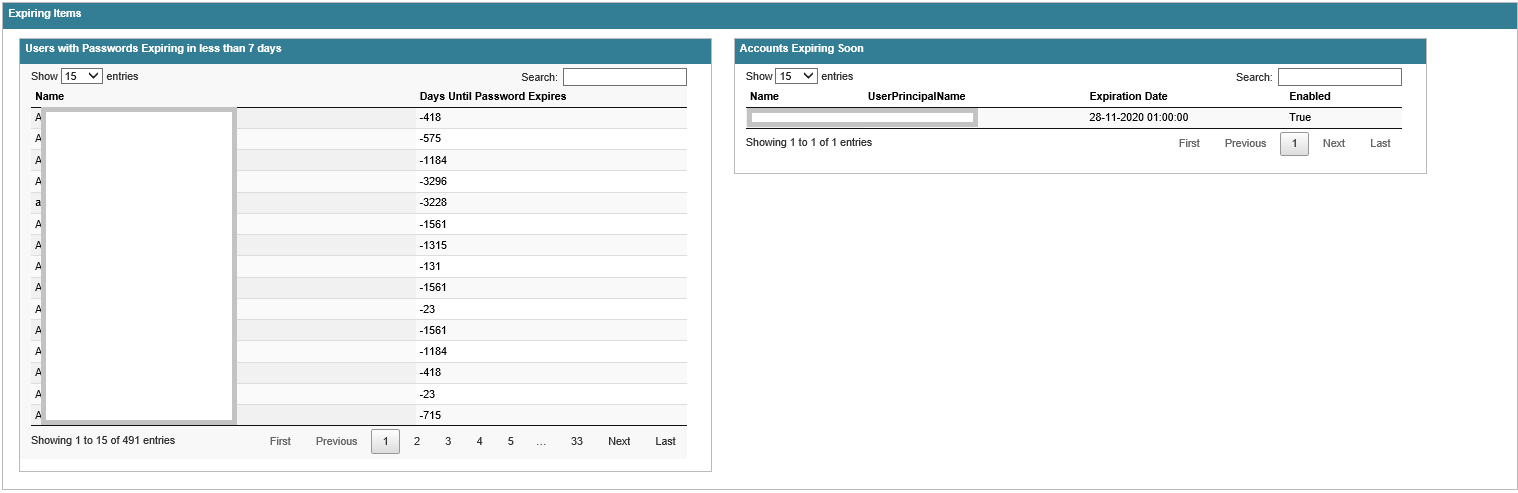
Same for this table. Default sorting on "Days Until Password Expires" recommended. And why is this table displaying a lot of users, instead of users within the 7 days value?
Groups tab:
I'm missing a lot of groups in the categorized overview (2774, 1, 1, 33). Sum 2774-1-1-33= 2739. So, where are the other groups? Table underneath shows me entries with an empty value in the Type column. I think I am missing the Type "security group".

Users tab:
First, same sorting recommendation for "When Changed and "Days Until Password Expires".
Expiring Accounts (Users "0") vs Accounts Expiring Soon (Dashboard "1") - Different

Computers tab:
I need to filter some Operating Systems. And not every Operating System in de table underneath is displayed in the categorized overview, for example, "Windows Server® 2008 Standard".

I also receive the following error when running the script (It won't stop the script):

It is possible to fix these "issues"?
Thank you for your time!
Hi there. Awesome script. We need to get a report only about groups and their members. I've tried to edit your script to leave code only for groups and received an empty HTML file. Could you, please, advise how I can fix it?

Hi Michael - I have added to your great work and have the code - Maybe I can upload to you to add this in
- Added DFL and FFL to main Dashboard and new AD Health page (DCDIAG, Replication, SysvolDBSize, AD Connect)
- Have added AAD Sync Health Check - Let me know

@Michaelawilliams28 #I have uploaded to the following location for review - steveo0906 patch-1: See Code attached PSHTML-ADVM-Report.zip