

 butzist
Shortcuts broken in Android 13
While activities launch fine out of the Activity Launcher app, created shortcuts just pop up an "App isn't installed." toast message in Android 13. Same behavior using Pixel or Nova launchers.

Lots of shortcuts still work. An example of one that does not work for me on a Pixel 6 with Android 13 is System Update within Google Play services. Launching the activity from within Activity Launcher works fine. Trying to use a shortcut results in the mentioned error.
I should also note that the phone is not rooted and I have not enabled privileged mode. This specific link worked with Android 12.

As and if I understand correctly, you ve updated from 12 to 13 (huge mistake) and now you are complaining that the previously created activities shortcuts on A.12 no longer work on 13, well you cam blame Google and the manufacturer, because those are dynamic and can change any moment.

No, even newly created shortcuts do not work.
Launching "Phone info" (com.android.phone.settings.RadioInfo) from Activity Launcher's activity works, but a shortcut created for it is broken.

@heftig You mean it's created, but trying to launch the activity from it throws a toast message or something ?, if YES, please post the text from it here, you can grab it with the help of the Toast Source app, here's the link: https://play.google.com/store/apps/details?id=pl.revanmj.toastsource ...posting a screenshot of it is less useful, also make sure it's in English...
Yes, it creates the shortcut but launching it just toasts "App isn't installed."
Toast Source reports exactly "App isn't installed." and that Pixel Launcher generated the toast message. I'm sorry I was misleading about the shortcut. My comment does very much imply that I was trying to use the shortcut I created under 12. I deleted the shortcut created under 12 and re-creating it under Android 13. The new shortcut generates the error message.
@heftig, @ghoff Can you please try any other app that can create shortcuts, in order to see if the problem is with A.L. only ?
I've created quite a few shortcuts and I'm not completely sure but the pattern seems to be that shortcuts created to pre-installed apps don't work but shortcuts to installed apps do work. Directly launching from A. L. works for both.
@ghoff I asked you to try with any other competitor / alternative "shortcut creator" app, for example go to https://github.com/sdex/ActivityManager here on GitHub and try the same with his app, https://github.com/MuntashirAkon/AppManager can create shortcuts too and plenty of so many other app on PlayStore, just pick one and report back how it went...
Trying to create a shortcut to phone info using an app called shortcut creator also generates an error "Could not open. The app has been removed."
@ghoff I guess you mean this: https://play.google.com/store/apps/details?id=com.alextern.shortcuthelper ...that app hasn't been updated since more than a year, back then there wasn't even A.12 (probably, didn't checked release dates), so try something that is updated in the last 3-4 months with fixes for A.13, I edited my previous post to make those clickable links, try those 2, if they don't work as it/they should, then the problem is entirely in A.13 and blame Google, because they make stupid decisions and mostly pointless changes, which they call "improvements" and "features" and constantly break stuff/things, which devs. have to fix because of them and sometimes it's impossible...
Hi. In the past month and a half, since I upgraded my Android from Android 12 to Android 13, I've been having the exact same issues as described by @Grendel66, @ghoff and @heftig. I too have had a shortcut on my home screen that existed since before my upgrade which worked before the upgrade and have stopped working (toasting "App isn't installed.") after the upgrade.. and of course deleting the shortcut and creating it again (in Android 13) changed nothing (=still toasting the same error). I would have thought that perhaps the problem was on my end, maybe in selecting an Activity or an App that do not support "shortcutting", but the same Activity/App works just fine when launched from within your app (i.e. selecting the ⋮ and then choosing "Launch activity"). The same problem exists not just for one specific Activity/App, but to numerous ones.. with no clear understanding which ones are supported and which ones are not (it's not the "installed before the upgrade" condition as @ghoff proposed). I will give a couple of good examples and a couple of bad ("App isn't installed.") examples, so you can try to reproduce on your Android 13 test system:
Working properly App: com.coffeebeanventures.easyvoicerecorder Working properly Activity: ru.irk.ang.balsan.shortcutled.MainActivity (for ru.irk.ang.balsan.shortcutled)
Not working (toast) App: com.dropbox.android Not working (toast) Activity: com.android.settings.Settings$PaymentSettingsActivity (for com.android.settings)
Adding some more examples in a screenshot:
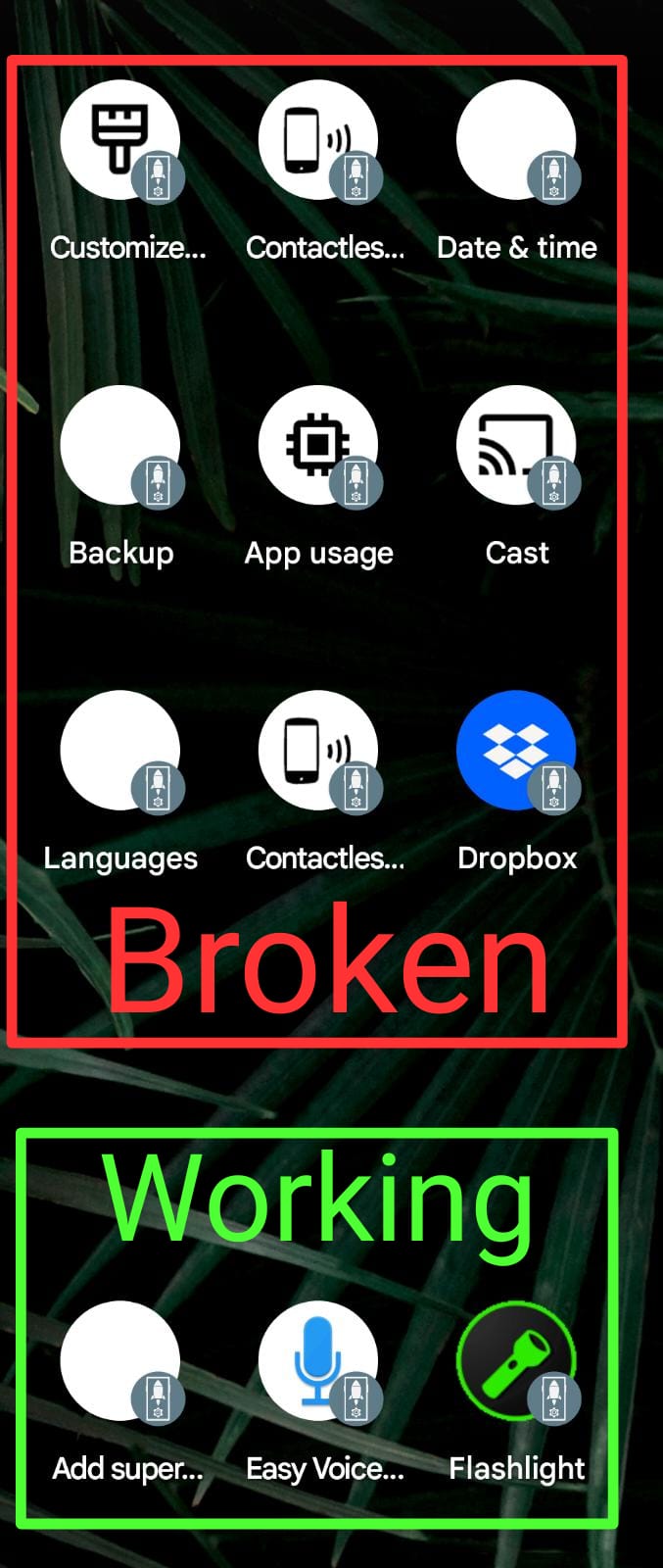

@jointfull Try creating the same activities shortcuts with the 2 apps I linked above, the broken ones look like a build-in (system) apps, the others are third-party, if all of those (system and user installed) activities of apps do indeed launch without an issue from inside Activity Launcher, but not when creating a shortcut to the same, then maybe it's a permission thing, or IDK, I got it that there's an issue with this app because of the shitty A13 changes, a lot of modded apps are not working too, this OS version causes only problems and I don't think that anything will improve or change for better going forward - 14^, but also still no one of you seem to tested the 2 alternatives suggested by me and/or reported any results (maybe they work too well, so those guys ditched this app and this issue...), untill then, there's basically no point in reporting the exact same things over and over again.
BTW, I don't have access to A.13 in order to test, because I don't have the hardware resources to run it, that being for Android Studio's Emulator or WSA, maybe if there was a VMOS Rom for it, I could try to run it on SGS8+, but there isn't unfortunately, so my hands are tied and the owner or any of the known contributors are MIA.
Try creating the same activities shortcuts with the 2 apps I linked above
I just tried both, and they both give the same error ("App isn't installed.") after the shortcut has been created.
That sums it up then, the problem is with the OS itself, blame Google, because if the App Manager, which is being actively developed isn't able to create working ones, then nothing can.

You can try the root mode of our app, if nothing else works
I tried that too, but it produces the exact same result.
That sums it up then, the problem is with the OS itself, blame Google, because if the App Manager, which is being actively developed isn't able to create working ones, then nothing can.
Well, that's entirely not true. I just installef 3 other shortcut making applications from the store, and they all work flawlessly, while your app still doesn't.
Working alternatives:

By the way, looking at the Manifest, I would argue that it has to do with the Action, which on your app (and on the 2 alternatives you proposed) is not viewable/editable from the UI, and I think you use a default (or missing) one instead of the one really needed for such complex apps (MAIN in this case).
I'm attaching the relevant Manifest section for this Activity:
    <activity
      android:label="@7F040E74"
      android:icon="@7F02036D"
      android:name="com.android.settings.Settings$PaymentSettingsActivity"
      android:exported="true">
      <intent-filter
        android:priority="1">
        <action
          android:name="android.settings.NFC_PAYMENT_SETTINGS">
        </action>
        <category
          android:name="android.intent.category.DEFAULT">
        </category>
      </intent-filter>
      <intent-filter>
        <action
          android:name="android.intent.action.MAIN">
        </action>
        <category
          android:name="android.intent.category.DEFAULT">
        </category>
      </intent-filter>
      <meta-data
        android:name="com.android.settings.FRAGMENT_CLASS"
        android:value="com.android.settings.nfc.PaymentSettings">
      </meta-data>
      <meta-data
        android:name="com.android.settings.HIGHLIGHT_MENU_KEY"
        android:value="@7F040D81">
      </meta-data>
      <meta-data
        android:name="com.android.settings.PRIMARY_PROFILE_CONTROLLED"
        android:value="true">
      </meta-data>
    </activity>
Well, that's entirely not true. I just installed 3 other shortcut making applications from the store, and they all work flawlessly, while your app still doesn't.
Any update with this issue?
I've tried all the apps above and other shortcut creators and I always get app not installed. Guess it's 13s fault.

Does stock A.13 (AOSP or Pixel) has entry in the launcher, which allows creating settings's shortcuts to the Manage Apps for example, Notification Log, or any other ?, on Samsung I don't have that option since years, in order to be able to create a shortcut for\to any of the Settings, I should use a shortcut creator, like this app and locate the activity for the thing I need, but that still won't be of use, if the activity is with abnormal state, like Private (\unexported\hidden) or Disabled, without Root (elevated permissions), only the Public and Enabled ones can be launched.
All shortcut creators worked up until A13. I read that Google intentionally stopped it.
Sent from my Samsung Galaxy S22 Ultra
On Fri, Nov 18, 2022, 4:06 AM drogga @.***> wrote:
Does stock A.13 (AOSP or Pixel) has \ allows creating settings shortcuts to Apps for example ?, on Samsung I don't have that option since years, in order to be able to create a shortcut for\to any of the Settings, I should use a shortcut creator, like this app and locate the activity for the thing I need, but that still won't be of use, if the activity is with abnormal state, like Private (\unexported\hidden) or Disabled, without Root (elevated permissions), only the Public and Enabled ones can be launched.
— Reply to this email directly, view it on GitHub https://github.com/butzist/ActivityLauncher/issues/171#issuecomment-1319911709, or unsubscribe https://github.com/notifications/unsubscribe-auth/A4H6O5BPVZE7CALA4Q4XRODWI5WKTANCNFSM6AAAAAAQGKORQQ . You are receiving this because you commented.Message ID: @.***>
@Custnam We know, read the other comments here, Android 13 is garbage, 12 and 12L too, but not so\that much, 10 is the best (after 7), but 11 isn't bad too, given how worse 12\L\13 are and it will keep getting even worse, in a couple of months there will be A.14, which will be the worse yet (probably), and so on..., let's hope that Apple drops the stupid restrictions of iOS, the main one being the sideloading, which shouldn't need a developer's account and the installed apps shouldn't have any time limit, or whatever is the case there. If you want to be able to do anything useful with your Android emoji machine and you can't root, then you shouldn't updated to 13 and don't replace your device with any recent model of any brand, that ships with A.13.
I have the same problems since my Samsung updeated to a13. I use it to open cast settings
I have the same problems described above - "launch activity" works but the shortcut only says "app not installed"
I tried the first alternative from a few posts above and it works perfectly...

The new release is pushed to the beta track and currently in review - will let you know when it's ready to test.
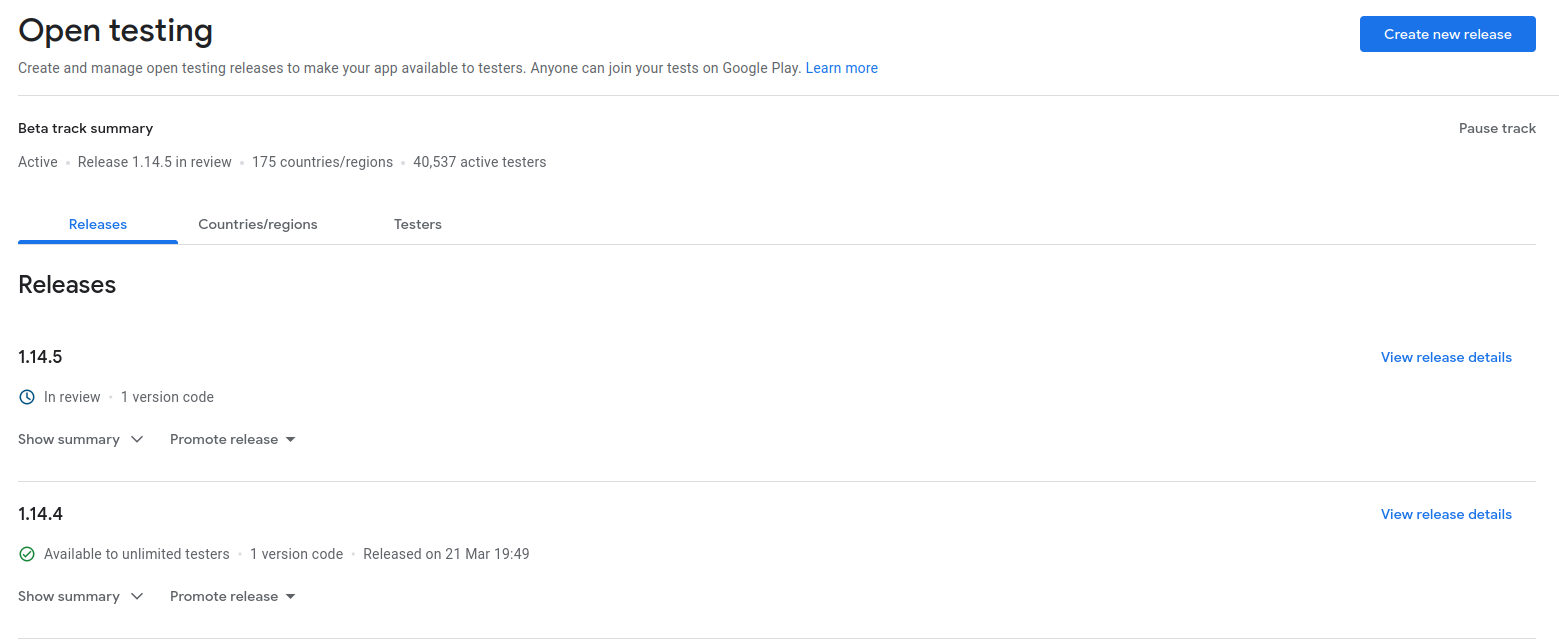
Are we waiting for the review on PS to pass before creating a new release here with a .apk attached\available ?, because there are artifacts yes, but they will eventually expire, also a account is usually needed in order to be able to DL them.
The latest with .apk available in the /releases is v1.9.2, no .apk(s) after that...
BTW, it would be better if they are properly named with the app name and the ver. (like: Activity_Launcher_v1.14.5.apk, or with spaces if that's ok here, maybe even the versionCode\build can be written, which is currently "35"), instead of all\most of them being with ActivityLauncherApp-release.apk file name.