

 bryceco
Testflight: List values in new All Tags-View
I really like the new "all tags"-view from the recent Testflight.
What I am missing is some guidance, for good values. I cannot remember the correct term and correct typing all the time.
Ideas:
-
When I click into the value-Input
- … show all values for a Key based on the values of the known Presets when
- … show the values of surrounding / loaded keys in my Cache
-
If showing this on focus (when I click into the value input) is too much, maybe its better to add a "dropdown"-arrow next to the value-input that will then focus the field and show the values?

- All the above goes for the key-input as well …
Right now, I can show the list as a workaround by typing something and then removing it again. So the basic feature is there already but hidden:
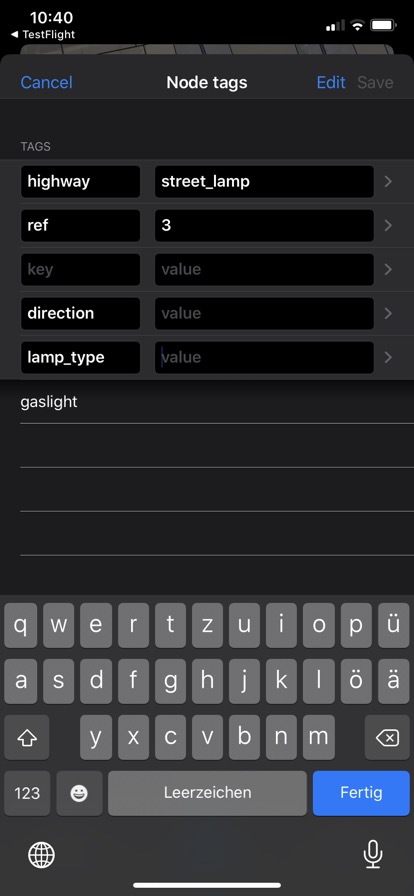
- Another solution could be to use the iOS Keyboard-Suggestion-Feature and populate this with suggested key / value-terms. I am unsure, however, if iOS lets you customise those in the required way.
This is similar to what I am referring to:
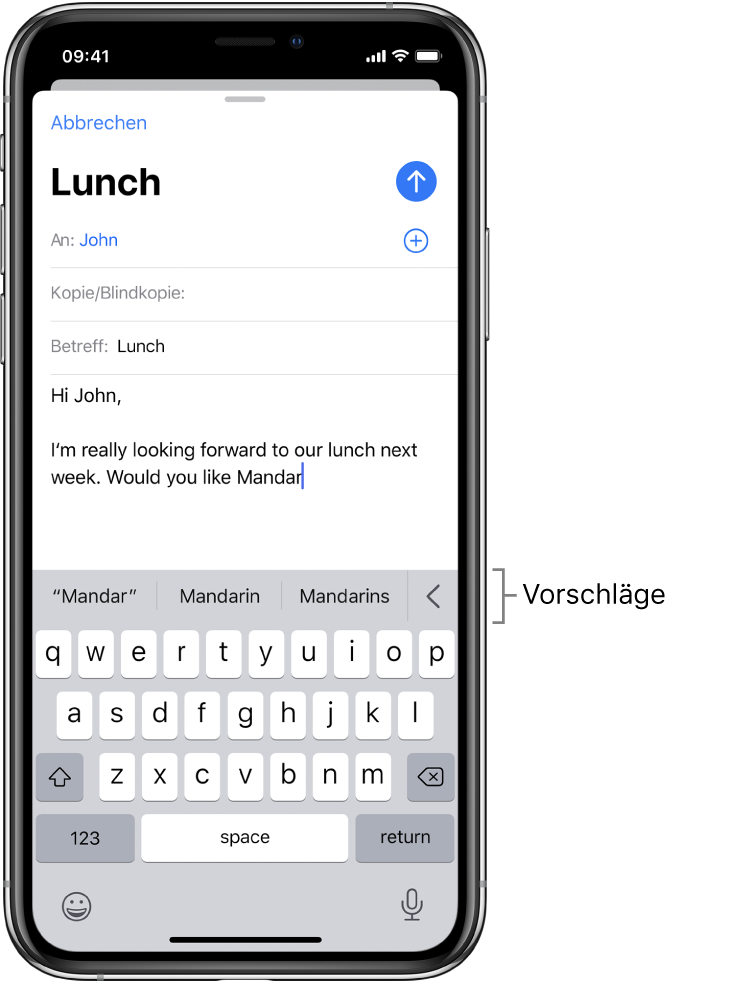 (Image source https://support.apple.com/de-de/guide/iphone/iphd4ea90231/ios)

Another solution could be to use the iOS Keyboard-Suggestion-Feature and populate this with suggested key / value-terms.
That's probably a bad idea for users not using the British English spell-checker / suggestion tool and I doubt the spell-checker language can be set from the app. I guess the spell-checker for the first screenshot is German and English for the second one. Changing the keyboard from the app is probably a bad idea too.
More over the language would be key dependent (in German for name:de).
So the first solution sounds better to me.

sent from a phone
On 28. Jul 2020, at 09:33, Bibi56 [email protected] wrote:
That's probably a bad idea for users not using the British English spell-checker / suggestion tool and I doubt the spell-checker language can be set from the app.
the suggestion tool is only loosely tied to the chosen keyboard language. I’ve 3 languages to choose from keyboards and somehow I also get English suggestions when typing English on a German keyboard, etc
It’s not actually working well, e.g. when you change the language in which you write, in a new paragraph, you get some suggestions for this third language, but also still for the other two languages (it might be that the system has learnt a lot of words thinking they belong to English)

@dieterdreist, you're absolutely right, it makes the other solution even better. Apple is a small and young startup, not used to work with languages different than American English ;-) - Android phones aren't better on the subject. But not as bad as Windows NT where answering to a message written in German from a French keyboard was switching the keyboard layout of the responder to... French.
Am Di., 28. Juli 2020 um 09:57 Uhr schrieb Bibi56 <[email protected]
:
Apple is a small and young startup, not used to work with languages different than American English ;-)
yes. They clearly are an American company and although they surely have hired a lot of people for internationalization, they still get a lot of things wrong that are tied to countries and languages. E.g. changing the store country is a pain and breaks a lot of things, but it is the only way if you have your credit cards issued in another country than the one you are living in (because they only allow credit cards from your residence country, although the cards work well anywhere else) (and if you need to install or update apps that aren't available globally but only in some stores). Part of this annoyance (resetting and re-entering payment information) is also stemming from the fact that you have to add payment information even if you just want to update an existing app or download a free app. Sorry for the offtopic...
That's probably a bad idea for users not using the British English spell-checker / suggestion tool and I doubt the spell-checker language can be set from the app.
The idea is not, to have Apple give suggestions, but to use the interface-pattern to show the tag-value-suggestions that GoMap already has. IMO, a good set of suggestions would be …
… show all values for a Key based on the values of the known Preset … show the values of surrounding / loaded tags in my Cache
(See also my initial issue-description)
@tordans I was quoting @dieterdreist proposal as solution, not the initial description.
Now that the Wiki link has been converted to a button (in TestFlight version) we could potentially re-add the disclosure indicator to act like it does in Common Tags.
