

 brimdata
"TypeError: r.has is not a function" when clicking error message
I first found this issue with Brim GA tagged v0.29.0, but the repro below is with current tip of main, commit a277e53.
As shown in the attached video, the repro steps:
- Import the Zed test data prs.json
- Double click the "The table view can only render records at the moment" message
https://user-images.githubusercontent.com/5934157/165405371-ba2320da-e292-44cb-a02b-399b3d1e4660.mp4
The stack dump that appears:
TypeError: r.has is not a function
    at Function.build (/Users/phil/work/brim/dist/ppl/detail/models/BrimEvent.js:11:15)
    at /Users/phil/work/brim/dist/app/detail/Pane.js:70:64
    at mountMemo (/Users/phil/work/brim/node_modules/react-dom/cjs/react-dom.development.js:17057:19)
    at Object.useMemo (/Users/phil/work/brim/node_modules/react-dom/cjs/react-dom.development.js:17517:16)
    at Object.useMemo (/Users/phil/work/brim/node_modules/react/cjs/react.development.js:1645:21)
    at Content (/Users/phil/work/brim/dist/app/detail/Pane.js:70:31)
    at renderWithHooks (/Users/phil/work/brim/node_modules/react-dom/cjs/react-dom.development.js:16141:18)
    at updateFunctionComponent (/Users/phil/work/brim/node_modules/react-dom/cjs/react-dom.development.js:20313:20)
    at updateSimpleMemoComponent (/Users/phil/work/brim/node_modules/react-dom/cjs/react-dom.development.js:20151:10)
    at updateMemoComponent (/Users/phil/work/brim/node_modules/react-dom/cjs/react-dom.development.js:20026:14)

I just happened to bump into this again in Brim commit 55d1fdc. In this case I only single-clicked it.
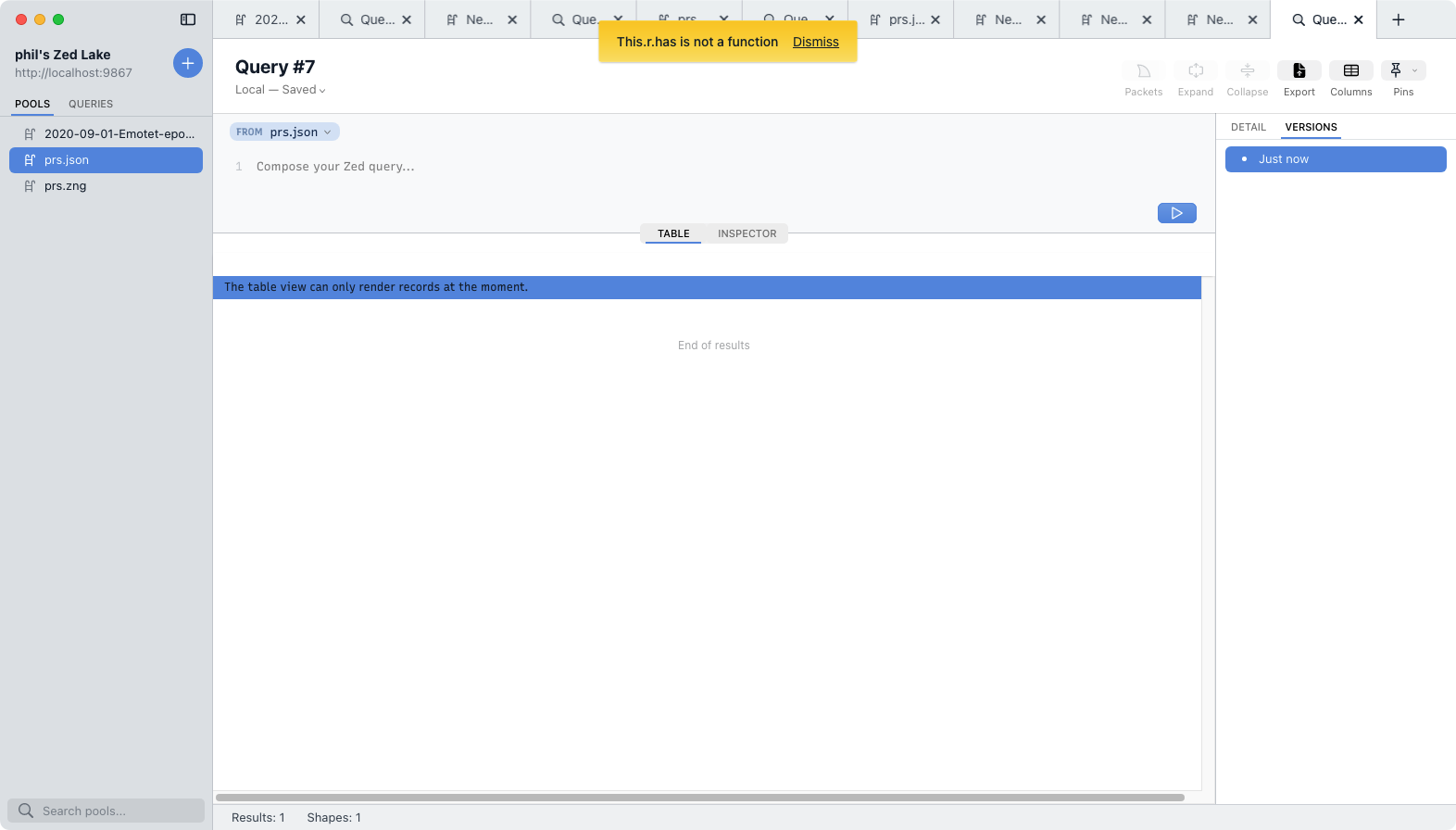
Since #2471 recently fixed an issue with a similar message, I checked to see if this one is still with us. As shown in the attached video, there is indeed still a problem, but things have changed slightly.
- The error message in DevTools has now changed to
TypeError: value.has is not a function. - That error message is no longer shown in the main window as it was in the most recent comment. Instead it only appears in DevTools.
https://user-images.githubusercontent.com/5934157/183528649-7f5aa3e7-34cb-410f-ad02-bb2d860e7528.mp4
Verified in Zui commit f1aef59.
This issue is gone for the simple reason that it can no longer be reproduced. Specifically, the Table view can render all the Zed data types now (not just records) so the message that used to be clicked to trigger the stack dump no longer appears. As shown in the attached video, now I can load the prs.json data and begin browsing it in the Table view without errors in the main window nor in the DevTools console.
https://github.com/brimdata/zui/assets/5934157/6acaed01-e561-4d85-aaa3-cdd1a5510c95