

 brianvoe
Update click selection to use id of option selected not value
Describe the bug When the user clicks on "Option 2", I expect this option to be displayed as selected as well. Instead, the last matching option with the same value is marked as selected ("Option 5").
<select id="slim-select">
<option value="value1">Option 1</option>
<option value="value2">Option 2</option>
<option value="value3">Option 3</option>
<option value="value2">Option 4</option>
<option value="value2">Option 5</option>
</select>
Example on CodePen
If using a select in standard HTML (without initializing slim-select), the assignment of the selected option works correctly, even with identical values.
Version: 1.27.0
Screenshots
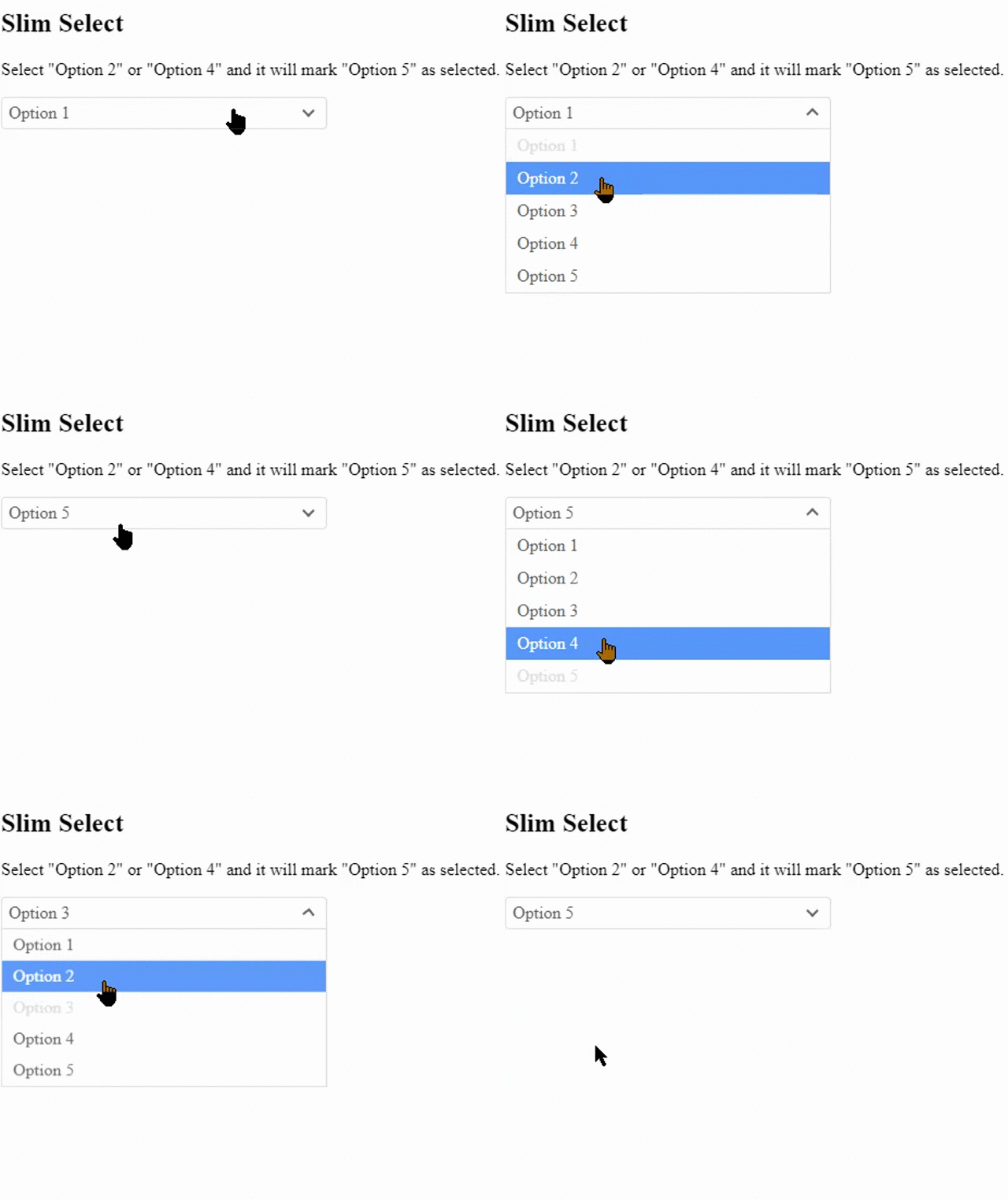


Problem is still actual in last version 2.8.2. Only behavior changed a bit, but still wrong:

its gonna check the first option that has the value cause in slim select we select by value. if you had a better scenario of why you would have the same value twice I might look into making adjustments. but same option values seems incorrect to me but i could be convinced.
In my opinion, if we are customizing the select tag, it should have the exact same behavior as the standard select. In my example, I have a select tag with IDs of elements divided into optgroups by their parent categories. Some of these IDs can be attached to multiple parents.
For instance, I have an option "1 Bedroom (100 USD)" with the value "52" in the optgroup "Hotel Bangkok" and option "1 Bedroom (200 USD)" with the same value "52" in the optgroup "Hotel Tokyo."
If you want to submit a pr Ill take a look and see if we can get it merged in.
Sorry, but I'm not very proficient with JavaScript, so I can't provide good solutuon. For now, I've worked around the issue by changing my option values to make them unique, like "id|parent-id." Then, in my code, I separate the selected value into two parts. This solution looks a bit like a hack and overly complicated.
So I really hope that you or someone else can find an appropriate solution for this problem and implement it in your wonderful script.
hmm that response was really nice. Ill reopen this issue and update the title a bit