

 brendan-duncan
TIFF format doesn't support multiple pages
Currently, the library does not support TIFF images with more than one page. Converting a TIFF image to any other format results in a image with the first page only.
The original TIFF image: test_image.zip
The same image converted to jpeg using the lib (only the first page):
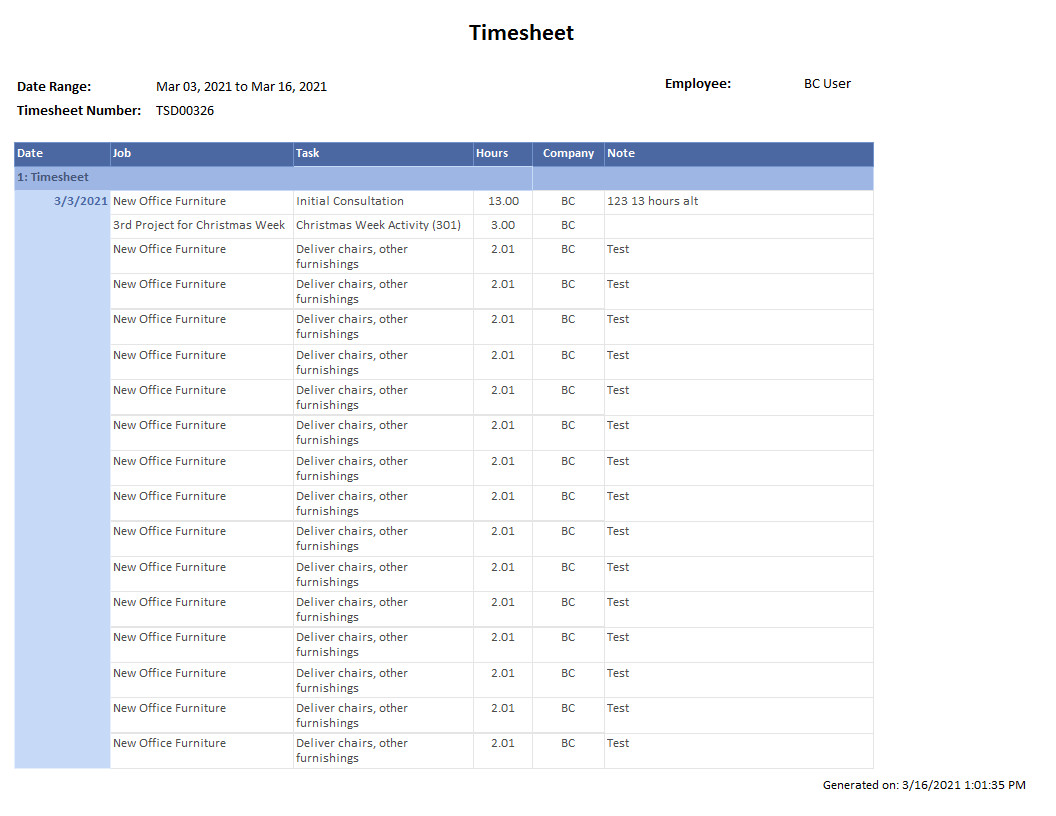
Test code:
import 'package:flutter/foundation.dart';
import 'package:image/image.dart';

Image _runDecodeTiff(List<int> bytes) => decodeTiff(bytes);
List<int> _runEncodeJpg(Map<String, dynamic> params) =>
    encodeJpg(params['image'], quality: params['quality']);

Future<List<int>> convertTiffToJpeg(List<int> bytes,
    {int quality = 100}) async {
  final tiffImage = await compute(_runDecodeTiff, bytes);
  return compute(_runEncodeJpg, {
    'image': tiffImage,
    'quality': quality,
  });
}

I found out that the decodeTiffAnimation actually does this, but I couldn't assemble all pages together:
import 'package:flutter/foundation.dart';
import 'package:image/image.dart';

Animation _runDecodeTiffAnimation(List<int> bytes) =>
    decodeTiffAnimation(bytes);
Image _runCopyInto(Map<String, dynamic> params) => copyInto(
      params['dst'],
      params['src'],
      dstY: params['dstY'],
    );
List<int> _runEncodeJpg(Map<String, dynamic> params) =>
    encodeJpg(params['image'], quality: params['quality']);

Future<List<int>> convertTiffToJpeg(List<int> bytes,
    {int quality = 100}) async {
  final tiffImage = await compute(_runDecodeTiffAnimation, bytes);

  Image newImage =
      Image(tiffImage.width, tiffImage.height * tiffImage.frames.length);
  for (int frameIndex = 0; frameIndex < tiffImage.frames.length; frameIndex++) {
    final frame = tiffImage.frames[frameIndex];
    newImage = await compute(_runCopyInto, {
      'dst': newImage,
      'src': frame,
      'dstY': tiffImage.height * frameIndex,
    });
  }
  return compute(_runEncodeJpg, {
    'image': newImage,
    'quality': quality,
  });
}
crash:
W/System  ( 1113): A resource failed to call release.
E/Dart    ( 1113): ../../third_party/dart/runtime/vm/object.h: 7505: error: Handle check failed: saw UnhandledException expected Instance
E/DartVM  ( 1113): version=2.10.5 (stable) (Tue Jan 19 13:05:37 2021 +0100) on "android_ia32"
E/DartVM  ( 1113): pid=1113, thread=13420, isolate_group=_spawn(0xbcf8c900), isolate=_spawn(0xbd5ab800)
E/DartVM  ( 1113): isolate_instructions=bc50b6a0, vm_instructions=bc50b6a0
E/DartVM  ( 1113):   pc 0xbc64c18e fp 0xa827b9e8 /data/app/com.example.testapp-PwD-o1YE9taB1R50t5wGQA==/lib/x86/libflutter.so+0x178118e
E/DartVM  ( 1113):   pc 0xbc8f4a61 fp 0xa827ba08 /data/app/com.example.testapp-PwD-o1YE9taB1R50t5wGQA==/lib/x86/libflutter.so+0x1a29a61
E/DartVM  ( 1113):   pc 0xbc50b777 fp 0xa827ba38 /data/app/com.example.testapp-PwD-o1YE9taB1R50t5wGQA==/lib/x86/libflutter.so+0x1640777
E/DartVM  ( 1113):   pc 0xbc50e113 fp 0xa827ba68 /data/app/com.example.testapp-PwD-o1YE9taB1R50t5wGQA==/lib/x86/libflutter.so+0x1643113
E/DartVM  ( 1113):   pc 0xbc690f05 fp 0xa827bbb8 /data/app/com.example.testapp-PwD-o1YE9taB1R50t5wGQA==/lib/x86/libflutter.so+0x17c5f05
E/DartVM  ( 1113):   pc 0xb9a007a4 fp 0xa827bbd4 Unknown symbol
E/DartVM  ( 1113):   pc 0x80e88304 fp 0xa827bc20 Unknown symbol
E/DartVM  ( 1113):   pc 0x80e87596 fp 0xa827bc58 Unknown symbol
E/DartVM  ( 1113):   pc 0x80e87808 fp 0xa827bc74 Unknown symbol
E/DartVM  ( 1113):   pc 0x80e87596 fp 0xa827bcac Unknown symbol
E/DartVM  ( 1113):   pc 0x80e87373 fp 0xa827bcc4 Unknown symbol
E/DartVM  ( 1113):   pc 0xb9a00af9 fp 0xa827bcf4 Unknown symbol
E/DartVM  ( 1113):   pc 0xbc560bf5 fp 0xa827bd58 /data/app/com.example.testapp-PwD-o1YE9taB1R50t5wGQA==/lib/x86/libflutter.so+0x1695bf5
E/DartVM  ( 1113):   pc 0xbc560909 fp 0xa827bdd8 /data/app/com.example.testapp-PwD-o1YE9taB1R50t5wGQA==/lib/x86/libflutter.so+0x1695909
E/DartVM  ( 1113):   pc 0xbc5636cc fp 0xa827be78 /data/app/com.example.testapp-PwD-o1YE9taB1R50t5wGQA==/lib/x86/libflutter.so+0x16986cc
E/DartVM  ( 1113):   pc 0xbc59205a fp 0xa827bfc8 /data/app/com.example.testapp-PwD-o1YE9taB1R50t5wGQA==/lib/x86/libflutter.so+0x16c705a
E/DartVM  ( 1113):   pc 0xbc5be72d fp 0xa827c028 /data/app/com.example.testapp-PwD-o1YE9taB1R50t5wGQA==/lib/x86/libflutter.so+0x16f372d
E/DartVM  ( 1113):   pc 0xbc5bee04 fp 0xa827c088 /data/app/com.example.testapp-PwD-o1YE9taB1R50t5wGQA==/lib/x86/libflutter.so+0x16f3e04
E/DartVM  ( 1113):   pc 0xbc5bf304 fp 0xa827c0a8 /data/app/com.example.testapp-PwD-o1YE9taB1R50t5wGQA==/lib/x86/libflutter.so+0x16f4304
E/DartVM  ( 1113):   pc 0xbc6c8adc fp 0xa827c138 /data/app/com.example.testapp-PwD-o1YE9taB1R50t5wGQA==/lib/x86/libflutter.so+0x17fdadc
E/DartVM  ( 1113):   pc 0xbc6c8dea fp 0xa827c168 /data/app/com.example.testapp-PwD-o1YE9taB1R50t5wGQA==/lib/x86/libflutter.so+0x17fddea
E/DartVM  ( 1113):   pc 0xbc647ec6 fp 0xa827c1c8 /data/app/com.example.testapp-PwD-o1YE9taB1R50t5wGQA==/lib/x86/libflutter.so+0x177cec6
E/DartVM  ( 1113):   pc 0xe471a8e6 fp 0xa827c1e8 /apex/com.android.runtime/lib/bionic/libc.so+0x11a8e6
E/DartVM  ( 1113):   pc 0xe46af6a8 fp 0xa827c218 /apex/com.android.runtime/lib/bionic/libc.so+0xaf6a8
E/DartVM  ( 1113): -- End of DumpStackTrace
E/DartVM  ( 1113): [exit     : sp(0) fp(0xa827bbd4) pc(0)]
E/DartVM  ( 1113): [dart     : sp(0xa827bbdc) fp(0xa827bc20) pc(0x80e88304) package:flutter/src/foundation/_isolates_io.dart_::__spawn@586206865__spawn@586206865 ]
E/DartVM  ( 1113): [dart     : sp(0xa827bc28) fp(0xa827bc58) pc(0x80e87596) dart:core__Closure@0150898_dyn_call ]
E/DartVM  ( 1113): [dart     : sp(0xa827bc60) fp(0xa827bc74) pc(0x80e87808) dart:isolate_::__startIsolate@1026248_<anonymous closure> ]
E/DartVM  ( 1113): [dart     : sp(0xa827bc7c) fp(0xa827bcac) pc(0x80e87596) dart:core__Closure@0150898_dyn_call ]
E/DartVM  ( 1113): [dart     : sp(0xa827bcb4) fp(0xa827bcc4) pc(0x80e87373) dart:isolate__RawReceivePortImpl@1026248__handleMessage@1026248 ]
E/DartVM  ( 1113): [entry    : sp(0xa827bccc) fp(0xa827bcf4) pc(0xb9a00af9)]
F/libc    ( 1113): Fatal signal 6 (SIGABRT), code -1 (SI_QUEUE) in tid 13420 (DartWorker), pid 1113 (.example.testapp)
*** *** *** *** *** *** *** *** *** *** *** *** *** *** *** ***
Build fingerprint: 'google/sdk_gphone_x86/generic_x86:10/QSR1.190920.001/5891938:user/release-keys'
Revision: '0'
ABI: 'x86'
Timestamp: 2021-03-16 15:02:02-0300
pid: 1113, tid: 13420, name: DartWorker  >>> com.example.testapp <<<
uid: 10135
signal 6 (SIGABRT), code -1 (SI_QUEUE), fault addr --------
    eax 00000000  ebx 00000459  ecx 0000346c  edx 00000006
    edi e470233e  esi a827b960
    ebp e8696ad0  esp a827b908  eip e8696ad9
backtrace:
      #00 pc 00000ad9  [vdso] (__kernel_vsyscall+9)
      #01 pc 00092328  /apex/com.android.runtime/lib/bionic/libc.so (syscall+40) (BuildId: 76290498408016ad14f4b98c3ab6c65c)
      #02 pc 000ad651  /apex/com.android.runtime/lib/bionic/libc.so (abort+193) (BuildId: 76290498408016ad14f4b98c3ab6c65c)
      #03 pc 0163f783  /data/app/com.example.testapp-PwD-o1YE9taB1R50t5wGQA==/lib/x86/libflutter.so (BuildId: 1c148fb28fc7334c78622f67843cff2825d62c72)
      #04 pc 01642112  /data/app/com.example.testapp-PwD-o1YE9taB1R50t5wGQA==/lib/x86/libflutter.so (BuildId: 1c148fb28fc7334c78622f67843cff2825d62c72)
      #05 pc 000970a5  /data/app/com.example.testapp-PwD-o1YE9taB1R50t5wGQA==/lib/x86/libflutter.so (BuildId: 1c148fb28fc7334c78622f67843cff2825d62c72)
The multiple pages are decoded, and as you said, the "animation" class is the only data type that can support these multiple images decoded together. If you want to decode individual pages without decoding all of them together with decodeAnimation, you can use TiffDecoder.startDecode(file_bytes), int TiffDecoder.numFrames(), and Image? TiffDecoder.decodeFrame(int frame) to decode individual frames.
JPEG is not a multi-frame format, so it's not clear what you're trying to do. Did you want to layout the pages as a single image where the pages are laid out vertically or horizontally? You'll have to create a giant image with enough space to do that, then use drawImage or copyInto to copy the pages into the giant image. The image might be extremely large, with the likely chance of running into memory issues. Your example has 17 pages at 1056x816, which if laid out vertically would be 1056x13872, requiring 58,595,328 bytes to store.

I'm not sure what your crash is from. Possibly a memory issue. I'm not familiar with the compute mechanism, and I'm not sure what kinds of limitations Flutter or Android have.
@brendan-duncan First, thank you for the quick answer. Second, my intention is to layout all the pages vertically as a single image, like you said. I tried to do this as my previous comment shows (with the crash).
I understand that this is probably a memory issue due to the image size and number of pages. Do you know some memory-efficient way to achieve this result? (if possible)
Perhaps if you decode the tiff pages one at a time, using startDecode + decodeFrame, instead of using decodeAnimation, it wouldn't be storing all of the decoded tiff images in memory at the same time. Then write each page to the giant composite image as they're decoded.
Also, I'm not familiar with Flutter, but I assume that compute function is creating an Isolate. I haven't used Dart isolates in a while, but I remember they use an isolated memory model. You're passing an Image object to the compute function; maybe that's not working? That would explain the expected Instance exception.