

 bpatrik
Password protected sharing broken, errors "Unknown sharing key" - Problematic code reference in the description
Describe the bug
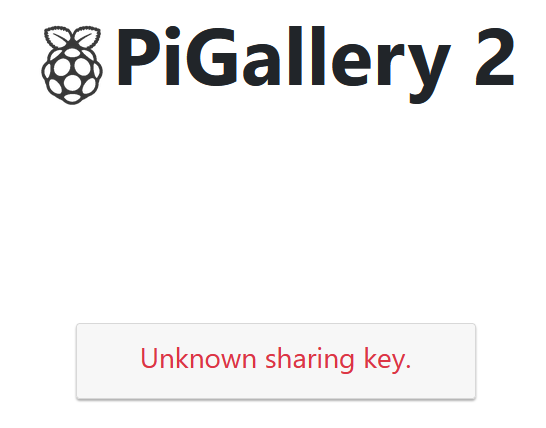
When running PiGallery, password protected share creates links those are served by an "Unknown sharing key." error page. An example link in my case: https://redacted.duckdns.org/shareLogin?sk=a9322371
When disabling password protection, the sharing feature works just fine.
When password protection is disabled, a temp user is used to access the shared links. If I reenable password protection while browsing as a temp user, that user session can still access all the password protected shares without prompt for a password. If I log out from the temp user during browsing a password protected share, I'm redirected to a login page where only a password is requested for that share. Typing the right password allows me to access the share as expected, however, if I use the generated share link, I'm again greeted by "Unknown sharing key."
Photo/video (optional) that causes the bug
Bug is not connected to any particular media.
Screenshots (optional)
Server logs (optional)
redacted@redacted:~/pigallery$ docker-compose logs --tail=8
Attaching to pigallery2, nginx
nginx         | 81.183.73.163 - - [09/Mar/2023:11:40:40 +0000] "POST /pgapi/user/logout HTTP/1.1" 200 59 "https://redacted.duckdns.org/shareLogin?sk=a9322371" "Mozilla/5.0 (Windows NT 10.0; Win64; x64; rv:109.0) Gecko/20100101 Firefox/110.0"
nginx         | 81.183.73.163 - - [09/Mar/2023:11:42:19 +0000] "GET /shareLogin?sk=a9322371 HTTP/1.1" 200 2673 "-" "Mozilla/5.0 (Windows NT 10.0; Win64; x64; rv:109.0) Gecko/20100101 Firefox/110.0"
nginx         | 81.183.73.163 - - [09/Mar/2023:11:42:19 +0000] "GET /pgapi/share/a9322371 HTTP/1.1" 401 130 "https://redacted.duckdns.org/shareLogin?sk=a9322371" "Mozilla/5.0 (Windows NT 10.0; Win64; x64; rv:109.0) Gecko/20100101 Firefox/110.0"
nginx         | 81.183.73.163 - - [09/Mar/2023:11:42:19 +0000] "GET /open-iconic.3205870011f84472.woff HTTP/1.1" 200 14984 "https://redacted.duckdns.org/styles.929457b50dcaddbb.css" "Mozilla/5.0 (Windows NT 10.0; Win64; x64; rv:109.0) Gecko/20100101 Firefox/110.0"
nginx         | 81.183.73.163 - - [09/Mar/2023:11:42:19 +0000] "GET /pgapi/user/me?sk=a9322371 HTTP/1.1" 401 130 "https://redacted.duckdns.org/shareLogin?sk=a9322371" "Mozilla/5.0 (Windows NT 10.0; Win64; x64; rv:109.0) Gecko/20100101 Firefox/110.0"
nginx         | 81.183.73.163 - - [09/Mar/2023:11:42:19 +0000] "POST /pgapi/user/logout HTTP/1.1" 200 59 "https://redacted.duckdns.org/shareLogin?sk=a9322371" "Mozilla/5.0 (Windows NT 10.0; Win64; x64; rv:109.0) Gecko/20100101 Firefox/110.0"
nginx         | 81.183.73.163 - - [09/Mar/2023:11:42:19 +0000] "POST /pgapi/user/logout HTTP/1.1" 200 59 "https://redacted.duckdns.org/shareLogin?sk=a9322371" "Mozilla/5.0 (Windows NT 10.0; Win64; x64; rv:109.0) Gecko/20100101 Firefox/110.0"
nginx         | 81.183.73.163 - - [09/Mar/2023:11:42:19 +0000] "GET /assets/icon.png HTTP/1.1" 499 0 "https://redacted.duckdns.org/shareLogin?sk=a9322371" "Mozilla/5.0 (Windows NT 10.0; Win64; x64; rv:109.0) Gecko/20100101 Firefox/110.0"
pigallery2    | 3/9/2023, 11:41:59 AM[DEBUG] GET /heartbeat 200 6ms
pigallery2    | 3/9/2023, 11:42:19 AM[DEBUG] GET /shareLogin?sk=a9322371 200 12ms
pigallery2    | 3/9/2023, 11:42:19 AM[VERBS] GET / 401 11ms
pigallery2    | 3/9/2023, 11:42:19 AM[DEBUG] GET /open-iconic.3205870011f84472.woff 200 7ms
pigallery2    | 3/9/2023, 11:42:19 AM[VERBS] GET /?sk=a9322371 401 8ms
pigallery2    | 3/9/2023, 11:42:19 AM[DEBUG] POST /pgapi/user/logout 200 7ms
pigallery2    | 3/9/2023, 11:42:19 AM[DEBUG] POST /pgapi/user/logout 200 6ms
pigallery2    | 3/9/2023, 11:42:39 AM[DEBUG] GET /heartbeat 200 4ms
Environment (please complete the following information):
redacted@redacted:~/pigallery$ lsb_release -a
No LSB modules are available.
Distributor ID: Ubuntu
Description:    Ubuntu 22.04.2 LTS
Release:        22.04
Codename:       jammy
redacted@redacted:~/pigallery$ grep bpatrik docker-compose.yaml
    image: bpatrik/pigallery2:nightly-alpine
- Browser [e.g. chrome, safari] Behavior verified in Edge, Chrome and Firefox
Used app version:
- docker-nightly-alpine

More on the matter: It look that the following function is setting UnknownSharingKey an time there is an error when trying to load a share: https://github.com/bpatrik/pigallery2/blob/080455cdc1c900fc576733802c44e2ad814c4a4d/src/frontend/app/ui/gallery/share.service.ts#L134
However, when a password protected share is accessed the first time, the console logs an "error: Unauthorized" error as no password was provided yet and there is no authenticated session. Since the error for a nonexisting sharing key is also "Unauthorized" when there is no authentication yet, we never trigger the login form: https://github.com/bpatrik/pigallery2/blob/080455cdc1c900fc576733802c44e2ad814c4a4d/src/frontend/app/ui/sharelogin/share-login.component.html#L10-L13
After forcing authentication manually, the error code for a nonexistent share is "error: Not Found", but before authentication, there is no way to tell apart the different scenarios based on the error.
It sounds to be a bug to me, but I do not fully understand the use case.
What do you mean by When disabling password protection ? Disable password protection as a whole on the page, or only disabling password protection to the shared links?
My possible answer to the problem (If I understand it correctly): When someone switches on/off password protected shares, the app should just delete all active shares:
- If you create a sharing link with password, then disable password protection, discarding password should be ok.
- but if you have a link that never had a password, but you enable password protected shares, that link is basically invalid

I think I've tried to cover several independent problems at once at that was a mistake so I'll try to stick to the title of the ticket and I'll create more issues on the rest once I have better understanding and solid ways to reproduce. Let's forget about disabling the password protection.
Issue Take the use case when I create a fresh instance of the service from alpine-nightly and create a single password protected share.
Something like https://-redacted-.duckdns.org/shareLogin?sk=a9322371
When I try to access this password protected share link from another machine, I get the Unknown Sharing Key error page as referred above.
The issue is with getSharing(): https://github.com/bpatrik/pigallery2/blob/080455cdc1c900fc576733802c44e2ad814c4a4d/src/frontend/app/ui/gallery/share.service.ts#L126-L138 It will add UnknownSharingKey on any error, regardless that the error (the value of e) is "Not Found" or "Unauthorized". https://github.com/bpatrik/pigallery2/blob/080455cdc1c900fc576733802c44e2ad814c4a4d/src/frontend/app/ui/gallery/share.service.ts#L133-L136
So regardless whether the share exists or not, the Unknown Sharing Key landing page is rendered always for password protected shares and the login page never appears. https://github.com/bpatrik/pigallery2/blob/080455cdc1c900fc576733802c44e2ad814c4a4d/src/frontend/app/ui/sharelogin/share-login.component.html#L10-L13
This PR fixes the access issue: https://github.com/bpatrik/pigallery2/pull/633
However, it fails to provide the correct Unknown Sharing Key error page even if I try to access a non-existing share, so this solution is likely not sufficient.
I just noticed this on 2.0.0. Is there any official workaround for having password-protected shares?
