

 bosskmk
Textfield fields in the footer page, I can't type in the fields.
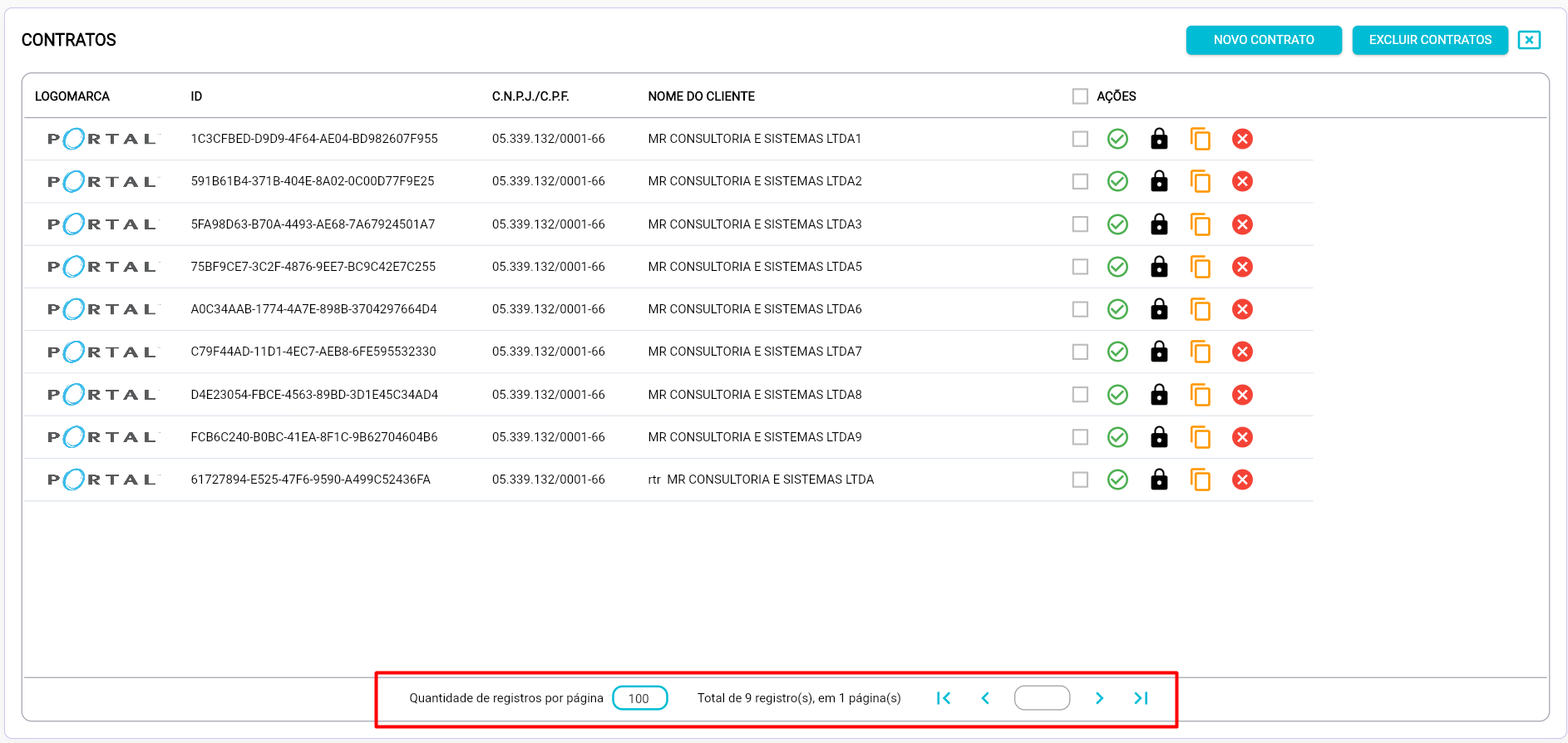
I'm customizing the pagination of the data, in the footer page I have 2 textfield fields and I can't type values in the field. Is there any setting to enable textfield in footer page.

@roubledodemiamgasoni Try something like below.
@override
void initState() {
  super.initState();
  focusNode = FocusNode(onKey: handleFocus);
}

KeyEventResult handleFocus(FocusNode node, RawKeyEvent event) {
  return KeyEventResult.skipRemainingHandlers;
}

child: TextField(
  focusNode: focusNode,
  controller: textEditingController,
  enabled: true,
  onChanged: (String text) {
    print(text);
  },
  onTap: () {
    widget.stateManager.setKeepFocus(false);
  },
),

I also have the same issue, WIth the code you shared i can type, but i cant delete using backspace key
My widget is inside createHeader and im running the app on Linux desktop //EDIT: Running on Flutter Web it works correctly, i can type and delete with backspace
@roubledodemiamgasoni Try something like below.
@override
void initState() {
  super.initState();
  focusNode = FocusNode(onKey: handleFocus);
}

KeyEventResult handleFocus(FocusNode node, RawKeyEvent event) {
  return KeyEventResult.skipRemainingHandlers;
}

child: TextField(
  focusNode: focusNode,
  controller: textEditingController,
  enabled: true,
  onChanged: (String text) {
    print(text);
  },
  onTap: () {
    widget.stateManager.setKeepFocus(false);
  },
),

@jhonmolano09
KeyEventResult behaves differently on desktop and web. https://github.com/flutter/flutter/issues/93873
Please refer to the example below to solve it. thank you.
import 'package:flutter/material.dart';
import 'package:flutter/services.dart';
import 'package:pluto_grid/pluto_grid.dart';

import '../dummy_data/development.dart';

class EmptyScreen extends StatefulWidget {
  static const routeName = 'empty';

  const EmptyScreen({Key? key}) : super(key: key);

  @override
  _EmptyScreenState createState() => _EmptyScreenState();
}

class _EmptyScreenState extends State<EmptyScreen> {
  late List<PlutoColumn> columns;

  late List<PlutoRow> rows;

  late PlutoGridStateManager stateManager;

  late final FocusNode focusNode;

  @override
  void initState() {
    super.initState();

    focusNode = FocusNode(onKey: (node, event) {
      if (event is RawKeyUpEvent) {
        return KeyEventResult.handled;
      }

      return stateManager.keyManager!.eventResult.skip(KeyEventResult.ignored);
    });

    columns = [
      PlutoColumn(
        title: 'column1',
        field: 'column1',
        type: PlutoColumnType.text(),
      ),
      PlutoColumn(
        title: 'column2',
        field: 'column2',
        type: PlutoColumnType.text(),
      ),
      PlutoColumn(
        title: 'column3',
        field: 'column3',
        type: PlutoColumnType.text(),
      ),
    ];

    rows = DummyData.rowsByColumns(length: 10, columns: columns);
  }

  @override
  void dispose() {
    focusNode.dispose();

    stateManager.gridFocusNode!.removeListener(handleFocus);

    super.dispose();
  }

  void handleFocus() {
    stateManager.setKeepFocus(!focusNode.hasFocus);
  }

  @override
  Widget build(BuildContext context) {
    return Scaffold(
      body: Container(
        padding: const EdgeInsets.all(15),
        child: PlutoGrid(
          columns: columns,
          rows: rows,
          onChanged: (PlutoGridOnChangedEvent event) {
            print(event);
          },
          onLoaded: (PlutoGridOnLoadedEvent event) {
            stateManager = event.stateManager;
            stateManager.gridFocusNode!.addListener(handleFocus);
          },
          createHeader: (_) => TextField(
            focusNode: focusNode,
          ),
          configuration: const PlutoGridConfiguration(),
        ),
      ),
    );
  }
}
@jhonmolano09
KeyEventResult behaves differently on desktop and web. flutter/flutter#93873
Please refer to the example below to solve it. thank you.
import 'package:flutter/material.dart';
import 'package:flutter/services.dart';
import 'package:pluto_grid/pluto_grid.dart';

import '../dummy_data/development.dart';

class EmptyScreen extends StatefulWidget {
  static const routeName = 'empty';

  const EmptyScreen({Key? key}) : super(key: key);

  @override
  _EmptyScreenState createState() => _EmptyScreenState();
}

class _EmptyScreenState extends State<EmptyScreen> {
  late List<PlutoColumn> columns;

  late List<PlutoRow> rows;

  late PlutoGridStateManager stateManager;

  late final FocusNode focusNode;

  @override
  void initState() {
    super.initState();

    focusNode = FocusNode(onKey: (node, event) {
      if (event is RawKeyUpEvent) {
        return KeyEventResult.handled;
      }

      return stateManager.keyManager!.eventResult.skip(KeyEventResult.ignored);
    });

    columns = [
      PlutoColumn(
        title: 'column1',
        field: 'column1',
        type: PlutoColumnType.text(),
      ),
      PlutoColumn(
        title: 'column2',
        field: 'column2',
        type: PlutoColumnType.text(),
      ),
      PlutoColumn(
        title: 'column3',
        field: 'column3',
        type: PlutoColumnType.text(),
      ),
    ];

    rows = DummyData.rowsByColumns(length: 10, columns: columns);
  }

  @override
  void dispose() {
    focusNode.dispose();

    stateManager.gridFocusNode!.removeListener(handleFocus);

    super.dispose();
  }

  void handleFocus() {
    stateManager.setKeepFocus(!focusNode.hasFocus);
  }

  @override
  Widget build(BuildContext context) {
    return Scaffold(
      body: Container(
        padding: const EdgeInsets.all(15),
        child: PlutoGrid(
          columns: columns,
          rows: rows,
          onChanged: (PlutoGridOnChangedEvent event) {
            print(event);
          },
          onLoaded: (PlutoGridOnLoadedEvent event) {
            stateManager = event.stateManager;
            stateManager.gridFocusNode!.addListener(handleFocus);
          },
          createHeader: (_) => TextField(
            focusNode: focusNode,
          ),
          configuration: const PlutoGridConfiguration(),
        ),
      ),
    );
  }
}
That solved the issue, thank you
This issue is stale because it has been open for 30 days with no activity.
![github-actions[bot] avatar](https://avatars.githubusercontent.com/in/15368?v=4 "Published by a pub.dev verified publisher")
This issue was closed because it has been inactive for 14 days since being marked as stale.