

 boltgolt
Unable to install howdy for Ubuntu 22.04 due to *.bz2 files.
Facing Issues for installation of Howdy for Ubuntu 22.04. Apparently error message says it can't read .bz2 files. These are the following commands I have used : sudo add-apt-repository ppa:boltgolt/howdy sudo apt update sudo apt install howdy
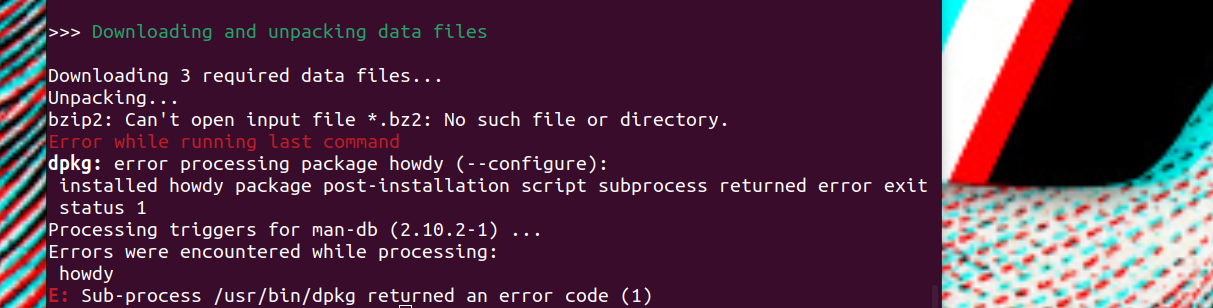

Could this be a duplicate of these issues? https://github.com/boltgolt/howdy/issues/738 and https://github.com/boltgolt/howdy/issues/733
It doesn't look like repo is being maintained unfortunately. There are 2yr old pull requests which haven't been merged...
Based on https://github.com/boltgolt/howdy/issues/738 it looks like even if you download the files by hand, it still wouldn't install

for info, I can run the dlib-data/install.sh script which seems to be the one we see on your screenshot without problem:

Does it run for you?
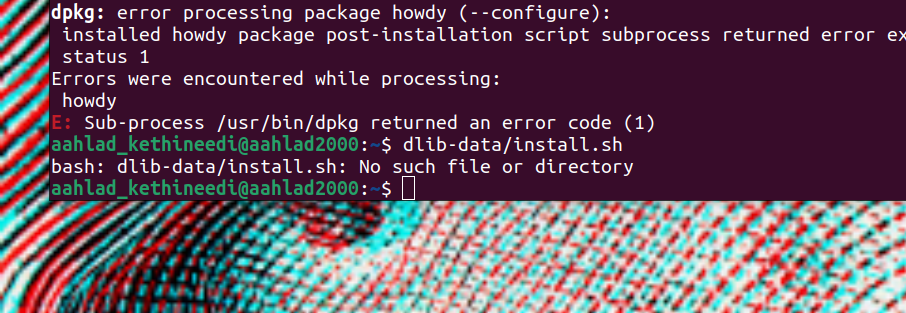
Yeah, I didn't meant type it as a command, it was just a link to the file. I meant download the script and run it.
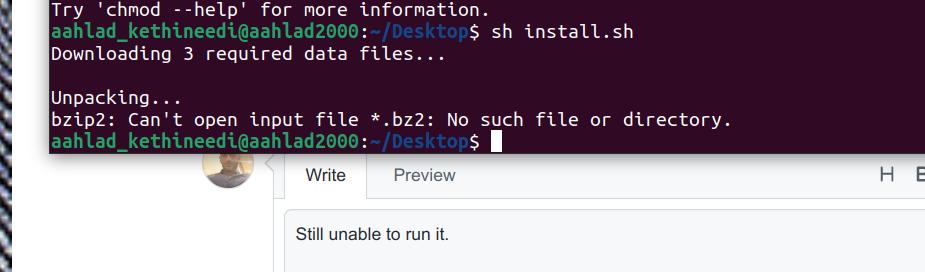
This is pretty odd as the script is pretty simple and uses wget to download 3 files. It even checks if wget is installed and falls back on curl of wget isn't installed. I though perhaps you are somehow missing wget or curl or even hash. You should be seing some sort or error...
Are you able to do the manual download of the 3 files?
wget https://github.com/davisking/dlib-models/raw/master/dlib_face_recognition_resnet_model_v1.dat.bz2
wget https://github.com/davisking/dlib-models/raw/master/mmod_human_face_detector.dat.bz2
wget https://github.com/davisking/dlib-models/raw/master/shape_predictor_5_face_landmarks.dat.bz2
If so you could just download them, leave them there (don't extract) and run the main code again. This way it should see them and extract when it gets to the extracting phase. I'm sure this is going to solve the main issue as there could be other issues in the code but it's worth a try...
I see. However I am unable to download the 3 files. I got this error : failed: Network is unreachable. EDIT: manually searched the repo and downloaded those three files. Now if i do : sudo add-apt-repository ppa:boltgolt/howdy sudo apt update sudo apt install howdy
This should help right?
EDIT 1: Tried installing howdy again, failed again but I seem to be seeing this error as well. No jammy release in this: https://ppa.launchpadcontent.net/rushabh-v/facerec/ubuntu/
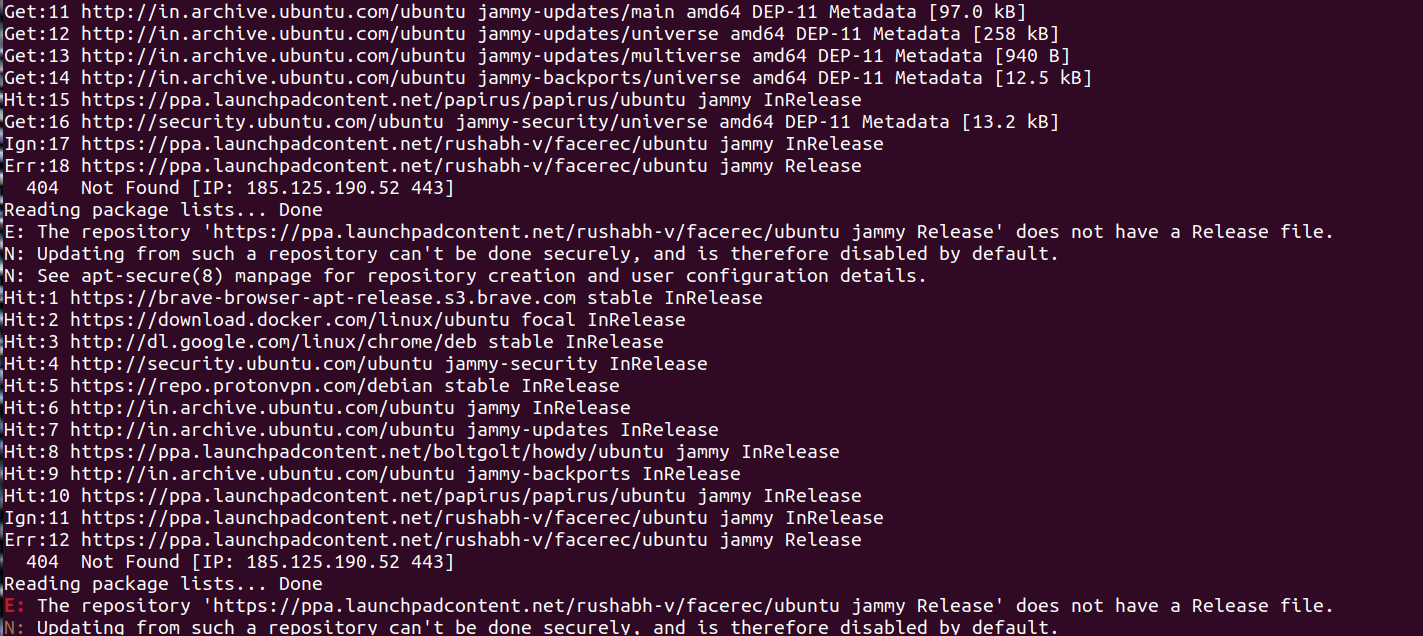
The rushabh-v/facerec ppa you are showing above is for a different package altogether so you should probably remove it before you proceed. The ppa for this package you send you to http://ppa.launchpad.net/boltgolt/howdy/ubuntu/dists and jammy is in the Release list.
You could try to copy the files but it looks like there is an issue on your end. Are you behind a proxy of something? Would it work if you connected to the internet through your phone instead? For info, I had a look and you would need to save the bz2 files in /usr/lib/security/howdy/dlib-data.
Note that I also just tried the ppa installation method on a fresh 22.10 install in a VM and it's spitting out quite a few warnings... altough is seems to complete in the end. I don't have a webcam so I can't test if it works or not.
This is pretty odd as the script is pretty simple and uses wget to download 3 files. It even checks if wget is installed and falls back on
curlofwgetisn't installed. I though perhaps you are somehow missingwgetorcurlor evenhash. You should be seing some sort or error...Are you able to do the manual download of the 3 files?
wget https://github.com/davisking/dlib-models/raw/master/dlib_face_recognition_resnet_model_v1.dat.bz2wget https://github.com/davisking/dlib-models/raw/master/mmod_human_face_detector.dat.bz2wget https://github.com/davisking/dlib-models/raw/master/shape_predictor_5_face_landmarks.dat.bz2If so you could just download them, leave them there (don't extract) and run the main code again. This way it should see them and extract when it gets to the extracting phase. I'm sure this is going to solve the main issue as there could be other issues in the code but it's worth a try...
unable to download the files altogether .

Feels like some sort of proxy issue as the files are available at the locations provided as far as I can tell. Are you using some sort of school/work/public network which may be blocking file storage perhaps?