bmelnychuk
How to highlight node selected?
Hi all, Do I want to highlight node selected when the user's click on a node?

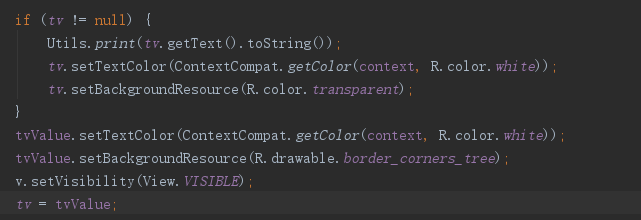
Hi @ProFive , I implement my own solution to highlight a selected node. For do that you must implement a function in your adapter which change your TextView.
`public TextView setSelected() { tvValue.setTextColor(Color.WHITE); tvValue.setBackgroundColor(Color.RED);
    return tvValue;
}`
Than in your on node click method you must call:
YOURADAPTER adapter = (YOURADAPTER) node.getViewHolder(); adapter.setSelected();

@rRrepotec
Thank's for the idea, so can you explain more ? or send me an example ? cheers.

I've implement this function in my node adapter:
public TextView setSelected() { tvValue.setTextColor(Color.WHITE); tvValue.setBackgroundColor(Color.RED); return tvValue; }
Than in your on node click method you must call:
YOURADAPTER adapter = (YOURADAPTER) node.getViewHolder(); adapter.setSelected();
coud you send me an example of you YOURADAPTER or it will be nice is you send me a part of your project where you use that ?
This is my adapter:
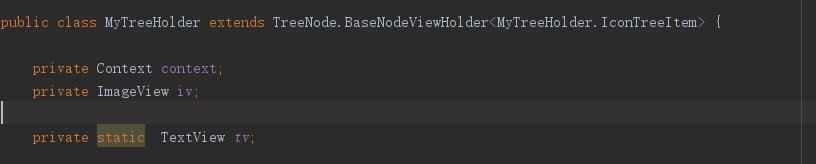
public class TreeItemHolder extends TreeNode.BaseNodeViewHolder<TreeItemHolder.IconTreeItem>{ private TextView tvValue; private ImageView arrowView; public TreeItemHolder(Context context) { super(context); } @Override public View createNodeView(final TreeNode node, IconTreeItem value) { final LayoutInflater inflater = LayoutInflater.from(context); final View view = inflater.inflate(R.layout.treeview_icon_node, null, false); tvValue = (TextView) view.findViewById(R.id.node_value); tvValue.setText(value.text); arrowView = (ImageView) view.findViewById(R.id.arrow_icon); return view; } @Override public ViewGroup getNodeItemsView() { return super.getNodeItemsView(); } @Override public void toggle(boolean active) { arrowView.setRotation(active ? (90) : (0)); } public TextView setSelected() { tvValue.setTextColor(Color.WHITE); tvValue.setBackgroundColor(Color.RED); return tvValue; } public TextView setUnselected() { tvValue.setTextColor(Color.BLACK); tvValue.setBackgroundColor(Color.TRANSPARENT); return tvValue; } public static class IconTreeItem { public String text; public IconTreeItem(String text) { this.text = text; } } }
Usage in TreeNodeClickListener:
TreeItemHolder adapter = (TreeItemHolder) node.getViewHolder(); adapter.setSelected();
@rRrepotec Selecting the current node is setting the background to red but how to notify to make the other nodes look as normal if I select another treenode.? How to call unselect method.?

@NizarETH I need to select the current node and unselect the previous node, Any insight on this how is it possible.?