

 blinksh
Account for smart keys in terminal size with floating keyboard
Checklist
- [x] Using latest version on the App Store
- [x] Read the docs
- [x] Searched for existing GitHub issues
Configuration
Blink 13.5.12 iOS 14.4.2 iPad Pro
Describe the bug
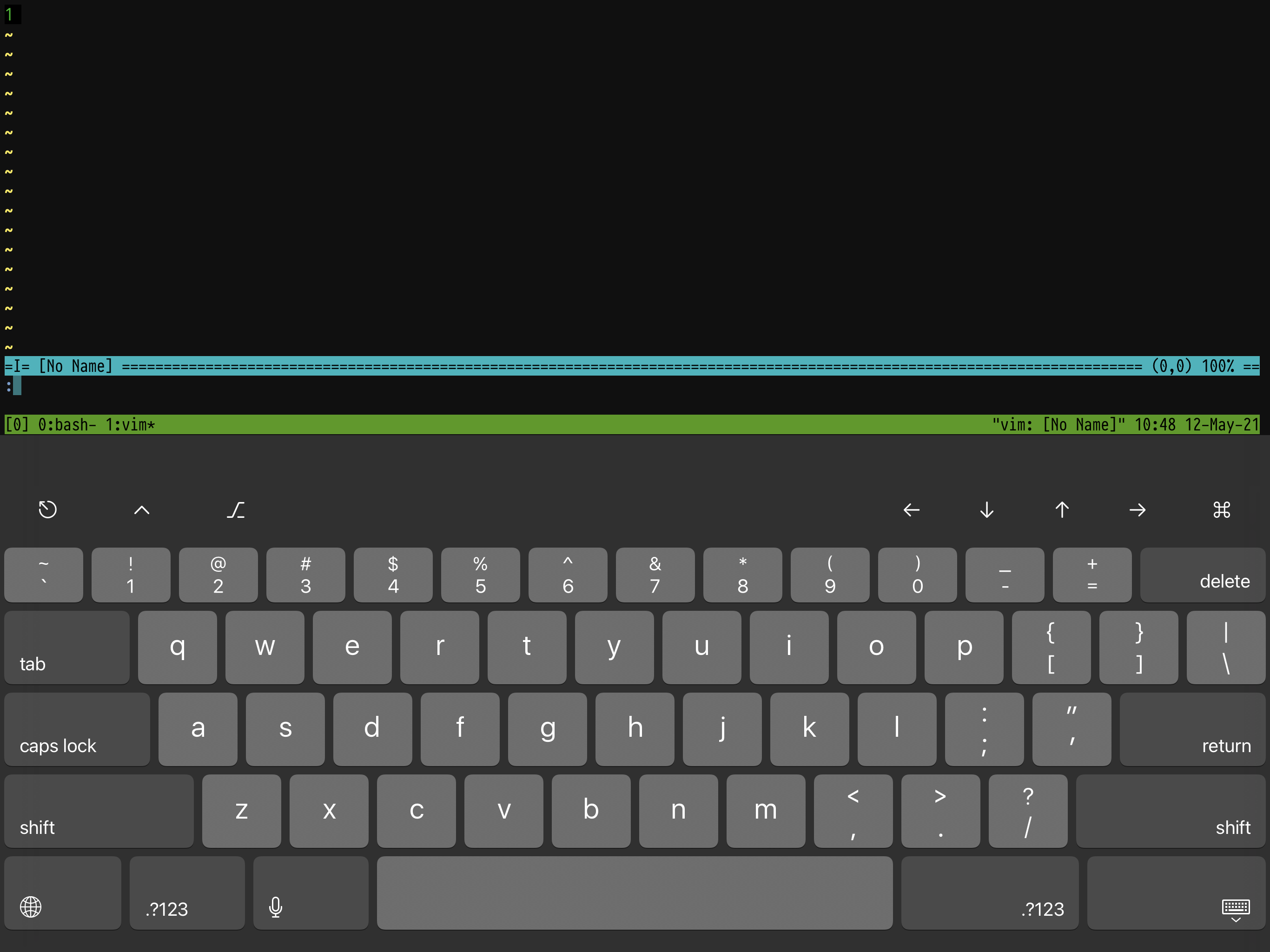
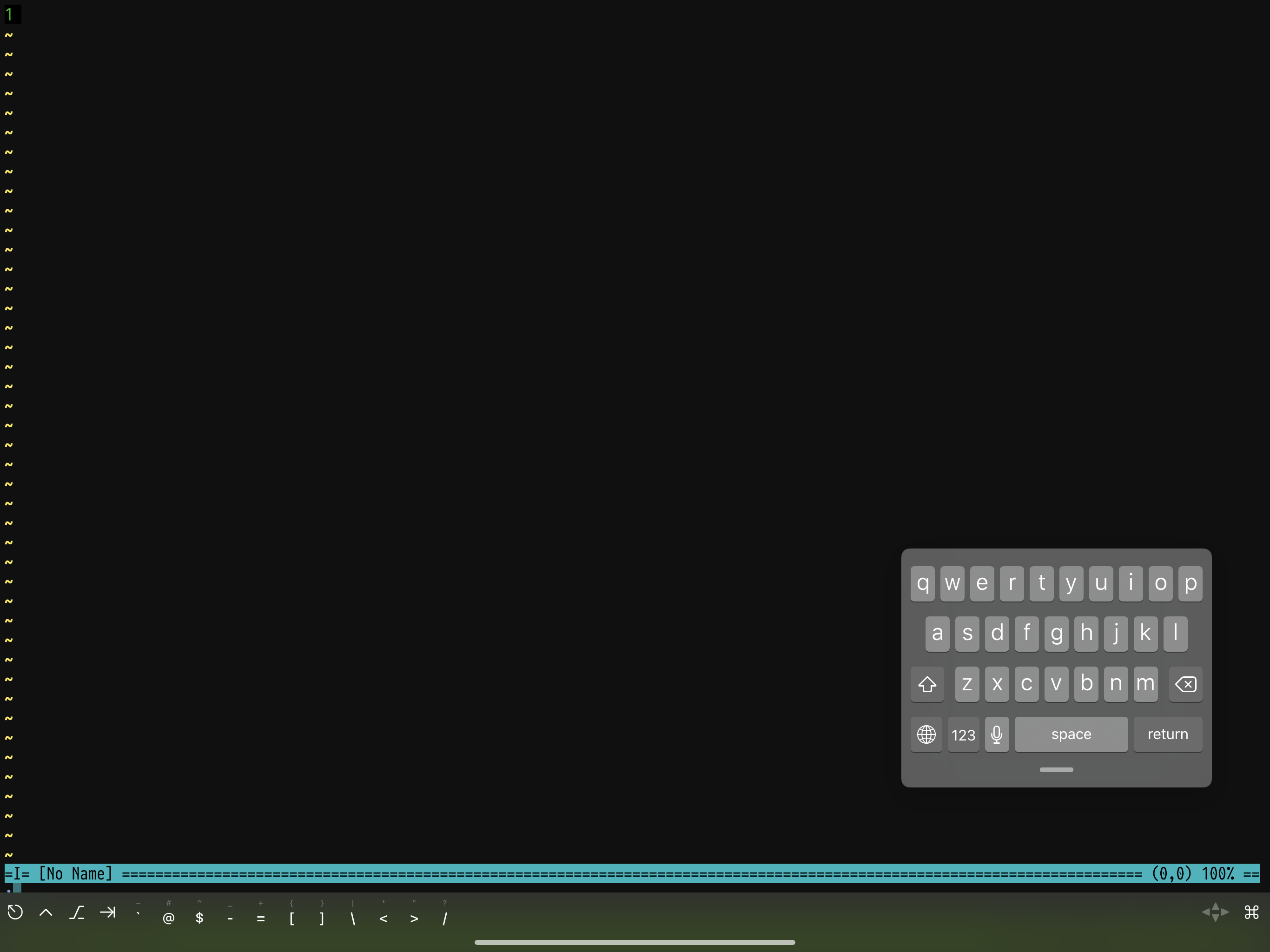
With the floating keyboard, when the smart keys are actually showing (#805), the terminal size is not set to accommodate that used space. So the bottom of the screen (e.g., the command line in vi) is hidden.
Without floating keyboard:
with floating keyboard:

I am also seeing this issue! It makes it almost impossible to use the floating keyboard mode with blink, unfortunately.

Smart keys don't seem to have worked properly with floating keyboard for quite a while? They either don't show at all, or show buggily behind predictions on the floating keyboard itself.

We don't support this since Apple changed the way the accessory keyboard works and we can detect where to draw, etc... We also opened a Radar back in the day that was never fixed. The next version 17.3.0 also fully disables the SmartKeys bar when a hardware keyboard is connected for the same reason.

Is it not possible to draw own instead of via keyboard api to bottom of window as a config option? I pretty much need the additional cursor and function keys in my normal usage so I'm forced to switch to full keyboard rather than floating
We tried that but the problem was to detect when we had to draw it. And then it would have to be really custom, which we are trying to stay away from. Will try to take another look for v18.0, but I don't think we will be able to make it happen.