
mobile
 mobile copied to clipboard
Published
20 hours ago •
 bitwarden
bitwarden
iOS 16: Camera notification is on even after exiting camera for scanning TOTP
Steps To Reproduce
- Go to Bitwarden App
- Go ahead and edit item
- Click on camera icon to scan TOTP
- Green dot will appear at the top of screen indicating camera is being used
- Exit camera mode and go back to simply navigating the vault - Greed dot notification remains
Expected Result
- Go to Bitwarden App
- Go ahead and edit item
- Click on camera icon to scan TOTP
- Green dot will appear at the top of screen indicating camera is being used
- Exit camera mode and green dot notification should not be visible as camera is no longer in use.
Actual Result
- Go to Bitwarden App
- Go ahead and edit item
- Click on camera icon to scan TOTP
- Green dot will appear at the top of screen indicating camera is being used
- Exit camera mode and green dot notification is still visible, even after exiting Bitwarden app and going back to it
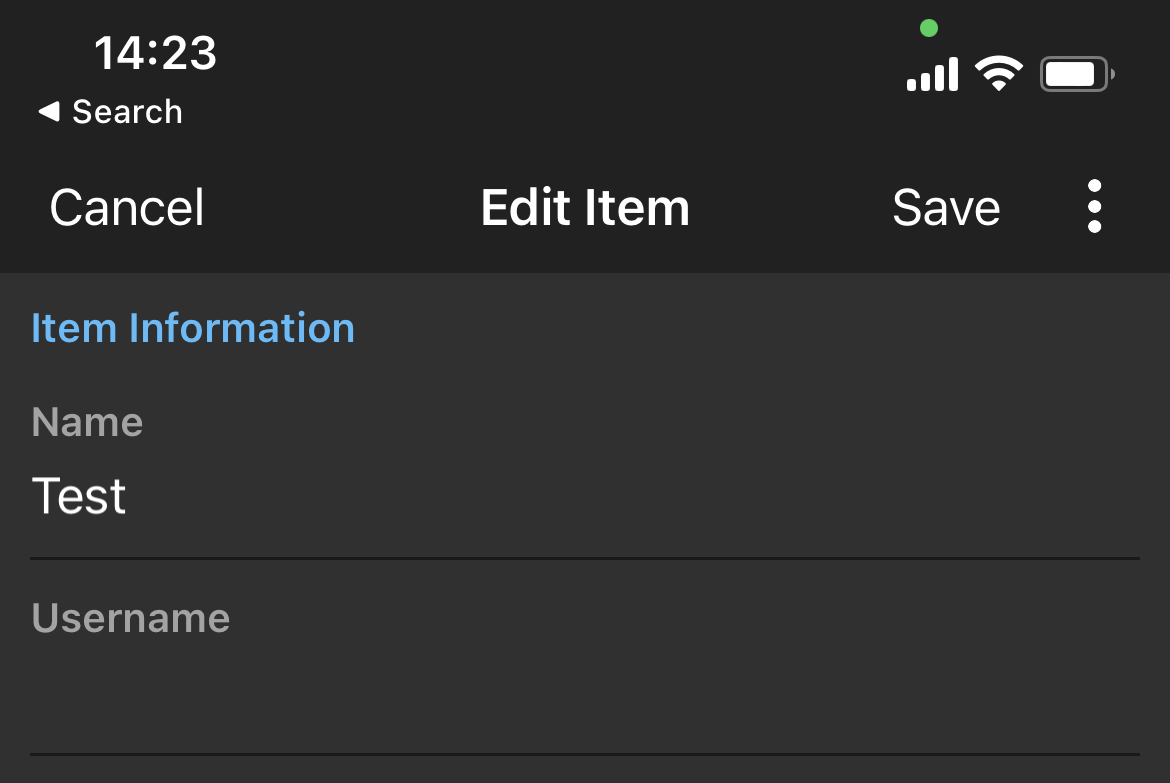
Screenshots or Videos
No response
Additional Context
No response
Operating System
iOS
Operating System Version
16.0
Device
iPhone 12
Build Version
2022.9.1 (2147)
Beta
- [ ] Using a pre-release version of the application.
