

 bitnami
Distribution failed
Name and Version
bitnami/rabbitmq:3.10.5
What steps will reproduce the bug?
deploy rabbitmq charts on openEuler os
What is the expected behavior?
No response
What do you see instead?
Additional information
No response

Hi, Could you elaborate a bit more ? I think you tried to upload a image but the link is other.

Hi, Could you elaborate a bit more ? I think you tried to upload a image but the link is other.
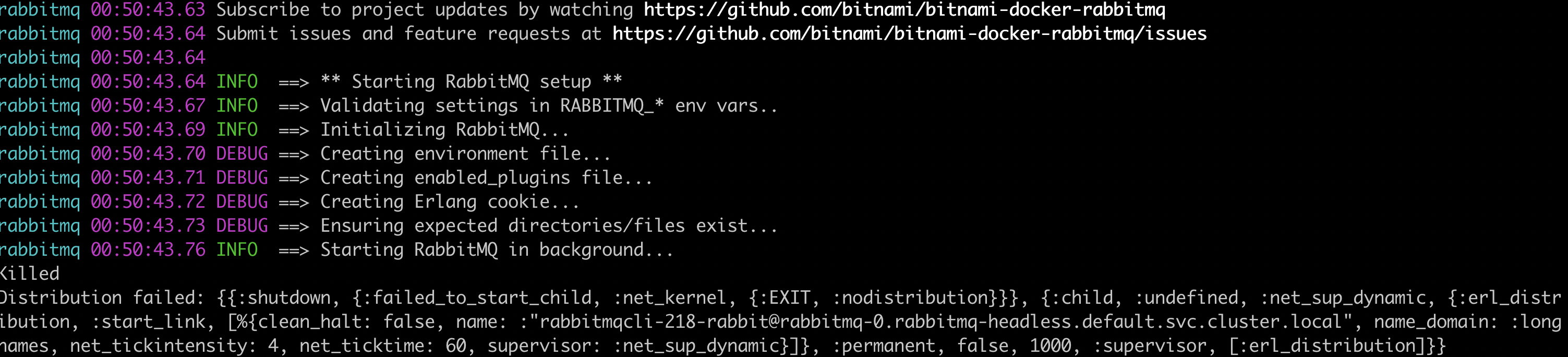
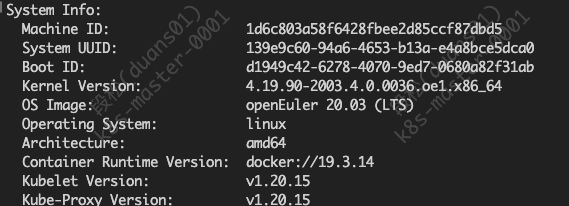
Which kubernetes distribution are you using ? It could be related to your host linux distribution but I am not sure what can the be issue here. Maybe it is something related with the amount of memory and the oom-killer that kernels have. Maybe you can try enabling diagnostic mode and trying to start the service manually.
Which kubernetes distribution are you using ? It could be related to your host linux distribution but I am not sure what can the be issue here. Maybe it is something related with the amount of memory and the oom-killer that kernels have. Maybe you can try enabling diagnostic mode and trying to start the service manually.
kubernetes1.20.15,We use the official docker run rabbitmq image and it works fine
Could you try what I suggested ? Let's see if that give more information.
I supposed that you were using kubernetes, but as you said you are using docker run I am not sure if you are using a kubernetes or just docker.
Could you try what I suggested ? Let's see if that give more information. I supposed that you were using kubernetes, but as you said you are using
docker runI am not sure if you are using a kubernetes or just docker.
run with kubernetes1.20,
Did you tried enabling diagnotic mode and trying to start the service manually ?
Did you tried enabling diagnotic mode and trying to start the service manually ?
 Can't perform any action
We are going to transfer this issue to bitnami/containers
In order to unify the approaches followed in Bitnami containers and Bitnami charts, we are moving some issues in bitnami/bitnami-docker-<container> repositories to bitnami/containers.
Please follow bitnami/containers to keep you updated about the latest bitnami images.
More information here: https://blog.bitnami.com/2022/07/new-source-of-truth-bitnami-containers.html

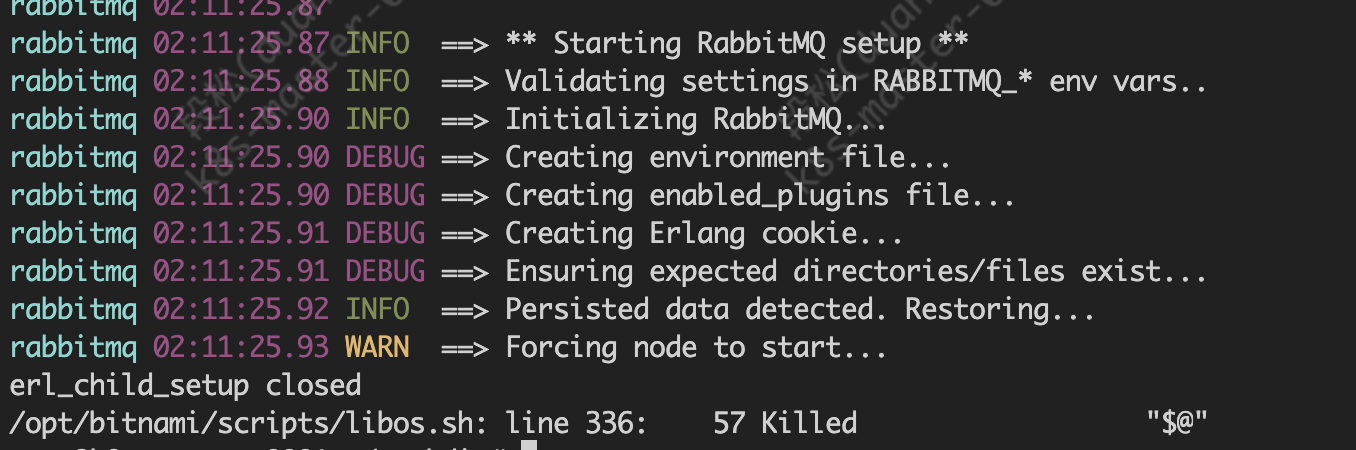
I can see that there was previous data, could you remove it and give it a clean start ?. Also, are you running this on a ARM machine ?
I can see that there was previous data, could you remove it and give it a clean start ?. Also, are you running this on a ARM machine ? arch is amd64,I am a fresh deployment
I can see that there was previous data, could you remove it and give it a clean start ?. Also, are you running this on a ARM machine ?
This Issue has been automatically marked as "stale" because it has not had recent activity (for 15 days). It will be closed if no further activity occurs. Thanks for the feedback.
![github-actions[bot] avatar](https://avatars.githubusercontent.com/in/15368?v=4 "Published by a pub.dev verified publisher")