

 birchill
request: android support
You can probably look at zhongwen https://github.com/leezu/zhongwen/ https://addons.mozilla.org/en-US/firefox/addon/zhongwen-chinese-english/ for pointers on implementation - it is an analogous extension that does support the android version of firefox

Thanks! How do you show the pop up on a touch device? By long-pressing on the word?

Ah interesting. Do you need to enable the add-on from the menu first? Or is it always on?
Yes you enable it from the add on menu first. You can just try the extension itself if you want details it's open source https://github.com/leezu/zhongwen/ and on the addons store https://addons.mozilla.org/en-US/firefox/addon/zhongwen-chinese-english/
Brian Birtles [email protected] 于 2018年9月30日周日 23:00写道:
Ah interesting. Do you need to enable the add-on from the menu first? Or is it always on?
— You are receiving this because you authored the thread. Reply to this email directly, view it on GitHub https://github.com/birtles/rikaichamp/issues/55#issuecomment-425797737, or mute the thread https://github.com/notifications/unsubscribe-auth/AADmOaZRMUAChW_JY2JE5FyPuiNTXL2Dks5uga-RgaJpZM4Ws7wl .

Apparently this works already on Firefox Nightly:
https://twitter.com/boardsmorgas/status/1384025797275447296
See also:
https://twitter.com/boardsmorgas/status/1384026419156590597
There probably is some work to be done with regards to selection handling, however:
i think the only thing that can improve it is forcing it to perform a dictionary search on the highlighted text instead of on whatever character my fat finger touches first 😉 (Source)
I could not get it to work with Firefox Nightly. I could however got it working via Kiwi Browser which is Chromium based.

That's interesting. I got it to work with Firefox Nightly without problem recently. The settings screen doesn't show/scroll, however.
Note that for anyone else trying to use this on Android, you may be able to re-use the collection I created with the following details:
Collection owner (user ID): 6693726 Collection name: japanese
Here it is running on Nightly recently:
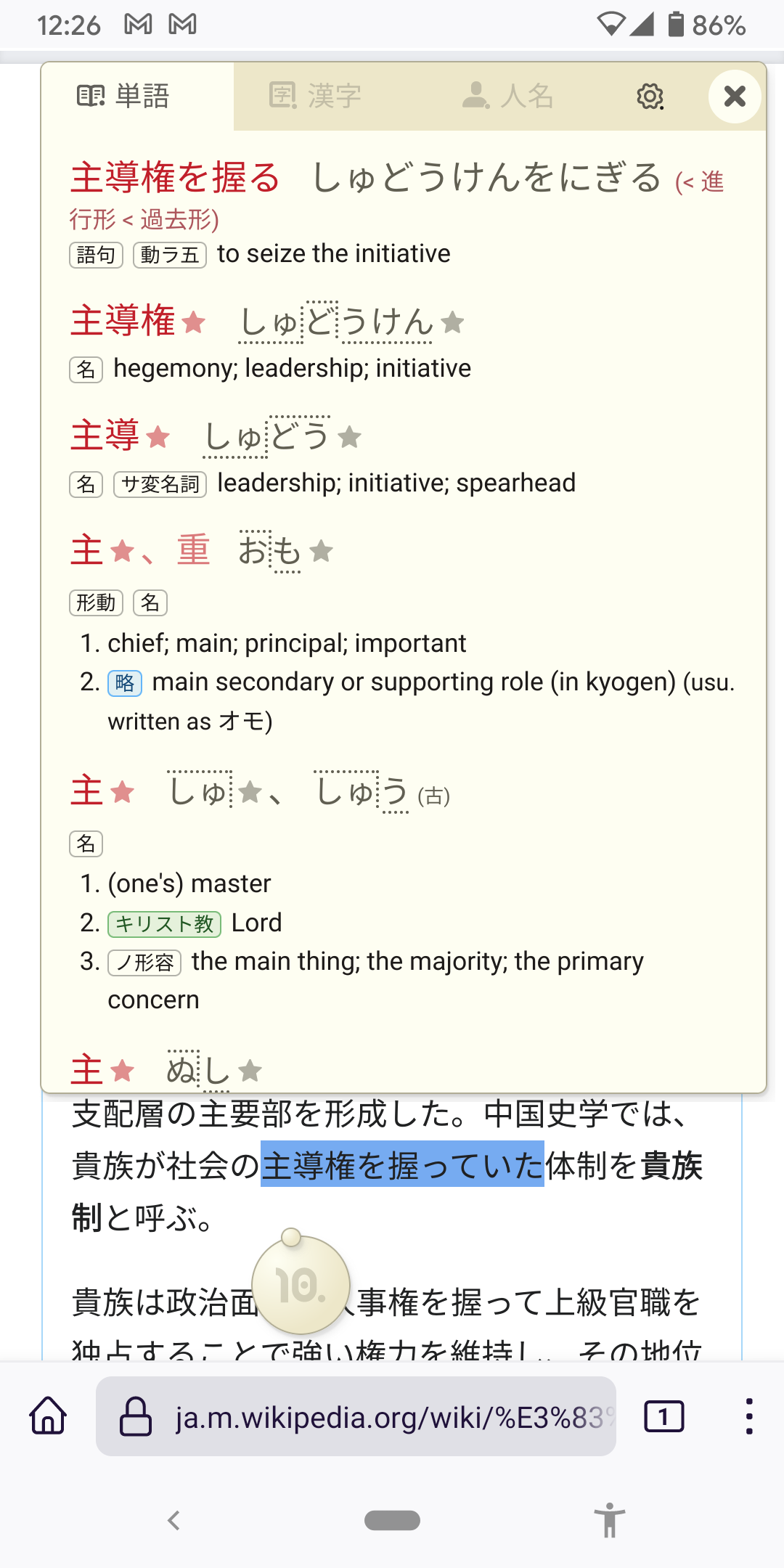
Weird. I changed my Collection from mine to yours and it started working. The settings page is broken now however.
The settings page is broken now however.
Yeah, it doesn't open when you press the settings button (possibly a Firefox for Android bug) and if you access it through the menus, it doesn't scroll. Is that what you're seeing?
I'm hoping to look into those issues this week or next.
c48159a5fca0bb84830e8f2d8be3663cb716e0cc should fix the formatting of the options page making it scrollable.
I filed https://github.com/mozilla-mobile/android-components/issues/11182 for the bug where the options page doesn't load.