

 biolab
CSV Import should find files in a subdirectory when moved
- [ ] What's your use case?
CSV Import widget by default save an absolute path to the file in settings when the workflow is already saved there is also an option to save a relative file with selecting Import relative to workflow file. If the user does not save the workflow this option is not present (sure it can't be since the workflow is not saved), which is quite confusing for the user since once it appears and in another case, it does not. Regular users are also not aware of relative and absolute paths.
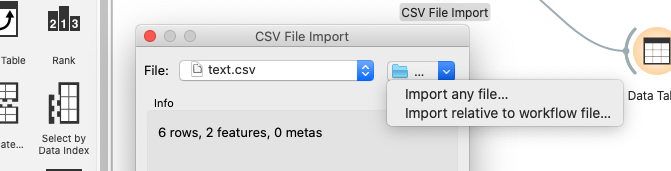
In the File widget and other widgets, the path is resolved automatically when the workflow is moved together with the data which is must better option since users do not need to be aware of relative and absolute paths. It is also easier to explain to the user how to move workflows between computers.
- [ ] What's your proposed solution?
I suggest that the CSV Import widget behave similarly than other widgets that work with files and resolves paths automatically when workflows are moved.
