

 bigtreetech
Flash Marlin on SKR 3 STM32H723 Version
Hello, I'm trying to flash marlin on a SKR 3 with STM32H723 MCU. After flashing, the file on the sd is renamed .CUR but the display is not working and nothing happen if I plug the USB to my pc (I tried a Windows notebook, a macbook and a Nuc with linux). If i put the board in DFU mode it works and I can dump and flash the bootloader. If I flash Klipper or RRF when I plug the usb to my pc the usb serial device appear without problems. Now it's working with Klipper, but I'd like to use it without a pc connected. Both Klipper and RFF use a specific configuration for this MCU but I cannot find something similar in Marlin. Is there someone who successfully flashed Marlin on this version of the board?
I already sent a mail to the support but the say the H743 and H723 version share the same cores. But if Klipper and RRF made a specific configuration for the 2 versions of the board maybe they aren't the same thing.
Thanks


Is this still an open issue? I have been trying for weeks to get mine to flash. But only now realized that it was the Chip STM32H723

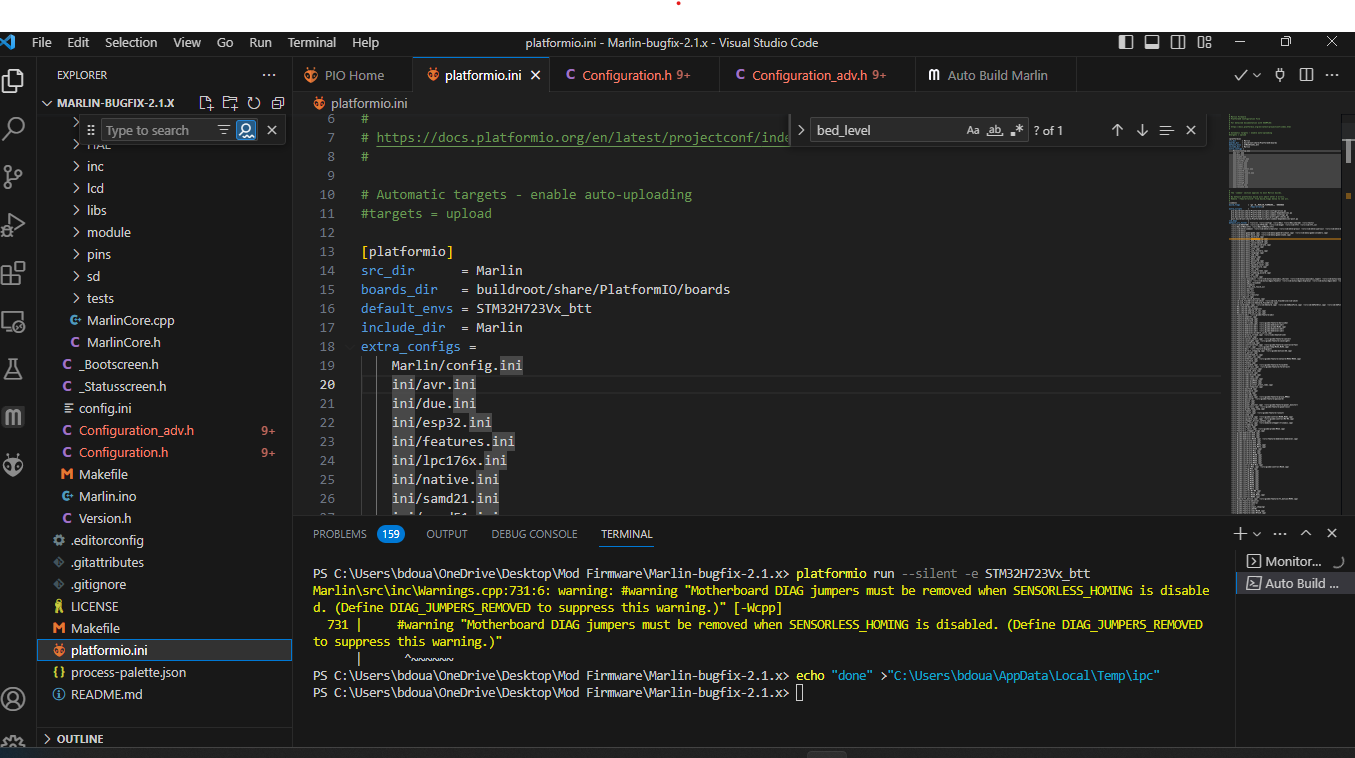
Not the original poster, but found this thread while fighting trying to get the SKR3 EZ working with a TFT35 V3.0.1. The H723 variant is what was causing all the issue for me. Figured I'd help others out and share what I found. Update to Marlin-bugfix-2.1.x for your project build and change the default_envs variable to their newly updated boards.h definition, like this: default_envs = STM32H723Vx_btt
After that everything worked on my board and TFT (including marlin mode).

I just downloaded Marling-bugfix2.1.x and it only includes STM32H743 not 723...

Hey Donovon - I just got it working after countless of hours; I decided to check the MCU and lo and behold - STM32H723! I'm grateful to have found this thread.
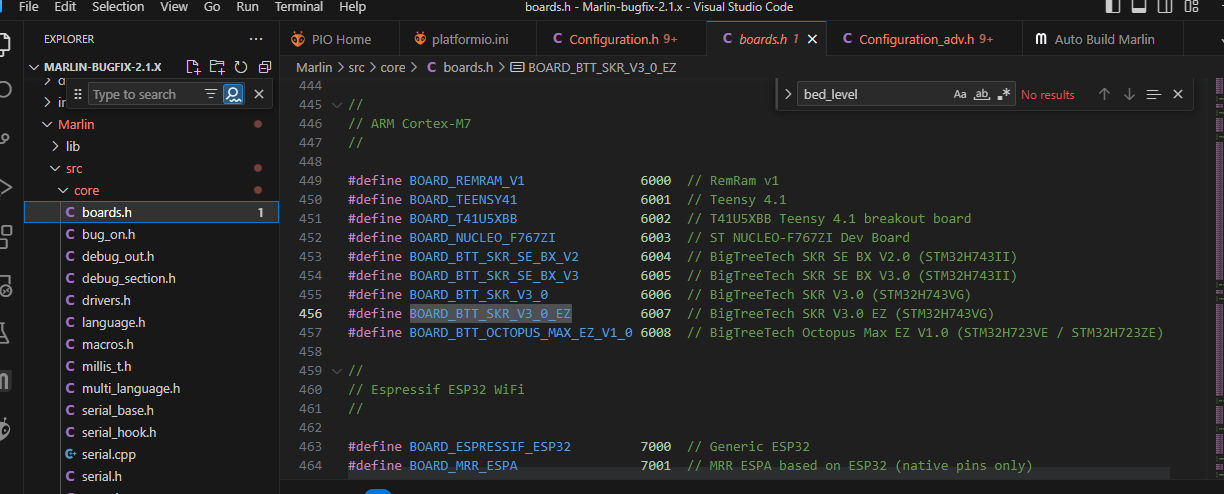
So, use Marlin-bugfix-2.1.x. As popecix mentioned, you have to set your default_envs = STM32H723Vx_btt. You set your environment in platformio.ini which should be in the Explorer tree in VSCode then you define your motherboard in Configuration.h with whichever SKR 3 board you have (I have an EZ) from Marlin>core>boards.h. Hope that helps other poor souls that might be on the brink of throwing in the towel.


Thank you for making this thread, I still need to try this fix, but I just realized my mcu was a H723 and not a H743, I thought there was only one version of the SKR 3 board.
