
BIGTREETECH-SKR-V1.3
 BIGTREETECH-SKR-V1.3 copied to clipboard
 bigtreetech
compilation error with only EXTRUDERS 0 correction to to compile but BTT TFT70 or TFT43 is not seeing the board as attached
With Marlin-bugfix-2.0.x-SKR-V1.4 release of 31/01/2021, when I set EXTRUDERS 0, the compilation cannot end.
Compiling .pio\build\LPC1768\src\src\lcd\extui\anycubic_chiron_lcd.cpp.o In file included from Marlin\src\lcd\dogm\dogm_Statusscreen.h:32, from Marlin\src\lcd\dogm\status_screen_DOGM.cpp:32: Marlin\src\lcd\dogm\status_screen_DOGM.cpp: In function 'void _draw_bed_status(bool)': Marlin\src\lcd\dogm\status_screen_DOGM.cpp:302:41: error: 'STATUS_HEATERS_BOT' was not declared in this scope; did you mean 'STATUS_HEATERS_Y'? 302 | if (PAGE_CONTAINS(STATUS_HEATERS_Y, STATUS_HEATERS_BOT)) { | ^~~~~~~~~~~~~~~~~~ Marlin\src\lcd\dogm\ultralcd_DOGM.h:220:33: note: in definition of macro 'PAGE_CONTAINS' 220 | #define PAGE_CONTAINS(ya, yb) ((yb) >= u8g.getU8g()->current_page.y0 && (ya) <= u8g.getU8g()->current_page.y1) // Do two vertical regions overlap? | ^~ Compiling .pio\build\LPC1768\src\src\lcd\extui\anycubic_i3mega_lcd.cpp.o Compiling .pio\build\LPC1768\src\src\lcd\extui\ui_api.cpp.o *** [.pio\build\LPC1768\src\src\lcd\dogm\status_screen_DOGM.cpp.o] Error 1
If I change in status_screen_DOGM.cpp
old Code: line 105 #if DO_DRAW_HOTENDS #define MAX_HOTEND_DRAW _MIN(HOTENDS, ((LCD_PIXEL_WIDTH - (STATUS_LOGO_BYTEWIDTH + STATUS_FAN_BYTEWIDTH) * 8) / (STATUS_HEATERS_XSPACE))) #define STATUS_HEATERS_BOT (STATUS_HEATERS_Y + STATUS_HEATERS_HEIGHT - 1) endif
New Code : #if DO_DRAW_HOTENDS #define MAX_HOTEND_DRAW _MIN(HOTENDS, ((LCD_PIXEL_WIDTH - (STATUS_LOGO_BYTEWIDTH + STATUS_FAN_BYTEWIDTH) * 8) / (STATUS_HEATERS_XSPACE))) #endif #if EITHER(DO_DRAW_BED, DO_DRAW_HOTENDS) #define STATUS_HEATERS_BOT (STATUS_HEATERS_Y + STATUS_HEATERS_HEIGHT - 1) #endif
then I can pass this step but another compilation error occurs:
Linking .pio\build\LPC1768\firmware.elf
c:/users/tca/.platformio/packages/toolchain-gccarmnoneeabi/bin/../lib/gcc/arm-none-eabi/9.2.1/../../../../arm-none-eabi/bin/ld.exe: .pio/build/LPC1768/src/src/gcode/gcode.cpp.o: in function GcodeSuite::process_parsed_command(bool)': G:\Outils Usinage\TELECHARGES\CNC\TEMP\Github\BIGTREETECH-SKR-V1.3-master\BIGTREETECH-SKR-V1.3-master\BTT SKR V1.4\Firmware\Marlin-bugfix-2.0.x-SKR-V1.4_github/Marlin\src\gcode/gcode.cpp:563: undefined reference to GcodeSuite::M145()'
c:/users/tca/.platformio/packages/toolchain-gccarmnoneeabi/bin/../lib/gcc/arm-none-eabi/9.2.1/../../../../arm-none-eabi/bin/ld.exe: .pio/build/LPC1768/src/src/lcd/menu/menu_main.cpp.o: in function menu_main()': G:\Outils Usinage\TELECHARGES\CNC\TEMP\Github\BIGTREETECH-SKR-V1.3-master\BIGTREETECH-SKR-V1.3-master\BTT SKR V1.4\Firmware\Marlin-bugfix-2.0.x-SKR-V1.4_github/Marlin\src\lcd\menu/menu_main.cpp:248: undefined reference to menu_temperature()'
collect2.exe: error: ld returned 1 exit status
*** [.pio\build\LPC1768\firmware.elf] Error 1
For src\gcode/gcode.cpp:563: undefined reference to `GcodeSuite::M145()'
if I change in src\gcode/gcode.cpp the code from: In src/gcode/gcode.cpp linne 562
  #if PREHEAT_COUNT
    case 145: M145(); break;                                  // M145: Set material heatup parameters
  #endif
to:
#if PREHEAT_COUNT
#if EXTRUDERS > 0
case 145: M145(); break; // M145: Set material heatup parameters
#endif
#endif
the error of compilation passed.
And for the menu_main.cpp:248: undefined reference to `menu_temperature()' if I change in src/lcd/menu/menu_main.cpp
Before #if HAS_TEMPERATURE SUBMENU(MSG_TEMPERATURE, menu_temperature); #endif after: If I add this at line 168 in menu_main.cpp, the compilation is fine too: #if EXTRUDERS > 0 #if HAS_TEMPERATURE SUBMENU(MSG_TEMPERATURE, menu_temperature); #endif #endif
But even if the compilation is success and the board is usable, then the board is not seen properlmy on TFT BTT
-
if EXTRUDERS = 0 compilation ok , but even the TFT43 ( factory firmware) and TFT70 ( Custom) are not seeing the board ( as the message "No printer attached" is displayed), but in both cases it is possible to go in MOVE menu and to move the X, Y, Z.
-
if EXTRUDERS = 1 compilation ok, printer is recognized, everything seems to works properly.
do you have any clue?


I am using the board to build a CNC. Marlin is capable to work with a CNC ( CNC coordinates exists)
yes there is GRBL boards dedicated for that but in 8 bits. I want a 32 bits board, and marlin is also able to do CNC. There are many projects using marlin for CNC. There is no specific firmware, it is just configuration of Marlin, and modification of TFT menus.
But in SKRV1.4 and also in Marlin it is shown in the code that Extruders can be 0 : // This defines the number of extruders // :[0, 1, 2, 3, 4, 5, 6, 7, 8] #define EXTRUDERS 1
PLease note that Marlin is able to compile with Extruders 0 without any need to patch the code as I did. But even with marlin and SKR code the TFT is displaying message "No printer attached" if EXTRUDERS is 0. But a strange things occurs, even if this message is displayed, we can use the MOVE button to move the axis.
Also note that the TFT70 or TFT43 are able to work in Marlin Mode or in Touch Mode ( graphical), and this message " No printer attached" is only present on Touch Mode (graphical), in Marlin no such message and board is seen.
Marlin Mod and Graphic Mod are 2 different worlds, each running on different cables. Are you saying that the display shows the message the printer is not connected and can scroll axially, or run HOME,from touch mode? If so then there is a problem with incoming communication, or Marlin cannot answer the printer query.
Check that you have set in Mrlin:


Hello,
Yes for sure they are not using same cable. Exaclty the display is showing this message "No printer attached", and I can use the Home button, the X, Y, Z button to move the motors from touch mode. I can also execute commands directly on touch screen, as M115.
I check the code and it was defined as you wrote, except M115 geometry unset.
#define EEPROM_SETTINGS // Persistent storage with M500 and M501 //#define DISABLE_M503 // Saves ~2700 bytes of PROGMEM. Disable for release! #define EEPROM_CHITCHAT // Give feedback on EEPROM commands. Disable to save PROGMEM. #define EEPROM_BOOT_SILENT // Keep M503 quiet and only give errors during first load #if ENABLED(EEPROM_SETTINGS) #define EEPROM_AUTO_INIT // Init EEPROM automatically on any errors. #endif #define EXTENDED_CAPABILITIES_REPORT #if ENABLED(EXTENDED_CAPABILITIES_REPORT) //#define M115_GEOMETRY_REPORT #endif
So I set exactly as your suggest, recompile, flahs and test again but no change.
Another thing that I notice on which I did not pay attention previously, when with "no printer attached" I use the move button, the axis are moving, but the value displayued on the screen remains as X 0 or Y 0 or Z 0.
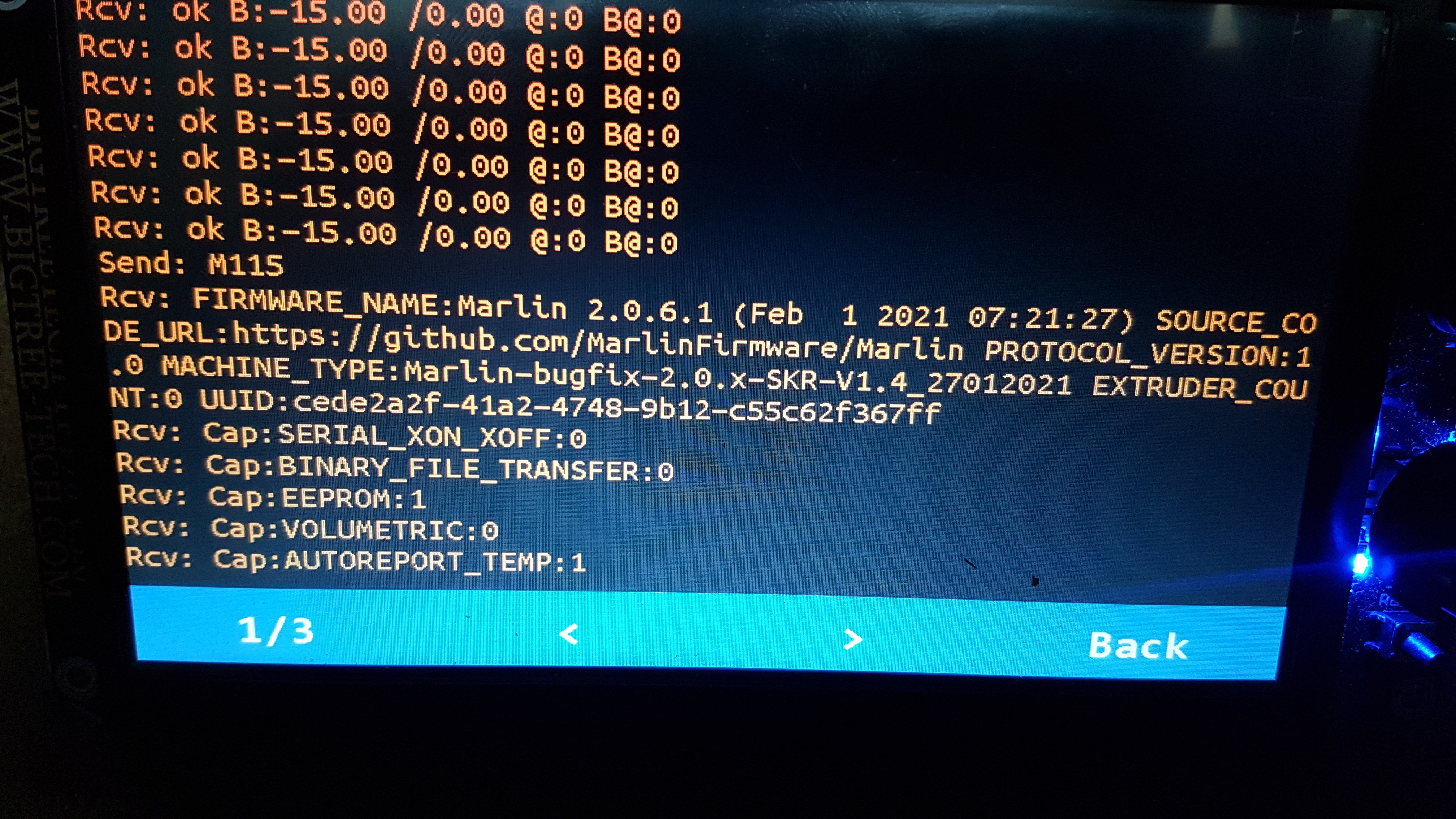
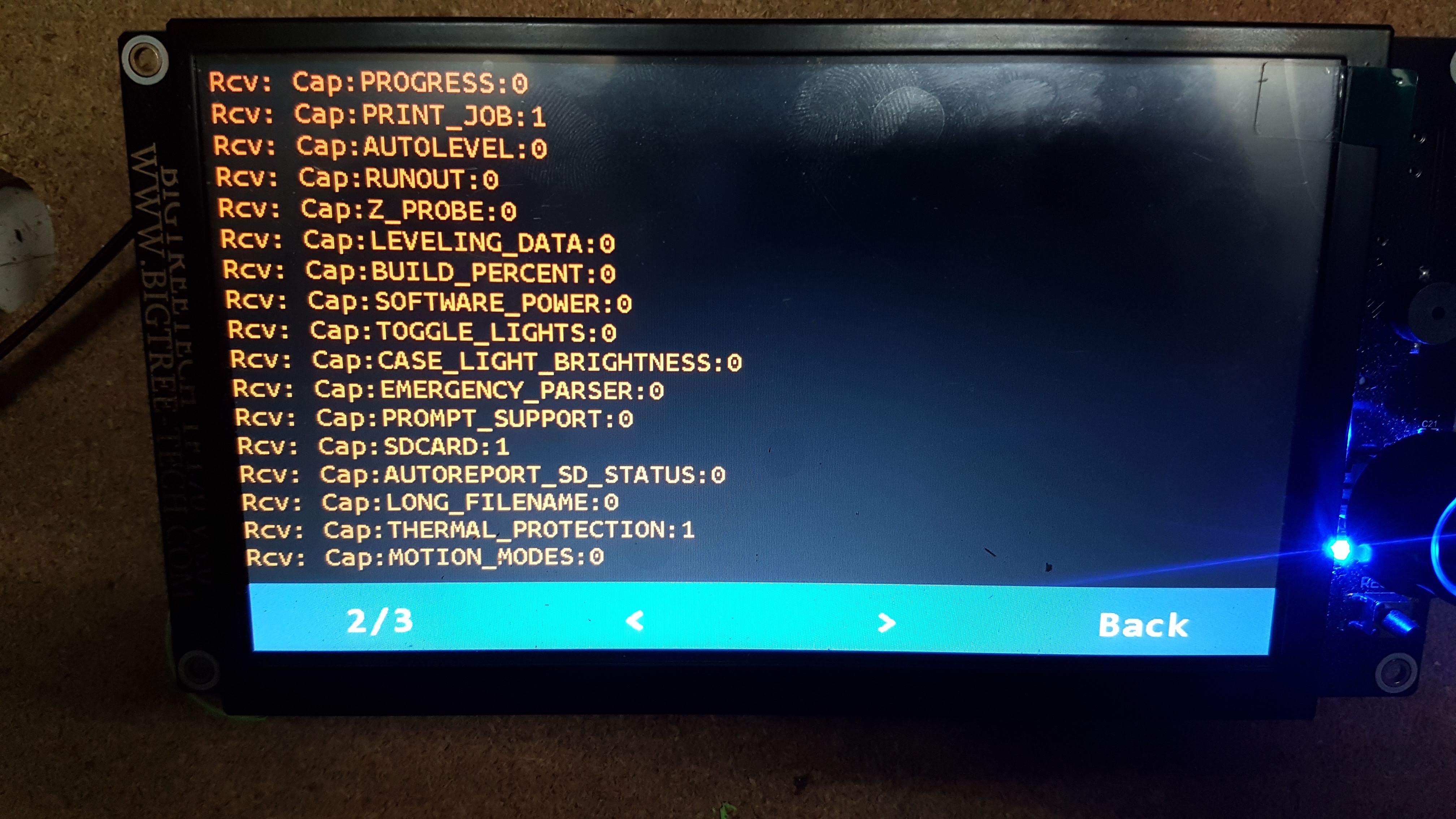
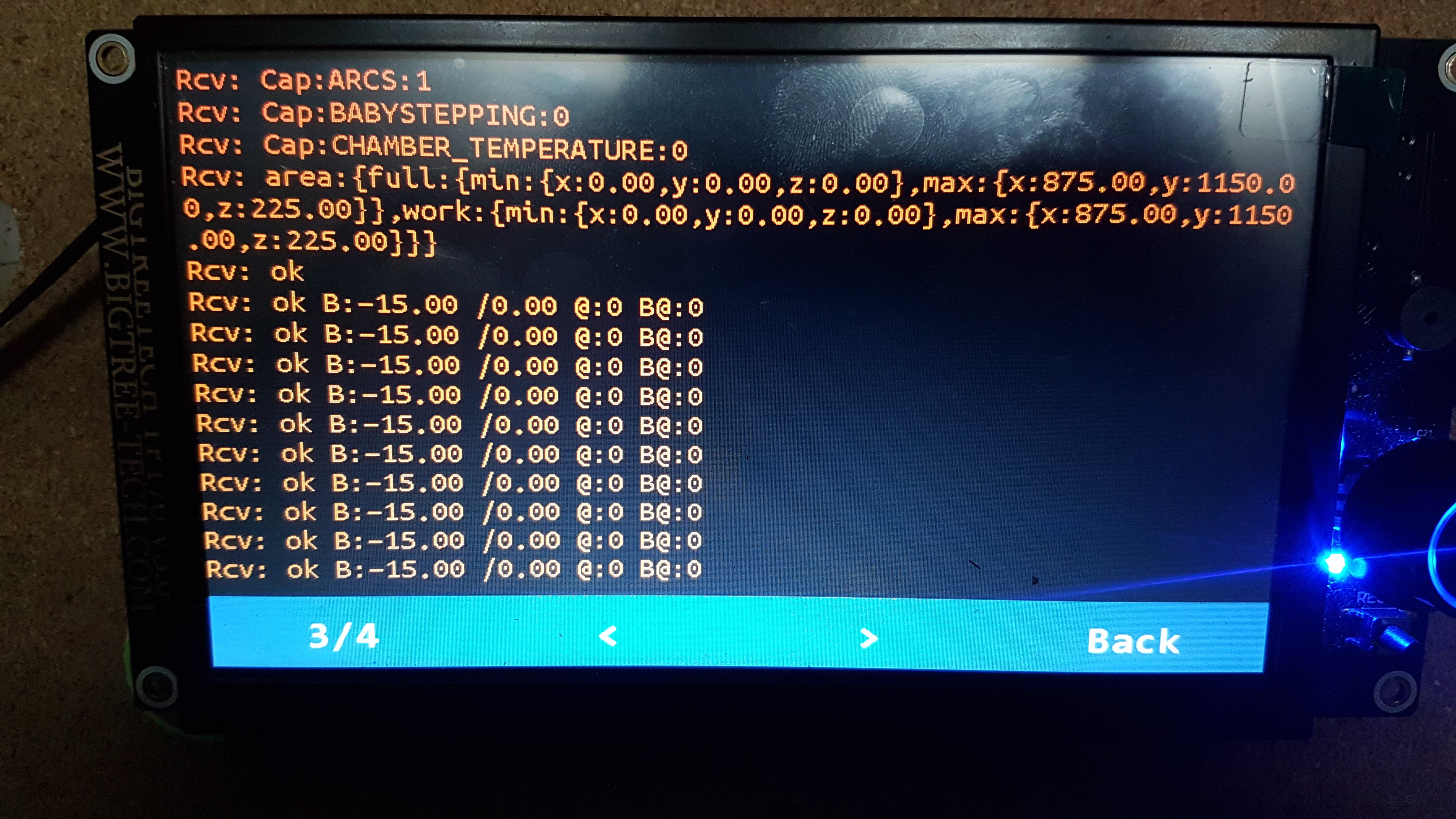
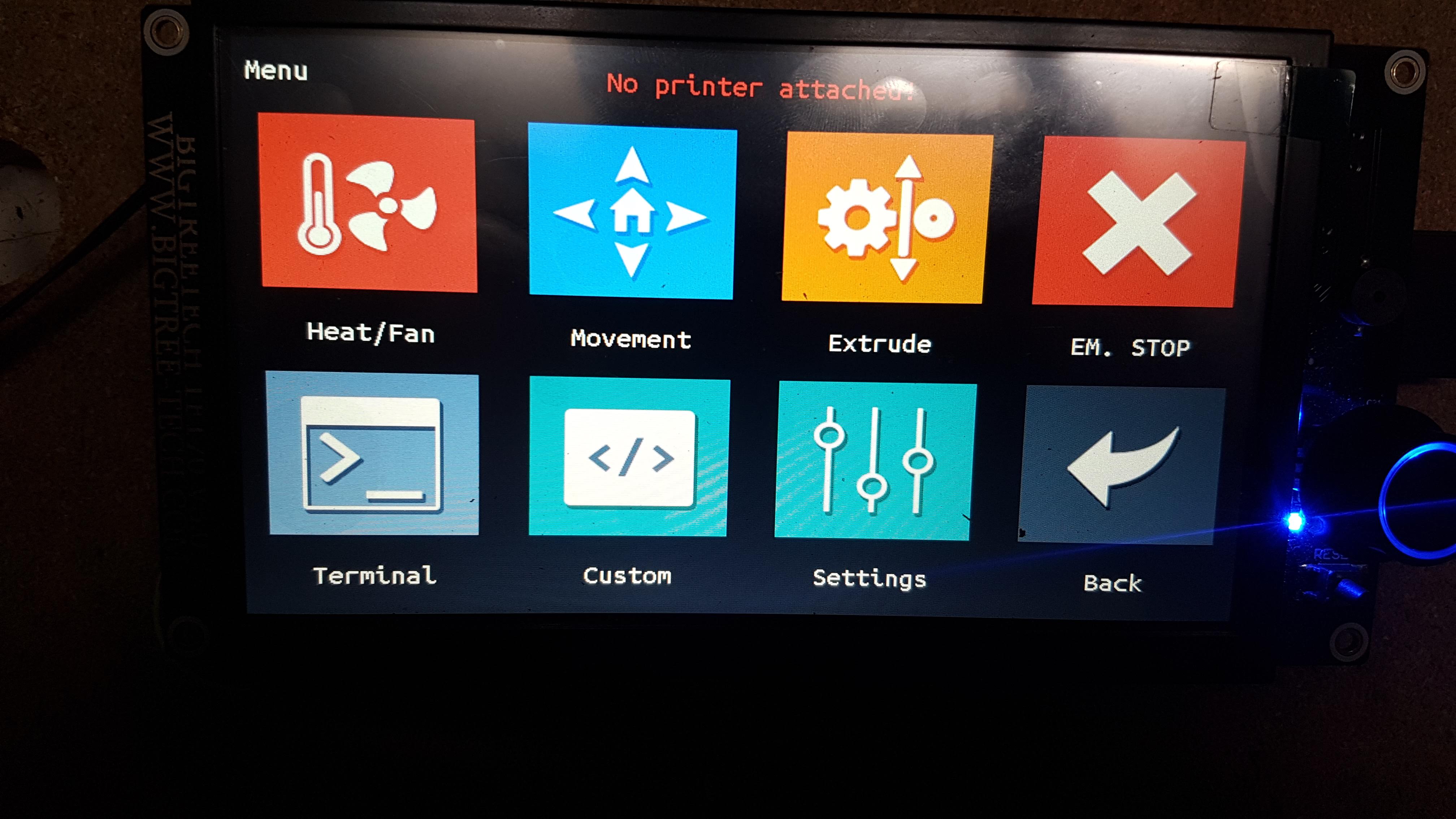
After the move: X, Y Z remains unchanged

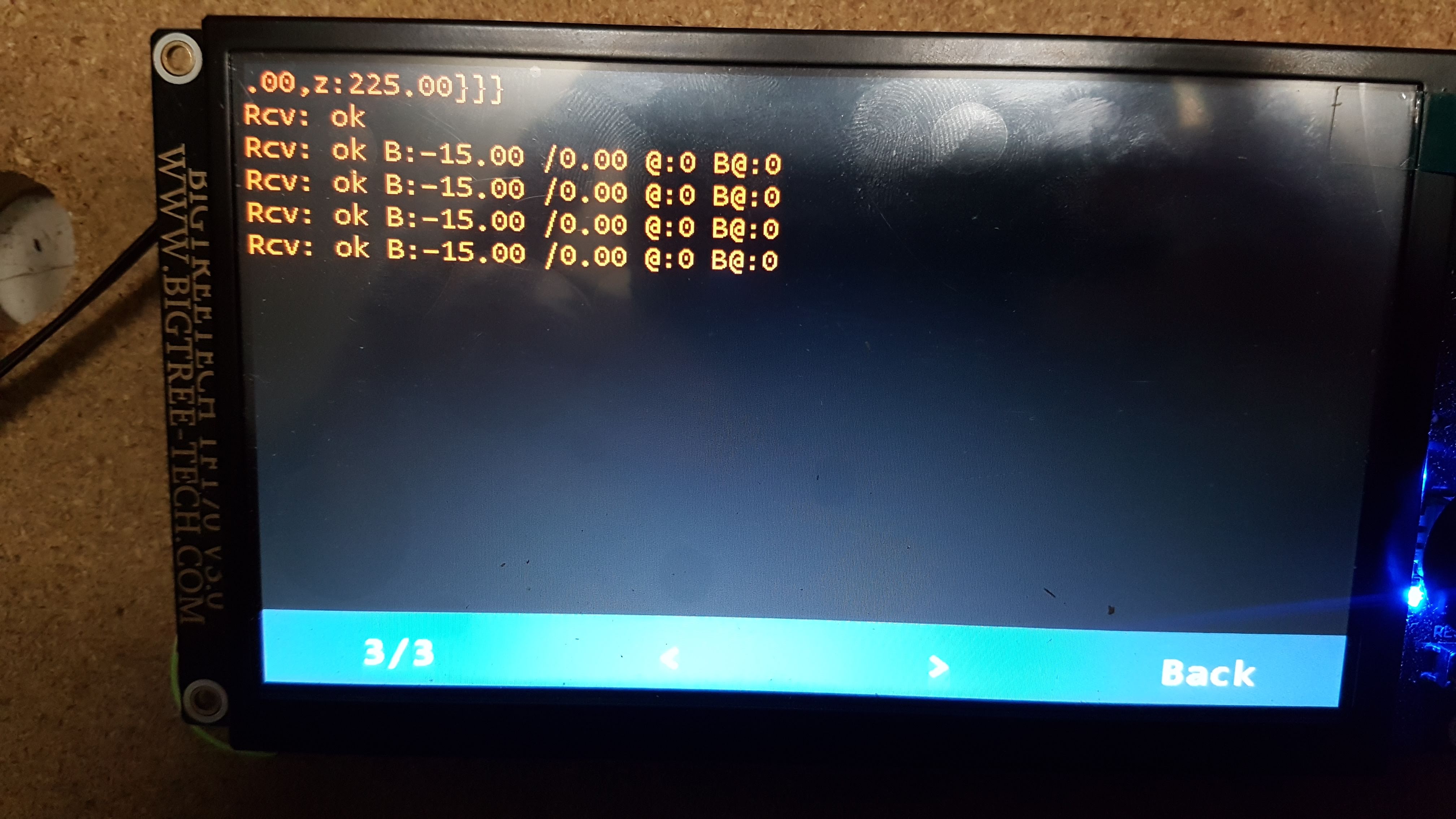
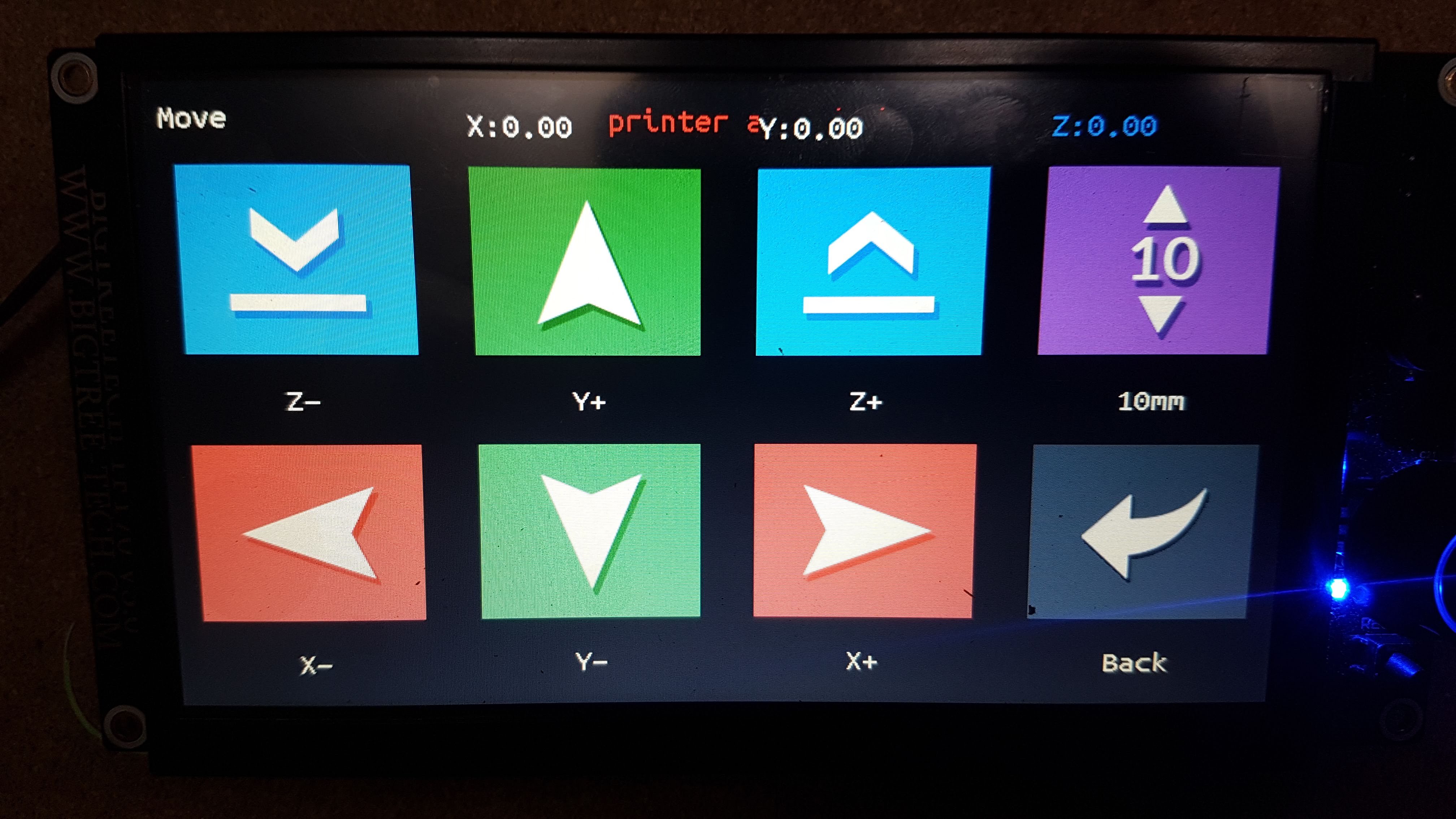
I have an idea. In configuration.h (display) set #define EXTRUDER_NUM 1 #define MIXING_EXTRUDER 1
in config.ini hotend_count 1
Compile the FW and upload it to the display. Then disappears the printer is not connected?
Hello Hello I compile and flash the display, but the result is unchanged, still "No printer attached" and move does not update the values on the screen.
Thanks but this is for TFT35, and the branch for TFT35 is not the same a TFT43 or TFT70. You suggest me to buy a TFT35 instead?
The only way I found is to set EXTRUDER 1 , and to not assign any StepperMotor for E0 or E1 ( not defined, so commented), and also to reasign in the pins configuration file the E0 pins to unused pin.
Were you ever able to find a proper fix for this issue? I'm in the same situation as you with my CNC machine. I had been in contact with BTT Tony on the FB group and while he was a big help we never resolved this issue. I did get some advice from another user to set a dummy extruder but I have not done that yet. I just did not use my BTT TFT70 on the machine but I would like to get it working properly. I am using the SKIR v1.3 motherboard and Marlin 2.0.7. For some reason this version avoids the compilation errors that happened with 2.0.9. With 2.0.9, if Extruders is set to 0, you must remove any values that reverence an extruder in things like steps per mm or speeds/accelerations (#define DEFAULT_AXIS_STEPS_PER_UNIT { 80, 80, 400 } instead of { 80, 80, 400, 100 } , etc ) I had read through this thread before and came back her in hopes of a resolution. I may have to try setting up a dummy extruder in Marlin for my SKR v1.3 although I'm not quite sure on how to do it. Cheers and good luck!

Hello
After many tried, and time passed by patching even Marlin Code and also TFT70 code, I decide to leave it like withextruders to 1, and to modify marlin to fake like no extruders. Meaning I can use my TFT70 properly with my SKR V1.4 and dual endstop. I perform most of the changes in Marlin with pins reassignments and modifications in marlin.
If I've got more time later, I could tried again, but I need to go on. I will take into consideration your clues.
I provided to V1engineering team my configurations with SKR V1.4.
BR.
Le dim. 12 sept. 2021 à 18:07, korttwulfe @.***> a écrit :
Were you ever able to find a proper fix for this issue? I'm in the same situation as you with my CNC machine. I had been in contact with BTT Tony on the FB group and while he was a big help we never resolved this issue. I did get some advice from another user to set a dummy extruder but I have not done that yet. I just did not use my BTT TFT70 on the machine but I would like to get it working properly. I am using the SKIR v1.3 motherboard and Marlin 2.0.7. For some reason this version avoids the compilation errors that happened with 2.0.9. With 2.0.9, if Extruders is set to 0, you must remove any values that reverence an extruder in things like steps per mm or speeds/accelerations (#define DEFAULT_AXIS_STEPS_PER_UNIT { 80, 80, 400 } instead of { 80, 80, 400, 100 } , etc ) I had read through this thread before and came back her in hopes of a resolution. I may have to try setting up a dummy extruder in Marlin for my SKR v1.3 although I'm not quite sure on how to do it. Cheers and good luck!
— You are receiving this because you authored the thread. Reply to this email directly, view it on GitHub https://github.com/bigtreetech/BIGTREETECH-SKR-V1.3/issues/497#issuecomment-917664034, or unsubscribe https://github.com/notifications/unsubscribe-auth/ASF4OV4V476XAXJAE5VSCFDUBTF4LANCNFSM4W3D3SSA . Triage notifications on the go with GitHub Mobile for iOS https://apps.apple.com/app/apple-store/id1477376905?ct=notification-email&mt=8&pt=524675 or Android https://play.google.com/store/apps/details?id=com.github.android&referrer=utm_campaign%3Dnotification-email%26utm_medium%3Demail%26utm_source%3Dgithub.
Hi!
I have the exact same problem. Where did you change the pin configuration?

Found the problem. This fix allows Bigthreetech to work with extruder = 0 in Marlin.
In Display firmware parseACK.c file Comment out: //if (!(ack_seen("@") && ack_seen("T:")) && !ack_seen("T0:")) goto parse_end;
If it works for you, it's great. Do you want to create a PR and add a new parameter to the configuration.h file that deactivates this line on request? It could then be used by other users with the same configuration, and they did not have to search for those already discovered. :-)
A better solution than commenting on this line would be to add a parameter to your condition that your Marlin reports (extruder 0) when the printer is idle.
What does the terminal tell you when the printer is idle?
Found the problem. This fix allows Bigthreetech to work with extruder = 0 in Marlin.
In Display firmware parseACK.c file Comment out: //if (!(ack_seen("@") && ack_seen("T:")) && !ack_seen("T0:")) goto parse_end;
I tried this but it did not fix the "no printer attached" problem however, everything seems to work despite this error. I can use the touch screen to move, home, send G and M codes via the terminal. When I do a job I will get the spindle moved where I want via the touch screen, then switch to marlin mode and Zero the axis' and load the job. It's working and since I don't run a lot of jobs on my cnc as it's only a hobby machine I can live with the error I guess. Thanks your you suggestion and good luck!