

 bigbluebutton
Greenlight Customization: ROOM_FEATURES=recording is Disabled in Customized Docker Image
Issue Description
Reference to setting in .env file: https://github.com/bigbluebutton/greenlight/blob/952886c0dc9e63974bdc79b6ab5021a4d5796ee0/sample.env#L185
I am running a customized version of greenlight pulled from the latest master branch. The problem is that recording is disabled whenever I use my custom image.
To Reproduce
- Build the custom docker image for greenlight according to the documentation here. My image name is
awiand tag isrelease-v2.8.7 - Copy
sample.envto.envand set values for the required variables - Build the image using the provided shell file. After the build succeeds, change the image in
docker-compose.ymlto your image and tag. - Start greenlight with
docker-compose up -d: greenlight starts successfully. - In greenlight administration (
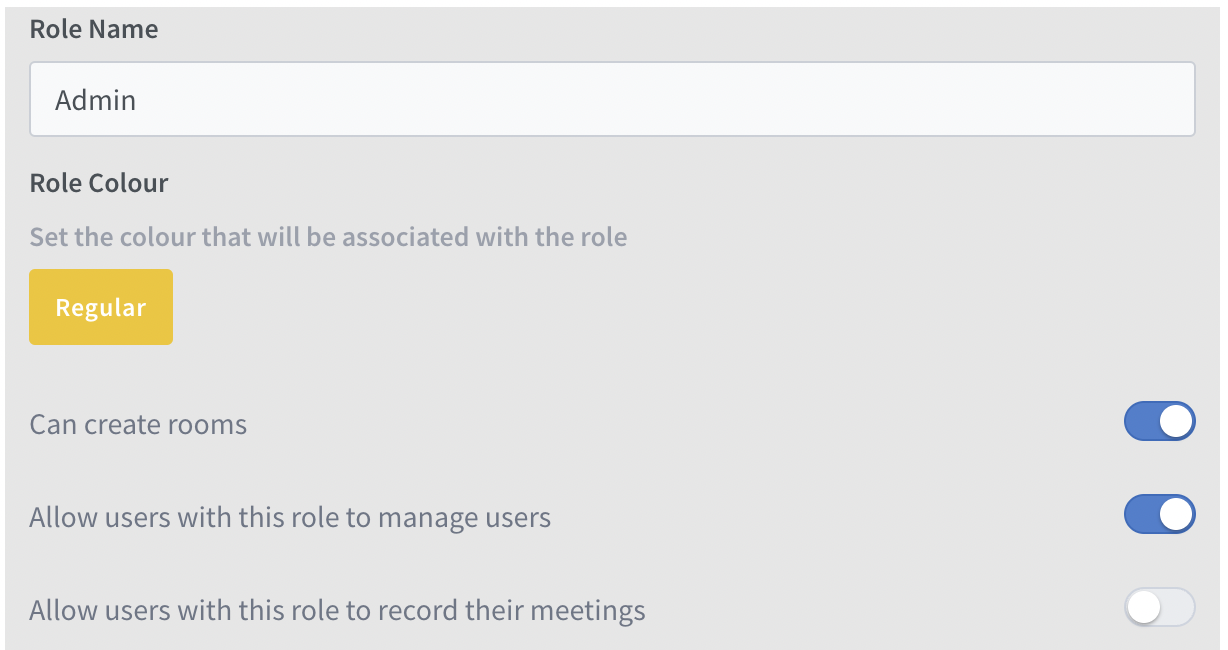
Organization --> Roles) forAdmin: the option forAllow users with this role to manage server rooms and recordingsis greyed out. - Create or Modify existing Room Settings: There is no option for
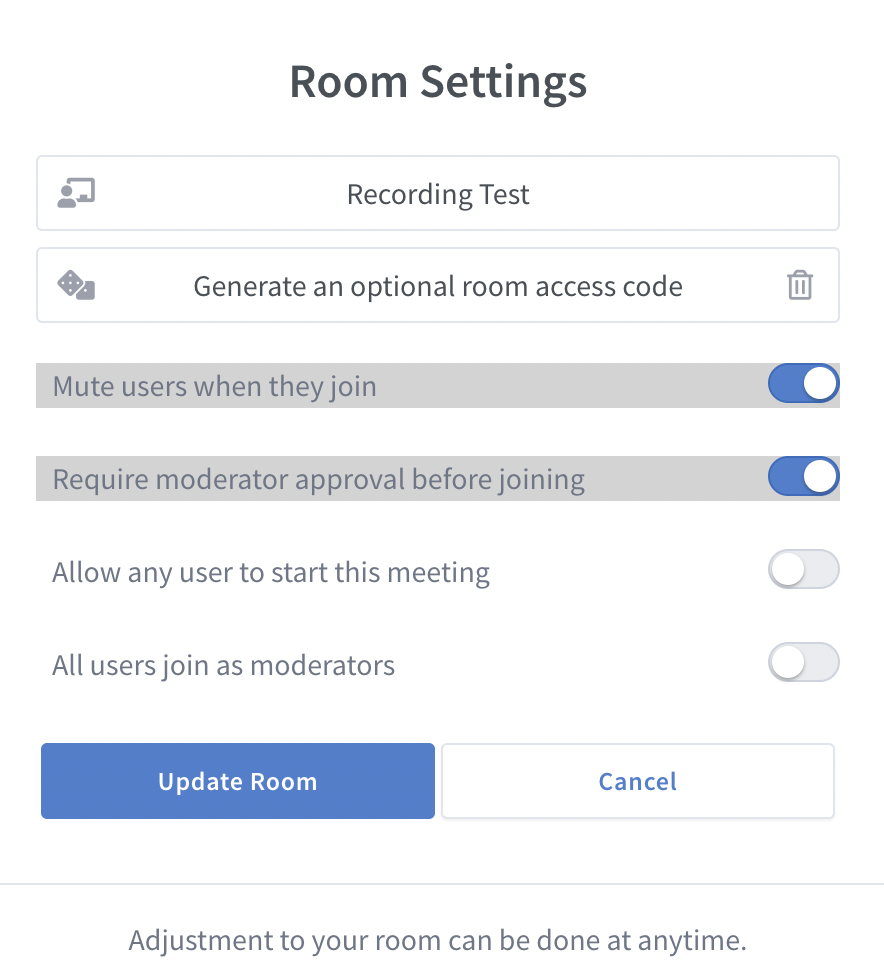
Allow room to be recorded - Start a meeting: Recording is disabled
If I switch to the default image bigbluebutton/greenlight:v2, the recording features are enabled and they work as expected and BigBlueButton starts with the option for starting and stopping a recording. I am using the same greenlight database between both images so I'm not sure what is wrong. See screenshots below.
Screenshots from Customized greenlight


I am running the develop version of bigbluebutton based on v2.3 if that is useful.
Appreciate your help with this.
Thanks!

Has anyone run into this issue before and is able to provide some information on how to resolve it. Thanks!
@ffdixon Hi All, Did I submit this in the wrong queue or it just hasn't gotten on anyone's radar? Looking for some feedback or thoughts on this as it is holding back customizations that I would like to do.
Thanks!
Hi oktab1, Did you find a solution to this issue, looks the same as the issue we have in #3694

Same here after an upgrade of greenlight and the database we cannot enable recording.
Edit: After investigation it seems to be a problem with the database, env variable is set in the container.

So apparently as described in #3694 you have to manually update the enabled row in the table role_permissions with something like this:
greenlight_production=# UPDATE role_permissions
greenlight_production-# SET enabled = true
greenlight_production-# WHERE id = xx;

get your id from greenlight_production=# select * from "roles"; get the role id of your admin

select * from "role_permissions"; look for the the right id in your roles_permissions table with the correct setting
Please note: Greenlight v3 has been released. With this new version, many of the issues and bugs that were present in v2 have been resolved.
As a result, we will no longer be providing updates or support for v2 (except for major security issues), and we will be closing any outstanding bug reports / feature requests related to v2. While we understand that some of you may still be using v2, we highly encourage you to upgrade to v3 to take advantage of the improved features and stability. If your request/bug still applies to v3, please open a new issue for it
