

 bigbluebutton
Request Failed With Status Code 400 When Starting Room On Fresh Install On Ubuntu 20.04
I followed the instructions on the README and installed big blue button onto a fresh digital ocean droplet via the command:
wget -qO- https://ubuntu.bigbluebutton.org/bbb-install-2.6.sh | bash -s -- -v focal-260 -s bbb.commoninternet.net -e [email protected] -g -w
the install appeared to go well. no problems found.
I'm able to access the web interface via the domain, and to sign up.
However, when I try to start any room, it doesn't work, and I get the error in the console, "Request failed with status code 400".
Here are screenshots of the web interface error and console:
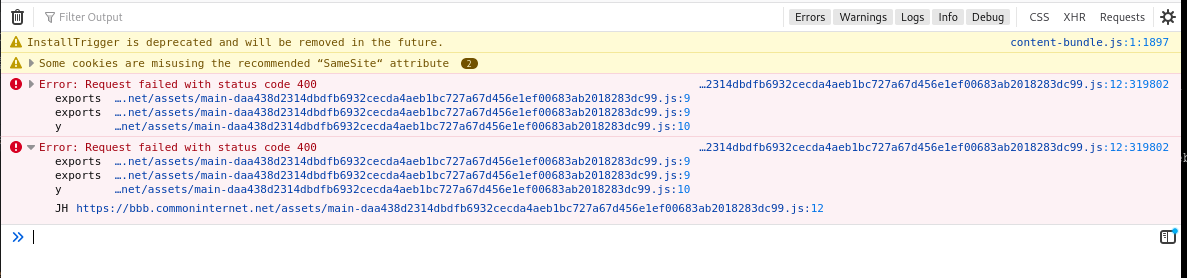
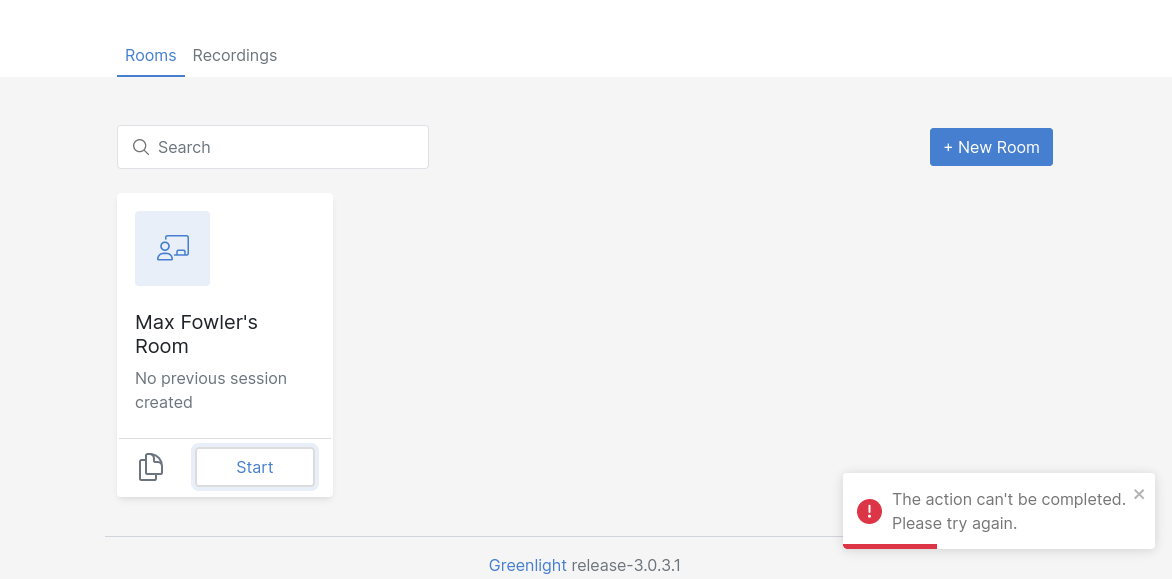
On the server, I see all is fine with bbb-conf --status and bbb-conf --check
root@bbb:~# bbb-conf --status
nginx —————————————————► [✔ - active]
freeswitch ————————————► [✔ - active]
redis-server ——————————► [✔ - active]
bbb-apps-akka —————————► [✔ - active]
bbb-fsesl-akka ————————► [✔ - active]
mongod ————————————————► [✔ - active]
bbb-html5 —————————————► [✔ - active]
bbb-webrtc-sfu ————————► [✔ - active]
kurento-media-server ——► [✔ - active]
bbb-html5-backend@1 ———► [✔ - active]
bbb-html5-backend@2 ———► [✔ - active]
bbb-html5-frontend@1 ——► [✔ - active]
bbb-html5-frontend@2 ——► [✔ - active]
etherpad ——————————————► [✔ - active]
bbb-web ———————————————► [✔ - active]
bbb-pads ——————————————► [✔ - active]
bbb-export-annotations ► [✔ - active]
bbb-rap-caption-inbox —► [✔ - active]
bbb-rap-resque-worker —► [✔ - active]
bbb-rap-starter ———————► [✔ - active]
root@bbb:~#


root@bbb:~# bbb-conf --check

BigBlueButton Server 2.6.3 (1146)
                    Kernel version: 5.4.0-147-generic
                      Distribution: Ubuntu 20.04.6 LTS (64-bit)
                            Memory: 16392 MB
                         CPU cores: 8

/etc/bigbluebutton/bbb-web.properties (override for bbb-web)
/usr/share/bbb-web/WEB-INF/classes/bigbluebutton.properties (bbb-web)
       bigbluebutton.web.serverURL: https://bbb.commoninternet.net
                defaultGuestPolicy: ALWAYS_ACCEPT
              defaultMeetingLayout: CUSTOM_LAYOUT

/etc/nginx/sites-available/bigbluebutton (nginx)
                       server_name: bbb.commoninternet.net
                              port: 80, [::]:80127.0.0.1:82 http2 proxy_protocol, [::1]:82 http2127.0.0.1:81 proxy_protocol, [::1]:81

/opt/freeswitch/etc/freeswitch/vars.xml (FreeSWITCH)
                       local_ip_v4: 209.38.242.125
                   external_rtp_ip: 209.38.242.125
                   external_sip_ip: 209.38.242.125

/opt/freeswitch/etc/freeswitch/sip_profiles/external.xml (FreeSWITCH)
                        ext-rtp-ip: $${local_ip_v4}
                        ext-sip-ip: $${local_ip_v4}
                        ws-binding: 209.38.242.125:5066
                       wss-binding: 209.38.242.125:7443

UDP port ranges

                        FreeSWITCH: 16384-24576
                           kurento: 24577-32768
                    bbb-webrtc-sfu: 24577-32768

/usr/local/bigbluebutton/core/scripts/bigbluebutton.yml (record and playback)
                     playback_host: bbb.commoninternet.net
                 playback_protocol: https
                            ffmpeg: 4.2.7-0ubuntu0.1

/usr/share/bigbluebutton/nginx/sip.nginx (sip.nginx)
                        proxy_pass: 209.38.242.125
                          protocol: http

/usr/local/bigbluebutton/bbb-webrtc-sfu/config/default.yml (bbb-webrtc-sfu)
/etc/bigbluebutton/bbb-webrtc-sfu/production.yml (bbb-webrtc-sfu - override)
    mediasoup.webrtc.*.announcedIp: 209.38.242.125
  mediasoup.plainRtp.*.announcedIp: 209.38.242.125
                        kurento.ip: 209.38.242.125
                       kurento.url: ws://127.0.0.1:8888/kurento
                 freeswitch.sip_ip: 209.38.242.125
               recordScreenSharing: true
                     recordWebcams: true
                  codec_video_main: VP8
               codec_video_content: VP8

/usr/share/meteor/bundle/programs/server/assets/app/config/settings.yml (HTML5 client)
/etc/bigbluebutton/bbb-html5.yml (HTML5 client config override)
                             build: 571
                        kurentoUrl: wss://bbb.commoninternet.net/bbb-webrtc-sfu
            defaultFullAudioBridge: sipjs
           defaultListenOnlyBridge: fullaudio
                    sipjsHackViaWs: true


# Potential problems described below
any ideas what the issue could be?
I've currently taken down the instance to save money, but could put it back again.

Strange -- we just did an install on a new Digital Ocean droplet and it worked for us. Could we ask that you try it again and let us know if you run into the same problem.
And to ensure there isn't any networking issues, can you try accessing https://test26.bigbluebutton.org) and let us know if everything loads fine for you from that server.

I have the same exact problem. Fresh install on Ubuntu Focal. No firewall enabled whatsoever.
