
livewire-devtools
 livewire-devtools copied to clipboard
 beyondcode
Chrome and Firefox DevTools extension for debugging Livewire applications
Livewire Devtools
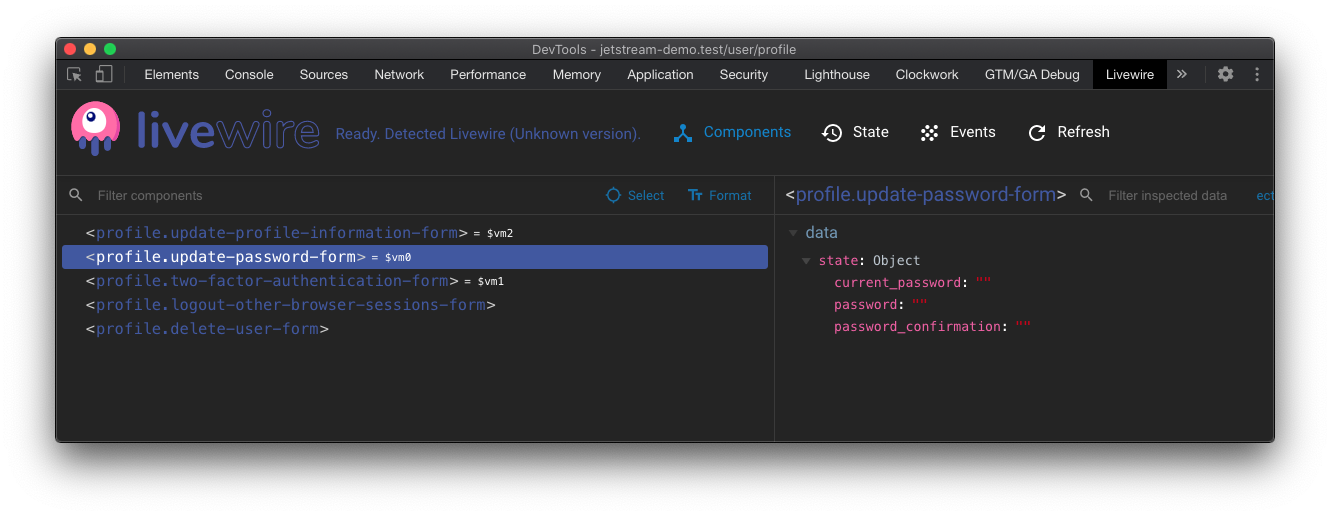
Debug your Livewire component state from within your browser.
Installation
This extension does not yet have a stable version publicly available. You can download the pre-release version and manually install it.
Manual Installation
- Clone this repo
npm install(Oryarn installif you are using yarn as the package manager)npm run build- Open Chrome extension page (chrome://extensions)
- Check "developer mode"
- Click "load unpacked extension", and choose
shells/chrome.
Hacking
- Clone this repo
npm installnpm run dev- A plain shell with a test app will be available at
localhost:8080.
Testing as Firefox addon
-
Install
web-ext$ npm install --global web-extOr, for Yarn:
$ yarn global add web-extAlso, make sure
PATHis set up. Something like this in~/.bash_profile:$ PATH=$PATH:$(yarn global bin) -
Build and run in Firefox
$ npm run build
$ npm run run:firefox
When using Yarn, just replace
npmwithyarn.
License
Thanks goes out to Vue devtools, which were used as a starting point for this.
Metadata
413
Stars
23
Forks
Watchers
Owner
 beyondcode
Metadata
Chrome and Firefox DevTools extension for debugging Livewire applications