
blackbox-log-viewer
 blackbox-log-viewer copied to clipboard
 betaflight
Extended dshot telemetry data parsing and presentation
This pr adds EDT parsing and presentation functionality to blackbox explorer. EDT data is packed in debug fields in the following way:
- bit 15 - alert event
- bit 14 - warning event
- bit 13 - error event
- bits 11-8 - Max stress level during the whole flight
- bits 7-0 - ESC data depending on the chosen debug mode
This pr is related to: https://github.com/bird-sanctuary/bluejay/pull/64 https://github.com/betaflight/betaflight/pull/12170 https://github.com/betaflight/betaflight-configurator/pull/3262
ESC temperature log files for testing: BTFL_BLACKBOX_LOG_Meteor65_20230201_183226.zip BTFL_BLACKBOX_LOG_Meteor65_20230202_183845.zip
ESC demag metric files for testing: BTFL_BLACKBOX_LOG_Meteor65_20230203_224822.zip
ESC rpm log files for testing: BTFL_BLACKBOX_LOG_Meteor65_20230203_232019.zip

-
unnecessary spaces added; can you set your editor to trim trailing spaces on new code, or edited lines only?
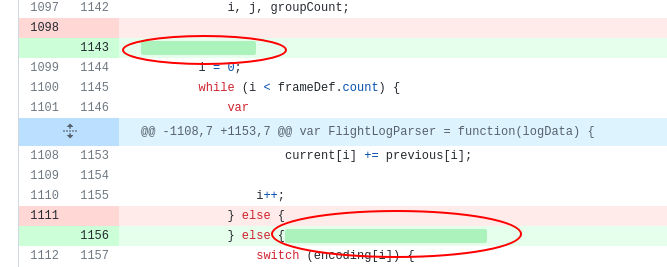
-
can you set your editor to convert tabs to spaces, preferably to match existing code? (tab = 4 spaces)
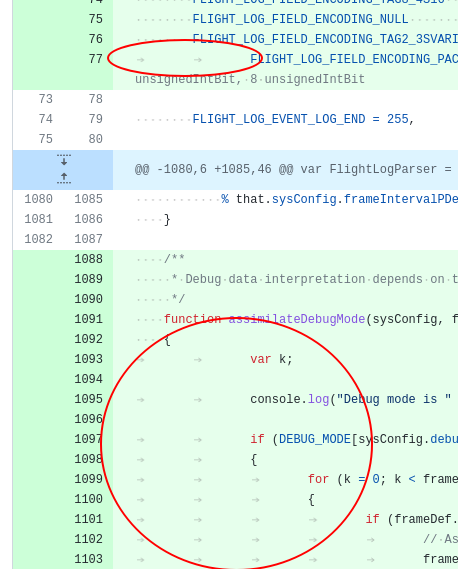

Do you want to test this code? Here you have an automated build: Betaflight-Blackbox-Explorer-Linux Betaflight-Blackbox-Explorer-macOS Betaflight-Blackbox-Explorer-Windows WARNING: It may be unstable and result in corrupted configurations or data loss. Use only for testing!
![github-actions[bot] avatar](https://avatars.githubusercontent.com/in/15368?v=4 "Published by a pub.dev verified publisher")
Do you want to test this code? Here you have an automated build: Betaflight-Blackbox-Explorer-Linux Betaflight-Blackbox-Explorer-macOS Betaflight-Blackbox-Explorer-Windows WARNING: It may be unstable and result in corrupted configurations or data loss. Use only for testing!
@damosvil I don't understand too mucho about ESCs but an important question to get to the best solution:
- This info about demag, desync, stall, etc. events. How important is? Is habitual to have them and not notice it or if it happens is sign that something is broken/misconfigured and needs to be fixed?
I say that because package it only in debug fields, will "hide" it from the major part of users, except if they configure this debug fields in the firmware and look at it expressly in the blackbox.
- If this events are habitual, at least at some extent -> then use debug fields is ok to me.
- If this events are not, and must be noticed by the user -> then I think is better to send them as events and not as debug fields, in this way they will be noticed inmediatelly in the blackbox (but we need to revisit the events fields because they are limited to 32 only I think remember). The debug fields may remain, they can give more information if a user needs it, but must be not the principal way of notification.
Regards!

@damosvil looking deeply at the code, it seems you are using the bookmarks feature to mark them? Maybe you can publish some screen capture about how they look?
Below I describe behavior of some of the events:
- Demag events are pretty usual as they happen when motors change speed abruptly.
- Desync events are triggered when many consecutive demag events happen (in Bluejay/Blheli_S): -- 160 consecutive demag events for Low Demag Compensation trigger a Desync event -- 130 consecutive demag events for High Demag Compensation trigger a Desync event -- 255 consecutive demag events for Off Demag Compensation trigger a Desync event
- Stall events happen when motor stalls
- Demag Metric data is used to adjust commutation timing. It ranges from 120 to 255. When it is low it means that the ESC is capable of doing good commutation, the higher the worse commutation.
- Max Demag Metric is a value between 0 and 15 that indicates how the esc carries on with the motor during flight. It is the result of the formula: MDM = (DM - 120) / 9. During the test flights in a brand new Meteor65 it had a value of 4. Normal values should be below 10, otherwise the ESC may have problems performing a good commutation.
Debugging EDT you will always have the following status data:
- Demag event
- Desync event
- Stall event
- Max Demag Metric
You will have an additional value depending on the debug mode used:
- DSHOT_STATUS_N_TEMPERATURE: Status data and temperature
- DSHOT_STATUS_N_VOLTAGE: Status data and temperature
- DSHOT_STATUS_N_CURRENT: Status data and current
- DSHOT_STATUS_N_DEBUG1: Status data and debug1 value
- DSHOT_STATUS_N_DEBUG2: Status data and debug2 value
- DSHOT_STATUS_N_DEMAG_METRIC: Status data and demag metric
- DSHOT_STATUS_N_ERPM_FRACTION_18: Status data and RPM but with less resolution than when debugging DSHOT_RPM_TELEMETRY
This is the first time all this data is logged in Betaflight blackbox, so any idea regarding on how to display it is more than welcome.
Capture of temperature:
To the left you can read values. X is demag event [0,1], D is desync event [0,1], S is stall event [0,1], MAX_DEMAG is demag metric max [0-15], and then the chosen magnitude, in this case temperature.

Capture of demag metric on a brand new Meteor 65:

Capture of rpm:

Do you want to test this code? Here you have an automated build: Betaflight-Blackbox-Explorer-Linux Betaflight-Blackbox-Explorer-macOS Betaflight-Blackbox-Explorer-Windows WARNING: It may be unstable and result in corrupted configurations or data loss. Use only for testing!
At this time I choose to draw the EDT selected magnitude in the graph, but I am thinking on printing a mark in the temperature graph for desync events and a blue vertical line from top to botom for stall events. Demag events are pretty usual so I would let them in the info to the right, but I would not print them. Max demag metric is interesting to be checked at the end of the flight, so I would not print this number in the graph, it can be simply cheched at the end of the flight. Other option is to print a mark when it is bigger than 9. Please, let me know how you see this.
In general all this data is interesting to technical users that want to know how the esc/motors are going during flight. The most interesting to be tracked during the flight is max demag metric. It can provide information about the esc/motor health during the whole flight. As I commented above event and demag data is new at this point, so we may create an initial version with some features, and later when the user base grows we may add some new features based on user experience and needs.
Ok, understood. So the major part of values from the ESC are debug values and must be shown when the users logs it. As you say this PR is ok for that.
But it seems there are some information that can be important to show (maybe desync/stall events? can you confirm?) It seems to me, by your description, that they must not happen and if it does, is a good idea to inform the user. Am I right?
If yes, I think they must be shown as events in the timeline. Is similar to what we do with the flight modes, that we draw a "flag/mark" in the timeline: https://github.com/betaflight/betaflight/blob/facf44b4066d726fafcc969a8fcb9afbeb3009ff/src/main/blackbox/blackbox.c#L354 but this can be left to a future PR. Adding the debug data as first step is ok to me.
Looking at the code, the lapTimer must be taken as a good example too. But as I said, can be left for a future PR.
@damosvil please remove dependency changes as they are not required for your (excellent) work.

@haslinghuis I removed the changes over package.json and yarn.lock. Please, let me know if I have to change anything else.
Do you want to test this code? Here you have an automated build: Betaflight-Blackbox-Explorer-Linux Betaflight-Blackbox-Explorer-macOS Betaflight-Blackbox-Explorer-Windows WARNING: It may be unstable and result in corrupted configurations or data loss. Use only for testing!
Do you want to test this code? Here you have an automated build: Betaflight-Blackbox-Explorer-Linux Betaflight-Blackbox-Explorer-macOS Betaflight-Blackbox-Explorer-Windows WARNING: It may be unstable and result in corrupted configurations or data loss. Use only for testing!
Do you want to test this code? Here you have an automated build: Betaflight-Blackbox-Explorer-Linux Betaflight-Blackbox-Explorer-macOS Betaflight-Blackbox-Explorer-Windows WARNING: It may be unstable and result in corrupted configurations or data loss. Use only for testing!
@McGiverGim @haslinghuis Please, also consider this log to view the latest functionality changes on graph: BTFL_BLACKBOX_LOG_Meteor65_20230208_183723.zip
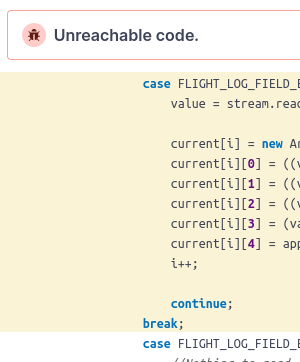
Do you want to test this code? Here you have an automated build: Betaflight-Blackbox-Explorer-Linux Betaflight-Blackbox-Explorer-macOS Betaflight-Blackbox-Explorer-Windows WARNING: It may be unstable and result in corrupted configurations or data loss. Use only for testing!
@nerdCopter I have seen that bug, but the program is using that code path. I don't understand why it is reporting it. I will have a look asap.
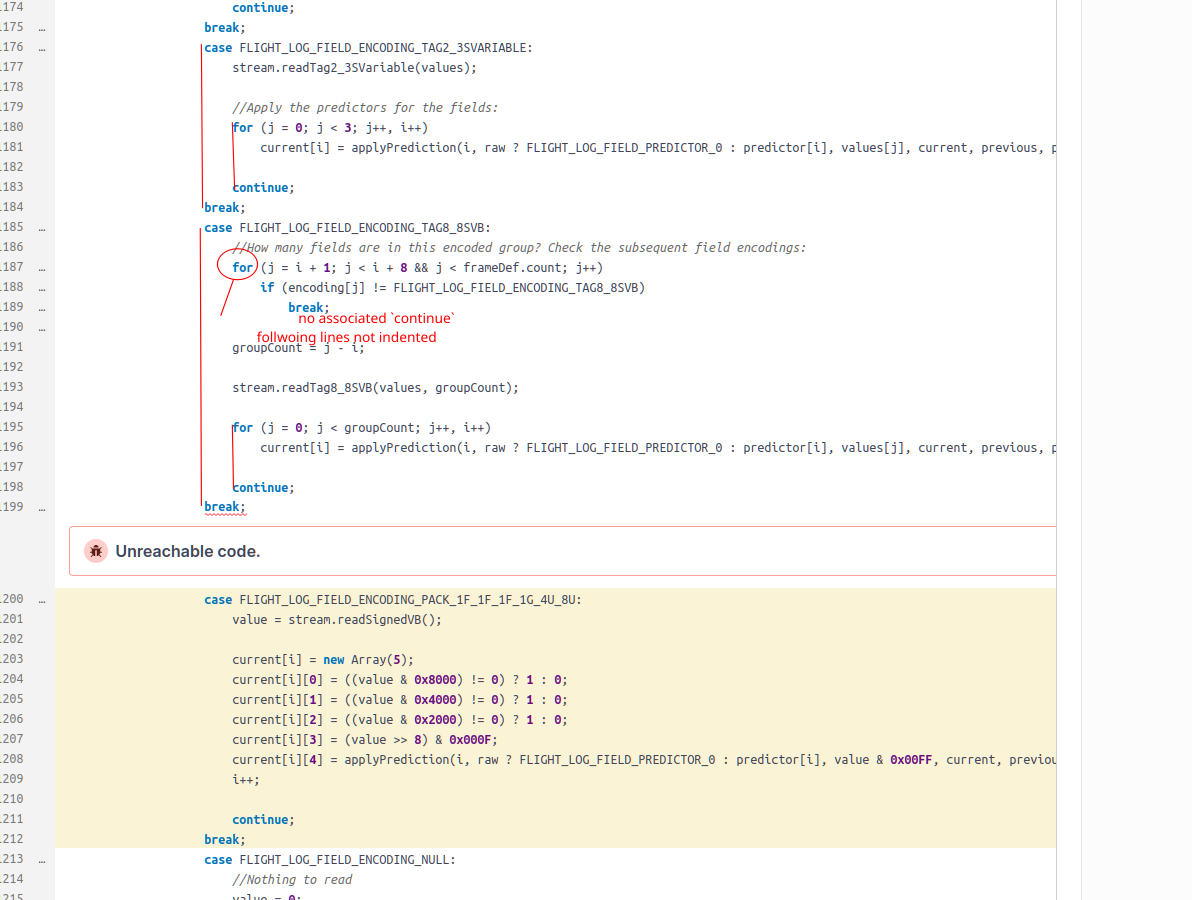
@nerdCopter the continues that you mention aren't related to the external loop? I think they are outside the loops you are refering to, I mean that if they were related to these loops shouldn't they be written like in the following example?
for (;;) {
  command = command + 1;
  continue;
}
The continue I wrote also is referring to the external for. That is why I don't understand why it is marking my code as bug.
@nerdCopter the continues that you mention [...]
i think you're right and i'm wrong; i'm investigating. it may be SonarCloud false-positive.
research reports that continue is only for for-loops. i see one at line 1211 without a for loop. i wonder if this is what breaks SonarCloud.
i tried setting up sonarclod on my own repo, but it's convoluted and may require further CI configs which i dont feel like performing.
This weekend I will update the code to avoid sonarcloud false positives, and allow being integrable in current master
Today I generated a log in a Meteor 65 and it seems the pr works fine: STATUS_N_RPM_BTFL_BLACKBOX_LOG_Meteor65_20230318_104401.zip
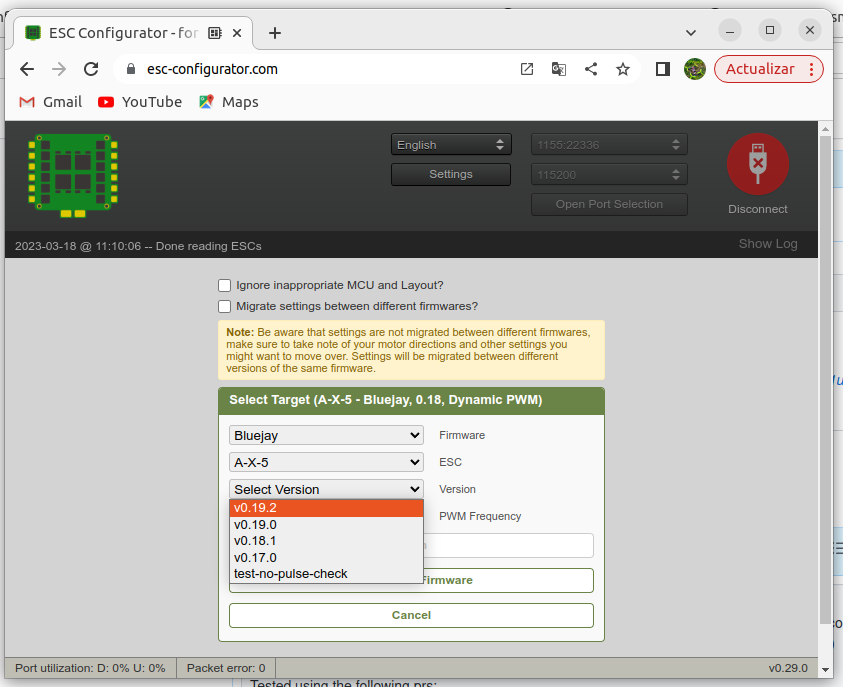
Tested using the following prs & Bluejay v0.19.2: https://github.com/betaflight/betaflight/pull/12170 https://github.com/betaflight/betaflight-configurator/pull/3262 https://github.com/betaflight/blackbox-log-viewer/pull/625
AUTOMERGE: (FAIL)
- github identifies PR as mergeable -> FAIL
- assigned to a milestone -> PASS
- cooling off period lapsed -> PASS
- commit count less or equal to three -> PASS
Don't mergelabel NOT found -> PASS- at least one
RN:label found -> PASS Testedlabel found -> FAIL- assigned to an approver -> FAIL
- approver count at least three -> FAIL

Do you want to test this code? Here you have an automated build: Betaflight-Blackbox-Explorer-Linux Betaflight-Blackbox-Explorer-macOS Betaflight-Blackbox-Explorer-Windows WARNING: It may be unstable and result in corrupted configurations or data loss. Use only for testing!