

 beryx
beryx
--icon option completely ignored in debian packages
Hi, I'm trying to set an icon for a .deb package.
This is my current build.gradle
jlink {
    moduleName = 'carlosmolero.mkwriter'
    mergedModuleName = 'carlosmolero.mkwriter.dependencies.module'
    forceMerge('log4j-api')
    jpackage {
        launcher{
            name = 'MKWriter'
        }
        imageOptions = ["--icon","src/main/resources/images/app_icon512.png"]
        jpackageHome = '/home/roma/.jdks/openjdk-16'
        if (org.gradle.internal.os.OperatingSystem.current().linux) {
            installerType = "deb"
            installerOptions += [
                    '--description', project.description,
                    '--app-version', version,
                    '--copyright', 'Copyright 2021 Carlos Molero',
                    '--resource-dir', "build/jpackage/$project.name/app",
                    '--linux-menu-group', 'Office',
                    '--linux-shortcut',
                    '--linux-deb-maintainer', '[email protected]',
                    '--linux-rpm-license-type', 'MIT',
            ]
        }
        addExtraDependencies("javafx")
    }
    options = ['--strip-debug', '--compress', '2', '--no-header-files', '--no-man-pages']
}

tasks.jpackageImage.doLast {
    copy {
        from "src/main/resources"
        into "build/jpackage/$project.name/app"
    }
}
The app icon is not present, just the java default one
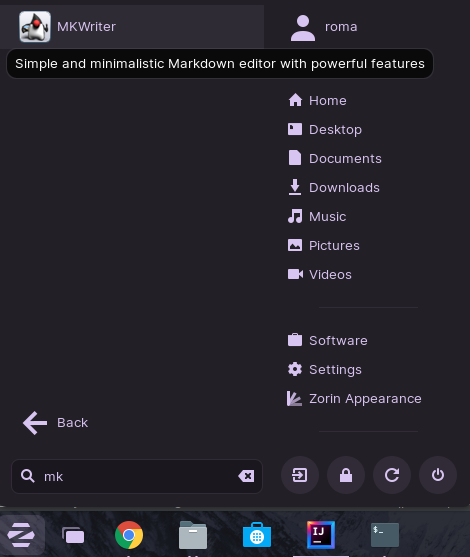
Also, when my system displays the Software installer app:

--resource-dir is correctly set as you can see in this screenshot
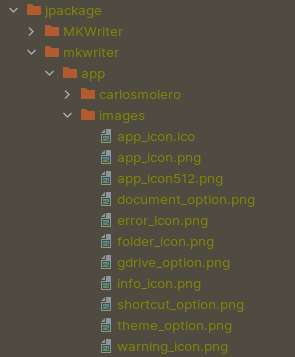
--info output showing correct path replacement
Starting process 'command '/home/roma/.jdks/openjdk-16/bin/jpackage''. Working directory: /home/roma/Desktop/Projects/personal/mkwriter Command: /home/roma/.jdks/openjdk-16/bin/jpackage --type deb --dest /home/roma/Desktop/Projects/personal/mkwriter/build/jpackage --name MKWriter --app-version 1.0 --app-image /home/roma/Desktop/Projects/personal/mkwriter/build/jpackage/MKWriter --description Simple and minimalistic Markdown editor with powerful features --app-version 1.0 --copyright Copyright 2021 Carlos Molero --resource-dir build/jpackage/mkwriter/app --linux-menu-group Office --linux-shortcut --linux-deb-maintainer [email protected] --linux-rpm-license-type MIT
Successfully started process 'command '/home/roma/.jdks/openjdk-16/bin/jpackage''
Any hint of what might be causing this issue? Thanks in advance.

I'm currently try creating a deb package, for the first time and am seeing the same issue.
I noticed that the build/jpackage/<app>/lib contains the correct .png file, but after installing the deb package I checked /opt/<app>/lib directory and even though the .png had the correct name, when I viewed it, it was the default/java icon.

Hi @vewert, I don't remember how I fixed the issue but this is my build.gradle for Linux binaries now:
        if (org.gradle.internal.os.OperatingSystem.current().linux) {
            imageOptions = ["--icon", "src/main/resources/images/app_icon512.png"]
            installerOptions += [
                    '--description', project.description,
                    '--app-version', version,
                    '--resource-dir', "build/jpackage/mkwriter/lib",
                    '--copyright', 'Copyright 2021 Carlos Molero',
                    '--linux-menu-group', 'Office',
                    '--linux-shortcut',
                    '--linux-deb-maintainer', '[email protected]',
                    '--linux-rpm-license-type', 'MIT',
            ]
        }
It works and the only thing I did was hardcode the resource dir path instead of referencing a variable. Hope it helps.
Adding installerOptions += ['--icon', "src/main/resources/icon.$imgType"] fixed the issue for .deb packages

