

 benrugg
Feature Request: Better progress bar during rendering
Describe the feature you'd like to see:
No need for API. Calculate remaining time by the root mean square of previous runs' time, like Gradio does.
I don't know how possible is to use this progress bar
 If not possible, have it in the style of the second answer here https://blender.stackexchange.com/questions/3219/how-to-show-to-the-user-a-progression-in-a-script, in a little panel with console open like this.

Also, find a way for interface not to freeze during process? (multithreading?).
Additional information
No response

Ah, that's an interesting way to show progress. And a good idea to do an estimate.
I actually added a progress bar in the upper right corner of the image editor screen area with the new animation process. It's not especially obvious, but it was the best I could do without a huge amount of code. Blender sure doesn't make it easy!!
Here's what I'd like to do in the future:
- Async renders. This is MUCH harder than you'd think it should be. Especially to support it in a non-brittle way on PC/Mac/Linux, and ideally without the need to install 3rd party python libraries. I worked on this for quite a while when I first started making AI Render, and eventually I just shelved it for later. My next step was going to be diving into the way that Addon Updater does it.
- Once all calls are async, we can improve the progress bar that I just added. I was thinking of making one bar for an individual frame and a second for the overall progress. (I think this could use an API call for Automatic1111 to get actual progress, and a fake/average estimate for DreamStudio).
- Someday, it would be cool to make a custom progress bar and make it much more obvious. BlenderKit has several custom drawing functions that could be adapted for this.
If you'd like to tackle any of this, go for it!

Those would make great additions!
- Had to fight with that once and gave up. Never again.
/sdapi/v1/progress, great. Side to side progress bar, render to the left and SD to the right so it kinda looks like a larger bar (maybe color coded? Is it possible to change RGB of progress bar?)- That's some heavy customised UI. Wonder what kind of nightmares would the dev must have gone through lol. I dream with being able to code UI in something like HTML or typescript
Also For the time being, pressing escape works between renders to cancel the work. So, adding a button for cancelling and posting /sdapi/v1/interrupt to the API.
I doubt you can get around of the app freeze, this due to blender talking in the back-end with an app outside of blender. This is what makes it look like it's freezing, blender is actually waiting for a response. I doubt you can get away with a day fferent method. I've also made 2 addons which talked through API with other apps, it showed the exact same effect. One is addon to send and receive uvmaps/layout to heads uvpayout and the other was to send and draw garments in marvelous designer. The last one was kinda of a hack. Was fun creating it though. It cycles of your beziet points and then draws those using system cursor tool directly in marvelous designer. It was weird but it worked

@schroef I'm interested in seeing your add-ons - they sound cool! There is actually a way to do asynchronous http(s) requests in Blender, but most of the examples I saw were jumping through A LOT of hoops, and needing to include multiple python libraries with binaries for Windows, Mac and Linux 😅. By the time I saw the simpler way Addon Updater is doing it, I didn't have enough time to take a deeper look. Still on the list for the future, though!
You can find my headus uvpayout bridge at https://github.com/schroef/uvlayout_bridge
The other i never made a repo for, but here are some old screengrabs. It was funky though hahaha
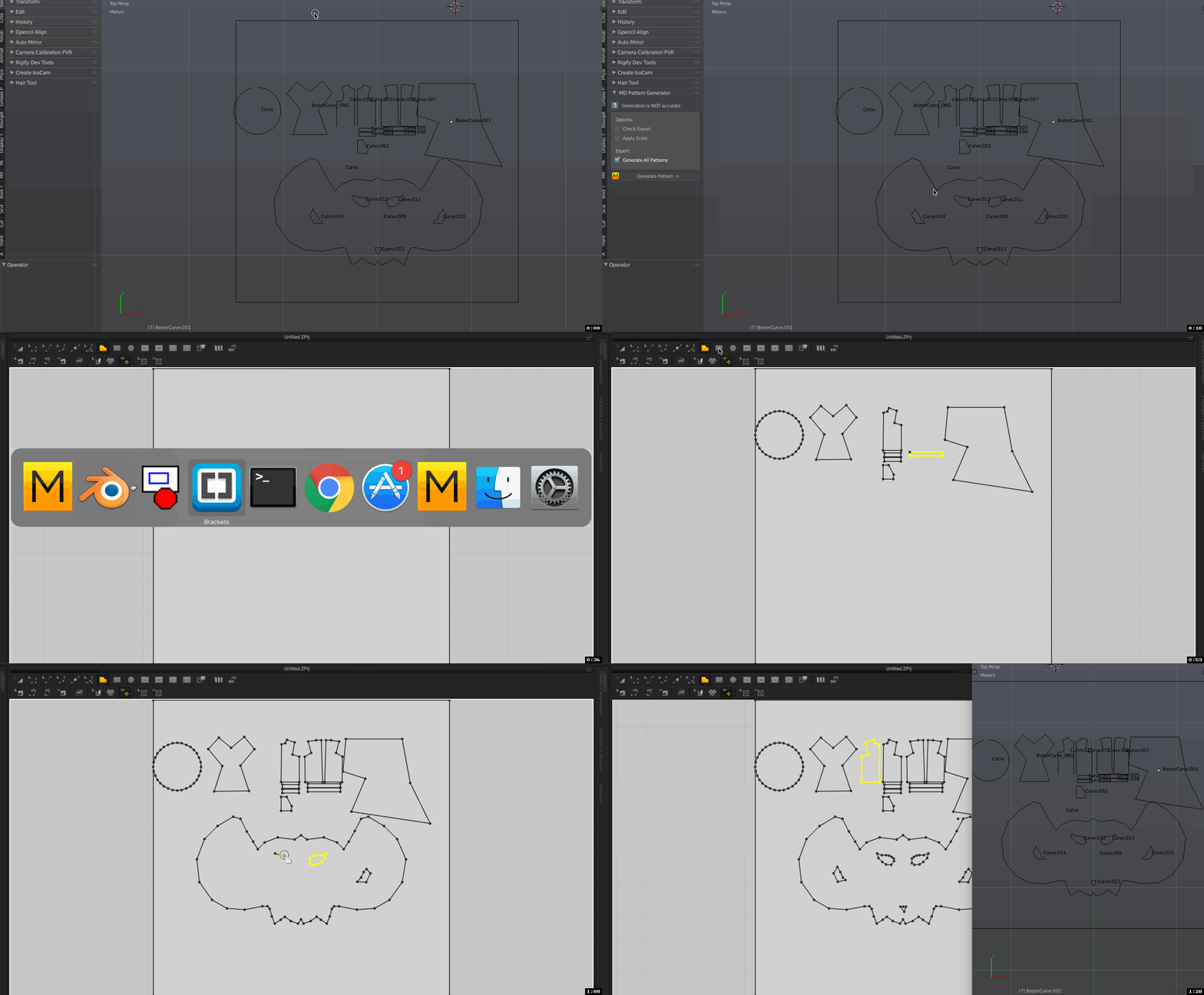
I actually helped a bit on the auto updated. I added the function to pull releases vs using master
Ps I've also made a very simple update checker. It doesn't pull in any file, but simply checks for releases. It shows a small panel with the info if there is an update and a button to go to the repo release.
You can put it everywhere of course, this was a first simple test for me to make a very simple updater
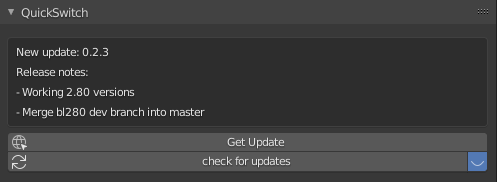
The button then redirects to the repo release page, see below
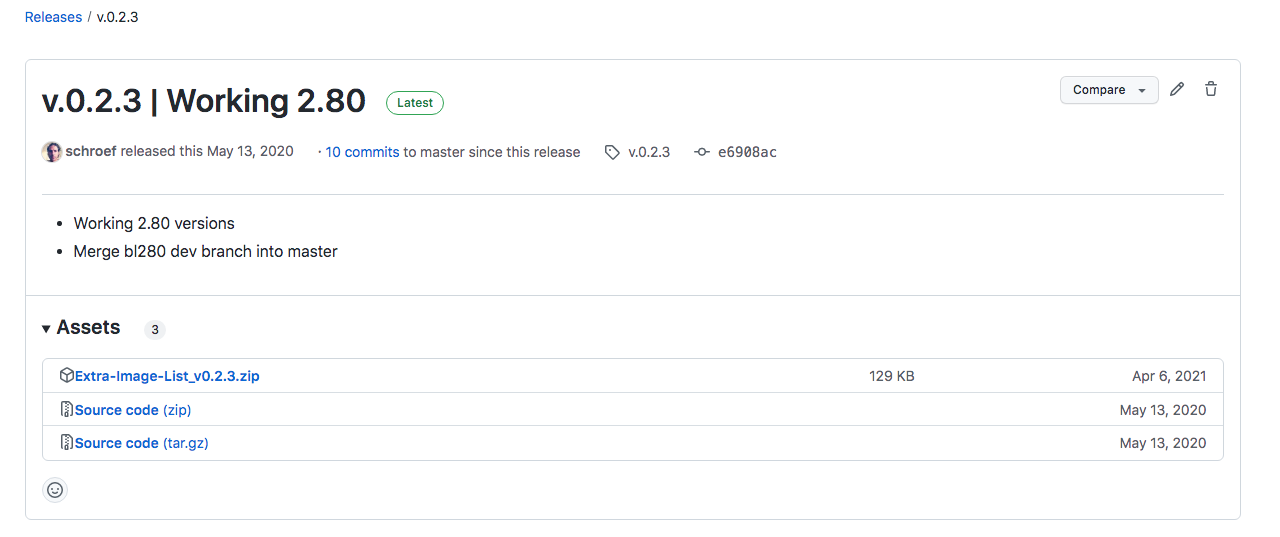
Very nice! That all looks like good stuff. Really good call on pulling from the releases. That's so much better/cleaner than master!
Yeah my idea was that it comes in much cleaner that way. A master contains lot "garbage" blender doesn't need. Not everyone works with the wiki to load images from, so master most times contains and image folder and what not. Its also faster doenload. Took me while to figure that addon out, I'm not a developer and learn a bit of python by starting to look at other addons. But eventually got it working.
But is it through blender seems to freeze because it's waiting for a return from that webserver? You could try a timer perhaps then. But i doubt that works, an operator causes the GUI to freeze. I guess it would need a modal operator perhaps
Yeah, it needs to be a modal, but more importantly it needs to be an asynchronous request, which python doesn't support within built-in libraries in a straightforward way! It's definitely doable, though.
What if you add async to your own lib? https://docs.python.org/3/library/asyncio.html
or perhaps add this lib; https://github.com/spyoungtech/grequests https://stackoverflow.com/questions/10555292/ideal-method-for-sending-multiple-http-requests-over-python
Yeah, that's one of the options for sure. I'll check out grequests - I hadn't seen that one.
Though when you keep reading those threads, you'll get pro's and cons, so its always a lot of testing. Makes the dev part much longer and slow.
Yeah, most of the implementations I've seen have to jump through hoops to handle the different platforms differently, and be very careful to handle edge cases. It all seems ugly and brittle.
PS ive added that example from BatFinger into the Vegetation addon of Bproduction and it works nice. Its not as fluent as normal update feedback, but works well
https://blender.stackexchange.com/questions/3219/how-to-show-to-the-user-a-progression-in-a-script#:~:text=Research%20over%20this,you%20steps%20achievement.
Thanks, @schroef. I've actually already built that part of the asynchronous workflow into AI Render. (You can see it in the upper right corner of the render window when you're rendering an animation).
If anyone sees this thread and wants to contribute in the near future, I'll link back to this earlier comment outlining the next steps: https://github.com/benrugg/AI-Render/issues/37#issuecomment-1312570382