

 benleb
Total food eaten and water drank each day
Dunno if this info is available anywhere but is it possible to get total food eaten and water drank for each pet each day into HA the info is in the surepet app so I'd think it's somewhere.

hm is this (food per day per pet) shown somewhere in the App @blair287? (so we could just use the value sure petcare gives us)
if not, I am not sure if this is something that should be handled by an integration itself... I will check that if we have to calculate it on our own :)

Thank you for the work you are doing here ... it's great!
I was calculating this myself in sensors using the weight attribute under the sensor.feeder_*****_feeder_bowl_0, and saving the weight at the time of filling the bowl, as the amount fed, then subtracting one from the other. However, I am unable to update to the latest version, as when I did, I noticed the weight attribute has been moved, and therefore my sensor will no longer work. I have rolled back to version 438ef1b for now, as this works fine. I will need to spend some time looking at how I can update the sensors to work with the new format.
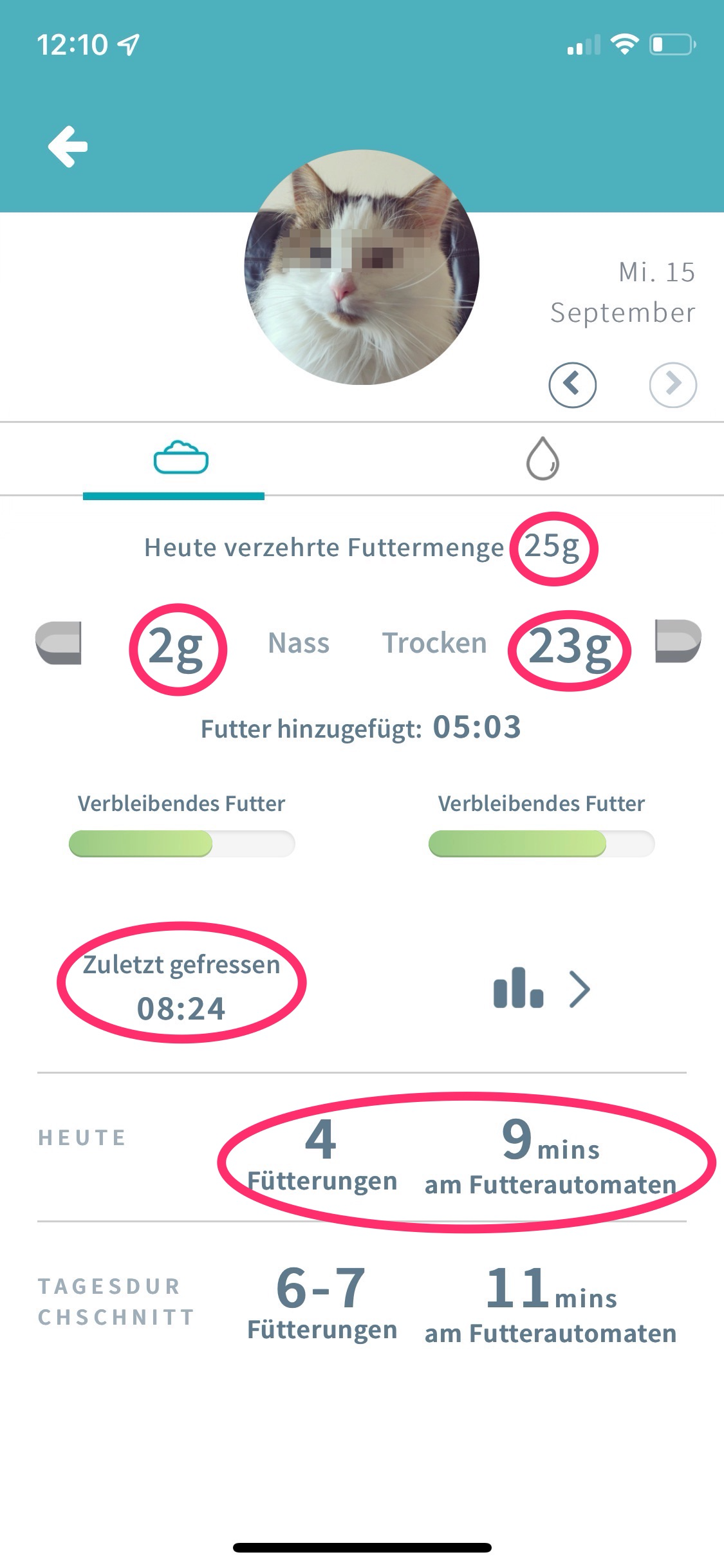
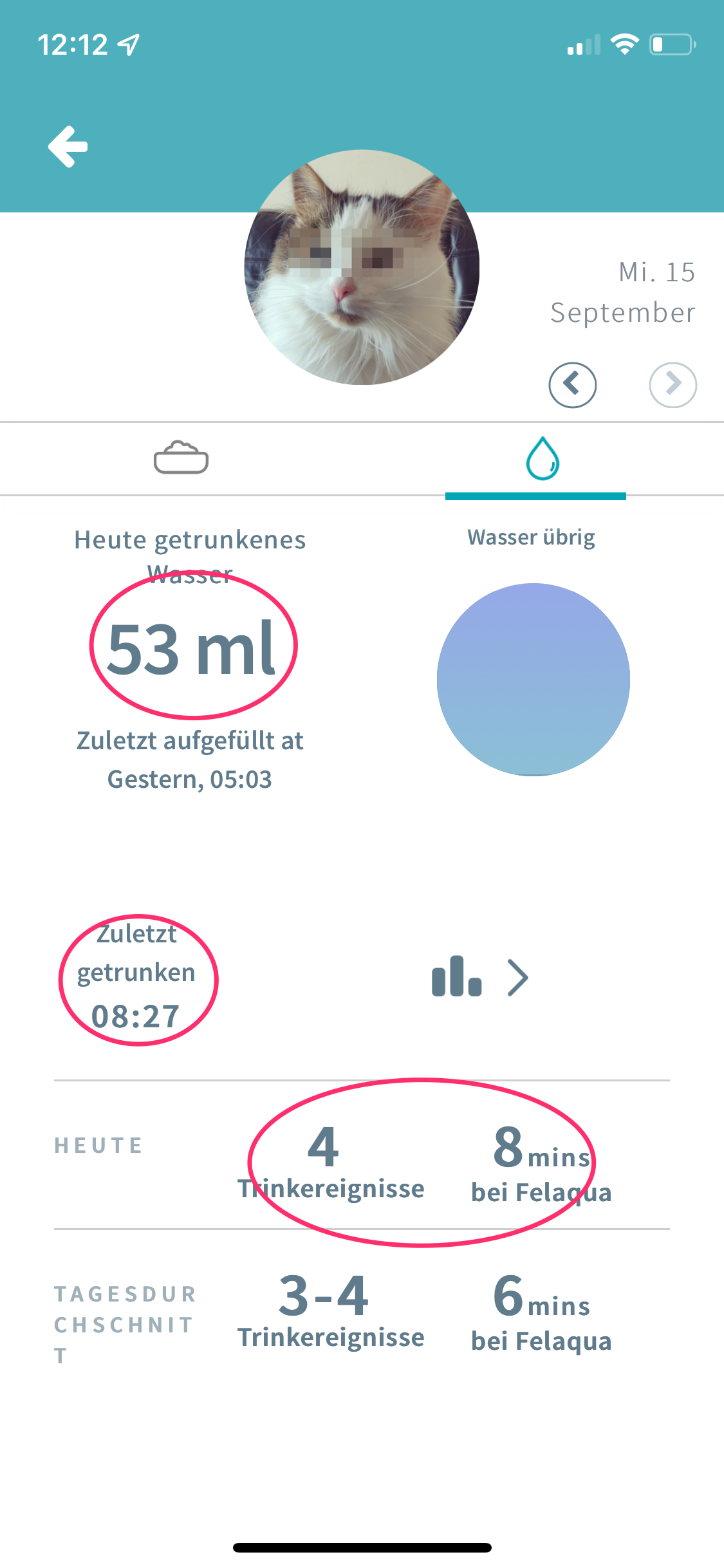
The food eaten is shown in the app for each pet though, along with the time food was added, and the time they last ate etc. Can these values be brought through?

Ah which attribute? Where was it? Can you show me your sensor config for this?
About the other values, I will check it ;)
Sure ... although, looking at it again, it seems I am using an automation to set an 'input_number' based on the 'Weight' attribute of the sensor.feeder_*****_feeder_bowl_0:
- id: '1627232626634'
alias: Set Food Remaining
description: ''
trigger:
- platform: state entity_id: sensor.feeder_****_feeder_bowl_0 attribute: weight condition: [] action:
- service: input_number.set_value data_template: entity_id: input_number.smudge value: '{{ state_attr(''sensor.feeder_****_feeder_bowl_0'',''weight'') | float }}' mode: single
I then use the input_number to calculate the amount fed, amount remaining etc, by setting other 'input_number''s depending on time, or other conditions (like was the bowl zero'd, after midnight etc). This was very complicated!
In short, it seems the entity_id: sensor.feeder_****_feeder_bowl_0, attribute: weight is no longer present - it has been moved to a lower level and I am unable to access the value.
hm is this (food per day per pet) shown somewhere in the App @blair287? (so we could just use the value sure petcare gives us)
if not, I am not sure if this is something that should be handled by an integration itself... I will check that if we have to calculate it on our own :)
Yes in the app once you click on the pet it shows wet and dry food weight eaten for the day.
I can't find it in the Web page code though but it must be coming from somewhere.
ok, so we are talking about the red circled numbers here, right? :) I will check if these are supplied by the API or if we have to calculate them ourselves 👍
I made a little snippet of code that collets the data of eaten food the last time it ate.
in sensors.yaml
- platform: template
  sensors:
    pet_iuno_voer:
      friendly_name: "Iuno"
      unit_of_measurement: "g"
      value_template: >
        {{ state_attr('device_tracker.pet_iuno','status')['feeding']['change'] | first | abs | round(0) }}
      entity_picture_template: >
        {{ state_attr('device_tracker.pet_iuno','entity_picture') }}
then I made a card using a picture element
- type: picture-entity
  entity: sensor.pet_ruby_voer
  image: https://surehub.s3.amazonaws.com/user-photos/thm/*****
you can find the proper image code in the sensor made above
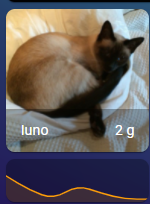
However, not all the data is going to HA.. it misses some datapoints every now and then for unknown random reasons.
I also tried to make a graph for a week (grouped-by-date, SUM of that day) but it's making a totall mess out of it.. I made it a line graph for now, which at a glance gives an indication, but as a bar graph you can see clearly the collected data does not reflect the data from the app.. possible causes could be, last data from previous day carrying over, something with time zones maybe?
- Today my cat ate 62 grams, graph says 39 and HA says 39 too.. (HA is missing one datapoint of 17 grams, which would make it 52)
- yesterday he ate 11 grams, graph says 42 but HA says 11 as well.. (i have no words)
- day before that he ate 19 grams, graph 21, HA says 21.. (the app is missing two datapoints of 1 gram, could be the use of (round(0)??)
soooo... it's a complete mess no matter what side you look at it ;-)

ok, so we are talking about the red circled numbers here, right? :) I will check if these are supplied by the API or if we have to calculate them ourselves 👍
Just the total wet and dry and total drank is all I'd need but any would be great the 2 and 3rd red circle on food and the top circle on water.
Hi @benleb was thanks for a great HA integration!
ok, so we are talking about the red circled numbers here, right? :) I will check if these are supplied by the API or if we have to calculate them ourselves 👍
Were you able to find out if these data points were retrievable through the API?

@benleb any update on the API? And do you have any instructions on how to access the API so I could look for it myself? :)

For others, I have posted a solution in another thread on calculating the total feed per day, but it's pretty complicated