

 benkuper
Dependent parameters not shown / hidden consistently across Dashboard, Parameters, Command Tester, Templates
- OS: Windows 10
- Version 1.9.7b16
Parameters and commands that use "dependency" are not always updating the associated shown / hidden parameters.
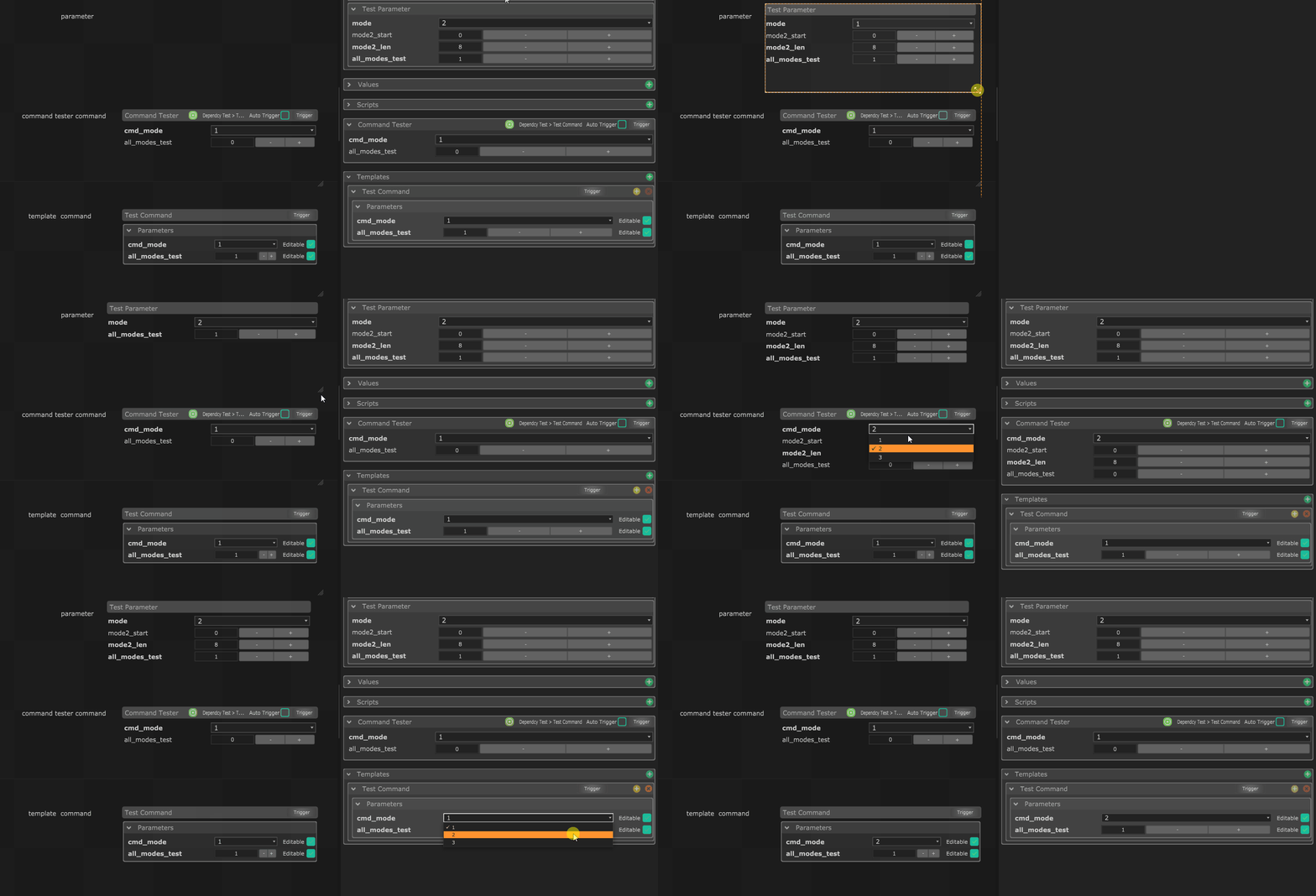
To Reproduce I created a custom module from the Sample-Chataigne module with a "Test Parameter" and "Test Command" that both have a mode parameter that when equals 2, will show the start / len parameters.
When I drag this test parameter to a new Dashboard - it won't always hide / reveal the start/len parameter, but sometimes will if I edit the size of the dashboard item. When the "Test Command" is added as a template, it doesn't work at all and doesn't show the start/len parameters - neither on the Inspector nor when added to the Dashboard.
Command Tester seems to work as expected on both Inspector and Dashboard.
I did a little animated gif to show this, and have attached the custom module + .noisette file that I used to make it.
Sample-Chataigne-module-main.zip

Yes, this is a way bigger problem... templates need to be fully revamped, and this will likely break the current system. So I'm taking my time :)
