

 benfry
Issue when using a transparent stroke with vertex()
Description
I'm running into a possible bug when using vertex() with a stroke that has transparency/alpha. I would expect the color to be consistent from the beginning to the end of the drawn line. Instead there are "dots" that appear at the vertices. Here is an example:
size(400, 400, P2D);
smooth(8);
background(0);
stroke(255, 60);
noFill();
strokeWeight(1.9);
beginShape();
for (int x = 100, y = 100; x < 300; x+=20, y+=20) {
  vertex(x, y);
}
endShape();
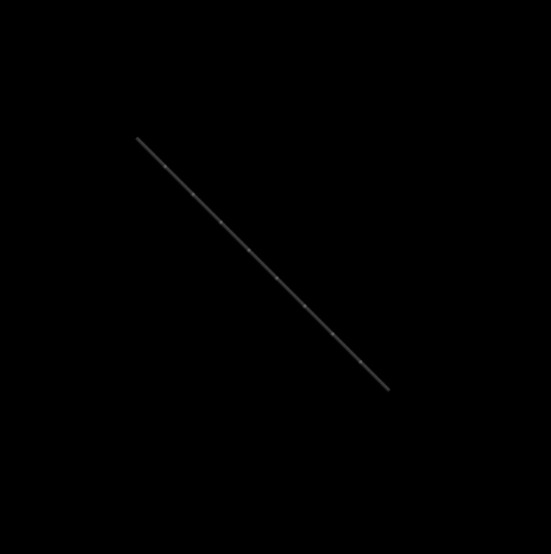
I'd like to use a strokeWeight of 1 in my project, but the issue is easier to visualize at 1.9. The issue goes away if using a strokeWeight >= 2.0, as seen here:

The issue also goes away if using the default renderer instead of P2D, but I need to use P2D for my project for additional reasons. I've tried using different strokeJoin options but it doesn't seem to change the result here.
My Environment
- Processing v4.1.2
- Windows 10
- Nvidia RTX 2060 Super

Thanks to reddit user @AGardenerCoding for finding the following workaround:
Oddly enough, this eliminates the visible points:
size(400, 400, P2D);
smooth(8);
background(0);


PShape shp = createShape();
shp.beginShape();
shp.stroke(255, 60);
shp.strokeWeight(1.9);
shp.noFill();

for (int x = 100, y = 100; x < 300; x+=20, y+=20) {

  shp.vertex(x, y);

}
shp.endShape();

shape( shp );
Drawing lines with OpenGL is really tricky, and it works with createShape() because it can do a better job of guessing that you intend those shapes to be connected. That being said, on first glance, we should be able to use the same logic with beginShape() for a line that we are with PShape for at least a simple case like this.
(Your initial code also has a typo, beginShape(POINTS) isn't creating the image you posted; I'm not sure if you're using beginShape() or beginShape(LINE_STRIP) there.)

(Your initial code also has a typo, beginShape(POINTS) isn't creating the image you posted; I'm not sure if you're using beginShape() or beginShape(LINE_STRIP) there.)
Ah, sorry about that. I was trying a lot of different things out before I decided to post my question. I was indeed using beginShape() with no arguments. I'll edit my original post to correct the typo.