
processing4
 processing4 copied to clipboard
 benfry
Using right-click 'Jump to declaration' menu item causes Processing to lock-up in some sketches.
Description
Using right-click 'Jump to declaration' menu item causes Processing to lock-up in some sketches.
When selecting a variable or function name in the UI and clicking on 'Jump to declaration' Processing locks up - No error is shown in the console but the UI becomes unresponsive, menus no longer open and windows cannot be opened or closed. I did wonder if things were just slow, but 10-15 minutes later, Activity Monitor shows Processing as 'not responding' but using between 25-25% CPU.
I first noticed the problem when working on my own projects, so it's quite possible there's something horrible about my code which is triggering this (my current project has a few thousand lines of code in 28 files, so quite likely I guess). Having said that, the same project didn't trigger this problem using Processing 3.5.4, I only encountered this after opening the project in Processing 4. Different versions of the project compile and run without errors under versions 3 & 4 of Processing.
While the problem doesn't occur when opening single-tab examples or sketches, it does happen with some of the multi-file example code from the 'Generative Design' book, but doesn't occur when testing a sketch by Marius Watz in 2 tabs.
In addition to controlP5 (which doesn't trigger the error in other sketches) my current project imports the following libraries:
import java.util.Locale;
import java.awt.datatransfer.*;
import java.awt.Toolkit;
import java.io.FileInputStream; // File Streams.
import java.io.FileOutputStream;
import java.util.UUID;
import java.util.zip.ZipEntry;
import java.util.zip.ZipOutputStream;
Expected Behavior
In Processing 3, the 'Jump to declaration' menu item would jump straight to the appropriate variable/function declaration.
Current Behavior
In version 4, 'Jump to declaration' sometimes causes Processing to become unresponsive.
Steps to Reproduce
Some of the sketches which trigger the problem import external libraries, but I haven't found a sketch (other than my own) which always triggers the problem.
Your Environment
- Processing version: Processing 4.0b8
- Operating System and OS version: Mac OS 10.15.7

Hm, sorry to hear it. That code hasn't changed between 3 and 4, but it sounds like you're hitting a threading deadlock (the spinning) so it may have been broken in 3 but less likely to be hit. (Also means that on someone else's machine, they may hit the problem).
If you can track it down to a reproducible example, that'd be really helpful so we can see what might be happening.

OK, so after some more experimenting, it seems like none of the Processing example sketches cause this problem, and some of my sketches always cause the problem - so maybe my messy code is the real problem! However, after taking an old sketch of mine which did cause the problem and moving all the code to a single tab (making it even messier in the process), 'jump to declaration' seems to work fine (or at least hasn't caused Processing to hang since). So could the issue be related to projects with multiple tabs (originally this test project had 10)?
Example sketch attached with the original multi-tab files which cause the crash for me, and a single-file version which doesn't cause the crash when selecting 'jump to declaration':
Thanks for the example; will try to take a look, or perhaps someone will volunteer to check into it.
Thanks! That code was taken from an older project, repurposed for something new and then never finished, so maybe Processing is crashing in protest at the sheer messiness. But, interestingly, I just tried opening the project - which systematically causes the crash on my Mac - on a Windows 10 machine (4b08) and no amount of right-clicking managed to cause the problem. Is there something specific to multi-threading on Macs perhaps?
I'm encountering the same issue on mac book pro 12.6, using processing ide 4.0.1. while using single file (ie not multi-tabbed project)

If you have a nice, short example sketch, and a sequence of steps that reproduces the problem, that'd be super helpful.
@matkeane
Does this example freeze up for you if you jump to the declaration of chars?
void test_hslab() {
  char[] chars = {'H', 'S', 'L', 'A', 'B'};
}

void test_hslab_2() {
  char[] chars = {'•', 'H', 'S', 'L', 'A', 'B'};
}

Does this example freeze up for you if you jump to the declaration of
chars?
Hi. Yes, I dropped that code into a new test sketch and Processing locked up when I tried 'jump to declaration'.
Still can't get this to happen on any of my machines… Clearly a thread deadlock problem but I can't find a good case to trigger it. I'm a little less familiar with that code because it came from a GSoC project, so if anyone wants to take a look, please do so.
sorry for the late reply— but yes, that code freezes for me too when jumping to declaration of chars
Just an update: I can reproduce the issue - in both my code and the example provided by @clankill3r - in the recently released v4.2 on a new M1 MacBook Pro.
With the test code above (https://github.com/processing/processing4/issues/527#issuecomment-1313629140), if I remove the first character '•' in the second array definition, the error no longer occurs.
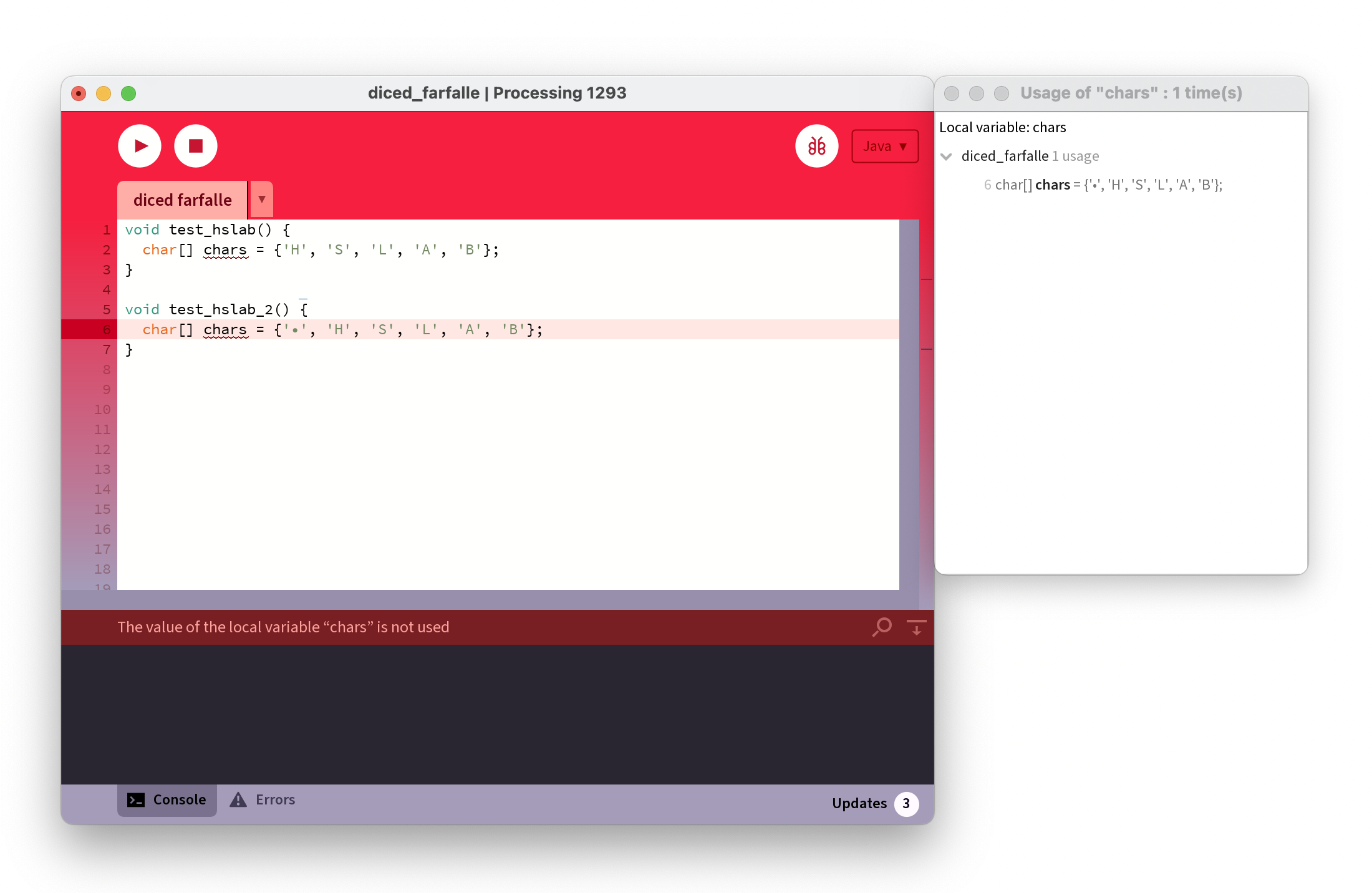
So I just did a search-and-replace for all non-ascii characters (using this regexp [^\x00-\x7F] ) in my own code, and with those characters stripped out, right-clicking / cmd+clicking and selecting a menu item, no longer causes things to lock up.
As in the test code above, the non-ascii characters are always quoted in strings, not in variable to class names. Strange that it only happens on some machines though - is it possible it's related to OS language settings ?
I was a bit confused at first, as the unicode arrows which seemed to be causing the problem were a recent addition to UI text, and the problem predated their addition. But I tracked down a copyright symbol - © - which has been there forever and removing that seems to reliably avoid the problem.
Just another quick update: replacing the offending characters with their Unicode equivalents in String definitions - e.g. "\u2190" for left-arrow symbol - has eliminated the problem for me.
What's the exact thing you're doing to trigger the error? What are you clicking? Are you using the popup or the main menu bar?
For me it was the right-click contextual menu items - 'Show Usage...' and 'Jump to Declaration' which triggered the problem.
I just tried adding a © character (ALT+G on my Mac) inside a String variable and it locks up Processing when using 'Jump to Declaration' on any function name - Had to force-quit Processing and re-open it afterwards. Same occurs whether it's my big, messy project, or the stripped-down example from @clankill3r above.
Just looked at issue #682 - I can't reproduce the control+click crash, but the 'ä' character causes the same problem here hewn using the contextual menu items.
I need as literal an explanation as possible: what exact bit of text do you click to make this happen? Is the text already highlighted? Or is there no selection made? Where is your mouse when you right-click?
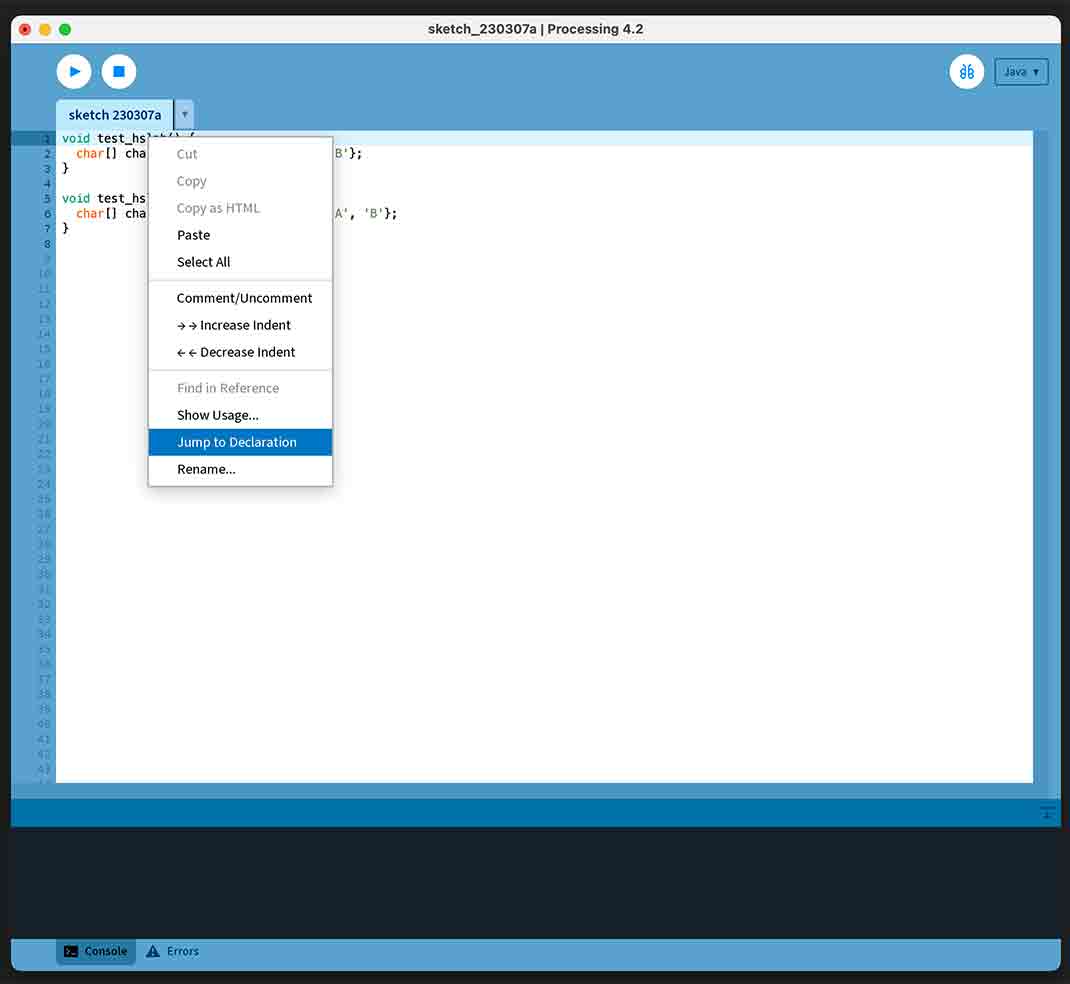
Steps to reproduce:
- I copied and pasted the example code from @clankill3r into a new sketch tab (no text was selected or highlighted).
- I right-clicked on the function name 'test_hslab' (mouse cursor in the middle of the text) and selected 'Jump to Declaration'
- Contextual menu closes, but the Processing UI is no longer responsive (cannot scroll, select anything or any menu item).
In a second test, I pasted the same test code into a new sketch, then selected (highlighted) the function name 'test_hslab2' before right-clicking on the text to open the contextual menu and selected 'Show Usage...'. The UI locks up in the same way.
Since the accented characters seem to be causing the issue - and other linked issues - is it possible it's related to machine language settings ? As a British guy living in Europe with non-european family members, my machine's language and keyboard settings are perhaps busier than normal:
  Requested Linguistic Assets:	en, en_FR, en_GB, zh, zh_Hans, zh_Hant, fr, zh_FR, fr_FR, de, fr_GB, zh_GB, it, nl
  Calendar:	Gregorian
  Country Code:	GB
  Current Input Source:	com.apple.keylayout.USExtended
  Language Code:	en
  Locale:	en_GB
  Preferred Interface Languages:	en-GB, fr-GB, zh-Hans-GB, zh-Hant-GB

System Settings:
  Country Code:	FR
  OS Interface Languages:	en, en-GB, en-AU, en-IN, zh-Hans, zh-Hant, zh-HK, ja, es, es-419, fr, fr-CA, de, ru, pt-BR, pt-PT, it, ko, tr, nl, ar, th, sv, da, vi, nb, pl, fi, id, he, el, ro, hu, cs, ca, sk, uk, hr, ms, hi
  System Preferred Interface Languages:	en-GB, fr-GB, zh-Hans-GB, zh-Hant-GB
  Locale:	en_GB
  Text Direction:	Left-To-Right
I still got this very annoying bug in the processing IDE java flavor.
It occurs only in Sketches with special characters such as Chinese, Spanish or German (äöü… Umlaute)
// Umlaute ä ö ü

size(900, 900);

float R = 300;

for (float i= 0; i <= 360; i+=7) {

  float x = cos(radians(i)) * R+width/2;
  float y = sin(radians(i)) * R+height/2;


  ellipse (x, y, 7, 7);
}

I can verify the problem with a simple sketch. Deleting the 'char test=' line eliminates freeze. Th epresenece of any 'special' character in the file triggers behaviour, even in comments. (MacOS Processing 4.2)
char test = '«';

void setup() {
  size(100,100);
}

void draw() {
}

I don't doubt it's a problem but I still can't reproduce on any machines in my possession. If someone with the issue can find and contribute a fix, that'd be great.