

 benfry
Sketches on Linux don't take UI scaling into account
Created by: benfry
The sizing for most of the PDE works properly as of Processing 3.3, however sketches don't re-size based on the scaling.
There's an issue open here that covers the cross-platform aspects of making this work. The Windows version of this bug is here.
This issue is only for the Linux-specific parts of the problem, i.e. how are we gonna get the current UI scaling or DPI setting from the hodgepodge of window managers used with Linux.

I believe this information is supposed to be provided by xdpyinfo, which is part of the X server package. Not sure if this will work in all circumstances (window managers doing their thing regardless of X), but this would be the easiest/nicest solution if it did.


This should run xrdb -query, which returns e.g.
Xft.dpi:	192
Xft.antialias:	1
Xft.hinting:	1
Xft.hintstyle:	hintslight
Xft.rgba:	none
Xcursor.size:	48
Xcursor.theme:	Adwaita
The desktop manager is this Xft.dpi setting here, according to some heuristics and X server settings.
An interface scaling of 200% does scale the sketch code in processing-3.3.6. Still many elements of the PDE do not scale up--menus and the preferences window, for instance:
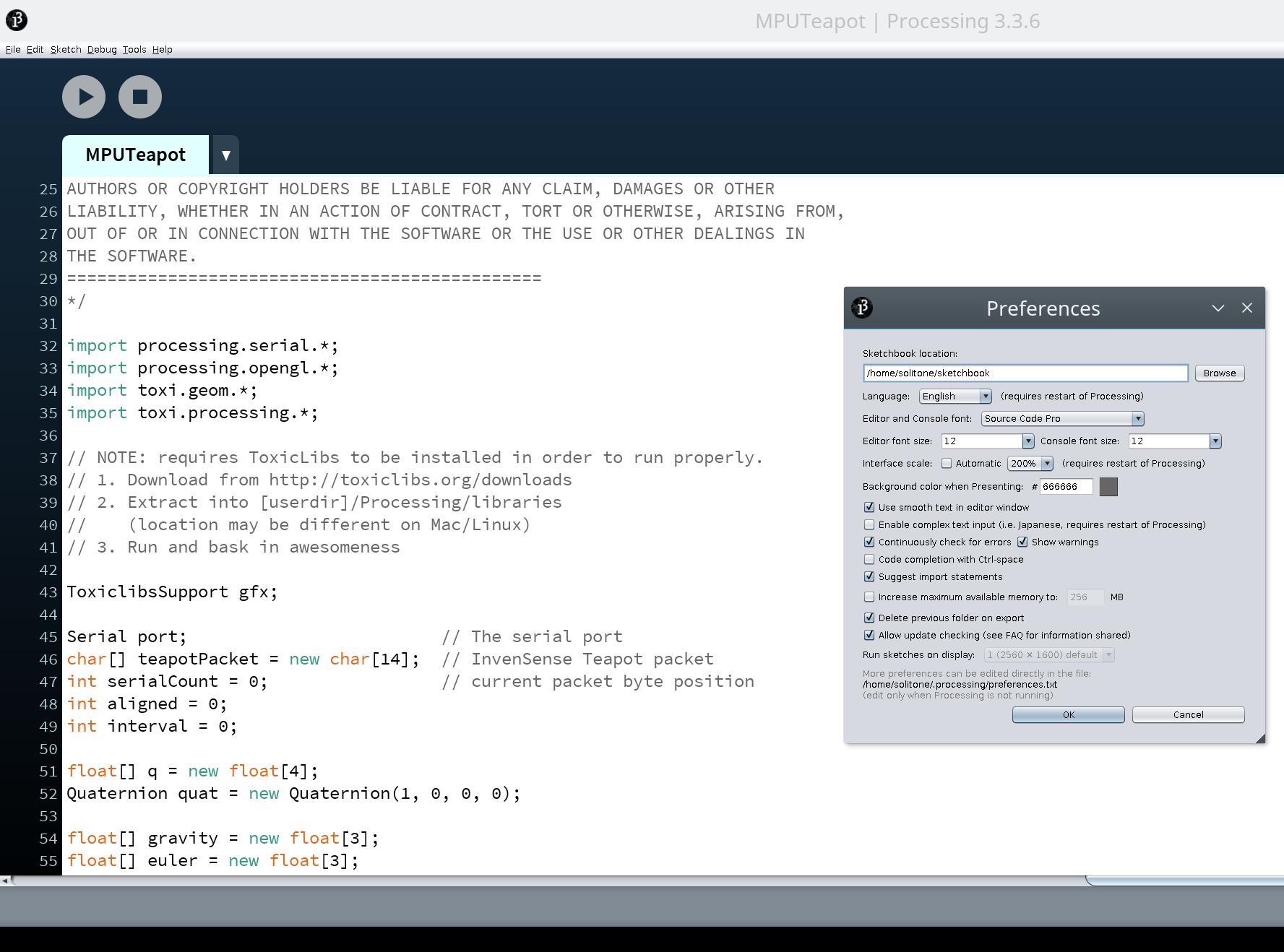
MacBookPro 12,1 with debian stretch GNU/linux.
~$ xdpyinfo
[...]
screen #0:
  dimensions:    2560x1600 pixels (286x179 millimeters)
  resolution:    227x227 dots per inch
[...]

(Moving to the 4.0 repository and hiding off-topic comment about the PDE… this issue is specifically about sketches)
With 4.0 beta 6, sketch sizing should be in place for macOS (been there for a while) and Windows (arriving in beta 6). Linux is the last holdout; just needs more work/time/testing.